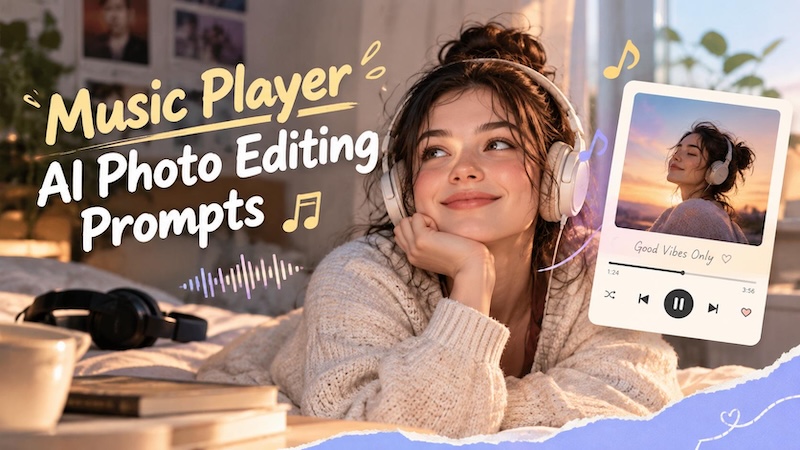
You might have noticed a new trend on social media where people transform their ordinary pictures into stylish music player photos using AI tools. These creative edits combine personal portraits with music player interfaces, song titles, album covers, and aesthetic visual effects. Whether you want to create a Spotify-inspired portrait, a retro music design, or a cinematic image featuring your favorite song, Music Player AI photo editing prompts can help you achieve impressive results. In this guide, we'll provide you with the top 10 viral music playlist AI photo editing prompts that will help you create engaging visuals within seconds.
Part 1: Top 10 Music Player AI Photo Editing Prompts
Looking for the best ChatGPT music player list AI photo editing prompts? You're in the right place. Below, we've listed the top 10 viral music playlist AI photo editing prompts that will help you create engaging visuals without editing experience.
1. Spotify-Inspired Music Player

"Transform the uploaded photo into a stylish Spotify-inspired music player portrait. Preserve the person's original facial features, hairstyle, skin tone, and natural expression. Place the portrait inside a floating music player interface with a dark background, neon-green accents, album artwork, a progress bar, and realistic playback controls. Add a fictional song title, artist name, and subtle soundwave graphics. Use cinematic lighting, sharp details, natural skin texture, and professional color grading. Create a modern, photorealistic composition suitable for Instagram posts and profile pictures."
2. Romantic Love Playlist
"Transform the reference image into a romantic playlist cover filled with soft pink roses, glowing hearts, and dreamy sunset lighting. Keep the person's face and appearance recognizable. Add a beautiful music playlist card with the title "Love Letters" and delicate playback controls. Use pastel pink, cream, and rose-gold tones, soft focus, and cinematic depth. Include small album thumbnails and subtle decorative elements around the portrait. Create an emotional, elegant, and photorealistic design that captures the feeling of listening to romantic music on a peaceful evening."
3. 3D Floating Music Player Artwork
"Turn the reference photo into a premium three-dimensional music player composition. Preserve the person's identity, facial details, hairstyle, and natural proportions. Place the portrait inside a floating glass music player panel surrounded by dimensional album artwork, glossy headphones, miniature equalizer bars, and suspended playback icons. Use translucent materials, realistic reflections, soft shadows, and a gradient background featuring lavender, pink, and blue. Add a fictional song title and artist name with clean contemporary typography. Render the scene with realistic depth, polished 3D materials, and high-end commercial design quality."
4. Retro 2000s Playlist
"Turn the reference photo into a nostalgic early-2000s music playlist design. Preserve the subject's original facial features and hairstyle. Surround the portrait with vintage CD covers, metallic headphones, colorful stickers, cassette tapes, and glossy digital music player graphics. Add the playlist title "Back to 2000s" in bold retro typography. Use silver, electric blue, purple, and pink accents with subtle flash photography and grainy film textures. Create a playful, nostalgic aesthetic inspired by classic music technology, with detailed objects and a balanced composition."
5. Neon Cyberpunk Music Player Portrait
"Transform the reference photo into a futuristic cyberpunk music player artwork while keeping the person's face, hairstyle, and identity recognizable. Position the portrait against a rainy neon cityscape filled with electric-blue, purple, and magenta lights. Add a holographic music player interface, glowing equalizer bars, floating playback icons, and a digital waveform surrounding the subject. Include a fictional track title and artist name in futuristic typography. Use dramatic reflections, cinematic contrast, realistic skin textures, and intricate lighting for a premium science-fiction-inspired social media portrait."
6. Mountain View Spotify Playlist
"Transform the reference photo into a realistic mountain sunset portrait with floating Spotify-inspired playlist interfaces. Keep the person's face and identity unchanged. Position them beside a rugged tree overlooking distant mountains, wearing a stylish oversized shirt, loose dark trousers, and casual footwear. Add multiple glassmorphism music cards with miniature album covers, song information, progress bars, and luminous turquoise outlines. Blend warm golden sunlight with cool blue mountain shadows. Create cinematic depth, realistic textures, natural proportions, and a premium social-media aesthetic."
7. Moody Lakeside Music Interface
"Edit the uploaded photo into a dreamy lakeside music-player composition. Preserve the subject's facial features, hairstyle, and natural appearance. Place them standing beside a bare tree near calm water during a golden-hour sunset. Dress them in a bright red shirt and relaxed black trousers. Surround the subject with floating translucent playlist panels, glowing cyan edges, album thumbnails, and realistic playback controls. Use atmospheric mist, soft orange reflections, and cinematic lighting. Keep the scenery photorealistic, with accurate perspective and balanced visual composition."
8. Dark Studio Music Player Aesthetic
"Use the uploaded portrait as the reference and create a premium music-player editorial photograph. Keep the person's face and identity completely unchanged. Position the subject on the right side, looking downward casually while holding sunglasses. Dress them in an oversized black streetwear T-shirt, baggy faded jeans, a neutral baseball cap, and modern sneakers. Place a giant translucent music playlist panel on the left, displaying stacked album covers, track listings, and a prominent playback bar. Use a dark concrete-gray studio, cinematic shadows, realistic glass reflections, and sophisticated monochrome color grading."
9. Luxury Streetwear Music Portrait
"Create a high-end streetwear editorial using the uploaded image as the identity reference. Keep the person's face, hairstyle, and body proportions unchanged. Position them with crossed ankles and a relaxed downward gaze, holding sunglasses beside their leg. Add an oversized black designer-style graphic T-shirt, baggy light-wash jeans, a muted rose baseball cap, and neutral sneakers. Beside them, display a tall floating music playlist interface with translucent glass, glowing borders, album covers, and elegant playback controls. Use a dark gray seamless studio, soft directional lighting, detailed fabric textures, and realistic reflections."
10. Cinematic Midnight Playlist Cover
"Transform the uploaded photo into a cinematic midnight music playlist cover. Preserve the subject's original identity, face, and natural appearance. Place them on the right side of a spacious, dark-gray photography studio, wearing relaxed black streetwear, oversized light-gray jeans, a dusty-pink cap, and gray sneakers. On the left, create a large floating translucent playlist screen titled "Midnight Mood," featuring album artwork, multiple song listings, a progress indicator, and glowing playback buttons. Add subtle atmospheric haze, soft white illumination, realistic floor reflections, and premium editorial photography with balanced composition."
Part 2: How to Create Music Player AI Photos With Edimakor AI
If you have the right music playlist photo editing prompt, then the next step is to convert the prompt into high-quality visuals using an AI tool. That is where Edimakor AI comes in. It is an all-in-one AI video editing tool that also supports AI image generation, allowing users to transform creative ideas into eye-catching visuals. Whether you want to create a Spotify-inspired portrait, a stylish music player interface, or an aesthetic photo featuring your favorite song, Edimakor AI can help bring your ideas to life. One of the standout features of this tool is that it supports a wide range of AI models, each with unique features and capabilities. It includes AI models such as Nano Banana, Nano Banana Pro, Stable Diffusion, Flux, Seedream, Midjourney, and more. Another amazing feature of this tool is that it supports a wide range of image styles, such as realistic, anime, 3D, cartoon, cyberpunk, cinematic, oil painting, and more.
Key Features of Edimakor AI
- Image-to-Image: Edimakor AI offers an amazing image-to-image feature, allowing users to transform ordinary images into engaging visuals, including viral music playlists AI photo --- no editing experience or professional help required.
- Multiple AI Models: The program supports a wide range of AI models, each with unique features and capabilities, such as Nano Banana, Nano Banana Pro, Midjourney, Stable Diffusion, Flux, Seedream, and more.
- Advanced Image Editing: One of the standout features of this tool is that it offers advanced editing capabilities, allowing users to transform AI images according to their requirements.
- Text-to-Image: Edimakor AI also supports text-to-image capabilities, allowing users to create high-quality images with a simple text prompt. Simply enter the prompt, choose the AI mode, and click on the "Generate" button.
- Intuitive Interface: The best part of this tool is that it offers an easy-to-use interface, which is ideal for non-tech and beginner users. With this tool, users can create engaging visuals without professional help or editing skills.
Step-by-Step Guide:
Follow the instructions below to learn how to create high-quality music player AI photos with Edimakor AI in 2026:
Step 1: Navigate to the Edimakor AI official site and log in with your account. Select the "Image-to-image" feature from the left panel and select the AI model. Click on the "Upload" button and import the image you want to transform.
Step 2: Enter the ChatGPT music playlist AI photo editing prompt and select the image settings, such as aspect ratio, resolution, and output quantity. Click on the "Generate" button to begin the image creation process.
Step 3: Within seconds, your music playlist image will be ready. Go to "My Creation" and choose the image you want to download. Click on the "Download" button to export the image in your desired format.
Final Thoughts
In this guide, we have mentioned the top 10 music player AI photo editing prompts that you can use to create trendy, eye-catching visuals for your social media profiles. From Spotify-inspired portraits to cinematic music player designs, these prompts make it easier to experiment with different styles and turn ordinary pictures into creative masterpieces. Plus, we've also introduced Edimakor AI. It is an all-in-one AI video editing tool that also includes image generation capabilities, allowing users to turn ordinary images into engaging visuals with a single click.


Leave a Comment
Create your review for HitPaw articles