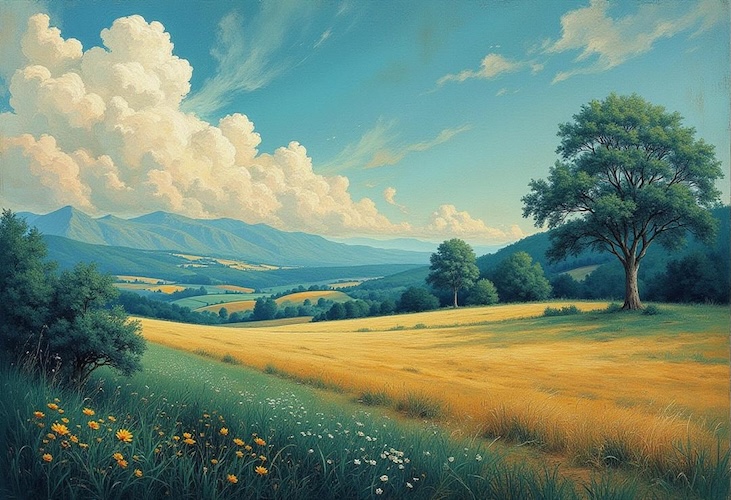
There’s just something about a landscape that captures the essence of nature. Whether it’s snow-covered mountains, lush forests, golden deserts, or breathtaking coastal views, landscape art has always inspired artists and creators. Thanks to AI, you no longer need advanced design skills to create stunning scenery. Free AI landscape generator from photo can transform a simple text prompt into a realistic painting in just a few seconds. In this guide, you’ll learn how to generate AI landscapes using the best AI landscape generator, along with effective prompt examples to achieve professional-quality results.
Part 1: What is an AI Landscape Generator?

An AI landscape generator is a tool that produces outdoor scenes—gardens, parks, coastlines, mountains, courtyards, and more — from a simple text prompt and reference input. Powered by advanced artificial intelligence and text-to-image technology, these tools analyze your description and generate highly detailed, realistic, or artistic landscapes within seconds. The best part of this tool is that it supports a wide range of image styles, including photorealistic, fantasy, anime, watercolor, oil painting, 3D, pixel art, cyberpunk, digital illustration, and cinematic. Another amazing feature of this tool is that it allows you to produce professional-quality visuals without requiring advanced design skills.
Part 2: Best AI Landscape Generator in 2026: HitPaw Edimakor
Looking for the best free AI landscape generator? Look no further! HitPaw Edimakor is one of the best AI landscape generators available on the internet. The program enables users to create realistic nature scenes from simple text prompts in just a few seconds. Whether you want to generate majestic mountain ranges, peaceful lakes, lush forests, tropical beaches, or colorful gardens, HitPaw Edimakor delivers high-quality results with impressive detail. Powered by advanced AI image generation technology, HitPaw Edimakor allows users to customize their creation by selecting different artistic styles, aspect ratios, image quality, and visual effects to match their project requirements. An amazing part of this tool is that it offers an intuitive interface, allowing beginners and professional users to create high-quality landscape images without any design skills.
Key Features of HitPaw Edimakor
- Text-to-Image: HitPaw Edimakor enables users to create high-quality and engaging nature scenes with simple text prompts — no editing skills or professional help is required.
- Image-to-Image: The program also supports image-to-image capabilities, enabling users to transform an existing image into a completely new landscape without sacrificing the original quality.
- Multiple AI Models: One of the best parts of HitPaw Edimakor is that it supports a wide range of AI models, including Nano Banana, Nano Banana Pro, Stable Diffusion, Flux, Midjourney, and more.
- Free to Use: The program enables users to create nature scenes for free — no registration or paid subscription required. The free version offers a wide range of AI features, such as Text-to-Image, Online Video Editor, and AI Image Enhancer.
- Intuitive Interface: HitPaw Edimakor offers an easy-to-use interface, which is best for non-tech and beginner users. Simply, enter the text prompt, choose the AI model, and click on the “Generate” button.


Part 3: Step-by-Step: How to Use the Best AI Landscape Generator
As mentioned earlier, HitPaw Edimakor is the best AI landscape generator for creating realistic and artistic scenery from simple text prompts. Follow the instructions below to learn how to do it:
Step 1: Choose Text to Image Feature
Launch HitPaw Edimakor on your PC and select the “Toolbox” option. A list of AI tools will appear on your screen. Locate and click the “Text-to-Image” feature.
Step 2: Select The AI Model
After opening the Text-to-Image feature, choose the AI model that best suits your creative needs. HitPaw Edimakor offers multiple AI models, such as Nano Banana, Nano Banana Pro, Flux, Stable Diffusion, Midjourney, and Seedream.
Step 3: Enter AI Landscape Prompt
In the prompt box, enter a detailed description of the landscape you want to generate. Make sure that your AI prompt has detailed instructions about the image, such as environment, weather, lighting, time of day, and more.
Step 4: Adjust Image Settings and Click Generate
Scroll down and select the image settings, such as resolution, aspect ration and output number. Finally, click on the “Generate” button to begin the landscape creation process. Your image will be ready. Preview and download it in the desired format.
Part 4: 5 AI Art Landscape Ready-to-Use Prompts
If you want to generate high-quality and engaging landscape images, it’s essential to use a well-crafted prompt. A detailed prompt helps the AI understand your vision, resulting in more realistic, artistic, and professional-looking scenery. Below are the top 5 AI art landscape-ready-to-use prompts:
1. Majestic Alpine Sunrise
“Create a breathtaking alpine landscape at sunrise featuring towering snow-capped mountains, a crystal-clear lake reflecting the golden morning light, lush pine forests, colorful wildflowers, and a gentle layer of mist floating above the water. Add soft sun rays breaking through the peaks, ultra-realistic textures, cinematic lighting, HDR quality, 8K resolution, wide-angle photography, vibrant natural colors, and an incredibly peaceful atmosphere.”
2. Tropical Island Paradise
“Generate a tropical island paradise with white sandy beaches, crystal-clear turquoise water, swaying palm trees, colorful coral reefs visible beneath the ocean, dramatic cliffs, and a vibrant sunset sky. Include gentle ocean waves, tropical flowers, luxurious scenery, cinematic lighting, realistic reflections, high-detail textures, drone-style aerial perspective, photorealistic quality, and 8K resolution.”
3. Peaceful Japanese Zen Garden
“Design a traditional Japanese Zen garden featuring a tranquil koi pond, an elegant wooden bridge, cherry blossom trees in full bloom, carefully arranged rocks, bamboo fences, stone lanterns, and a small pagoda surrounded by lush greenery. Capture the peaceful ambiance with soft morning light, realistic water reflections, cinematic composition, ultra-detailed textures, natural colors, and high-resolution photorealistic rendering.”
4. Futuristic Eco City Landscape
“Create a futuristic eco-friendly city surrounded by lush green mountains, waterfalls, rooftop gardens, solar-powered skyscrapers, glass architecture, elevated parks, and clean rivers flowing through the city. Add flying vehicles, soft sunset lighting, cinematic science-fiction atmosphere, realistic reflections, highly detailed environmental design, vibrant colors, ultra-realistic rendering, and 8K visual quality.”
5. Dreamy Lavender Valley
“Generate a peaceful countryside filled with endless lavender fields stretching toward rolling hills, charming cottages, winding stone paths, blooming wildflowers, and distant mountains beneath a dramatic sunset sky. Include soft golden light, gentle breeze effects, realistic floral textures, cinematic composition, pastel color grading, ultra-HD landscape photography, and a calm, romantic atmosphere.”
Final Thoughts
Free AI landscape generator from photo has made it easier than ever to create breathtaking outdoor scenes without requiring professional design skills or expensive software. With the help of the right AI tool and prompts, you can turn ideas into stunning artwork within seconds. HitPaw Edimakor is one of the best AI image generators, allowing users to generate engaging landscape images with simple text prompts.
Leave a Comment
Create your review for HitPaw articles