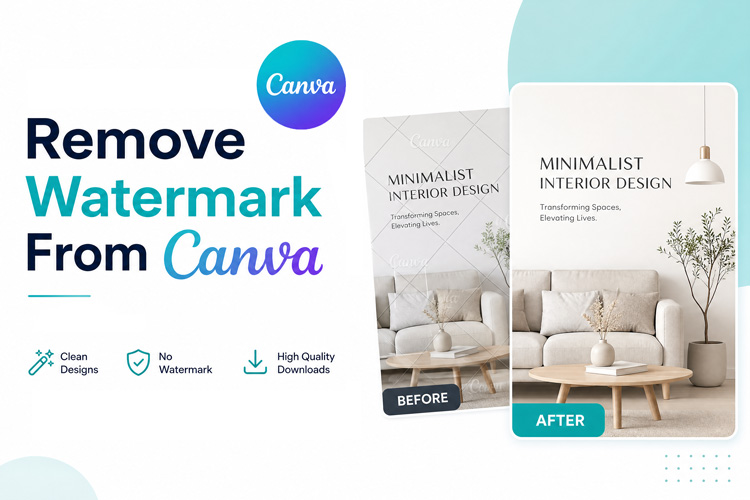
A Canva watermark can ruin an otherwise clean design in seconds. It shows up on premium elements or in exports from certain free plans, and it can make client work look unpolished. If you want to remove Canva watermarks quickly, you've got a few reliable options, some free, some requiring a subscription.
This guide walks through four effective methods for eliminating Canva watermarks in 2026, ranging from quick free fixes to more permanent solutions, so your next export looks polished, professional, and ready to share.
What Are the Different Types of Canva Watermarks?
Canva adds watermarks in two common situations. Knowing the difference helps you choose the right solution and save editing time.
- Premium Element Watermark: Canva applies diagonal watermarks to premium photos, videos, and elements used without a paid license.
- Designed with Canva Badge: Free accounts may show a small Canva badge on shared links or embedded projects.
Both watermark types can be handled with different methods depending on your editing needs, available tools, and preferred workflow.
4 Ways to Remove Canva Watermarks from Images and Designs
Canva watermarks in your designs can be removed in four different ways. There will be different ways to perform each method depending on the budget, time and skill level. Consider the options below and choose the option that is best for you.
1 Use an AI Watermark Remover
AI tools like HitPaw Edimakor automatically detect a watermark and reconstruct the pixels behind it. This works well for premium element watermarks that are hard to replace by hand.
Pros:
- Restores original image quality
- Works on photos, videos, and layered designs
- No Canva Pro subscription needed
Cons:
- Requires a separate app or tool
- Results can depend on background detail
 HitPaw Edimakor
2 Crop or Edit Out the Watermark
Cropping removes the watermark by cutting away the affected area of the frame. This trick can only be used when the mark is close to the edge of the design, not in the middle.
Pros:
- Fast and completely free
- No extra software required
Cons:
- Reduces the final image size
- Fails when the watermark sits in the center
3 Upgrade to Canva Pro
Canva Pro unlocks the full premium library and removes watermark restrictions for good. This is the official route to remove Canva watermark limits, forever blocking your work again.
Pros:
- Permanent, official fix
- Full access to the premium asset library
- No manual editing needed
Cons:
- Ongoing subscription cost
- Not worth it for a single one-off project
4 Switch to Free Elements
Replacing premium graphics with free alternatives avoids the watermark issue completely. Canva's free library holds thousands of usable photos, icons, and shapes for most projects.
Similar visuals can also be generated with AI tools in HitPaw Edimakor, giving you a steady Canva free alternative no watermark source whenever the built-in library falls short.
Pros:
- Zero cost, always available
- No watermark risk at all
Cons:
- Limited style matching
- May not fit your exact design vision
How to Remove Canva Watermarks with an AI Watermark Remover
HitPaw Edimakor is a trustworthy and credible Canva watermark remover optimized for regular creators. It detects a watermark automatically, then rebuilds the pixels behind it so the fix looks natural instead of patched or blurry.
Key features:
- Precise AI detection of watermark areas
- Smart background reconstruction for a natural look
- Batch processing for many files at once
- High-quality exports with no visible loss
- Simple interface, no editing experience required


Here’s the step-by-step guide
Step 1: Download and install HitPaw Edimakor on your computer. Open the app, then go to the AI Toolbox panel and select Watermark Remover to begin the process.

Step 2: Upload your Canva design or exported image into the tool. Draw a selection box over the watermark, then adjust the edges until the fit looks precise. Or let the AI automatically detect watermarks.
Step 3: Click the Remove button to start processing. Edimakor rebuilds the pixels and shows the finished result right away, ready for a quick preview before export.
Most images take under a minute to process, even with detailed premium element watermarks sitting over busy backgrounds.
Bonus: Generate Free Visuals with Edimakor
Want new visuals with zero watermark risk from the start? Edimakor's AI Image and Video Generator creates original photos and clips from a simple text prompt. You get unlimited fresh assets without ever touching a watermark again.
Try It Online
Tips for Exporting Watermark-Free Canva Designs
A few small habits help you dodge watermark surprises before you even hit the download button.
- Replace Pro Elements: Swap any premium graphic for a free version early to prevent watermark issues before exporting.
- Choose the Right File Format: Use PNG for transparency and sharp edges, or JPG for photo-heavy designs based on your needs.
- Use High Quality Export Settings: Select the highest resolution available to avoid making watermark remnants more noticeable after editing.
- Preview Before Downloading: Check the preview screen to catch any premium elements before exporting your final design.
These tips can save editing time and help you export a clean Canva file on the first attempt.
FAQs
A1: Yes. Cropping, switching to free elements, or trying a free version of an AI Canva watermark remover tool all work without any cost. Paid options like Canva Pro offer a permanent fix but need an ongoing subscription.
A2: Canva Pro removes premium element watermarks across your whole account. It does not always affect badges added through certain third party embeds, so double-check your export settings before sharing a design.
A3: Yes. HitPaw Edimakor AI still image reconstruction technology is also used in video watermark removal.
Conclusion
It is not hard to remove a Canva watermark Cropping, upgrading to Pro or swapping elements all work depending on your budget and timeline. For the cleanest result with the least effort, an AI watermark remover like HitPaw Edimakor finishes the job in seconds.
Try Edimakor today and start creating polished, watermark free designs without the extra hassle.
Leave a Comment
Create your review for HitPaw articles