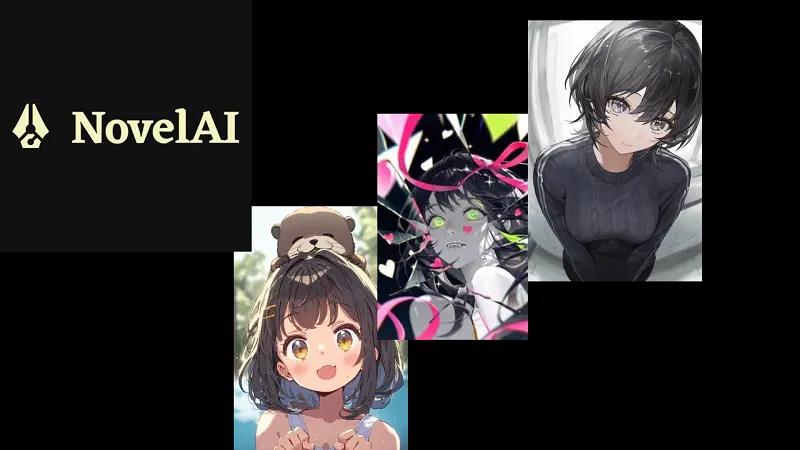
If you are looking for a platform that meets anime image-generation needs, NovelAI is a choice you cannot overlook. Launched in 2021, NovelAI has become a popular platform for creating AI-generated artwork, anime-inspired characters, illustrations, and fantasy scenes. The platform combines image generation with creative storytelling tools, making it useful for artists, writers, content creators, and anime enthusiasts. In this NovelAI Image Generator review, we will explore everything about the program, including its key features, pricing, pros, cons, and more. Ensure to read this guide till the end.
Part 1: What is NovelAI Image Generator?

NovelAI is a subscription-based service that provides AI-powered tools for both text and image generation. While the platform initially gained attention for its AI-assisted storytelling capabilities, it has also become popular for generating anime-style artwork, characters, illustrations, and creative scenes. Unlike many competitors that build upon open-source foundations like Stable Diffusion, NovelAI has developed its own proprietary diffusion models.
The image generator allows users to create artwork by entering text prompts that describe their desired characters, environments, poses, clothing, and artistic styles. Users can also fine-tune generation settings for greater control over the final output.
Part 2: Key Features of NovelAI Image Generator in 2026
NovelAI Image Generator is filled with amazing features and capabilities, making it one of the best anime image generators available in 2026. Here are the top features of this program:
- Anime Image Generation: This is one of NovelAI’s most acclaimed features. Using the Anime V4 diffusion model, NovelAI can generate high-quality anime-style images based on simple or detailed text prompts. Users can describe characters, facial expressions, outfits, poses, and environments.
- Image-to-Image Generation: NovelAI enables users to use an existing image as a reference for generating new artwork. This feature is useful when users already have a sketch, character concept, or reference image and want to transform it into a different artistic style.
- Text Adventure Mode: Text Adventure Mode offers an interactive storytelling experience, akin to playing a role-playing game. Instead of simply reading a pre-written story, users can actively participate in the narrative by entering commands, making decisions, and guiding the direction of the adventure.
- Multiple Image Generation: Users can generate multiple variations from a single prompt, allowing them to explore different interpretations of the same concept. Instead of creating an image from scratch, users can compare variations and select the results that best fit their project.
- Advanced Customization: One of the best parts of the NovelAI free image generator is that it offers advanced customization features, allowing users to customize AI images according to their requirements. Users can adjust the image style, change the background, aspect ratio, resolution, and more.
Part 3: Pros and Cons of NovelAI Image Generator
Unlike any other AI image generator, NovelAI also comes with its benefits and limitations. Here are the top pros and cons of this tool:
 Pros
Pros
- NovelAI Image Generator works entirely in a web browser, meaning no software downloading or installation is required.
- Supports a wide range of anime styles, including Shojo, Moe, Shonen, Seinen, Mecha, Studio Ghibli, Chibi, and more.
- Users can fine-tune prompts and generation settings to have greater control over the final artwork.
- Enable users to experiment with different outputs from the same concepts and select the result they prefer.
- NovelAI can create anime portraits, fantasy scenes, or landscapes with a simple text prompt — no editing experience or professional help required.
- Offers a free trial. The trial includes text modes and limited generations so beginners can test the platform before subscribing.
 Cons
Cons
- The free trial of NovelAI image generator offers limited features compared to the paid version — no text adventure mode is available.
- NovelAI image generator is a web-based tool, meaning it requires a stable or active internet connection for anime image generation.
- Poorly written or vague prompts may produce results that do not closely match the user’s expectations.
- Compared with broader AI image platforms, NovelAI is more specialized toward anime and creative artwork.
Part 4: NovelAI Image Generator Pricing
NovelAI uses monthly subscription plans, allowing users to choose a package based on their creative needs and expected usage. Each plan provides access to different features and capabilities.
1. Tablet
- Price: $10 Per Month
- Features: Provides access to NovelAI’s image-generation features. Includes 1,000 Subscription ImageAnlas that refill with the subscription cycle. Offers unlimited text and text-to-speech generation during the subscription period. Supports NovelAI’s Custom image-generation models, including the latest V5.
2. Scroll
- Price: $15 Per Month
- Features: This plan of NovelAI includes 3,000 Subscription ImageAnlas, image generation features, creative tools, unlimited text-to-speech, and much more. Scroll plan is ideal for users who generate images more frequently.
3. Opus
- Price: $25 Per Month
- Features: Includes 10,000 Subscription ImageAnlas that refill with each subscription cycle. Provides access to NovelAI’s advanced image-generation capabilities. Supports detailed anime, manga, character, and illustration generation.
Part 5: How to Use NovelAI Image Generator
NovelAI Image Generator offers an easy-to-use interface, making it ideal for non-tech and beginner users. Here is how to use NovelAI Image Generator in 2026:
- Open your web browser and navigate to the official NovelAI Image Generator site. Choose the “Generate Images” feature from the main interface. Sign up to gain access to the free trial.
- Next, describe the image you want to create in the prompt box. Include details such as the character’s appearance, clothing, pose, facial expression, background, lighting, and preferred artistic style.
- Adjust the available image-generation settings according to your requirements. You can change the aspect ratio, resolution, and more.
- Once all the settings are complete, click on the “Generate” button to begin the image creation process. The program will analyze your input prompt and provide the requested image.
- Preview the result, and if satisfied, click on the “Download” button to save the image in popular formats, including JPG, PNG, JPEG, WEBP, and more.
Part 6: Best Alternative to NovelAI Image Generator
In 2026, there are hundreds of NovelAI Image Generator alternatives available in 2026 but none compares to Edimakor AI . It is an all-in-one AI editor that also includes image generation capabilities. With its text-to-image feature, users can create high-quality images with simple text prompts — no editing experience or professional help required. The standout feature of this tool is that it supports a wide range of AI models, each with unique features and capabilities, including Nano Banana, Nano Banana Pro, Flux, Midjourney, Stable Diffusion, and more. Another amazing part of this tool is that it provides support for multiple image styles, including anime, cartoon, realistic, 3D, cinematic, artistic, illustration, fantasy, and cyberpunk.
Create NowKey Features of Edimakor AI
- Text-to-Image: With the help of this tool, users can create high-quality images with a simple text prompt — no editing experience required. Simply enter the text prompt, choose the AI model, and hit the “Generate” button.
- Image-to-Image: The program also includes image-to-image capabilities, allowing users to change an existing image's style with a simple text prompt. Supports multiple image styles, such as anime, cartoon, realistic, 3D, Ghibli, cyberpunk, and more.
- Multiple AI Models: The best part of Edimakor AI is that it offers a wide range of AI models, including Nano Banana, Nano Banana Pro, Midjourney, Flux, Stable Diffusion, Imagen 4, and Seedream.
- Compatibility: Edimakor AI is a web-based AI image generator, allowing users to create images without software downloading or installation. Works seamlessly with any device that has an active internet connection.
- Intuitive Interface: One of the standout features of this tool is that it offers an easy-to-use interface, which is ideal for non-tech and beginner users. Users can generate engaging and high-quality images without editing experience.
Step-by-Step Guide:
Edimakor AI is one of the best AI tools for creating high-quality and engaging images. Here is how to do it:
Step 1: Navigate to Edimakor’s AI official site and log in with your account. Choose the Text-to-Image feature from the main interface. Next, select the “AI Model” and enter the text prompt into the prompt box.
Step 2: Adjust the image settings, such as aspect ratio, output quantity, and resolution. Finally, click on the “Generate” button to begin the image creation process. The program will analyze your input and provide results.
Step 3: Go to “My Creation” and preview the AI-generated image. If satisfied with the result, click on the “Download” button to save the AI image in the desired format, including JPG, PNG, JPEG, and WEBP.
Final Thoughts
In this NovelAI Image Generator review, we’ve learned everything about the program, including its key features, pros, cons, pricing, and the NovelAI image generator guide. The program stands out for its strong focus on anime-style artwork, character creation, and storytelling. However, NovelAI may not be the right choice for everyone. That’s where Edimakor AI comes in. With its advanced AI image generation capabilities, users can create engaging images with a simple text prompt or by uploading static images.


Leave a Comment
Create your review for HitPaw articles