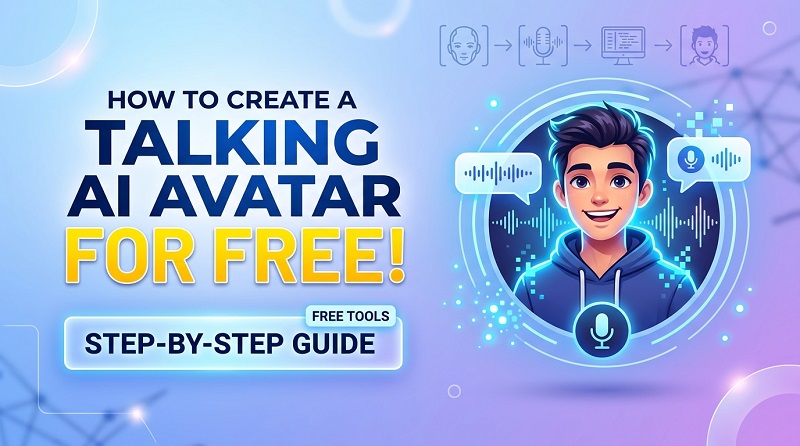
Increasing inclination towards creating engaging content has inspired creators to find out how to make a talking AI avatar video. Luckily, there are tools that are available online that allows to create a talking avatar free or choose one from templates, upload script and select a voice to generate the free talking AI avatar videos. Among some best tools, Edimakor is worth trying owing to its exceptional features.
What Is a Talking AI Avatar?
A talking AI avatar is a digitized character or AI talking person that uses artificial intelligence to speak, move its lips, showcase various facial expressions and sometimes even respond in real time. AI avatar can resemble a real human or can also be designed as an animated digital character. It can be created as a talking face or a full-sized talking digital human.
Users create a talking avatar to generate videos without the actual need to record a person. All they need to do is to give it a script or an audio voice over and the avatar speaks on its own, syncing the lip movement with the words along with giving relevant facial expressions. As for the voice, users can select from the AI available voices, or share a pre-recorded audio, and even record their own voice in real-time.
Best Free Talking AI Avatar Tool You Can Try
Wondering how to make a talking AI avatar? It’s easier than you imagine. There are a lot of tools at your disposal that can help you create your custom AI or even let you access their avatar templates for creating videos of your choice. Most of these tools are available for free online. One such tool that is hands down the best and user-friendly is HitPaw Edimakor :

Edimakor is a browser based AI tool introduced by Hitpaw for both Windows and Mac users. Its AI avatar feature allows you to pick your avatar, add a script and create your own content within no time. It is a useful tool that is facilitating content creators, marketers, sale agencies, ad agencies, educators and brand managers.
Key Features
- Avatar Library: Edimakor has an AI avatar library with more than 1000 avatar templates, voice templates, and background layout to choose from. If you want an already designed avatar and create your video then this library is truly a life saver.
- Generative avatars: To create a talking avatar free, this tool allows you to customize your avatar by either giving a text prompt explaining the characteristics and facial features of avatar or by sharing a picture and convert it into a digital cartoon, or 3D character.
- Realistic avatars : The best feature of this tool is how realistic its avatars appear. Each avatar has a detailed appearance, natural expressions, and realistic movements. These movements and expressions change with the script and theme of video to give a realistic appeal.
- Voice command options: This tool allows you to give a script and choose a voice for avatar library. Or else you can share pre-recorded audio or even record your voice in real time on this tool. These diverse voice command options make it fun and easy to use.
- Perfect lip sync: No matter how you give your voice command, the avatar perfectly sync the lip movement with the words so that viewers do not feel any discomfort or distraction while watching the generated video.
- Customizable outfits: Whether you choose an avatar from library or create your custom avatar, you can customize the outfits from outfit library to match the theme and content of your video.
- Multi-lingual: This free talking avatar maker offers voice over in more than 50 languages. You can choose the language in which you want to create your video.
- Browser based: This tool can be accessed through browser on both Windows and Mac. Being browser-based, this tool is easy to access as users do now have to go through extensive downloads to access its features.
- Subtitles support: One of the best features of this tool is its subtitle support. You can add subtitles on your videos in any of the built-in languages to assist viewers in understanding the content.
Other Free Talking AI Avatar Tools
| Tool | Key Features | Best for | Avatar options | Languages |
|---|---|---|---|---|
| Edimakor | Allows to create video with exceptional editing tools, background options, voice command options, and subtitles. | Desktop editing with built in avatar library | 1,000+ avatars templates, photo avatars, and animated video avatars | 50+ languages |
| HeyGen | Allows voice cloning, video transcription in multiple languages, and realistic movements. | Product explainers, marketers | 1,100+ avatars templates, and custom avatar (for only 30 sec video) | Translation in more than 175 languages, |
| Synthesia | Offers templates, and corporate video editing tools | Corporate training and presentations | Avatar library with option to create custom avatar | 160+ Languages |
| D-ID | Supports API applications, offer real time responding avatars, and turn still photos into talking avatars. | For creating interactive assistants | Convert portraits into talking AI avatar heads | Multiple |
| Vidnoz | Exclusive avatar library, text to speech conversion in real time, video templates. | Beginner-friendly and those who need a free tool | Built-in avatar library | Multiple |
| Hedra | Animated characters library, realistic expressions, great lip-sync. | Character-driven content, and storytelling videos | Avatar library with an option to customize | Dozen languages |
How to Make a Talking AI Avatar with Edimakor
Create your free talking AI avatar with Edimakor by following these simple steps:
Step 1: Access AI avatar tool on Edimakor
Download HitPaw Edimakor on your computer, and click on AI Avatar.


Step 2: Choose an AI Avatar
Select an avatar template from avatar library or create a talking avatar of your own with this tool by uploading your picture/text prompt.
Step 3: Enter your script
Enter your script that you want the avatar to speak, choose the most suited voice and language in which you want to create the video.
Step 4: Create AI avatar video
Click on generate to create your desired AI talking avatar video. Edimakor makes sure to sync the lip movement with voiceover to give the video a realistic appeal.
What Can You Use a Talking AI Avatar For?
Talking AI avatars have enhanced the access to creating engaging content with merely a few clicks. These videos are created by business owners and social media content creators alike. These videos are used specifically by people who do not want to go to the hassle to shoot the video, need repetitive content, or create videos without showing their face. These videos are created and used by:
- Marketers
- Educators for creating online courses
- Corporate trainers
- Social media content creators
- Product demonstrators
- Business flash news
- Customer support staff
- Digital Storytelling
- Etc.
FAQs about Free Talking AI Avatars
A1: Yes, you can edit AI avatar videos after creating them in certain tools such as Edimakor. This tool allows you to edit the clips, sound, layout, backdrop, subtitles and other such details for an already generated video.
A2: Yes, there are certain tools that allow you to create your custom AI talking avatar free. These tools allow you to upload your photo and then turn it into a digital cartoon or 3D portrait version to use in videos.
A3: After uploading the script, choosing voice and avatar, it takes only a few seconds to create free talking AI avatar video.
A4: Yes, there are certain free tools that offer great features to create professional videos. But it mainly depends on the type of professional venture you want to use the video for. For high quality videos with realistic voice, no licensing or watermark restriction, you might want to try a paid version instead.
Conclusion
Talking avatar videos are ruling over the social media and even some mainstream platforms. Multiple online tools allow to create a talking avatar of their own, in addition to generating free talking avatar videos by selecting voice and uploading script. Hitpaw Edimakor is the perfect choice for creating engaging videos. Get started and try out to create your custom avatars videos now!
Leave a Comment
Create your review for HitPaw articles