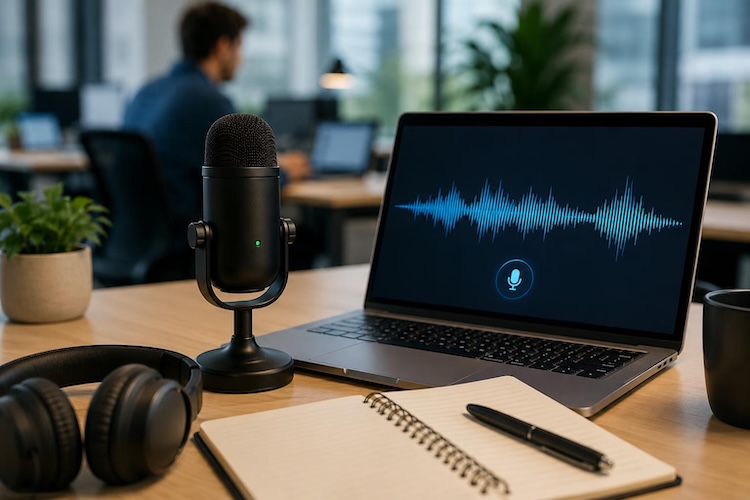
As text-to-speech technology grows in popularity, speech-to-text has emerged as another powerful AI-driven solution for improving productivity. It allows users to convert spoken words, recordings, meetings, interviews, and other audio content into editable text without spending hours on manual typing. In 2026, Mac users can choose from numerous speech-to-text apps offering features such as real-time transcription, high accuracy, multilingual support, and offline processing. In this guide, we’ll explore the 5 best speech-to-text software for Mac available in 2026. Ensure to read this guide till the end.
Part 1: Top 5 Best Speech-to-Text Software for Mac in 2026
If you’re looking for the best speech-to-text for Mac, you’re in the right place. Below, we’ve mentioned the top 5 options for Mac. Each tool comes with its own set of features and capabilities, making it easy to convert spoken words into accurate text.
1. HitPaw Edimakor
HitPaw Edimakor is widely known for its powerful video editing capabilities, but many users may not know that it also offers speech-to-text features. The tool allows users to automatically convert spoken content from videos and audio files into editable text, saving time and effort compared with manual transcription. The best part of this tool is that it enables users to download the generated text as an SRT file, making it useful for creating subtitles and captions. Users can also customize the text according to their requirements. You can adjust the text font, color, size, and more. HitPaw Edimakor also offers a text-to-speech feature, allowing users to turn simple text prompts into an engaging audio file.


Key Features of HitPaw Edimakor
- Speech-to-Text: HitPaw Edimakor offers a speech-to-text feature that automatically converts spoken words from videos and audio files into editable text. It can help users quickly generate subtitles without manually typing every word.
- Text-to-Speech: This tool also includes a text-to-speech feature, allowing users to create engaging audio files from a simple text prompt. Users can easily generate voiceovers for videos, presentations, tutorials, and social media content.
- Customization Options: The program offers advanced customization features, allowing users to edit text according to their requirements. Users can adjust the text size, change the text color, font, and more.
- Compatibility: It works seamlessly with multiple devices, including Windows and macOS. On Mac, it supports both Intel-based and Apple Silicon systems, allowing users to use its speech-to-text and video editing features without compatibility issues.
- Intuitive Interface: One of the standout features of this tool is that it offers a user-friendly interface, which is ideal for non-tech and beginner users. No editing experience or professional help required.
How to Convert Speech-to-Text with HitPaw Edimakor?
HitPaw Edimakor offers an intuitive interface, allowing users to convert speech-to-text with a single click. Here is how to do it:
Step 1: Download and install HitPaw Edimakor on your Mac. Launch it and click the “Create a Video” button. Click “Import” and upload the audio or video file. Users can upload files in multiple formats, including MP4, MOV, MP3, AVI, WAV, and more.

Step 2: Once the file is added, drag and move it to the timeline below. Click on the video track in the timeline and then, from the “Audio” tab on the right-side panel, click on the “Speech to Text” option.
Step 3: HitPaw Edimakor will analyze the audio file and, within seconds, convert speech into text. Once the transcription is complete, users can review and edit the generated text, correct any errors, and change the size, color, and font.
Step 4: In the end, click on the “Export” button available at the top right corner. Select the file format and click on the “Save” button. HitPaw will save the editable text file to your PC.
2. Willow
Willow runs at 200ms latency, making it one of the fastest voice-to-text software available in 2026. The program is especially designed for Mac users, allowing them to turn spoken words into text quickly. It enables users to dictate emails, documents, messages, and notes without relying on traditional typing. Its fast response time provides a smooth dictation experience, helping users capture their thoughts without frequent interruptions.
Pros
- ~200ms latency, making it one of the fastest voice-to-text tools available in 2026.
- Filler word removal strips “um,” “uh,” and “you know,” resulting in cleaner transcripts.
- Offers a simple and intuitive interface, allowing users to start dictating without complicated setup.
- Quickly captures audio and converts it into text with minimal delay, allowing users to express their thoughts naturally.
Cons
- To access advanced features and unlock the full capabilities of Willow, users need to upgrade to a paid version.
3. Apple Dictation
The next speech-to-text for Mac tool on our list is Apple Dictation, a built-in feature available directly within macOS. It allows users to convert their spoken words into text without installing additional third-party software. With the help of this tool, you can easily dictate emails, documents, notes, messages, and other types of content using your voice. Simply activate the Dictation feature on your Mac, start speaking, and your words will appear as text.
Pros
- Apple Dictation feature is available on all Apple devices, including iPhone, Mac, iPad, and more.
- Free to use. Apple users can use this feature without additional cost. No third-party tool or subscription required.
- Supports dozens of languages for basic dictation, such as English, Chinese, Italian, Turkish, and Spanish.
- Users can dictate text in many supported applications, including Notes, Mail, Messages, and documents.
Cons
- Apple Dictation offers limited customization features compared to third-party speech-to-text tools.
4. Superwhisper
Superwhisper is an on-device speech-to-text app for Mac and iOS that supports multiple Whisper model sizes and custom model loading. It allows users to convert their speech into text quickly while keeping the transcription process on their device. The program supports multiple Whisper models, including Tiny, Base, Small, Medium, or Large, allowing users to choose the model that best suits their needs. With this tool, users can easily dictate emails, messages, documents, and notes.
Pros
- Supports different model sizes, including Tiny, Base, Small, Medium, and Large.
- Works offline, meaning users can transcribe speech without relying on an internet connection.
- Converts spoken words into text quickly, helping users write emails, notes, documents, and messages.
- Available across Mac and iOS, making it convenient for users who work across multiple Apple devices.
Cons
- Works only on Apple devices. No Windows version of Superwhisper is available.
5. MacWhisper
MacWhisper transcribes audio and video files locally on Mac using Whisper and Parakeet models. It can automatically convert recorded conversations, interviews, meetings, podcasts, and other audio content into editable text. The software also supports speaker labels, helping users distinguish between different people in a recording. In addition, MacWhisper allows users to export transcripts as subtitle files, making it useful for creating captions and subtitles for videos.
Pros
- MacWhisper supports 35+ languages, including English, Spanish, French, Turkish, Italian, and more.
- The program supports both Whisper and Parakeet models, giving users flexibility when choosing their preferred transcription model.
- With the help of this tool, users can easily export transcriptions as subtitle files, making it useful for creating captions for videos.
- Ideal for content creators, journalists, students, professionals, filmmakers, small businesses, and more.
Cons
- The free version of MacWhisper offers limited features compared to the paid version.
Part 2: Which is the Best Speech-to-Text Tool for Mac?
Above, we’ve mentioned the top 5 speech-to-text tools for Mac. But which one is the best choice? Below, we’ve provided you with a comparison table that will help you compare their key features and overall performance.
| Features | HitPaw Edimakor | Willow | Apple Dictation | Superwhisper | MacWhisper |
|---|---|---|---|---|---|
| Speech-to-Text | Available | Available | Available | Available | Available |
| Real-Time | Yes | Yes | Yes | Yes | Yes |
| Whisper Models | Available | Available | No | Yes | Yes |
| Subtitle Export | Yes | Yes | No | No | No |
| Mulitple Languages | 135+ | Multiple | Multple | Mulitple | 35+ |
| Free Version | Yes | Yes | Yes | Yes | Yes |
| Compatibility | Windows, Mac | Mac | Mac | Mac | Mac |
If you want the best speech-to-text software for Mac, then we recommend using HitPaw Edimakor. The program offers multiple AI tools, each with unique features and capabilities. It also supports 135+ languages, allowing users to translate videos and audio files for a worldwide audience.
Final Thoughts
In 2026, everyone is turning towards speech-to-text tools to dictate their thoughts, create documents, transcribe recordings, and more. Mac users have plenty of options, ranging from built-in solutions like Apple Dictation to advanced AI-powered applications such as HitPaw Edimakor. If you want an easy-to-use tool with powerful features, HitPaw Edimakor is the best option. This tool enables users to transcribe audio and video files in multiple languages. The best part is that it offers advanced customization features, allowing users to customize subtitles according to their needs. HitPaw Edimakor is the best speech-to-text software for Mac and Windows in 2026.
Leave a Comment
Create your review for HitPaw articles