Your profile picture is one of the first things people notice when they visit your TikTok account. A strong PFP can communicate your personality, content style, or brand before anyone watches a video.
Here are some TikTok pfp ideas cover different aesthetics and account types, including creators, gamers, personal accounts, and niche communities.
What Is a TikTok Profile Picture?
- A TikTok profile picture, often called a PFP, is the small image displayed on your account profile and beside your activity across the platform. It gives viewers a quick visual identity for your account.
- For best results, use a clear square image with the main subject positioned near the center. TikTok’s published profile-photo specifications for its ad placements list a 1:1 square format, JPG/JPEG/PNG support.
- Although TikTok displays profile photos at a small size, starting with a high-resolution image (at least 500px square) helps preserve detail.
How to Change Your Profile Picture on TikTok
Changing your profile photo only takes a few steps in the TikTok mobile app. TikTok’s current instructions follow the same basic process below.
- Open TikTok and tap Profile at the bottom of the screen. Your current profile page will appear.
- Tap “Edit profile” below your profile information. This opens the settings for your profile details.

- Choose “Change photo”. TikTok provides options for taking a new photo or uploading an existing image.
- Select a photo from your device or take a new one. Choose a clear image with a strong central subject.
- Adjust the crop so the important details remain visible. Confirm the selection and save the new profile picture.
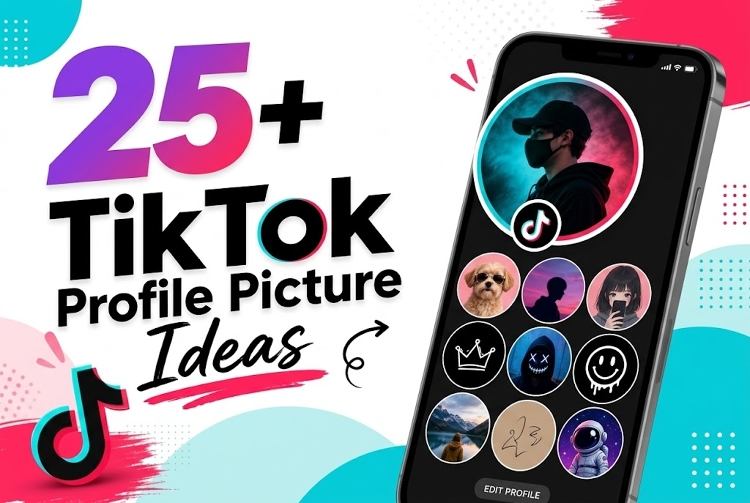
25+ TikTok Profile Picture Ideas for Every Vibe
The best TikTok profile picture ideas depend on your personality and content niche. Use these 25+ concepts as starting points, then customize the colors, subject, background, and visual style.
Aesthetic TikTok PFP Ideas
Aesthetic PFPs focus on mood, color, texture, and visual consistency. They work especially well for lifestyle, fashion, beauty, photography, travel, and personal accounts.
1. Soft Pastel PFP
Use a soft portrait with pastel pink, lavender, or blue tones and gentle lighting for a calm, polished appearance.
2. Vintage Film PFP
Create a warm portrait with subtle film grain, muted colors, and retro lighting inspired by classic analog photography.
3. Dark & Moody PFP
Use dramatic shadows, deep tones, and a close-up subject to create a mysterious and sophisticated profile aesthetic.
4. Y2K PFP
Combine metallic colors, colorful lighting, retro graphics, and playful styling for a recognizable early-2000s-inspired profile.
5. Dreamy Cloudscape PFP
Use pastel clouds, glowing light, and a dreamy sky composition for a peaceful and imaginative profile identity.
Funny & Meme PFP Ideas
Funny PFPs instantly communicate humor and personality. They suit meme pages, comedy creators, casual accounts, reaction content, and community-focused profiles.
6. Funny Reaction Face
Choose an exaggerated facial expression with a simple background to create an instantly recognizable and humorous profile image.
7. Cursed Meme PFP
Use an intentionally strange character, distorted expression, or absurd composition that looks funny at first glance.
8. Viral Meme Character
Feature a recognizable meme-inspired character with bold framing and exaggerated details suited to entertainment-focused accounts.
9. Plain TikTok Default Avatar
Use a deliberately simple default-style avatar for an ironic, low-effort, mysterious, or meme-oriented account identity.
10. Funny Pet Face
Use a close-up image of a pet making an unusual expression to create a naturally funny and memorable PFP.
Anime & Cartoon PFP Ideas
Anime and cartoon styles offer strong character recognition and creative freedom. They work well for fandom accounts, gaming pages, editors, and users who prefer illustrated identities.
11. Anime Character Close-Up
Choose a dramatic anime-style face with expressive eyes, detailed hair, and a clean background for stronger visual impact.
12. Ghibli Anime PFP
Use a cute Ghibli character with oversized features, simplified details, and bright colors for a playful profile identity.
13. Retro Anime PFP
Combine classic anime-inspired linework, nostalgic colors, and subtle grain to create a distinctive retro visual style.
14. Anime Manga Panel
Use a dramatic manga-style composition with expressive eyes, speed lines, or monochrome shading for an energetic PFP.
15. Custom Cartoon Avatar
Create a cartoon version of yourself using distinctive hair, clothing, facial features, and colors that match your personality.
Cute & Animal TikTok PFP Ideas
Animal PFPs create a friendly and approachable identity. They are suitable for pet accounts, cute-content pages, family-friendly creators, and users who prefer non-human avatars.
16. Cute Pet Portrait
Use a well-lit close-up of a dog, cat, rabbit, or other pet with a simple background and expressive eyes.
17. Baby Animal PFP
Feature a baby animal with soft lighting and a clean composition for an adorable profile image that attracts attention.
18. Cozy Animal Scene
Show an animal resting beside blankets, books, plants, or warm lighting for a cozy lifestyle-inspired profile aesthetic.
19. Illustrated Animal
Turn an animal into a colorful illustration with simple shapes, expressive features, and a personalized artistic style.
Cool & Minimalist TikTok PFP Ideas
Minimalist PFPs rely on strong shapes, contrast, and limited details. They are effective for gaming, tech, fashion, photography, music, and professional creator accounts.
20. Neon Gaming Avatar
Create a gaming avatar with neon lighting, futuristic details, and a dark background for a bold digital aesthetic.
21. Black & White Portrait
Use a high-contrast monochrome portrait with clean framing for a timeless and professional profile appearance.
22. Silhouette PFP
Show a recognizable silhouette against a bright or colorful background for a mysterious and minimalist visual identity.
23. Minimal Line Art
Use a simple line drawing of a face, object, or character with limited colors and plenty of negative space.
Creator & Personal Brand PFP Ideas
Creator PFPs should make the account immediately recognizable. These styles suit influencers, educators, businesses, artists, reviewers, coaches, and niche content creators.
24. Personal Portrait
Use a sharp headshot with clear lighting, simple surroundings, and an expression that matches your creator personality.
25. Creator Logo
Design a compact logo using your initials, channel name, or signature symbol with strong contrast for small-screen visibility.
26. Niche-Based Avatar
Build an avatar around your content niche, such as cars, gaming, fitness, cooking, technology, fashion, or travel.
Create a Custom TikTok PFP with an AI Profile Picture Generator
Instead of searching for an existing PFP, you can create one around your own style with AI. HitPaw Edimakor provides AI image-generation tools that can turn a written concept or reference image into customized artwork.
Key Features
- Image to Image: Transform an existing photo or artwork into a different visual style.
- Text to Image: Create a new PFP from a detailed written description.
- Image Enhancer: Improve the appearance and clarity of generated or existing images.
- Prompt Generator: Help turn an idea into a more detailed AI image prompt.
- More AI Creation Tools: Continue developing your visual content with additional AI-powered creative features.


Step 1: Open AI Image Generator
Launch HitPaw Edimakor and open the “Image” section in the “Toolbox”. Select the image-generation feature to begin creating your PFP.
Step 2: Enter or Generate a Prompt
Describe the profile picture you want. Include the subject, visual style, colors, lighting, background, and mood. You can also use the AI prompt generator to develop a more detailed description.
Step 3: Choose the Image Ratio
Select “1:1” for a square profile picture. Keeping the main subject centered gives you more flexibility when TikTok displays or crops the image.
Step 4: Generate Your PFP
Click “Generate” and review the results. Choose the strongest version, then enhance or refine it if necessary before saving the final image.
FAQs
A1: Use a square 1:1 image with the main subject centered. TikTok’s published profile-photo specification lists 98 × 98 pixels for certain ad placements, but creating a higher-resolution source is preferable for quality.
A2: TikTok’s standard profile-photo workflow is based on taking or uploading a photo. If you want a moving identity, check the current options available in your TikTok app rather than assuming GIF support.
A3: A low-resolution source, excessive compression, or a heavily cropped image can make a PFP look blurry. Start with a sharp, high-resolution square image and avoid placing tiny details in the design.
A4: There is no fixed schedule. Change it when your branding, content niche, visual identity, or personal style changes, while keeping it consistent enough for followers to recognize your account.
A5: You can encounter celebrity images online, but using someone else’s photo may create copyright, impersonation, or publicity concerns. A custom avatar inspired by your preferred aesthetic is a safer way to create a distinctive profile identity.
Conclusion
The right pfp for TikTok can make your account easier to recognize and communicate your content style quickly. From cute animals and anime characters to minimalist portraits and creator logos, these ideas give you plenty of directions to explore.
If you want a unique design instead of a recycled image, try HitPaw Edimakor to generate a custom PFP from text or an existing image and build a profile style that fits your brand.
Leave a Comment
Create your review for HitPaw articles