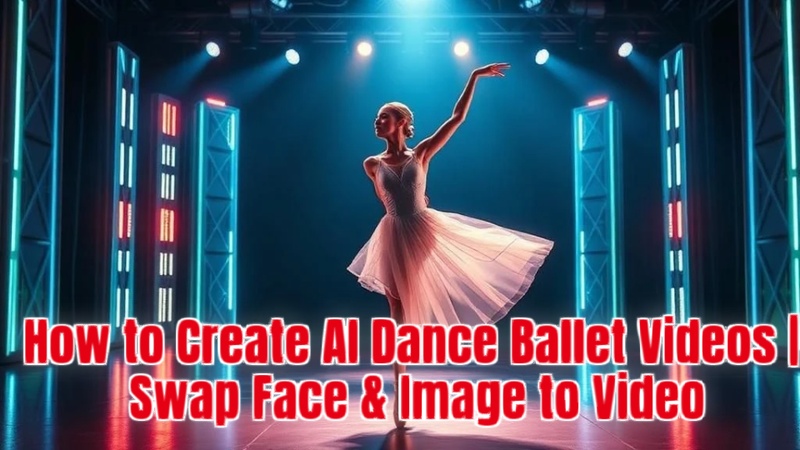
Ballet is a timeless art form, but in 2025, AI dance ballet videos have given it fresh vitality. You can swap faces into pre-existing dance videos or turn static photographs into dynamic ballet performances with the aid of sophisticated AI techniques.
Part 1: How to Turn Your Pciture into AI Dance Ballet Videos
Making your photo into a moving AI ballet dance video is the next step after writing your ballet prompt. With step-by-step templates for both novices and experts, an AI ballet dance video generator like Edimakor streamlines the procedure.
How to Use Edimakor to Generate AI Dance Ballet Videos
Step 1: Open HitPaw Edimakor (Video Editor)
On your PC, launch HitPaw Edimakor. Select the Image to Video tool from the Video area of the main editing timeline. This will enable you to create lifelikeAI ballet dance animations .



Step 2: Upload Your Picture
After selecting an image, click the upload button to import it. Always utilise a high-resolution portrait for the greatest AI ballet dancers video to ensure that facial features, expressions, and minute details appear fluid in the animation.
Step 3: Write or Paste Your Prompt
You can either paste a prompt created with Edimakor's built-in prompt generator or enter one you have written yourself. A thorough description aids the AI in producing sophisticated images and more accurately capturing graceful ballet moves.
Step 4: Adjust Duration and Resolution
Choose the resolution and duration of the video that you want. For a more captivating look, you can either include background ballet music or use negative suggestions to eliminate extraneous features.
Step 5: Generate and Export the Video
To construct your video animation, click Generate. After processing, view the output from the My Creations section, make any required changes, and export in MP4 or another compatible format. Last but not least, share your polished ballet video straight with friends via WhatsApp, Instagram, or TikTok, or you can download it.
Part 2: How to Write an AI Dance Ballet Video Prompt with ChatGPT
You must first have a precise and comprehensive prompt before you can start creating an ai dance with photo or video. Whether you are utilising Edimakor's built-in prompt generator or ChatGPT, well-written prompts yield sophisticated, realistic outcomes.
1 AI Dance Ballet Video Prompt with ChatGPT
- Start by going to ChatGPT via your app or browser. This program enhances the realism and inventiveness of videos by enabling you to create original AI dance ballet prompts using only descriptive phrases.
- Enter a precise concept, such as: a dancer doing a delicate pirouette on stage. Your AI ballet dancing video will be more accurate the more detailed you are.
- Include crucial components such as audience ambience, clothing design, and stage lighting. These additional characteristics enable ChatGPT to produce engaging prompts that are appropriate for producing sophisticated AI ballet dancer videos.
- Copy and save the prompt for subsequent usage as soon as ChatGPT displays it. It can be pasted into an AI dance App like Edimakor's AI Dance tool .
2 AI Dance Ballet Video Prompt with Edimakor Prompt Generator
- Select the Prompt Generator. With the aid of this tool, you can produce well-organised, expertly designed prompts for AI ballet dance videos.
- Enter your concept in the generator bar, such as: a little girl doing ballet in a huge theatre. These phrases help AI create precise dance animations.
- To allow the AI generator to create a thorough prompt, tap the arrow on the right side of the bar. In Edimakor's system, each generation costs four credits.
- Carefully read the generated prompt. Typically, it includes sophisticated explanations of dancing positions, costumes, and lighting. To complete it and get it ready for use right away, tap Confirm. Now use it in any AI dance generator free.
Part 3: How to Create an AI Dance Ballet Video
You can turn yourself or other people into a ballet dancing video by using Edimakor's AI.
Step 1: Open Edimakro AI Image to Video Tool
Open HitPaw Edimakor. To start converting your photo into a polished AI-generated ballet dance video, use the AI image to video option from the Toolbox.
Step 2: Upload Your Files
Import your image and pick an AI model by clicking the model section for a menu.
Step 3: Add AI Ballet Dance Promt
Copy the prompt above and paste it to the textbox. It will help you to modify and create an perfect AI ballet dance video with your photos. Then start to create by hitting the "Generate" button.
Step 4: Download the AI Video
To get the AI ballet video, go to "My Creation" and hover on it to get an location icon on the top-right corner or drag it for futther edits to share on social medias.
To Conclude
Art and technology can coexist, as demonstrated by the development of AI dance ballet in 2025. Anyone may now discover the beauty of ballet without years of practice thanks to tools like HitPaw Edimakor (Video Editor) , which can create whole AI ballet dance videos, and ChatGPT, which can write suggestions. AI has made dancing more accessible than ever before, whether you are experimenting with new ballet dance rules, making animations, or switching faces.
Leave a Comment
Create your review for HitPaw articles