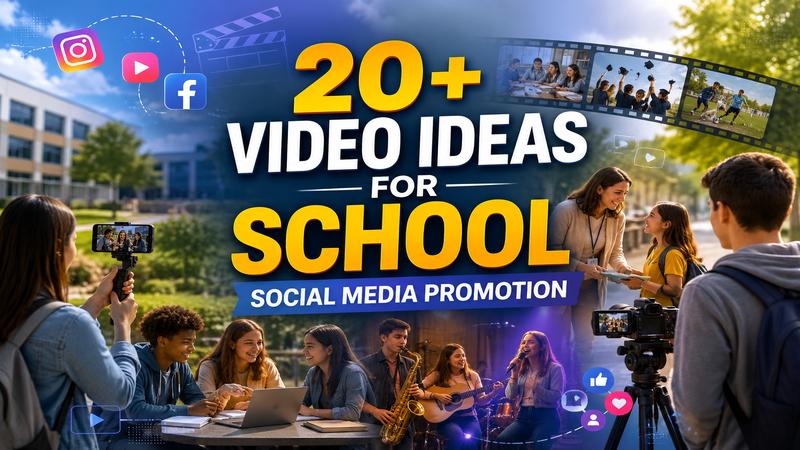
Video content remains the best way to connect with Gen-Z audiences in 2026, especially when students are exploring colleges and universities online before making enrollment decisions. A well-produced campus tour video gives students an authentic look at academic facilities, student life, classrooms, dormitories, sports complexes, and campus culture — all from the comfort of their homes. In this ultimate guide, you’ll learn how to create engaging campus tour videos that will help attract more students and build trust. Ensure to read this guide till the end.
Part 1: Why Do You Need to Have a Campus Tour Video?
If you’re trying to attract more students, an online tour is no longer optional. But before learning how to create engaging campus tour videos, it’s essential to understand why colleges and universities require campus tour videos. Below, we’ve mentioned the top reasons:
- Attract New Students: A campus tour video is one of the best ways to spark interest in your college. It lets students explore your campus, classrooms, laboratories, residence halls, sports facilities, and student spaces without traveling.
- Reach Both Local and International Students: Campus tour video makes your institution accessible to students worldwide, regardless of their location. It doesn’t matter whether students live in the same city or on another continent; they can explore your campus from the comfort of their home.
- Build Trust and Credibility: A professionally produced campus tour video gives prospective students and parents an authentic view of your institution. Seeing real classrooms and campus facilities helps build confidence and makes your college more trustworthy.
Part 2: Requirements to Create a Campus Tour Video
If you want to create a professional campus tour, having the right equipment and a clear production plan is important. High-quality visuals and clear audio help create a positive first impression and keep viewers engaged from start to finish. Here is the list of equipment you need to create a professional campus tour video:
- Camera or Smartphone
- Gimbal or Stabilizer
- Tripod
- External Microphone
- Drone (Optional)
- Video Editing Software
- Royalty-Free Background Music
Part 3: Step-by-Step Guide: How to Create Engaging Campus Tour Videos

Now, let’s walk through exactly how to create an engaging campus tour video from start to finish. Follow the instructions below to create a campus tour video in 2026:
1 Prepare Your Camera for Filming
To start, you’ll need a high-quality camera to capture the stunning videos of your campus. A modern smartphone or a professional DSLR is clearly the best option to record campus footage.
2 Capture Stunning Videos
Next, record the essential parts of your campus. Make sure to shoot during daylight hours with clear skies. Natural lighting makes your campus look vibrant and inviting.
What to Capture:
- Main campus entrance and quads
- Classrooms and lecture halls
- Libraries, study areas, and labs
- Student centers, dining halls, and recreation spaces.
- Outdoor landmarks, sports fields, and cultural spots.
3 Record a Guided Tour or Voiceover
Once you’ve captured the footage, record a narration that guides viewers through the campus. Introduce each location, explain its purpose, and what makes it unique. If you don’t want a narration, you can also use royalty-free music in the background.
4 Edit the Campus Tour Video
Import all of your footage into your preferred video editing software and organize the clips. Trim unwanted scenes, add smooth transitions, including text overlays to identify campus locations, and use royalty-free background music to create a professional atmosphere.
5 Export and Share Your Video
After all the video shooting and editing is complete, export the video in Full HD or 4K quality. Upload it to your college website, YouTube, Facebook, Instagram, TikTok, and other social media platforms.
Part 4: Best Video Editor to Edit Campus Tour Video in 2026
As we mentioned earlier, video editing is one of the most essential parts of creating an engaging campus tour video. Even if you’ve captured stunning footage, proper editing is what transform raw clip into a professional video. HitPaw Edimakor is one of the best AI Video Editing tools available in 2026. With this tool, users can easily turn a simple and low-quality campus tour video into stunning and professional-looking content. The program offers a wide range of editing tools, including video trimming, cropping, splitting, merging, transitions, filters, color correction, speed adjustment, background music, text animations, stickers, and effects. One of the best parts of HitPaw Edimakor is that it offers an intuitive interface, allowing non-tech and beginner users to edit videos without professional-help or editing experience.
Key Features of HitPaw Edimakor
The program is filled with amazing features and capabilities, making it one of the best AI video editing tools available in 2026. Below, we’ve mentioned the top features of this program:
- AI Video Editing: The program offers powerful AI editing features, allowing users to edit videos faster and more efficiently with minimal effort. It can automatically trim unnecessary clips, enhance video quality, generate accurate subtitles, and more.
- Multiple AI Tools: HitPaw Edimakor offers a wide range of AI tools, each with unique features and capabilities. The program offers tools such as Text-to-Video, Image-to-Video, AI Video Enhancer, AI Voice Changer, Text-to-Speech, and more.
- Format Supported: This tool enables users to export videos in multiple formats, including MP4, MOV, and AVI, making it ideal for publishing content across different platforms and devices.
- Free Version: One of the best parts of this tool is that it offers a free version, allowing users to edit campus tour videos without spending a single penny. The free version of this program provides advanced AI editing features and powerful AI tools.
- Intuitive Interface: HitPaw Edimakor offers an easy-to-use and simple interface, ideal for non-tech and beginner users. The clean layout and well-organized editing tools reduce the learning curve, enabling users to create professional-quality videos.


How to Edit Raw Campus Tour Videos With HitPaw Edimakor?
HitPaw Edimakor is one of the best AI video editors available in 2026. With this tool, users can transform ordinary videos into professional-looking footage. Here is how to do it:
Step 1: Upload Campus Tour Video
Go to the HitPaw Edimakor official site and download the latest version of the program on your PC. Once installed, launch it and select the “New Project” option from the main interface. Next, upload your campus tour video. Next, drag and drop your campus tour video into the timeline.
Step 2: Customize The Video
Now, you perform the customization to create a polished and engaging final product. Trim unnecessary clips, add smooth transitions, background music, insert text, and more.
Step 3: Preview and Download
Once all the editing is completed, click on the “Export” button. Click the “Play” button to preview the final result and select the video format. In the end, hit the “Export” option again to download the video.
Final Thoughts
After reading this guide, you now know how to create an engaging campus tour video with minimal effort. A detailed campus tour video not only highlights your institution’s facilities and culture but also helps build trust, increase engagement, and attract more students. In addition, if you’re looking for an easy way to edit your campus tour videos, HitPaw Edimakor is an excellent choice.
Leave a Comment
Create your review for HitPaw articles