Content creators and marketers are always in search of the best tools to create engaging, high-quality videos without spending hours editing. CapCut and Canva are two popular options that offer a range of video editing features and AI-powered tools to simplify the creative process. But which platform offers better features, ease of use, and value for money in 2026? In this CapCut vs Canva comparison, we’ll explore everything about these programs, including their key features, advantages, and limitations to help you choose the right tool for your video editing needs.
Part 1: What is CapCut?

CapCut is a video editing tool that was developed by ByteDance, the same company that created TikTok. The app is popular among a younger audience, as it allows them to easily edit and create short-form video content. It offers a range of editing features, including transitions, filters, visual effects, background removal, and automatic captions. The program also includes AI-powered tools that help users simplify different editing tasks. Unlike professional software that requires extensive training, CapCut focuses on making video creation accessible to users of all skill levels, including non-tech and beginner users.
Key Features of CapCut
CapCut isn’t just a regular video editing tool. It has many smart features that make editing easier and improve your videos, especially if you’re new to editing. Some of them are listed below:
- AI Auto Captions: CapCut can automatically generate captions from spoken audio, helping creators make their videos easier to follow and understand. This feature saves time by reducing the need to type subtitles manually.
- Video Effects and Transitions: The platform offers various effects, filters, and transitions to make videos more dynamic and visually appealing. Users can apply cinematic effects, adjust colors, add motion effects, and more.
- Text-to-Speech: CapCut offers an amazing TTS feature, allowing users to convert simple text prompts into engaging audio files. With this feature, users can easily create engaging voiceovers for their videos.
- Ready-Made Templates: The program offers 1000+ ready-made templates, allowing users to create engaging videos within seconds without building every scene from scratch.
- Social Media Optimization: CapCut makes it easier for creators to prepare videos for popular social media platforms, including TikTok, Instagram Reels, and YouTube Shorts. Users can adjust video dimensions, aspect ratios, and formats to suit different platform requirements.
Part 2: What is Canva?
In this Canva video editor vs CapCut, let's learn about Canva. With over 30 million users worldwide and a staggering $6 billion valuation, Canva has become one of the most popular online video editing platforms available today. Whether you’re a beginner with no editing experience or a business owner looking for a quick and efficient way to customize visual content, Canva provides an accessible solution. The platform features a drag-and-drop editor, thousands of customizable templates, stock media, animations, and AI-powered tools that simplify the creative process. Users can combine video clips, images, text, music, and transitions to create engaging content without installing complex editing software.
Key Features of Canva
Canva is filled with amazing features and capabilities, making it one of the most popular video editors available in 2026. Below, we’ve mentioned the top ones:
- Design and Publishing: Create social media graphics, brand logos, website assets, presentations, and videos using a drag-and-drop interface. Canva also provides customizable templates and design elements, helping users create professional-looking content without advanced design skills.
- Drag-and-Drop Video Editor: The program provides a beginner-friendly editing interface that allows users to arrange video clips, add text, insert images, and combine different elements without complicated editing steps.
- Stock Media Library: Canva offers a library of photos, videos, audio tracks, graphics, and illustrations. Users can access and use free images and videos in their projects, while some premium assets require a Canva Pro subscription or additional payment.
- Web-Based Tool: One of the standout features of Canva is that it works entirely online, meaning no software downloading or installation is required. Works seamlessly with multiple devices, including Android, iOS, Windows, and macOS.
- Text and Audio Tools: The program offers a wide range of AI tools, allowing users to create and enhance visual content with minimal effort. Users can add text, generate voiceover, include background music, and customize audio elements to suit their videos.
Part 3: CapCut vs Canva: Feature Comparison
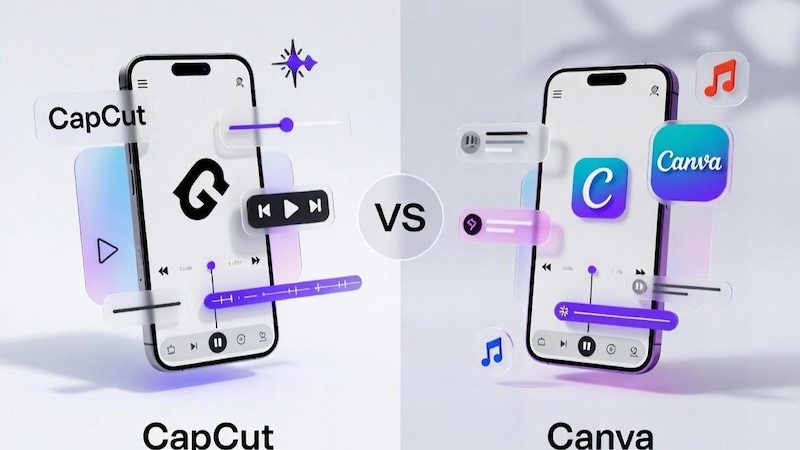
Canva vs CapCut: Which is better? Both platforms offer amazing features when it comes to video editing. However, they differ in terms of editing capabilities, AI tools, customization, options, and more. Below, compare Canva vs CapCut table will help you decide which tool is better for video editing:
| Feature | CapCut | Canva |
|---|---|---|
| Main Feature | Video Editing | Graphic design and video creation |
| Ease of Use | Intuitive interface | Beginner-friendly |
| AI Tools | AI-powered video editing tools | AI-powered design and content creation tools |
| Auto Caption | Available | Caption options and supported apps or features |
| Templates | Extensive video effect and transitions | Multiple templates for video, graphic, and more |
| Audio Editing | Video-focused audio editing tools | Background music, audio, and voiceover options |
| Stock Media | Media assets and effects | Photos, videos, audio, and illustrations |
| Team Collaboration | Available | Available |
| Audio Editing | Video-focused audio editing tools | Background music, audio, and voiceover options |
Part 4: CapCut vs Canva: Which is Better in 2026
Canva Pro vs CapCut Pro: Which tool is best for video editing? If you want advanced video editing capabilities, then we recommend using CapCut Pro. This tool offers a range of editing features, including AI-powered tools, automatic captions, audio editing, and advanced customization options. On the other hand, Canva Pro is an excellent choice for users who want to create videos alongside social media graphics, presentations, advertisements, and other branded content. It provides a large collection of customizable templates, brand customization tools, and more.
Part 5: Best Alternative to CapCut and Canva Available in 2026
What if we told you that there is a tool available that offers the capabilities of both CapCut and Canva in one platform? HitPaw Edimakor is an AI-powered video editing tool that helps users create engaging videos using a combination of traditional editing features and AI-powered capabilities. It offers tools for editing videos, generating AI content, adding automatic subtitles, creating AI avatars, and enhancing visuals. Unlike Canva, which focuses on graphic design and templates, and CapCut, which emphasizes video editing, HitPaw Edimakor combines multiple creative tools in one application. One of the standout features of this tool is that it offers an easy-to-use interface, which is ideal for non-tech and beginner users.


Key Features of HitPaw Edimakor
- AI Video Editor: HitPaw Edimakor enables users to customize videos according to their requirements without editing experience. The program offers a wide range of editing tools, such as trimming, cutting, merging clips, adding transitions, and more.
- AI-Powered Tools: The program isn’t limited to video editing. It provides a wide range of AI tools, each with unique features and capabilities, including text-to-video, text-to-speech, image-to-video, speech-to-text, AI video enhancer, and more.
- Multiple AI Models: HitPaw Edimakor offers a wide range of AI models for video and image creation, including Nano Banana, Flux, Midjourney, Stable Diffusion, Google Veo 3, HappyHorse, Kling, Seedance, and Seedream.
- Free Version: Canva vs CapCut pricing can be expensive for some users. However, HitPaw Edimakor offers its amazing features at no cost. Its free version enables users to edit and generate visuals without spending a single penny.
- Intuitive Interface: The standout feature of HitPaw Edimakor is that it offers an easy-to-use interface, which is ideal for non-tech and beginner users. No professional help or editing experience is required.
How to Customize Videos With HitPaw Edimakor
HitPaw Edimakor offers an easy-to-use interface, which allows users to customize videos without professional help. Here is how to do it:
Step 1: Download, install, and launch HitPaw Edimakor on your PC. Click on the “New Project” option from the main interface and select the “Import” button. Upload the video you want to edit. Users can upload multiple videos at once.
Step 2: Drag-and-drop the video file to the timeline to begin the video creation process. Once the video is imported, you can trim unwanted sections, split clips, adjust the video speed, and rearrange scenes according to your requirements.
Step 3: Preview the final result and click on the “Export” button if you’re satisfied with the results. Choose the video format and resolution, and click on the “Export” button again to download the video.
Final Thoughts
This Canva vs CapCut for reels guide has provided you with everything you need to know about these tools, including their key features, AI capabilities, editing options, and more. Both platforms are excellent choices for creating engaging social media content, but the best option depends on your specific requirements. If you’re looking for an alternative that combines AI-powered video editing with creative content generation, HitPaw Edimakor is worth considering. The tool offers advanced video editing capabilities with AI content generation features, allowing users to create engaging videos with minimal effort.
Leave a Comment
Create your review for HitPaw articles