One of the most popular creative effects on the internet is the Stranger Things AI filter, which lets fans use AI to recreate the enigmatic Upside Down atmosphere. From comprehending the filter to producing cinematic outcomes for social media, this guide walks you through every step of the process.
Part 1: What Is the Stranger Things AI Filter
Firstly, let us see what the Stranger Things AI art filter is, and then we will explore how to use it:
Overview of Stranger Things AI Filter
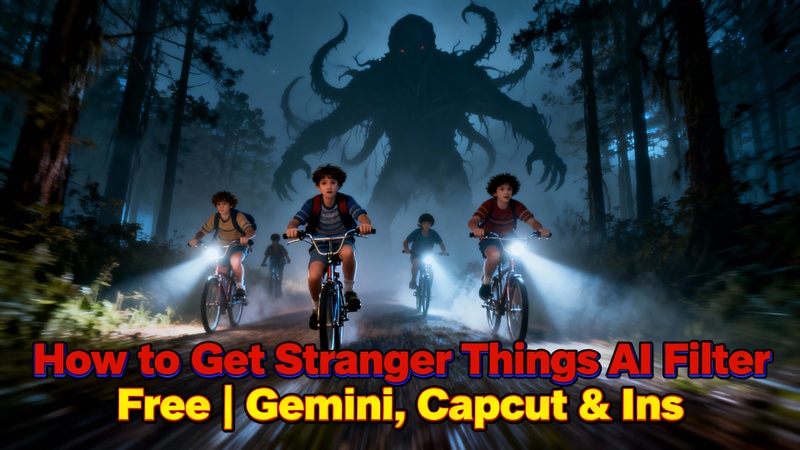
The visual aesthetic of the Netflix series served as the inspiration for the AI-powered Stranger Things filter. It replicates the Upside Down's spooky red highlights, hazy backgrounds, low lighting, film grain, and supernatural features.
This AI-based method, in contrast to conventional filters, examines background depth, lighting, and facial traits to produce a more cinematic appearance. Many people mistake it for a single app, but it actually exists on several platforms, including social apps, video editors, and AI art producers.
Part 2: How to Create Stranger Things AI Filter in Gemini, Nano Banana & Veo 3
Here are the steps to create Stranger Things AI filter in Gemini, Nano Banana, and Veo 3:
Make a Stranger Things AI Filter in Gemini
Let us explore how to get the Stranger Things AI filter in Gemini:
- First, open Gemini on your device and sign in if required. Then, carefully upload the image you want to transform.
- Next, clearly write a detailed prompt describing the Stranger Things mood, lighting, and eerie Upside Down atmosphere.
- After that, review the prompt once to ensure accuracy. Now, let Gemini generate the AI-filtered result.
- Once done, preview the image and check the visual details. Finally, save or download the finished image to your device.

Make a Stranger Things AI Photo Filter with Nano Banana in Edimakor
Let us use Edimakor, a perfect Stranger Things AI filter app
Step 1: First, open Edimakor and wait for the interface to load completely. Then, go to the Toolbox section from the main screen. Next, select the Text to Image tool from the available options.


Step 2: Next, select Nano Banana as your preferred AI model. Now, write a descriptive prompt to add Stranger Things–style lighting, shadows, and effects to your image.
Step 3: Then, carefully adjust the resolution, aspect ratio, and output quantity according to your project needs.
Step 4: After adjusting, click the Generate button and allow the AI to process the image. Once generated, preview the output for quality and accuracy. Finally, export the image using the Export button in the top-right corner.
Make a Stranger Things AI Video Filter with Veo 3 in Edimakor
Now, here are the steps for creating a Stranger Things-style video with Veo 3 in Edimakor.
Step 1: First, open Edimakor and let the software fully initialize. Then, navigate to the Toolbox from the main dashboard. Next, choose the Image to Video tool to begin.
Step 2: After that, select Veo 3 as the AI model for video generation. Now, write a clear and cinematic prompt to apply the Stranger Things video effect.
Step 3: Then, adjust the video duration, resolution, aspect ratio, and output quantity carefully. If you want audio, simply toggle on the Generate Audio option.
Step 4: After completing all settings, click Generate and wait for the AI to finish processing. Once the video is ready, preview it to ensure smooth visuals and effects. Finally, get the completed video by clicking the location icon after hovering on the snapshot in ‘My Creation’.
Part 3: How to Make Stranger Things AI Effects on TikTok and Instagram App
Here are the steps for adding a Stranger Things photo filter using TikTok and Instagram:
How to Make Stranger Things AI Effects on TikTok APP| CapCut
Here is how you can use TikTok and CapCut to use the Stranger Things video effect:
- Launch the TikTok app on your phone.
- Use keywords like Stranger Things AI filter, #StrangerThingsFilter, Upside Down filter, or CapCut template in the search bar.
- Open a trending video and look at the bottom-left corner of the screen. Many creators attach a CapCut template link there.
- Tap the link, which automatically opens CapCut. Upload your photo or video, and the AI-powered Stranger Things effect will be applied instantly.
-
Adjust lighting, contrast, or color tones if needed, then export the video and share it directly on TikTok.
How to Make Stranger Things AI Effects on the Instagram App
Here are the steps to add a Stranger Things filter online to your photos:
- Open Instagram and drag the screen from left to right to open the Camera. Then, tap on the upload option from the bottom left and upload your Image.
- From the top of the screen, tap the Restyle option and select the Add button.
-
Enter a short prompt such as: “Add Stranger Things dark sky, Upside Down red fog effect, or cinematic sci-fi horror lighting.”
-
Preview the AI effect, make small adjustments if needed, then save or post your final result.
FAQs Stranger Things AI Filter
A1: Yes, AI baby filters inside Edimakor and other AI apps can generate Stranger Things AI babies safely for fun edits.
A2: Yes, Edimakor supports Stranger Things AI voice effects for narration and character-style audio.
A3: Yes, AI interaction and pose tools can simulate hugging scenes using character-style prompts.
A4: HitPaw Edimakor has integrated the best Stranger Things AI filter prompt generator that allows users to create prompts from text as well as images.
Wrapping Up
The Stranger Things AI filter is more than just a fad. It is a creative tool that combines contemporary AI, sci-fi terror, and nostalgia. Platforms like Gemini, CapCut, Instagram, and HitPaw Edimakor (Video Editor) provide you with complete creative power, whether you are creating art, social media content, or fan edits.
With a few clicks, anyone may enter the Upside Down thanks to these resources, which range from AI art tutorials to cinematic video effects.
Leave a Comment
Create your review for HitPaw articles