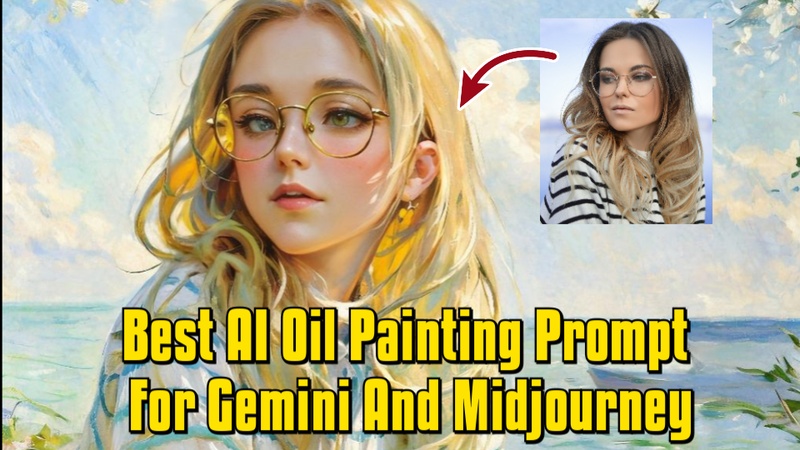
In 2026, AI-powered tools like Gemini AI and Midjourney have brought about a profound change in digital art. The AI oil painting prompt are one of the most well-liked types, enabling users to turn everyday photographs into breathtaking, artistic works. Anyone can turn images into digital oil paintings by utilizing AI generators, prompts, and style restyling tools.
Part 1: Best Gemini AI Oil Painting Prompt
Gemini AI provides strong capabilities for creating beautiful digital oil paintings from images. In 2026, artists can easily create realistic textures, vivid colors, and expert brushstroke effects with adjustable prompts.
Portrait Oil Painting with Renaissance Style
This prompt directs Gemini AI to produce a traditional portrait with warm colors and realistic brush textures. High resolution guarantees that all facial details and textures appear polished and vibrant, while the Renaissance-style background lends a timeless elegance.
Transform my portrait into a digital oil painting with soft, layered brush strokes, warm golden lighting, Renaissance-inspired background, and detailed facial features in 4k resolution.

Landscape Oil Painting with Golden Hour Lighting
Here, Gemini AI emphasizes texture, color vibrancy, and natural scenery. The impressionist approach gives the image artistic depth and movement, while the golden hour lighting accentuates shadows and highlights to create a genuine painting effect.
Convert my landscape photo into a digital oil painting with thick textured brush strokes, golden hour lighting, vibrant foliage colors, and soft atmospheric depth in impressionist style.
Part 2: Best Midjourney Oil Painting Prompts
Midjourney offers AI-powered tools for creating beautiful oil paintings from photographs. For portraits, landscapes, and imaginative digital artworks, artists can generate rich textures, vivid colors, and realistic brushwork with the help of specific instructions.
Classic Portrait with Dramatic Shadows
Midjourney uses this prompt to create a visually striking portrait. The intricate brushwork guarantees that the painting appears hand-crafted, perfect for professional or gallery-quality results, while the dramatic shadows provide depth and contrast.
Photo to oil painting AI, classical portrait style, dramatic shadows, soft skin textures, rich warm colors, cinematic lighting, detailed brushwork, and high-resolution output.
Sunset Landscape Oil
With the help of this prompt, Midjourney can create a vibrant oil painting of a landscape. Impressionist brush textures provide movement and artistic flair, while AI increases sunset tones and water reflections to create a visually striking and dynamic landscape.
Digital oil painting AI prompt free, landscape photo transformed into impressionist style, warm sunset colors, textured brush strokes, atmospheric lighting, realistic water reflections, 4k resolution.
Part 3: Best AI Oil Painting Generator for Creating Stunning Arts
HitPaw Edimakor’s AI Image Restyler makes it easy to transform ordinary photos into artistic visuals. With a wide range of built-in styles, including oil painting effects, this tool lets you restyle images without complex editing skills. It is ideal for creating digital artwork, portraits, and creative visuals in just a few clicks.
How To Restyle A Photo into a Digital Oil Painting With an AI Style
Step 1: Launch HitPaw Edimakor on your computer. From the main interface, go to Toolbox, inside the Image section, and choose Image Restyler. This section contains multiple AI-powered artistic styles.


Step 2: Upload the image you want to convert into an oil painting.
Step 3: Inside the Style options, browse the available presets and select the Oil Painting style. Choose the output quantity based on how many variations you want the AI to generate. Click the Generate button and wait for Edimakor to process your image using the selected oil painting style.
Step 4: Go to the My Creations section to view your output. Once satisfied, click the folder icon in the top-right corner of the image to open its saved location and easily share it.
How To Restyle A Photo into a Digital Oil Painting With A Prompt
Step 1: Launch Edimakor and navigate to Toolbox, and select Reference Image. This image-to-image tool allows you to guide the AI using both prompts and visual references.
Step 2: Upload the photo you want to convert into a digital oil painting. Make sure the image is clear for better artistic results.
Step 3: In the prompt box, describe the oil painting style you want. You can mention details like classical brush strokes, rich colors, canvas texture, soft lighting, or a Renaissance-inspired look.
Step 4: Choose the desired aspect ratio and output quantity, then click Generate. Edimakor will apply the oil painting effect based on your prompt.
Step 5: Review the generated image in My Creations. If it looks good, open the saved folder using the folder icon and share your oil painting image easily.
Part 4: ChatGPT - Oil Painting Prompt Generator
ChatGPT can be used as a powerful oil painting prompt generator, helping you create detailed and creative prompts for AI image tools.
Step 1: Open ChatGPT and Describe Your Idea
Start by opening ChatGPT and clearly describing the type of oil painting you want to create. You can mention the subject, mood, color palette, lighting, and artistic inspiration.
Step 2: Ask ChatGPT to Generate an Oil Painting Prompt
Request ChatGPT to turn your idea into a detailed oil painting prompt. The generated prompt will include artistic details like brushstroke texture, canvas feel, lighting effects, and composition to help AI image generators produce high-quality results.
Step 3: Copy the Generated Prompt
Once ChatGPT provides the oil painting prompt, review it and make small adjustments if needed. After that, copy the prompt for use in your preferred AI image generation tool.
Step 4: Use the Prompt in an AI Image Generator
Paste the copied prompt into an AI image generator such as Edimakor. Generate the image and refine the prompt further if required.
In Conclusion
AI oil painting programs like Gemini AI, Midjourney, and HitPaw Edimakor (Video Editor) have revolutionized the process by which artists create beautiful digital artworks with ai oil painting prompt. Anyone may create oil paintings of professional quality without the need for traditional painting abilities by utilizing AI-powered upgrades, style customization, and thorough guidance.
Leave a Comment
Create your review for HitPaw articles