
It has never been easy to take pictures of children that are magical, fun, and unforgettable. With Gemini AI photo prompts for kids, Gemini AI has made it easy for parents, artists, and designers to turn everyday child images into creative visual narratives. These prompts also work perfectly as Children's Day AI photo ideas for boys and girls alike.
Part 1: Gemini AI Photo Prompts For Kids Boys
Themes for boys frequently include confidence, imagination, and adventure. Below are the top Gemini AI photo prompts for boys, including kids prompts that are ideal for Google Gemini AI.
Best Prompt For Gemini AI Baby Boy Style
This prompt works especially well for babies and toddlers, particularly for family albums or profile pictures.
A cute baby boy with soft, chubby cheeks, big expressive eyes, and a warm smile, wearing a pastel-colored outfit, sitting on a cozy blanket in natural daylight, ultra-realistic, soft focus, gentle tones, studio-quality lighting.
The Miniature Astronaut
Ideal for children who enjoy science and space exploration. This is one of the most popular kids Gemini prompts for children in 2026.
A young boy dressed as a tiny astronaut, wearing a detailed white space suit and helmet, standing on a glowing moon surface, with colorful planets in the background, cinematic lighting, realistic yet playful style, child-friendly sci-fi theme.
The Dino-Explorer
This prompt works well for themed room décor and birthday posters.
A little boy explorer wearing khaki clothes and boots, holding binoculars in a prehistoric jungle, friendly cartoon dinosaurs around him, bright colors, adventurous mood, high detail, safe and fun aesthetic.
The Cyberpunk Street Racer
This is a popular free theme for boys who enjoy futuristic and imaginative digital art.
A young boy as a cyberpunk street racer, neon jacket, futuristic goggles, glowing city streets at night, vibrant neon lights, stylized but child-safe cyberpunk theme, high resolution.
The Little CEO
Perfect for school presentations or future fantasies.
A confident little boy dressed in a mini business suit, standing in a modern office, city skyline behind glass windows, playful smile, soft lighting, realistic style with a cute twist.
The 3D Toy Box Hero
For entertaining social media posts, this prompt works wonderfully with the Gemini photo generator.
A boy transformed into a 3D toy hero, action figure style, colorful toy box background, glossy textures, Pixar-inspired lighting, joyful expression, ultra-cute design.
Part 2: Gemini AI Photo Prompts For Girls
Little girl prompts for Gemini frequently highlight personality, originality, elegance, and imagination. These are some of the most popular Gemini AI picture prompts for young girls.
1 Best Prompt For Gemini AI Baby Girl Style
For newborn and baby photo shoots, this prompt is ideal.
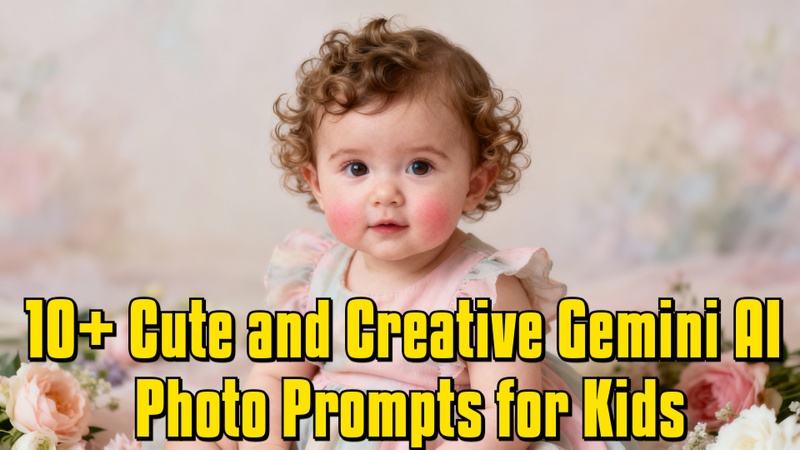
A baby girl with soft curls, rosy cheeks, and bright eyes, wearing a pastel dress, sitting in a dreamy setup with flowers and soft light, natural skin tones, gentle focus, and ultra-realistic style.
2 The Enchanted Forest Fairy
One of the most visually appealing little girl prompts for Gemini AI.
A little girl dressed as a forest fairy, glowing wings, floral crown, magical forest background, soft sunlight rays, whimsical colors, fantasy storybook style.
3 The Future Pop Star
Excellent for children who enjoy performances and music.
A young girl as a future pop star, stylish outfit, holding a microphone, colorful stage lights, joyful expression, modern pop aesthetic, high-detail lighting.
4 The Master Pastry Chef
This prompt is frequently used for imaginative birthday themes.
A cute little girl wearing a chef hat and apron, standing in a cozy bakery kitchen, cupcakes and pastries around, warm tones, soft lighting, realistic and adorable style.
5 The Underwater Mermaid Princess
One of the best ideas for a Gemini-themed photo shoot.
A little girl transformed into a mermaid princess, sparkling tail, underwater kingdom, colorful fish and corals, soft, glowing light, dreamy fantasy aesthetic.
6 The Vintage Academic (Dark Academia)
For 2026, this is a distinctive and popular style.
A young girl in vintage academic clothing, old books, a wooden desk, warm candlelight, dark academia aesthetic, classic and artistic mood, and child-friendly realism.
Part 3: Trending Gemini AI Photo Prompts For Kids
These prompts draw inspiration from holidays, current events, and memorable times in a child's life.
1 "When I Grow Up" Gemini AI Photo Prompts For Kids
This is effective for motivational posters and school projects.
A child visualized in their dream profession as an adult, blending childhood innocence with future success, a realistic environment, an inspirational mood, and soft lighting.
2 Gemini AI Photo Prompts For Kids' Birthday
One of the most popular Gemini AI photo ideas for children's birthdays.
A joyful kid celebrating a birthday, colorful balloons, cake, party decorations, bright lighting, candid smile, ultra-realistic festive atmosphere.
3 Gemini AI Photo Prompts For Kids Christmas
This is perfect as a free Gemini AI Christmas photo prompt for children.
A child wearing cozy winter clothes, sitting near a decorated Christmas tree, with warm lights, snow outside the window, a festive and cheerful mood, realistic holiday aesthetic.
4 Gemini AI Photo Prompts For Kids Halloween
Fun and safe for all ages.
A kid in a cute Halloween costume, pumpkins and soft spooky décor, playful, not scary mood, warm autumn colors, child-friendly Halloween theme.
Part 4: Create Gemini AI Photo for Kids with No Prompt
Edimakor's built-in AI Image Generator makes it effortless to create entertaining Gemini AI pictures for children. Simply apply pre-made kid-friendly effects, including Children's Day AI image templates, to turn any child's photo into an adorable, vibrant AI image with no prompts required.
Step 1: Open Edimakor and Access the Image Effects Library
First, launch Edimakor on your device. Once the main interface loads, go to Templates, locate the AI Image Effects. When you click on it, the effects library will appear, displaying a selection of ready-made AI effects.


Step 2: Choose a Kid-Friendly AI Effect
Once you are inside the picture effects library, find AI baby. Then browse the available styles and choose a kid-friendly effect, such as cartoon, fairy tale, storybook, or soft portrait effects. Once an effect has been selected, press the Create button on the effect card.
Step 3: Upload a Child's Reference Image
Upload a clear picture of your kid. Depending on the chosen effect, Nano Banana will automatically apply a built-in prompt. Although you do not have to write anything by hand, adjust basic parameters like aspect ratio and the number of output photos before proceeding.
Step 4: Generate the Creative AI Photo
Edimakor will automatically save the AI-generated image once the process is complete. You can find it in My Creations folder. It's ready for you to share on social media or with your loved ones.
To Sum Up
In 2026, Gemini AI has fundamentally changed the way we photograph children. You can transform ordinary images into imaginative and joyful memories with the right prompts. The copy-paste prompts in this tutorial make the process simple and stress-free.
Whether you are looking for Gemini AI photo prompts for kids, boys, or girls, or need kids Gemini prompts for birthdays, Christmas, Children's Day, or aesthetic themes, this guide, together with HitPaw Edimakor (Video Editor), has you covered.
Leave a Comment
Create your review for HitPaw articles