Creating Christmas photographs is easier and more entertaining than ever using Gemini AI. With the correct cues, you can make warm, sophisticated, and festive photographs. Let us have a look at some Gemini AI Christmas photo prompt ideas.

Part 1: 12 Best Gemini AI Prompts for Christmas Photo Ideas
To help you spark creative inspiration, here are the most effective Gemini AI Christmas photo prompts you can use right now.
1. Classic & Traditional Christmas Scenes
Best for:
Warm holiday atmospheres, greeting cards, cosy indoor themes
Prompt:
A classic traditional Christmas scene with a glowing fireplace, decorated tree, warm lighting, vintage ornaments, snow falling outside, cinematic photography, and soft golden tones.
2. Kissing or Hugging Christmas Couple
Best for:
Romantic holiday shoots
Prompt:
A couple kissing under mistletoe, Christmas lights in the background, cozy sweaters, soft bokeh, warm holiday tones, intimate romantic atmosphere.
3. Family Inside Snow Globe Christmas Photo
Best for:
Whimsical family portraits
Prompt:
A family inside a magical snow globe, swirling snowflakes, warm lighting, festive accessories, Christmas village background, fantasy holiday style.
4. Candid Snowy Moment
Best for:
Natural lifestyle AI snowy photography
Prompt:
A candid moment of someone laughing in falling snow, winter coat, natural expressions, snowy forest background, crisp, cool tones, cinematic portrait.
5. Winter Wedding-Inspired Christmas Couple
Best for:
Elegant couple portraits
Prompt:
A festive winter wedding theme photo with a couple holding hands, snowy arch, Christmas florals, soft whites and gold tones, luxury romantic atmosphere.
6. Girls Winter Glam Look
Best for:
Fashion-style Christmas portraits
Prompt:
A glamorous winter portrait of a girl wearing fur coat, sparkling makeup, Christmas lights behind, soft glow effect, Vogue-style holiday photography.
7. Elegant Saree Christmas
Best for:
Cultural festive beauty
Prompt:
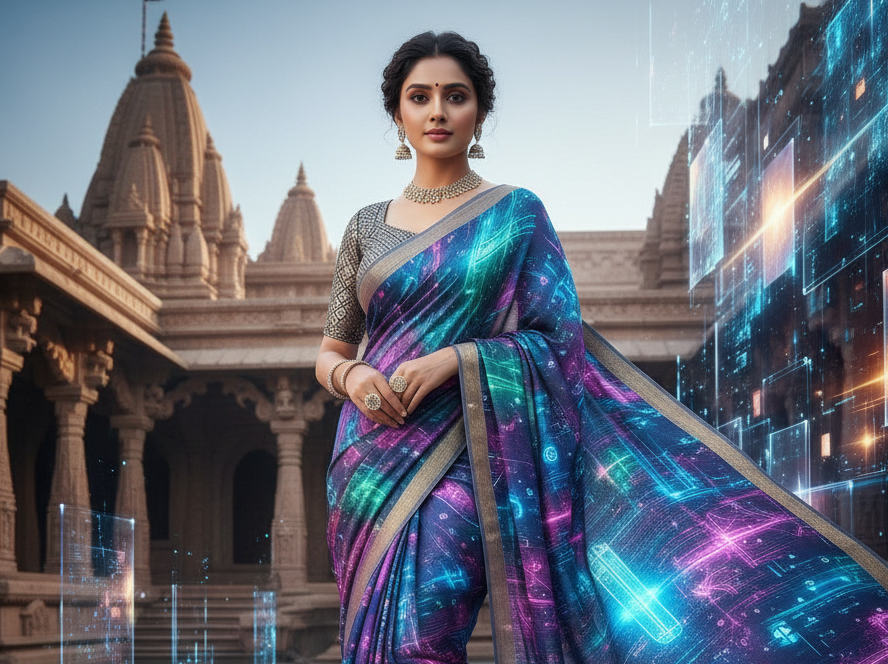
A woman in an elegant saree surrounded by Christmas décor, warm lights, glowing tree, soft colors, festive Indo-Western holiday theme.
8. Pregnant Christmas Photo Ideas
Best for:
Maternity holiday shoots
Prompt:
A glowing pregnant woman holding her belly in front of a Christmas tree, warm golden lights, cozy home setting, soft emotional portrait style.
9. Classic Christmas Card
Best for:
Printable holiday cards
Prompt:
A classic Christmas card layout with a smiling family, snowflakes graphics, warm tones, greeting message space, clean professional design.
10. Christmas Elves
Best for:
Fun, playful photos
Prompt:
Cute Christmas elves with colorful outfits, snowy workshop setting, candy canes, joyful expressions, children's storybook theme.
11. Santa Claus Photos
Best for:
Holiday humor & traditional Christmas
Prompt:
A realistic Santa Claus sitting by the fireplace, classic red suit, gift bags, warm lighting, cheerful festive scene.
12. Christmas Pet Makeovers
Best for:
Pet owners
Prompt:
Dog wearing reindeer antlers and Christmas scarf, soft indoor lighting, decorated tree behind, cute festive pet portrait.
Bonus Tips: Best Gemini AI Christmas Photo Prompts Generator
If you want to level up your holiday photos even more, a good Christmas prompt generator makes a huge difference. Among all the options available, HitPaw Edimakor stands out as one of the best Gemini AI Christmas Photo Prompts Generators:
Step 1: Access Edimakor Prompt Generator
Access HitPaw Edimakor and choose any of its AI tools, as most of them have a Prompt Generator. Then, choose Image to Prompt option.


Step 2: Upload the Image and Generate the Prompt
Upload the image you wish to draw inspiration from. Edimakor automatically scans the image and provides a clear, high-quality prompt that highlights lighting, style, colours, and atmosphere.
Step 3: Use the Prompt to Create the Image
You can use Gemini AI or any other picture generator by copying and pasting the resulting prompt. Create the final image after adding your Christmas elements if necessary.
Part 2: Gemini Photos Gemnerator vs gemini 2/2.5 Pro
Before choosing which tool to use for your Christmas images, it's helpful to compare Gemini Photos Generator with Gemini 2 or 2.5 Pro.
| Feature | Gemini Photos Generator | Gemini 2 / 2.5 Pro |
|---|---|---|
| What is it? | AI tool for photo creation, edits, and generative images | Advanced AI model for reasoning, writing, coding, and image control |
| Main Goal | Create, enhance, and transform photos | High-level intelligence tasks, creative image generation, multimodal understanding |
| Best Use | Christmas photos, portraits, creative edits | Complex prompts, detailed AI art, advanced Christmas scene creation |
| Capabilities | Cleanup, enhancement, photo generation | Vision, reasoning, high-resolution image creation |
| Skill Level | Beginner-friendly | Intermediate to advanced |
| Output Style | Realistic portrait-focused images | Hyper-detailed, artistic, cinematic styles |
| Ideal For | Social media, family photos, casual creation | Bloggers, designers, content creators needing more creativity |
Part 3: Create an AI Christmas Photo with Genima Nano Banana Pro in Edimakor
Once you have a polished Christmas prompt ready, the next step is turning it into a stunning AI-generated image. With the Genima Nano Banana Pro model inside HitPaw Edimakor, you can recreate any holiday concept using a reference photo and a detailed prompt.
Step 1: Launch Edimakor and Select the Reference Image Tool
Go to the Toolbox after launching Edimakor. Choose the Reference Image option after scrolling to the Image category.
Step 2: Upload Your Reference Image
Choose Google Nano Banana as a model. Upload the image that you want Edimakor to use as the starting point. It might be a selfie, a family picture, or a product. Upload it, and Edimakor will use the shape, structure, and identity from this image.
Step 3: Paste the Generated Prompt
Paste the Christmas prompt you created earlier into the text box. Now adjust a few key settings, including aspect Ratio and output Quantity. Once everything looks good, click Generate.
Step 4: Export the Image
To save your final Christmas picture, click Export if you're happy with the outcome. You can use it for cards, social media postings, or other festive projects after downloading it in the format of your choice.
FAQs on Gemini AI Christmas Photo Prompts
A1: Yes, it is safe and widely used on iPhone, Mac, and Android for managing and generating photos.
A2: Yes, uploading a reference photo allows Gemini to match your face, outfit, and style.
A3: Include style, lighting, clothing, atmosphere, and emotions for the best results.
A4: Yes, Edimakor, some versions of Gemini, and other basic AI image generators offer free options.
A5: Use a reference photo, add lighting details, choose a realistic lens style, and avoid overly complex backgrounds.
A6: Many tools are free, while premium generators range between $5--$15 per month.
To Sum Up
Gemini AI is one of the greatest ways to make gorgeous Christmas images using Gemini AI Christmas photo prompt ideas. These ideas assist you in producing professional and joyous photos. For even greater results, couple Gemini AI with HitPaw Edimakor (Video Editor) , a sophisticated video and photo editor that enriches your festive images with filters, effects, and AI tools.
Leave a Comment
Create your review for HitPaw articles