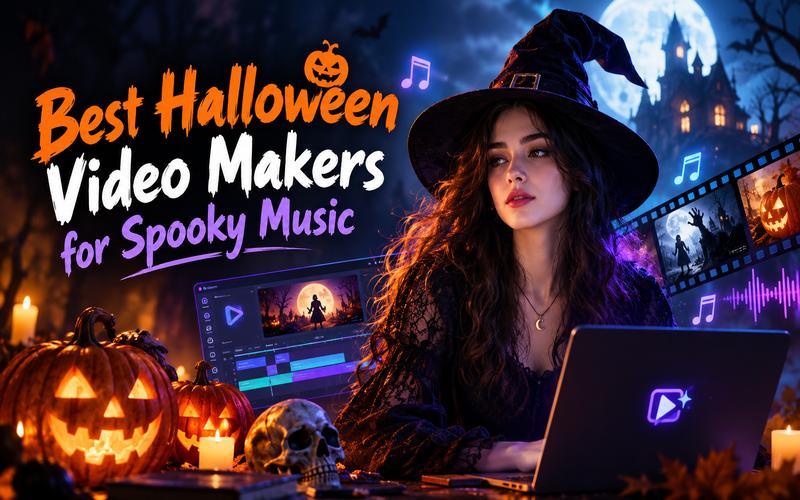
The spooky season is no longer just about costumes and candy. It is a time for digital creators to showcase their most chilling ideas. In 2026, the content creation landscape has shifted significantly toward artificial intelligence, making it easier for anyone to become a filmmaker. Whether you are an aspiring musician or a social media enthusiast, finding the right Halloween music video maker is crucial for capturing the eerie spirit of the holiday.
Top 5 Halloween Music Video Makers Compared
The right platform depends on your technical skill and the vibe you want to achieve. Some creators prefer the realism offered by advanced AI models, while others need the speed of pre-made templates.
Below is a comparison table of the top tools to help you create the best Halloween music videos this year.
| Maker | Core Technology | Best For | Free Tier | Ease of Use |
|---|---|---|---|---|
| Edimakor AI MV | Beat & Lyric Analysis AI | Professional Lyric Videos | Free Trial | Excellent |
| Canva | Google Veo-3 AI | Short Social Media Clips | Limited Monthly Clips | Very High |
| CapCut | AI Auto Captions & Library | Trendy Social Media Edits | Free with Watermark Options | High |
| Revid AI | Prompt to Video Vertical AI | Rapid TikTok & Reels | 3 Free Videos | High |
| Pippit AI | Sora 2 & Veo 3.1 Models | Cinematic E-commerce | Free to Try | Moderate |
The best choice depends on the type of video you want to make. Edimakor AI focuses on turning music and visual ideas into complete music videos, while Canva gives you more design control. CapCut is useful for editing and lyric synchronization, Revid AI focuses on automated AI video creation, and Pippit offers Halloween focused generation and editing tools.
Halloween Music Video Makers for Every Style
The following tools offer unique features for creating Halloween music videos, ranging from fun and festive to truly terrifying. Here are the five best options for the 2026 season.
1. Edimakor AI MV

Edimakor AI MV Generator Online is a professional tool that turns audio into visual stories using advanced AI models. It helps creators produce high quality music videos for Halloween without needing technical editing skills. By analyzing rhythm and song structure, it generates cinematic visuals synced to the beat. It is ideal for creating scary music videos quickly.
Key Features:
- Audio to Visual Synchronization: Matches visuals to the music’s BPM and structure.
- Auto Synced Lyrics: Creates subtitles that follow the vocal track.
- Multiple Style Options: Includes Anime, Cyberpunk, and Narrative styles.
- Flexible Aspect Ratios: Supports 9:16, 16:9, and 1:1 formats.
- Commercial Licensing: Provides rights for monetization and distribution.
 Pros
Pros
- Fast generation speed saves hours of work.
- No prior video editing experience is required.
- Supports MP3, AAC, M4A, and WAV formats.
- Allows uploading custom images for unique characters.
- Offers 60 free credits to get started.
 Cons
Cons
- Instrumentals are not supported and require a vocal track.
- Audio length is limited to 10–180 seconds.
Best for: Musicians and singers who need fast, beat synced lyric videos for their latest tracks.
2. Canva
Canva’s AI Video Generator uses Google’s Veo-3 to turn text prompts into cinematic clips. This tool is useful for short, impactful visuals used in Halloween music videos. It features Magic Media, which generates short videos with synchronized sound effects. Users can refine their clips using Canva’s large library of stickers and templates. It offers over a million templates, including options for classic Halloween music videos.
Key Features:
- Text to Video Generation: Creates footage based on detailed descriptions.
- AI Talking Heads: Turns photos into talking avatars in 40+ languages.
- Synchronized Sound Design: Includes dialogue and effects in clips.
- Extensive Asset Library: Offers thousands of templates and graphics.
- AI Video Dubbing: Translates videos into different languages automatically.
Pros:
- Highly intuitive browser based and mobile editing.
- Seamless integration with social media sharing tools.
- Supports commercial use within specific AI terms.
- Great for team collaboration on design projects.
- Large selection of AI character voices.
Cons:
- Videos are limited to short clips per prompt.
- Users may not have exclusive rights to AI generated designs.
- File upload size is limited to 1GB.
Best for: Social media managers needing quick, visually rich clips for Halloween party music videos.
3. CapCut
CapCut is a popular Halloween music video maker known for its synchronization and editing tools. It simplifies music video creation with a large library of horror themed filters and music. Its auto lyrics tool helps ensure subtitles match the beat without manual work. It also includes audio enhancement tools for clearer spooky soundscapes. The platform simplifies complex editing tasks so anyone can produce top notch spooky content.
Key Features:
- AI Auto Lyrics: Syncs captions to the rhythm.
- Audio Enhancement: Includes vocal removal and noise reduction.
- Media Library: Offers stock footage and trending sounds.
- Dynamic Transitions: Provides AI assisted visual effects.
- High Resolution Export: Supports content for TikTok and YouTube.
Pros:
- Free to use with many watermark free options.
- Available across mobile and desktop platforms.
- Simplifies tasks such as speed adjustment.
- Reduces production time and editing costs.
- Helps create polished content for wider audiences.
Cons:
- Certain AI features are restricted by geographic region.
- The interface can feel overwhelming for beginners.
Best for: TikTok and YouTube creators who want trendy, high energy Halloween music videos.
4. Revid AI
Revid AI is designed for rapid short form content, making it useful for creating Halloween music videos for Reels. Users enter a concept or script, and the AI builds visuals, voiceovers, and captions. It excels at vertical 9:16 videos, making it suitable for mobile platforms. Revid can create a Halloween spooky music video in minutes. It is especially effective for those looking to scale content production across platforms like Instagram and YouTube.
Key Features:
- Concept to Video AI: Turns text inputs into visual sequences.
- Horror Style Presets: Includes Realism and Modern Noir styles.
- Video Remixing: Allows restyling of existing viral videos.
- AI Voiceover: Automatically generates narrated scripts.
- Vertical Optimization: Supports TikTok and Instagram formats.
Pros:
- Offers three free videos without a credit card.
- High production volume, supporting 30,000+ videos monthly
- Analyzes trends to help improve content.
- Inspiration library provides ideas for video creation.
- Simple interface reduces the need for manual editing.
Cons:
- Primarily focused on short form content.
- Free usage is limited for high volume projects.
- The “Pro” styles are required for the highest quality results
Best for: Content creators who need to produce the best Halloween music videos at scale.
5. Pippit AI
Pippit AI uses powerful models like Sora 2 and Veo 3.1 for high end Halloween music video production. It offers a versatile environment for text, image, or reference video inputs. Its sound effects library can help create a spooky atmosphere with eerie sounds and effects. It also provides precise segment editing for greater control. With its “Agent mode,” Pippit can take a reference video and transform it into a completely new, spooky masterpiece.
Key Features:
- Advanced AI Models: Supports advanced models for realistic scary scenes.
- Reference Video Animation: Transforms existing clips into new styles.
- Spooky Sound Library: Provides pre-cleared sounds and effects.
- Segment Editing: Allows fine tuning of specific video sections.
- E-commerce Templates: Includes templates for holiday promotions.
Pros:
- Helps create more customized visuals than generic stock footage.
- Offers Lite and Agent modes for different skill levels.
- Supports various input types, including links and documents.
- Provides high quality MP4 and MOV exports.
- Includes sounds suitable for commercial projects.
Cons:
- Agent mode may have a steeper learning curve.
- High fidelity generation can require more resources.
Best for: Advanced creators and e-commerce brands wanting cinematic Halloween videos.
How to Make a Halloween Music Video with Edimakor AI
Creating a Halloween music video with Edimakor AI is simple. Follow these four simple steps to generate your first scary music video today.
Step 1: Choose MV Style
Go to the Edimakor AI MV Generator Online dashboard and locate the generation entry point to start.
Create Now
Step 2: Upload Music
You must choose an MV style between a “Narrative Video” or a “Singing Video.” Import your audio file. Ensure your track is between 10 and 180 seconds long and contains vocals, as instrumentals are not currently supported for this generator.
Step 3: Upload Image
Use the “Upload Image” section to add up to seven (0/7) personal photos or character images. Click to browse your files or drop images into the designated area.
Step 4: Enter Prompt and Adjust Settings
In the optional “Prompt” box, you can type a description (up to characters) to guide the AI’s visual style. Then go to “Settings” to choose your Aspect Ratio and Resolution. Ensure the “Lyrics Subtitles” option is toggled on if you want the words to appear on screen.
Step 5: Generate and Export
Click the “Generate” button to begin the AI process. After the video is created, you can review it in “My Creations” and download it for sharing.
FAQs About Halloween Music Video Maker
A1: Yes, tools like Edimakor can analyze a song’s BPM and structure to generate matching visuals automatically. Users can often select specific styles like “Spooky” or “Dark Fantasy” to ensure the generated scenes fit the Halloween theme.
A2: Not at all. Modern AI tools are designed for users of all skill levels. Platforms like Canva and Pippit offer drag and drop interfaces and pre-made templates that handle complex transitions and effects for you.
A3: Most platforms support common formats like MP3, WAV, AAC, and M4A. For example, Edimakor specifically requires these formats and limits audio length to 180 seconds to ensure high-quality synchronization.
A4: Tools like Edimakor provide commercial use licenses for their built-in AI visuals and sound libraries. This lets you monetize your Halloween music video on platforms like YouTube without copyright issues.
Conclusion
Creating a Halloween music video in 2026 has never been more accessible thanks to AI. A Halloween music video maker exists for every creator, from Edimakor’s professional lyric synchronization to CapCut’s viral templates. If you want to impress your audience with high quality visuals and perfectly timed beats this season, start with Edimakor AI. Its dedicated MV generator handles the complexity so you can focus on your music. Try Edimakor AI today and bring your spookiest visions to life!


Leave a Comment
Create your review for HitPaw articles