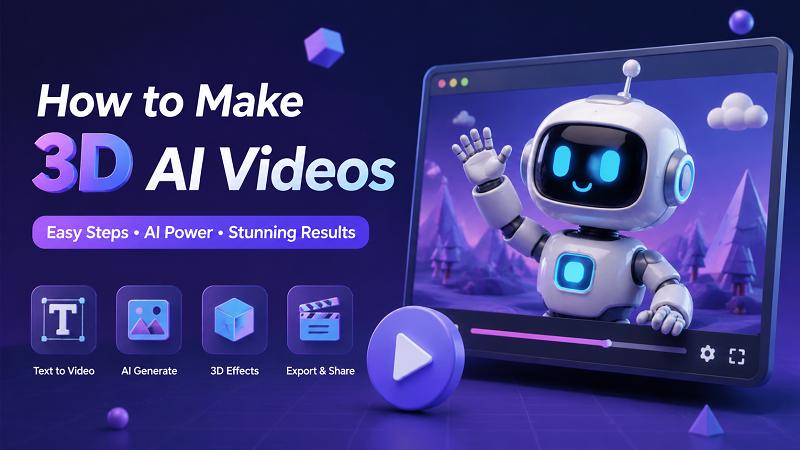
Wondering how to make 3D AI videos? These dynamic visuals are taking social media, marketing, and storytelling by storm in 2026. Traditional video creation demands advanced editing skills, expensive software, and endless time. Fortunately, an AI 3D video generator offers a faster, easier alternative. In this guide, we will explore video creation methods and the best tools to start today, backed by the latest industry data and community insights.
Part 1: What Are 3D AI Videos and Why Are They So Popular?
1. What are AI 3D Videos?
Making 3D AI videos involves using generative Artificial Intelligence—specifically advanced video diffusion models like Sora and Gen-3 Alpha, alongside 3D Gaussian Splatting—to convert text prompts, 2D images, or standard flat videos into three-dimensional animations. Unlike traditional animation that requires manual sculpting of digital clay, an AI 3D video generator natively understands spatial depth. It can simulate complex camera movements, apply realistic lighting, and render aesthetics like Pixar animation or Unreal Engine 5.5 graphics in a matter of minutes.
2. Common Use Cases of AI 3D Videos
The democratization of 3D animation has opened doors across multiple industries. According to a recent 2026 HubSpot marketing report, 78% of digital marketers now incorporate AI-generated 3D assets into their campaigns. Here is where you will see them most:
Social Media: Content creators on TikTok and YouTube Shorts use a captivating 3D AI video style to stop users from scrolling. Adding 3D depth to a trending audio clip significantly boosts engagement, with creator communities on Reddit's r/AIVideo reporting up to a 40% increase in viewer retention.
Marketing and Advertising: Brands no longer need to hire expensive 3D studios for product promos. They can generate realistic 3D showcases of their products instantly.
Entertainment and Indie Filmmaking: Independent storytellers use these tools as an AI 3D movie maker to visualize scripts, create storyboards, or even produce full-length animated short films.
Personal Projects: Hobbyists are turning old 2D family photos into dynamic, moving 3D memories.
3. Why AI 3D Videos are Trending
According to 2026 industry research, the adoption of generative AI in video production is growing exponentially. But why are trending 3D AI videos everywhere?
Viral Potential: The visual impact of a well-crafted 3D scene inherently commands more attention than a flat image. If you look at successful 3D AI video examples, they almost always feature dynamic camera panning that tricks the brain into perceiving real depth.
Low Barrier to Entry: Previously, creating a 3D animation required a master's degree in digital arts. Now, the understanding cost is zero. If you can type a sentence, you can generate 3D art.
Endless Creativity: Whether you want a cyberpunk cityscape or a whimsical fairy-tale forest, 3D AI video ideas are limited only by your imagination, not your budget.
Part 2: Traditional Ways to Make 3D AI Videos
To truly appreciate the power of AI: we must look at the grueling process of traditional video editing and 3D animation.
1 Traditional Creation Methods
Before AI: manual video creation in the 3D space involved a massive, multi-step pipeline.
3D Modeling: Artists used software like Blender or Maya to manually build characters and environments out of polygons.
Rigging and Manual Animation: A digital skeleton had to be inserted into characters, and animators would manually move joints frame-by-frame.
Texturing and Lighting: Every surface needed a painted texture, and virtual lights had to be meticulously placed to cast realistic shadows.
Editing with Professional Software: Finally, the rendered clips were stitched together in professional video software like Adobe Premiere Pro or After Effects.
2 Key Limitations
Time-Consuming Workflows: A simple 10-second 3D animation could take an experienced artist weeks or even months to complete.
Requires Technical Skills: The learning curve for traditional 3D software is notoriously steep, requiring years of practice.
Expensive Assets: High-end rendering computers, software licenses, and pre-made 3D assets cost thousands of dollars.
3 Transition to AI Video Generator for 3D Videos
Why are modern creators abandoning the old ways? Because an AI generator eliminates the entire pipeline. There is no deep editing needed, no rigging, and no rendering farms. You simply provide a prompt, and the AI handles the spatial calculations. This shift allows storytellers to focus on their narrative rather than technical troubleshooting. If you want to create 3D AI videos, shifting to an AI solution is the most logical step for modern creators in 2026.
Part 3: How to Make AI 3D Videos Using Different Methods
Ready to start? The HitPaw Edimakor is your ultimate all-in-one, AI-powered solution. By integrating multiple advanced 2026 AI models, HitPaw specifically empowers you to create stunning 3D AI videos directly in your browser, entirely bypassing the need for complex software.
HitPaw Edimakor Features:
- Text to Video for 3D Content: Turn written prompts into AI-generated 3D AI videos instantly.
- Image to Video Animation : Animate 3D AI video style images into dynamic video scenes.
- Pre-made Templates for 3D AI Videos: Quickly generate videos without starting from scratch.
- Multiple AI Styles and Visual Effects: Match different 3D AI aesthetics and moods perfectly.
1. Make AI 3D AI Videos from Text
Transforming your imagination into reality is incredibly simple with the text-to-video feature.
Step 1: Download HitPaw Edimakor. Choose the “Text to Video mode” for 3D AI videos.



Step 2: Select a preferred AI model. Enter detailed text prompts describing your desired 3D AI video scene. Customize your 3D AI video resolution, duration, and aspect ratio to fit your specific platform needs.
Step 3:: Click generate, preview the results, and download your newly created 3D AI video directly to your device.
2. Create AI 3D AI Video using Images
If you already have a 2D image like a Midjourney v6 generation or a photograph, you can add stunning 3D depth to it.
Step 1: Download HitPaw Edimakor. Choose the “Reference to Video mode” for 3D AI videos.
Step 2: Choose a AI model. Upload an image, then type a prompt to animate your 3D AI video. Adjust the 3D AI video resolution, duration, and aspect ratio to match your project requirements perfectly.
Step 3: Generate the animation and download your dynamic 3D AI video directly to your computer or smartphone.
Part 4: Tips for Creating High-Quality 3D AI Videos with AI
While generating a video is easy, mastering the art requires a bit of finesse. Here are some essential 3D AI video tips to elevate your content and increase your viewer dwell time.
1. Master AI Video Prompts for 3D Styles
The secret to a great output lies in your AI video prompts. To force the AI into generating a realistic 3D style, you need to use specific terminology borrowed from traditional 3D modeling and modern diffusion engines.
Use Render Engine Keywords: Add terms like Unreal Engine 5.5 render, Octane render, or Cinema4D to your prompts.
Specify Lighting: 3D environments look best with realistic lighting. Use phrases like volumetric lighting, cinematic ray tracing, or global illumination.
Camera Movements: Tell the AI how to move through the 3D space. Use slow dynamic pan, drone FPV fly-through, or rack focus.
Formula Example: [Subject] + [Action] + [3D Environment] + [Lighting] + [Render Style] + [Camera Movement].
2. Maintain Style and Visual Consistency
When creating a sequence of clips for a larger project, consistency is key. Always use the same base keywords across all your prompts. If you are using the Image-to-Video method, ensure your source images are generated using the same aspect ratio and color grading before you animate them. Advanced creators in 2026 often use seed locking or character reference parameters to maintain a unified look.
3. Recommended Video Length and Aspect Ratios
AI video generation is highly resource-intensive. For the best results, keep your initial generations short, usually 3 to 5 seconds. You can stitch these clips together later. For aspect ratios:
9:16: Perfect for TikTok, YouTube Shorts, and Instagram Reels.
16:9: Ideal for traditional YouTube videos and short films.
Part 5: FAQs About Making 3D AI Videos
A1: Yes. With Edimakor.ai, you can create 3D AI videos online using AI-powered video generation features. It offers free credits or trial access, allowing you to explore different 3D video styles, generate creative content, and test the AI video creation process before upgrading to a paid plan.
A2: Not at all. The beauty of an AI video generator is that it does the heavy lifting. If you can type a descriptive sentence or upload a photo, the AI will handle the complex 3D spatial rendering automatically.
A3: Depending on the server load and the complexity of your prompt, generating a 3-to-5-second 3D AI video using 2026 server infrastructure usually takes anywhere from 15 seconds to 1 minute.
A4: The best prompts are highly descriptive. Include the subject, environment, and specific 3D keywords like Unreal Engine 5.5, Octane render, volumetric lighting, and depth of field to guarantee a realistic 3D aesthetic.
Conclusion
The landscape of digital content is shifting rapidly, and learning how to make 3D AI videos is no longer just a fun experiment—it is a necessary skill for modern creators in 2026. By moving away from time-consuming traditional methods, you can unlock limitless creativity. AI simplifies the entire process, turning days of rendering into seconds of generation.
Whether you want to animate a static image or bring a text prompt to life, the HitPaw Edimakor offers a fast and beginner-friendly solution. It is the perfect AI 3D video generator for anyone looking to produce high-quality, viral content. Don't let your ideas stay flat; step into the third dimension and start to create 3D AI videos today!
Leave a Comment
Create your review for HitPaw articles