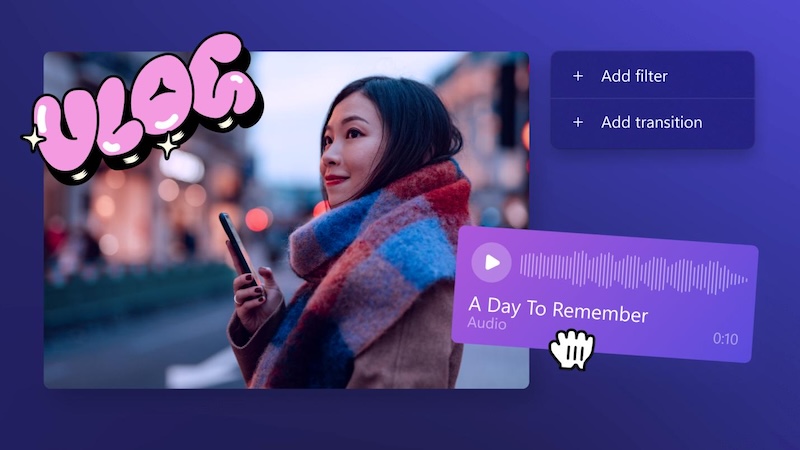
Video-sharing platforms have become somewhat common these days, with millions of people using platforms like YouTube, TikTok, Instagram, and Facebook to share their content with a global audience. Vlogging has also become a popular way for creators to share their daily lives, travel experiences, tutorials, and personal stories. But becoming a successful vlogger entails more than just purchasing a top-draw camera. You’ll need to choose reliable vlog editing software to transform your raw footage into engaging, professional-looking videos. In this guide, we’ll mention the best video editing software vlogging for beginners and creators in 2026.
Part 1: Top 5 Vlog Editing Software For Content Creators
For beginners, choosing the right vlog editing software can feel overwhelming because there are so many options. If you’re one of them, you’re in the right place. Below, we have mentioned the 5 best video editing software for vlogging that can help you create engaging content without requiring advanced editing skills.
1. HitPaw Edimakor
When it comes to the best vlog video editing software, the first tool that comes to mind is HitPaw Edimakor. It is an all-in-one video editing platform that enables users to create, edit, and enhance professional-looking vlogs without requiring advanced video editing skills. With its intuitive interface, Edimakor makes it easy for beginners to import their footage, cut unwanted sections, add transitions, apply effects, and adjust video and audio settings. Content creators can also add text, subtitles, background music, stickers, and filters to make their vlogs more engaging and professional-looking. One of the standout features of HitPaw Edimakor is its collection of AI-powered tools, such as Text-to-Video, Image-to-Video, AI Video Editor, AI Video Enhancer, High-Quality Downloads, and more.
Key Features of HitPaw Edimakor
- Video Editing Capabilities: The program offers advanced video editing features that enable users to trim, split, crop, rotate, resize, and merge video clips with ease — no editing experience or professional help required.
- AI-Powered Tools: HitPaw Edimakor offers a wide range of AI tools, each with unique features and capabilities. Available tools on HitPaw Edimakor are Text-to-Video, Image-to-Video, Video Editor, AI Video Enhancer, and more.
- High-Quality Output: With the help of this tool, users can easily upscale the video and download it in 4K. Plus, HitPaw Edimakor enables users to download videos in popular formats, such as MP4, AVI, and MOV.
- Free Version: One of the standout features of HitPaw Edimakor is that it offers a free version, allowing users to explore its video editing tools without purchasing a subscription.
- Ease of Use: The program offers an intuitive interface, allowing users to edit vlogs without editing experience. Users can quickly import their vlog footage, drag and drop clips onto the timeline, and make basic edits.


Step-by-Step Guide:
Here is how to edit vlogs using HitPaw Edimakor in 2026:
Step 1: Import Your Vlog Footage
Launch HitPaw Edimakor on your PC and select the “Create Project” option from the left panel. AI Video Editor will automatically open; click on the “Import” button and upload the footage you want to edit.

Step 2: Edit Your Vlog
Drag your video to the timeline and begin editing the video. With HitPaw Edimakor, you can remove unnecessary sections, add transitions, background music, sound effects, subtitles, captions, and more.
Step 3: Preview and Export Your Vlog
Once video editing is complete, click on the “Export” button. Click on the “Play” button to preview the final results. Choose the video formats and hit the “Export” button again to save the video for offline use.
2. Adobe Premiere Pro
Adobe Premiere Pro is the video editing software that offers powerful editing capabilities, many effects, audio editing tools, and a customizable editing interface. Used by professional video editors, filmmakers, and content creators, it provides extensive control over almost every aspect of the editing process. For vloggers, Premiere Pro makes it easy to organize and edit multiple clips, remove unwanted footage, and more.
Key Features
- Adobe Premiere Pro offers a responsive interface that adds more productivity and efficiency to your work.
- When working with multiple projects, you can open them all at the same time and switch between the clips.
- Provides professional tools for trimming, cutting, cropping, resizing, and arranging video clips.
Pros
- Good video editing software for vlogs, tutorials, etc.
- Supports multiple video formats, including MP4.
- Provides color correction and color grading capabilities.
- Includes a large selection of transitions, effects, and templates.
Cons
- Interface can be overwhelming for beginners.
- Require a powerful computer for editing vlogs.
3. VideoPad
Looking for the best vlog editing software? Look no further! VideoPad by NCH is a fast and simple video editor for Windows that supports 3D and 360-degree videos. Its beginner-friendly interface makes it a suitable option for vloggers who want to edit their footage without dealing with a complicated learning curve.
Key Features
- Offers a diverse library of effects, filters, and transitions that help enhance the visual storytelling.
- Drag and drop funcationaloty, makes it easy to add video clips, audio files, effects, and other elements to the timeline.
- Allows users to edit 3D and 360-degree video footage, making it suitable for creators experimenting with unique content.
Pros
- Offers advanced audio editing capabilities.
- Simple and easy-to-use interface, best for beginners.
- Seamless integration with After Effects.
- Compatible with Windows and macOS.
Cons
- Limited editing features as compared to others.
- Feels outdated compared to newer vlog editing tools.
4. CapCut
CapCut is one of the most popular AI video editors available online, making it a strong choice for vloggers, YouTubers, and social media creators. The platform is designed specifically for social media content, which means it understands vlogger needs. The auto-caption feature enables users to translate videos in multiple languages, including English, Spanish, and Chinese.
Key Features
- This editing software for vlogs offers amazing features, such as auto captions, AI video translator, and more.
- Web-based tool, meaning no software downloading or installation required to edit vlogs, YouTube videos, and more.
- Provides a wide range of templates that allow creators to quickly create engaging videos from scratch.
Pros
- Compatible with Android, iOS, Windows, and macOS.
- Offers style customization options.
- Batch exporting and presets.
- Chapter makers for longer videos.
Cons
- Requires a stable and active internet connection.
- Limited features are available on the free version.
5. Final Cut Pro
The last good vlog editing software on our list is Final Cut Pro. It is a professional video editing software developed by Apple and designed specifically for Mac users. The software combines powerful editing capabilities with a streamlined interface, making it a popular choice among YouTubers, filmmakers, and professional content creators.
Key Features
- One of the best video editors for YouTubers, filmmakers, and professional content creators.
- Allows users to trim, add transitions and effects, edit audio, create titles, and perform advanced color adjustments.
- Multicam editing enables you to view and edit your videos from multiple angles
Pros
- Intuitive and simple interface.
- Automatically follow people or objects in a scene for text.
- Clean up noisy audio with a single click.
- Supports multiple languages.
Cons
- Only available for Mac users.
- Higher subscription costs.
Final Thoughts
These are the best vlog editing software for vloggers in 2026. Each tool offers different features and capabilities, making it important to choose the software that best matches your editing needs and content creation goals. If you’re a beginner looking for an easy-to-use editor, HitPaw Edimakor is the best option.
Leave a Comment
Create your review for HitPaw articles