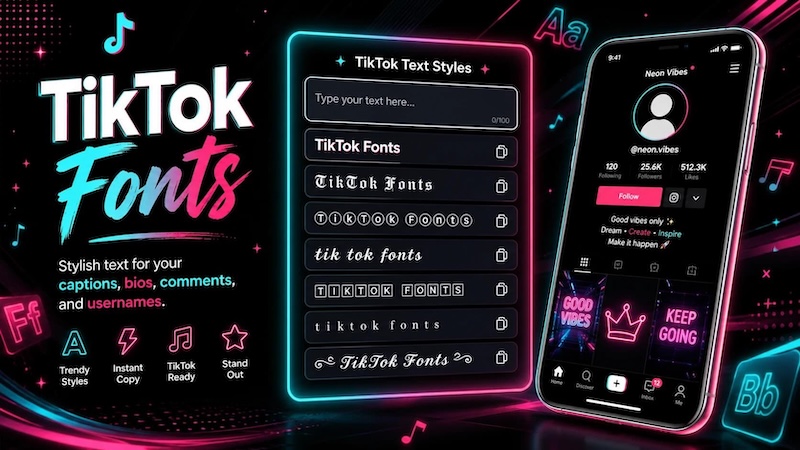
What is the TikTok font? TikTok Sans is TikTok’s current custom typeface, created for its digital products, interface, and brand communication. However, the term “TikTok font” can also mean the different text styles available when you add text to a TikTok video. Older articles may mention Proxima Nova because TikTok used it in its earlier typography. In this guide, you will learn what TikTok Sans is, what TikTok text styles mean, where to get TikTok Sans, and how to explore more font choices when editing videos.
Part 1. What Is the TikTok Font?
What is the TikTok font? TikTok Sans is TikTok’s current custom typeface, designed for its digital products and brand. However, TikTok also offers several text styles for videos. This guide explains TikTok Sans, TikTok fonts, and how to use them.
TikTok Sans: TikTok’s Official Typeface
TikTok Sans is TikTok’s custom typeface, created specifically for the platform and its brand. TikTok introduced TikTok Sans in 2023 to give its digital products, interface, and brand communications a consistent text style. TikTok designed the font to work well across different digital environments. It focuses on clear letter shapes and easy reading, which makes it suitable for users who access TikTok on phones, tablets, and computers. A custom typeface also helps TikTok maintain a consistent visual identity. Instead of relying only on common fonts, TikTok can use its own typeface across its products and brand materials.
Some important features of TikTok Sans include:
- Clean design: The font has a simple and modern appearance.
- Easy to read: TikTok designed the letter shapes to make text clear on different screen sizes.
- Multiple languages: The typeface supports a wide range of languages for TikTok’s global audience.
- Flexible use: TikTok Sans works across digital products, interfaces, and brand communications.
- Distinctive style: It gives TikTok text a recognizable look while keeping the letters practical and readable.
TikTok later released TikTok Sans as an open-source typeface under the SIL Open Font License 1.1. This gives creators and developers access to the font while requiring them to follow the license terms. For accurate information about the font’s introduction, design, open-source release, and licensing, TikTok’s official resources provide the most reliable information.
What About the Older TikTok Font?
You may still find articles that say TikTok used Proxima Nova. That information comes from TikTok’s earlier typography. When TikTok introduced TikTok Sans, it explained that the new typeface replaced or improved on the previous Proxima Nova typography in important parts of its visual system. This explains why search results can show two different answers. Proxima Nova relates to TikTok’s older typography, while TikTok Sans represents its newer custom typeface. If you are researching the current TikTok Sans font, focus on TikTok’s official font resources instead of relying only on older articles.
Part 2. What Fonts and Text Styles Does TikTok Use?
The phrase “TikTok fonts” can have two meanings. First, it can refer to TikTok Sans, the platform’s official custom typeface. Second, it can refer to the different text styles that creators can select when adding words to TikTok videos. These styles can change the appearance of text without changing what the words say. This explains why you may see different text designs across TikTok videos.

| Font / Style | What It Means |
|---|---|
| TikTok Sans | TikTok’s current official custom typeface |
| Classic | A classic TikTok text style linked with the platform’s earlier visual identity |
| Typewriter | A text style with a typewriter-inspired appearance |
| Handwriting | A handwritten or script-like text style |
| Neon | A decorative style with a bright neon-inspired appearance |
| Serif | A text style that uses serif letter shapes |
TikTok’s official materials also note that TikTok Sans appears in the app with several font options, including Classic, Bold, and Oblique. The important point is that “TikTok text font” does not always mean one specific font file. A creator may use a TikTok text style inside the app, while another creator may download TikTok Sans and use it in an external video editor. Your choice can also depend on your video. A clean font can work well for tutorials, while a handwritten or decorative style may fit personal videos or short social clips. For captions, readability usually matters more than decoration because viewers need to read the words quickly.
Part 3. How to Get the TikTok Font
Want to know how to get the TikTok font? You can download TikTok Sans from official sources such as Google Fonts and TikTok’s GitHub repository. You can then install the font and use it in compatible video editing or design software.
Download TikTok Sans Font
If you want the official TikTok Sans font, use an official source. TikTok provides access to the font through Google Fonts and its official GitHub repository.
You can follow these basic steps:
- Open the official TikTok Sans page on Google Fonts or TikTok’s GitHub repository.
- Download the available font files.
- Extract the downloaded files if they come in a ZIP folder.
- Install the font on your computer.
- Open your video editor or design software.
- Search for TikTok Sans in the font list.
- Select it and use it for your video text.
The official GitHub repository provides different font formats, including OTF, TTF, WOFF, and WOFF2 files through its build system. It also lists TikTok Sans as an open-source font. Using official sources also reduces the chance of downloading an incorrect or modified version of the font.
Is TikTok Sans Free to Use?
Yes, TikTok Sans is an open-source font released under the SIL Open Font License 1.1. TikTok states that the font can be used in projects under the terms of that license. The license also allows users to modify and redistribute the font software when they follow its conditions. However, “free” does not mean that you should ignore the license. If you plan to modify, redistribute, or include the font software in another product, read the SIL Open Font License carefully. For normal video creation, the best approach is simple: download TikTok Sans from an official source and check the license before using it in a project with special distribution or commercial requirements.
How to Get TikTok Fonts Without Downloading Them
You do not always need to download a font manually. Some video editors already provide large font libraries and text styles. This option can save time when you only want to create a TikTok-style video. For example, a video editor may let you select a font, change its size and color, add a background, and apply text animation from one editing panel.
This approach also helps when you want more choices than the TikTok app provides. Instead of using only one TikTok font, you can test different fonts and text styles based on your video's topic, audience, and design.
Part 4. Go Beyond the TikTok Font with Edimakor
TikTok Sans is useful when you want to recreate TikTok’s familiar text look, but video creators often need more font and design choices. HitPaw Edimakor lets you customize text for different types of videos, including tutorials, product videos, vlogs, ads, and educational content. Instead of relying on a single TikTok font, you can choose from a wide font library and adjust the text to match your video style. Edimakor also provides controls for font size, color, positioning, backgrounds, effects, and animations. You can add captions and subtitles, then customize their appearance to make important information easier for viewers to follow.


Key Features of Edimakor Text Tools
- Large Font Library: Choose from many font styles to create TikTok-inspired text or match the visual style of your specific video.
- Text Customization: Adjust font size, color, opacity, position, and rotation to make your text fit naturally within each scene.
- Text Backgrounds: Add backgrounds behind your text to improve contrast and make captions easier to read over busy video footage.
- Text Effects and Animations: Apply preset effects and animations to give titles, captions, and other text elements more visual movement.
- Captions and Subtitles: Add captions and subtitles to your projects, then customize their font, appearance, placement, and timing.
How to Use Text Font in Edimakor
Step 1: Click the Text option from the media panel. In the Add Text section, select a style and click the Add button.
Step 2: Adjust the duration of the text by moving and dragging its edges on the timeline.
Step 3: Resize and reposition the text in the preview window by dragging its corners or moving it to the desired location. You can also double-click the text directly in the player to edit the content.
Step 4: Customize the text in the property panel. Add your words, adjust fonts and sizes, change colors and opacity, or rotate the text. You can also choose from different preset text styles for your video.
FAQs about TikTok Font
A1: TikTok currently uses TikTok Sans as its official custom typeface. TikTok introduced the typeface in 2023 and designed it for its products and brand communication. Older sources may mention Proxima Nova because TikTok used that typeface in its earlier visual identity.
A2: TikTok Sans is TikTok’s current official typeface, but TikTok also provides different text styles for captions and text overlays. Therefore, not every caption or text element in a TikTok video should be treated as one identical font style.
A3: TikTok Sans is the current official TikTok typeface. However, TikTok provides different text options and treatments inside its video creation tools. The exact appearance of text can therefore change depending on the style selected by the creator.
A4: Classic is a TikTok text style associated with TikTok’s earlier visual identity. Older discussions often connect its appearance with Proxima Nova. It is useful to separate this older reference from TikTok Sans, which TikTok introduced as its newer custom typeface.
A5: Yes. TikTok released TikTok Sans as an open-source font under the SIL Open Font License 1.1. Users should still read the license terms before redistributing, modifying, or including the font software in another product.
A6: You can get TikTok Sans from Google Fonts or TikTok’s official GitHub repository. These official sources provide the font and licensing information, so they are preferable to random third-party font-download websites.
Conclusion
TikTok Sans is the main answer to the question, “What is the TikTok font?” TikTok introduced it as its custom typeface in 2023 and later released it as an open-source font under the SIL Open Font License 1.1. However, TikTok also offers different text styles for videos, so the TikTok caption font can look different from one video to another. If you want more control, tools such as Edimakor let you choose from many fonts and customize text for different video styles.
Leave a Comment
Create your review for HitPaw articles