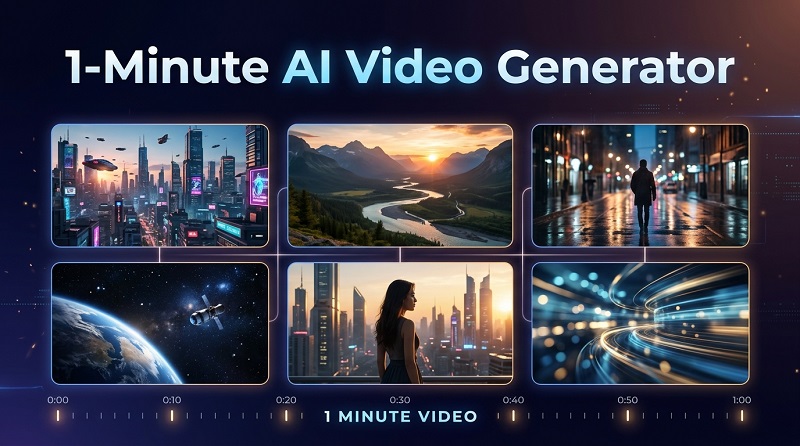
Are you puzzled by how the biggest influencers on social media manage to post viral videos again and again without breaking a sweat? Then read this article, which outlines and highlights the best AI video generators for 1- minute videos in 2026. Discover which tool is perfect for you.
How I Evaluated These 1 Minute AI Video Generators
To find the best 1 minute AI video generator, we evaluated each tool based on its video generation capabilities, output quality, ease of use, and overall value. Here are the key factors we considered:
- Video Length: Can the tool generate a 1-minute video directly? Does it support video extension or combining multiple clips to create longer videos?
- Generation Methods: Does it support text-to-video, image-to-video, or script-to-video generation?
- Video Quality: How well does it handle visual details, motion, lighting, scene transitions, and character consistency?
- Free Plan and Pricing: Does it offer free credits or a free plan? Are there limitations on video length, resolution, or the number of generations?
- Watermark Policy: Can users download generated videos without a watermark? Is this available on the free plan or only with a paid subscription?
- Ease of Use: Is the interface beginner-friendly? How easy is it to generate, preview, and download videos?
The 5 AI Video Generators for 1-minute videos in 2026
Whether you need a tool for quick editing or churning out near-real videos in no time, looking through these best free ai video generator 1 minute can be a game changer for you. Let's go through these amazing AI video generation tools one after another.
1. HitPaw Edimakor
HitPaw Edimakor is an AI-powered video creation and editing tool that helps users turn ideas, scripts, and images into engaging videos. As an AI video generator for 1 minute, it offers flexible ways to create videos from text and images, making it useful for short stories, social media content, and promotional videos. Its story to video feature helps transform written ideas into visual scenes, while its AI models and creative styles give users more control over the final result.

 Strengths
- Multiple AI Video Generation Options: Create videos from text prompts or reference images, making it easier to turn different ideas into visual content.
- Script-to-Video Creation: Transform written stories and scripts into engaging video scenes with AI, saving time on manual production.
- Diverse AI Models and Visual Styles: Choose from multiple AI models and creative styles to produce videos with different visual effects and aesthetics.
- Flexible Video Editing: Combine multiple AI-generated clips, add music, subtitles, voiceovers, and transitions to build a complete 1-minute video.
- Beginner-Friendly Workflow: Enjoy a straightforward creation process without requiring advanced video production or editing skills.
 Limitations
- Credit Requirements: AI video generation consumes credits, so creating several clips may require additional credits.
HitPaw plans are divided into individual and business plans. Here are some of the benefits of using the paid plans.


2. Kling AI
Kling AI is a generative video tool for creators who want to build visually distinctive one-minute videos from AI-generated shots. Its motion controls, reference-based generation, and multi-shot capabilities make it a compelling option for product promos, cinematic social clips, and short visual stories.
Strengths:
- Produces realistic motion and cinematic camera movements.
- Supports high-quality text-to-video and image-to-video generation.
- Particularly suitable for visually impressive, cinematic content.
Limitations:
- Generation can be slow during peak periods.
- Complex scenes may contain inconsistent characters or distorted motion.
- Creating multiple clips for a one-minute video can consume many credits.
Pricing: A limited free plan is available. Paid plans typically start at about $10 per month, with higher tiers offering more credits and faster generation.
3. Runway
Runway is becoming a household name as a 1 minute long ai video generator. Runway is designed with smart features that can make creating short videos a reality. Turn your ideas into motion pictures in a few clicks with this tool. Runway can also be used for image and audio generation.
Strengths:
- Combines AI video generation with professional editing and visual effects.
- Provides advanced camera, motion and creative controls.
- Well suited to filmmakers, agencies and professional creators.
Limitations:
- Has a steeper learning curve than template-based platforms.
- High-resolution video generation can use credits quickly.
- Character consistency across multiple clips may require several attempts.
Pricing: Runway offers a free plan with limited credits. Paid plans start at around $15 per user per month, while annual billing is usually more affordable.
4. InVideo AI
Some content creators rate InVideo AI as their best free ai video generator 1 minute 2026. For extremely short videos, look no further than this AI tool. This tool lets you build ready-to-use videos. Just send the right prompt, and a short video with music, scripts, and subtitles can be produced.
Strengths:
- Turns prompts into complete videos with scripts, footage and voice-overs.
- Includes automatic subtitles, music and access to stock media.
- Ideal for quickly creating marketing and social media videos.
Limitations:
- Results can look generic or overly dependent on stock footage.
- Provides less shot-level creative control than Kling AI or Runway.
- Free exports include branding and other restrictions.
Pricing: A free plan is available. Paid plans generally start at around $28–$35 per month , depending on the billing cycle.
5. VEED AI
If you desire an ai video generator more than 1 minute, this browser-based AI generator could be right up your alley. VEED has an AI studio for generating short videos. It offers regular editing features alongside video generation from multiple AI models.
Strengths:
- Offers an intuitive browser-based video editor.
- Includes automatic subtitles, AI avatars and voice tools.
- Useful for business, training and short-form social media content.
Limitations:
- Generative visuals are less cinematic than specialist AI video tools.
- AI usage allowances vary between subscription plans.
- Advanced brand and export features require a paid plan.
Pricing: VEED provides a free plan with watermarked exports. Paid plans typically start at around $12 per user per month when billed annually .
How to Generate a 1-Minute AI Video with AI
Knowing how to generate short AI videos is easy and straightforward when you have the right instructions. Follow these simple steps on how to generate 1 minute ai video with HitPaw Edimakor and you would be fine.
Step 1: Open the AI Video Generator
Launch HitPaw Edimakor and select AI Video Generator from the home screen. This opens the dedicated workspace for creating videos from a script or story idea.
Step 2: Set Up Your One-Minute Video
Choose Long Story Video, then select a suitable content category or visual style. Enter your story idea, set the duration to 60 seconds, and choose the aspect ratio, target audience and language. Click Create Script to generate the video structure and narration.
Step 3: Customize the Characters and Voice
In the Asset section, review the automatically suggested characters, scenes and props. You can create new characters, select existing ones and assign a voice to the narrator. Choose a generation style, such as Warm Documentary, and click Next when the assets are ready.
Step 4: Generate Visuals for Each Scene
Select a scene from the timeline and switch between the Image and Video generation tabs. Choose an AI model, confirm the appearing characters and scene elements, and refine the prompt, shot size and shooting angle. Click AI Generate to create the visuals, repeating this process for the remaining scenes.
Step 5: Review and Export the Video
Preview the complete video and adjust individual scenes as needed. You can change their duration or resolution, regenerate footage, edit subtitles and add AI voice-overs. Once the one-minute video looks and sounds right, click Export to save the finished project.
FAQs About 1-Minute AI Video Generators
A1: Yes. AI script-to-video tools can turn your text into a video draft by organizing scenes, adding visuals, and generating narration.
A2: Yes. AI text-to-speech can turn your script into narration, while automatic subtitle tools can generate captions from the finished audio.
A3: There is no fixed price because subscription fees and generation costs are different. Credit usage can vary by model, video duration, quality, and the number of attempts.
A4: HitPaw Edimakor is a strong choice for beginners because it combines AI-assisted video creation, voiceovers, subtitles, and editing in one application. Its script-based workflows help users build scenes from an idea or written story, then refine the sequence into a one-minute video without switching between multiple tools.
Conclusion
AI is transforming short-video production, making it faster and easier for anyone to create engaging content. The right tool can help businesses and creators save time, reduce costs and keep up with current content trends.
This guide covered the best AI video generators for one-minute videos in 2026, including HitPaw Edimakor. Even without professional editing skills, you can produce high-quality videos using a clear prompt and the steps outlined above.
Leave a Comment
Create your review for HitPaw articles