Black Friday offers a great opportunity for brands, retailers, and online businesses to attract customers and increase sales. However, many businesses compete for attention during this shopping season. Video content can help your brand stand out by showing products, explaining discounts, and encouraging customers to shop. From product demonstrations and customer reviews to countdown videos and flash sale announcements, businesses can use different types of videos to promote their offers. The right black friday video ideas can help you connect with shoppers on social media, build interest in your products, and bring more visitors to your online store.
Part 1: Why Are Black Friday Videos Important for Businesses?
Video content plays an important role in Black Friday marketing because it helps businesses communicate offers in a clear and interesting way. Customers often see hundreds of advertisements during the shopping season. A useful video can catch their attention and give them a reason to explore your products. Here are some key reasons why businesses should use videos in their Black Friday campaigns:
- Capture attention: Short videos can catch viewers' attention while they scroll through social media feeds.
- Show discounts clearly: Businesses can use animated text, product shots, and price comparisons to explain their offers.
- Explain product benefits: Product demonstration videos show how items work and help customers make buying decisions.
- Build brand awareness: People can share interesting promotional videos with friends and family, helping brands reach more viewers.
- Bring visitors to websites: Businesses can add website links and shopping instructions to encourage viewers to visit their online stores.
- Reach mobile shoppers: Short-form videos work well on mobile platforms such as TikTok, Instagram Reels, and YouTube Shorts.
These benefits make video a useful part of a Black Friday marketing plan.
Part 2: 10 Creative Black Friday Video Ideas for Your Marketing Campaign
Businesses can use different video styles to promote their Black Friday offers. The following black friday promotional video ideas can help small businesses, online stores, and large brands create interesting campaigns.
1. Black Friday Countdown Videos
Countdown videos help businesses build excitement before their Black Friday sales begin. You can create a short video that shows the number of days, hours, or minutes left until your offers go live. For example, start with a message such as "3 Days Left Until Our Biggest Black Friday Sale!" Then show product images, discount percentages, and your store logo. Use animated numbers, simple transitions, and suitable background music to keep viewers interested. You can publish these videos on Instagram Stories, Facebook, and TikTok. You can also create a new countdown video every day to remind customers about the upcoming sale.

2. Exclusive Black Friday Deal Reveal Videos
Deal reveal videos allow businesses to announce special discounts and offers directly to their audience. Start with a short introduction and then reveal the main deals one by one. For example, show a product with its regular price of $100 and its Black Friday price of $70. You can also promote bundle deals, free shipping, and discounts on selected products. Use large text to display prices and discount percentages so viewers can understand the offers quickly. These black friday ad ideas work well for clothing stores, electronics shops, beauty brands, and online retailers. Share the videos before and during the sale to attract more potential buyers.
3. Product Demonstration and Showcase Videos
Product demonstration videos help customers understand what they can buy during Black Friday. Instead of showing only product images, create a video that explains the item's main features, uses, and benefits. For example, an electronics store can show how a wireless speaker works, while a beauty brand can demonstrate how to use a skincare product. Record different product angles and include close-up shots of important details. Add short captions to explain why customers should consider buying the product during the sale. You can also mention the available discount and direct viewers to the product page. These videos work well on e-commerce websites, Instagram, Facebook, and YouTube.
4. Customer Testimonial and Review Videos
Customer review videos can help new shoppers feel more confident about purchasing your products. People often want to know what other buyers think before spending money. You can ask satisfied customers to share short videos about their experiences with your products or services. For example, a customer can explain why they like a particular product and how it meets their needs. You can also include genuine customer reviews, product ratings, and feedback in your promotional video. Always ask customers for permission before using their videos or comments. Add a Black Friday offer at the end to connect customer experiences with your current sale. Share these videos on social media and product landing pages.
5. Behind-the-Scenes Black Friday Preparation Videos
Behind-the-scenes videos give customers a look at how your business prepares for Black Friday. You can record employees arranging products, checking stock, packing orders, and preparing promotional displays. If you run an online store, show how your team handles orders and prepares packages for delivery. These videos help customers see the people and work behind your brand. You can add simple captions such as "We Are Getting Ready for Black Friday!" or "Your Favorite Products Are Almost Ready." Keep the video natural and show real activities instead of creating an overly promotional advertisement. Publish these videos on Instagram Reels, TikTok, and Facebook to build a connection with your audience.
6. Flash Sale and Last-Minute Offer Videos
Flash sale videos help businesses promote discounts that remain available for a short time. These videos work well when you want customers to act before an offer expires. Start with a clear message such as "Only 6 Hours Left!" or "Get 40% Off Until Midnight." Then show the products included in the sale, their discounted prices, and the exact ending time. You can use a countdown timer or animated clock to remind viewers about the deadline. Make sure your offer has clear terms and that the deadline is accurate. Publish these videos on Instagram Stories, Facebook, and TikTok. You can also send them through promotional emails to remind interested shoppers about the remaining deals.
7. Black Friday Before-and-After Videos
Before-and-after videos make it easy for customers to understand how much they can save during Black Friday. You can use a split-screen layout to show the regular price on one side and the discounted price on the other. For example, display "$150 Before Black Friday" and "$99 During Black Friday." You can also use this format to show product results, such as a room before and after using a home improvement product. Add clear text, product images, and a short explanation of the offer. Avoid confusing price comparisons or unsupported product claims. These black friday marketing video ideas work particularly well for online stores, home products, fashion brands, and beauty businesses.
8. Funny Black Friday Meme and Relatable Videos
Humorous videos can help your brand connect with people who enjoy sharing funny shopping content. You can create short scenes about common Black Friday situations, such as customers waiting for a sale, adding products to their shopping carts, or trying to choose between different offers. For example, show someone checking the sale countdown every few minutes because they do not want to miss a discount. Add relevant captions, suitable music, and popular audio when you have permission to use it. Keep the humor simple and related to your products or audience. These videos can encourage comments, likes, and shares on TikTok, Instagram Reels, and Facebook.
9. Black Friday Gift Guide Videos
Gift guide videos help shoppers find suitable products for friends and family during the holiday shopping season. You can organize your recommendations by price, age group, or personal interest. For example, create a video titled "5 Black Friday Gifts Under $50" and show five products with their discounted prices. You can also prepare separate gift guides for parents, children, friends, and coworkers. Use clear product images, short descriptions, and direct links to your online store. If you offer gift bundles, include them in your recommendations. This video format saves viewers time and helps them compare different options. Share your gift guides on YouTube Shorts, Instagram Reels, Facebook, and your website.
10. User-Generated Content (UGC) Style Black Friday Ads
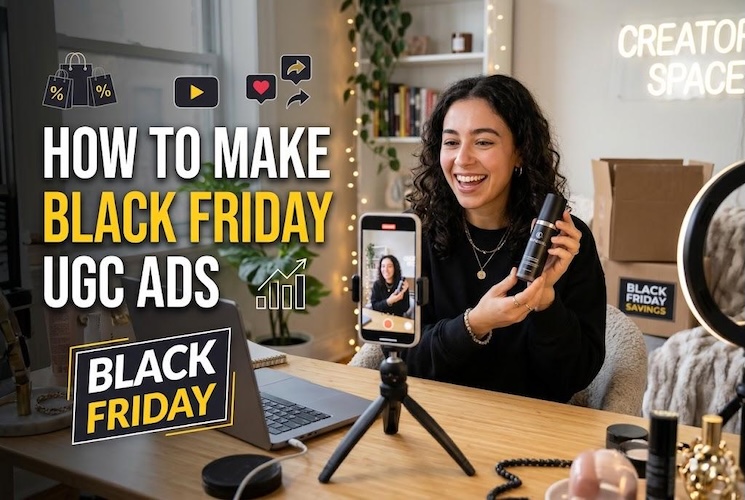
UGC-style videos use a natural presentation that feels similar to a personal product recommendation. Instead of creating a traditional advertisement, you can show someone talking about a product, explaining its benefits, and sharing why it is worth buying during Black Friday. For example, a creator can hold a product, demonstrate its features, and mention the current discount. You can also use an AI spokesperson to introduce your product and explain your offer. Keep the narration conversational and include real product images or demonstration clips. Make sure your video presents accurate product information and does not use fake customer experiences. These videos can work well for TikTok, Instagram Reels, Facebook ads, and other social platforms.
Part 3: Tips for Creating Engaging Black Friday Marketing Videos
Choosing the right video idea is only one part of a successful campaign. You also need to make sure your content delivers the main message quickly and gives viewers a clear reason to take action.
1 Hook Viewers Within the First Three Seconds
Start your video with an interesting question, product shot, or discount announcement. For example, use a line such as "Want 50% Off Your Favorite Products?" Avoid long introductions because viewers may scroll away before they see your offer.
2 Keep Promotional Videos Short and Focused
Focus on one main offer or product in each video. Use short sentences and remove information that does not support your main message. Create different video lengths depending on the platform and campaign goal.
3 Make Discounts and Offers Easy to Understand
Display discount percentages, product prices, sale dates, and important conditions clearly. If your offer applies only to selected products, mention that information. Clear details help customers understand what they can purchase.
4 Use Strong Visuals, Music, and Captions
Use clear product images and good lighting when recording promotional videos. Add suitable background music and readable captions. Since many people watch videos without sound, captions can help them understand your message.
5 Create Platform-Specific Video Formats
Different social media platforms support different video placements. Create vertical videos for TikTok and Instagram Reels, short clips for YouTube Shorts, and suitable versions for Facebook feeds and Stories. Check each platform's current video requirements before publishing.
6 Include a Clear Call to Action
Tell viewers what you want them to do after watching your video. Use simple messages such as "Shop Now," "Visit Our Website," or "Get Your Discount Today." Add a relevant shopping link whenever the platform allows it.
7 Test Multiple Video Versions
Create different versions of your advertisement and compare their results. Try different opening lines, product shots, discount messages, and calls to action. Track views, clicks, engagement, and purchases to understand which videos bring better results.
Part 4: How to Make Black Friday Promotional Videos with HitPaw Edimakor AI Ad Generator
Creating multiple Black Friday promotional videos manually can take considerable time, especially when you need advertisements for different products, discounts, and social media platforms. HitPaw Edimakor AI Ad Generator helps simplify this process by using AI to create product-focused advertisements. You can upload product images, model images, and reference videos or provide text prompts to describe your advertising concept. The tool helps turn these inputs into promotional video content without requiring you to record every scene manually. You can prepare advertisements for special discounts, product launches, seasonal campaigns, and limited-time Black Friday offers. Review the generated videos, adjust the content when necessary, and export the final version for your marketing channels.


Key Features of HitPaw Edimakor AI Ad Generator
- AI Ad Creation: Generate promotional videos with AI using your product details and visual inputs without recording every advertising scene manually.
- Product Image Integration: Upload product images to create advertisements that showcase your products, their appearance, and important details.
- Model Image Support: Add model images to create product advertisements with people presenting or showcasing your products.
- Text Prompt Support: Describe your advertising concept, product message, or preferred visual style through text prompts to guide video creation.
- Reference Video Support: Use reference videos to provide visual direction and help create promotional content that matches your advertising concept.
Steps to Create Black Friday Promotional Videos with HitPaw Edimakor
Step 1: Install and launch HitPaw Edimakor on your computer. Select AI Ads from the home screen to access the advertising workspace.
Step 2: Select Creative Ads, Product Character, Product Showcase, or Ad Clone according to the type of advertisement you want to create.
Step 3: Upload clear product images and character images when required. Enter your AI ad video prompt, describing the product, background, camera movements, and advertising style.
Step 4: Choose your preferred aspect ratio, video duration, voice language, and background music from the available settings.
Step 5: Click Generate to create your video. Review the result, adjust scenes or other available elements, and export your finished advertisement for your preferred social media platform.
Part 5: Where to Share Your Black Friday Promotional Videos
After creating your videos, choose the right platforms to reach your target customers. Each platform offers different ways to share promotional content.
Instagram Reels and Stories
Instagram Reels can help businesses reach people who enjoy short product videos. Use Reels to demonstrate products, announce discounts, and share gift guides. Instagram Stories work well for countdowns, flash sale announcements, and limited-time offers.
TikTok
TikTok is a suitable platform for short, creative promotional videos. Share product demonstrations, funny shopping situations, and creator-style advertisements. Use relevant hashtags and trends when they fit your brand and audience.
YouTube Shorts
YouTube Shorts allows businesses to publish short videos about products and special offers. You can use this platform to share quick deal announcements, product features, and Black Friday gift recommendations.
Facebook provides options for sharing videos on business pages and running paid advertising campaigns. You can publish product showcases, customer testimonials, and discount announcements to reach potential shoppers.
E-commerce Websites and Email Campaigns
Your website and email list can also help you share Black Friday videos. Add product demonstration videos to relevant landing pages so customers can learn about items before purchasing. You can also include short promotional videos or video thumbnails in your Black Friday marketing emails to remind subscribers about available deals.
FAQs About Black Friday Video Ideas
A1: Small businesses can create countdown videos, product demonstrations, customer reviews, gift guides, and flash sale announcements. These ideas do not always require expensive cameras or professional equipment. A smartphone and a simple editing tool can help you get started.
A2: Start by choosing a product or offer you want to promote. Write a short script, collect product images or video clips, and add discount details. Edit the content, include a clear call to action, and publish it on suitable social media platforms.
A3: A Black Friday advertisement should include your product name, discount percentage, original and sale prices, offer dates, and important conditions. You should also add your brand name and a clear shopping link or call to action.
A4: A short promotional video of around 15–30 seconds can work well for social media. However, product demonstrations and detailed reviews may need more time. Focus on sharing useful information instead of following a fixed video length.
A5: TikTok, Instagram Reels, YouTube Shorts, and Facebook are useful platforms for Black Friday videos. Your choice should depend on your target audience, product type, and marketing goals.
A6: Yes. AI video tools can help you create promotional content using text prompts, product images, model images, and other visual inputs. Tools such as HitPaw Edimakor AI Ad Generator can help businesses prepare product-focused video advertisements.
A7: You can use beginner-friendly video editing tools and AI video generators. Start with a simple template, add product images, include your offer details, and use readable captions. Keep the video focused on one main message.
Conclusion
Black Friday gives businesses an important opportunity to attract shoppers and increase sales. Creative video content can help brands present their offers, explain product benefits, and connect with customers across social media platforms. From countdown videos and product demonstrations to customer reviews, gift guides, and UGC-style advertisements, these 10 black friday video ideas offer different ways to promote your business. Focus on strong opening lines, clear discounts, quality visuals, and simple calls to action. Also, choose video formats that suit your target platforms and test different versions to understand what works best. If you want to create product-focused promotional videos with less manual work, try HitPaw Edimakor AI Ad Generator to prepare AI-powered advertisements for your Black Friday marketing campaign.
Leave a Comment
Create your review for HitPaw articles