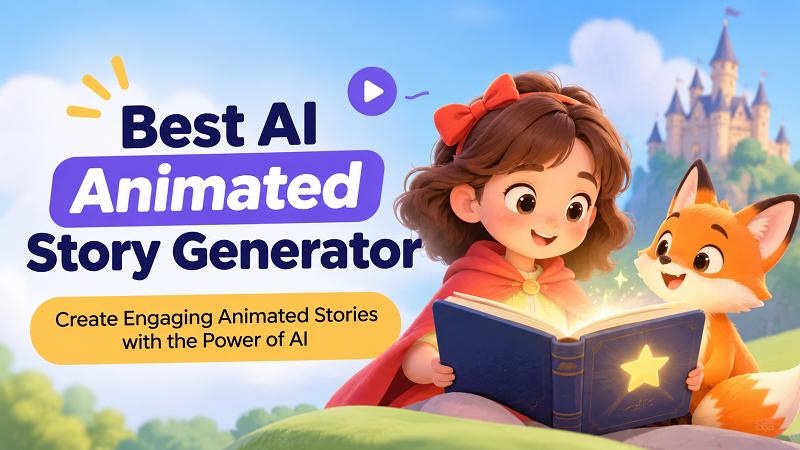
Creating animated stories no longer requires years of animation experience or expensive production software. With an AI animated story generator, you can transform written scripts, character illustrations, and creative ideas into engaging videos. Whether you’re producing children’s stories, educational animations, or social media content, AI makes storytelling more accessible. This guide compares six popular tools for 2026 and explains how to create animated stories using HitPaw Edimakor.
6 Best AI Animated Story Generators in 2026
Finding the best AI animated story generator depends on your creative goals, preferred animation style, and editing experience.
Some platforms specialize in converting scripts into videos, while others focus on animating illustrations, creating cartoon characters, or producing template-based animations.
The following six tools offer different approaches to AI-assisted storytelling.
1. HitPaw Edimakor: Best for AI Story Creation and Editing

HitPaw Edimakor is an AI-powered video creation and editing platform designed to simplify the process of transforming written stories and images into videos.
Its Story-to-Video feature helps users convert written narratives into visual scenes, while its Image-to-Video capabilities can animate existing illustrations and character images.
Unlike tools focused entirely on generating individual clips, Edimakor also provides a comprehensive editing workspace for arranging scenes, adding narration, inserting subtitles, and refining the finished video.
This makes it particularly useful for creators who want to produce complete animated stories rather than isolated animations.
Standout Features
- AI Story-to-Video: Transform written stories into structured video content.
- Image-to-Video: Animate illustrations, characters, and storybook scenes.
- AI Voice Generation: Add narration without recording your own voice.
- Automatic Subtitles: Generate captions for spoken dialogue and narration.
- Video Editing Timeline: Combine scenes, adjust timing, and add transitions.
- Creative Effects: Enhance stories with background music, text, and visual effects.
 Pros
- Combines AI generation and video editing in one application.
- Supports both text-based and image-based storytelling.
- Suitable for beginners and experienced content creators.
- Useful for children’s stories, educational content, and social media videos.
 Cons
- Advanced AI generation may require credits or a paid plan.
- Complex stories may need multiple generations and manual editing.
- Maintaining identical characters across scenes can require extra attention.
Ideal Users
HitPaw Edimakor is suitable for YouTubers, educators, children’s storytellers, marketers, and creators who want to turn scripts or illustrations into polished animated videos.
Verdict
HitPaw Edimakor is a strong all-in-one option for creators who want to generate, edit, and export complete animated stories from a single desktop application.


2. Media.io : Best for Quick AI-Generated Story Clips
Media.io is an online AI-powered media creation platform that offers tools for generating and editing videos.
Its AI video capabilities allow users to experiment with visual storytelling through text prompts and reference images.
For creators who want to produce individual animated scenes without installing desktop software, Media.io provides a browser-based approach.
Standout Features
- AI-powered video generation from text or images.
- Browser-based content creation.
- Creative visual styles for short video clips.
- AI media enhancement and editing utilities.
- Downloadable video outputs for further editing.
Pros
- Accessible through a web browser.
- Convenient for generating short animated scenes.
- Offers multiple AI-powered media tools.
- Suitable for experimenting with visual concepts.
Cons
- Longer stories may require several separate clips.
- Some generation features require credits or paid access.
- Detailed timeline editing may be less convenient than in dedicated desktop editors.
Ideal Users
Media.io is suitable for casual creators, social media users, and beginners who want to experiment with short AI-generated story animations.
Verdict
Media.io is a convenient choice for creating individual AI story clips online, although producing longer narratives may require additional editing.
3. Pixelcut: Best for Animating Story Illustrations
Pixelcut is an AI-powered creative platform known for image editing and visual content generation. Its image-to-video capabilities allow creators to turn still images into short animated clips, making it useful for bringing illustrated story scenes to life.
For example, you could create a storybook illustration of a magical forest and use Pixelcut to introduce camera movement or animate elements within the scene.
Standout Features
- AI image-to-video generation.
- Animation of existing illustrations and images.
- Text prompts for describing movement.
- Creative image generation and editing tools.
- Online workflow for short visual content.
Pros
- Useful for animating existing story illustrations.
- Simple workflow for image-based animation.
- Supports creative experimentation.
- No traditional animation skills required.
Cons
- Primarily suited to short visual sequences.
- Complete stories may require an external video editor.
- Character consistency and motion accuracy can vary.
Ideal Users
Pixelcut is suitable for illustrators, digital artists, social media creators, and storytellers who already have images they want to animate.
Verdict
Pixelcut works well for turning static illustrations into short animated scenes, particularly when the creator already has a visual concept prepared.
4. Animaker: Best for Cartoon-Style Character Animation
Animaker is an online animation and video creation platform designed for making cartoon videos, presentations, and character-based content.
It combines templates, animated characters, voiceovers, and AI-assisted creation features to help users build stories without drawing every frame manually.
Unlike purely generative AI tools, Animaker also provides structured control over characters, backgrounds, and scene arrangements.
Standout Features
- Animated character creation and customization.
- Cartoon-style scenes and templates.
- Character movements and expressions.
- AI-assisted voiceovers and text-to-speech.
- Timeline-based animation editing.
- Backgrounds, props, and visual assets.
Pros
- Particularly useful for cartoon storytelling.
- Provides reusable characters and scenes.
- Offers control over animation elements.
- Suitable for educational and explainer videos.
Cons
- Building detailed animations can take time.
- Some characters, assets, and export features require paid access.
- Less suitable for creators seeking entirely automatic cinematic animation.
Ideal Users
Animaker is suitable for teachers, educational content creators, explainer video producers, and people developing cartoon-style stories.
Verdict
Animaker is useful for structured cartoon storytelling, especially when character customization and scene-by-scene control are priorities.
5. Renderforest: Best for Template-Based Animated Story Videos
Renderforest is an online video creation platform offering customizable animation templates, promotional videos, and visual storytelling tools.
Its template-based workflow helps users create animated videos by replacing placeholder content with their own text, images, and narration.
This makes it useful for creators who prefer starting with an existing animation style rather than generating every scene from scratch.
Standout Features
- Ready-made animated video templates.
- AI-assisted video creation features.
- Customizable text and visual elements.
- Animated scenes and transitions.
- Voiceover and music options.
- Online video rendering and export.
Pros
- Provides a structured template-based workflow.
- Suitable for beginners.
- Offers different visual styles.
- Useful for educational and promotional storytelling.
Cons
- Template structures may limit creative flexibility.
- Some premium assets and export options require payment.
- Complex character-driven stories may be difficult to customize.
Ideal Users
Renderforest is suitable for small businesses, educators, marketers, and creators who want polished animated videos with minimal manual design.
Verdict
Renderforest is a practical option for producing template-based animated stories and presentations without extensive animation experience.
6. FlexClip: Best for Simple Animated Story Videos Online
FlexClip is a browser-based video editor that combines traditional editing tools with AI-assisted content creation.
It allows users to organize images, video clips, text, and narration into structured stories.
Its accessible editing interface makes it useful for creators who want to build simple animated narratives without learning complicated software.
Standout Features
- AI-assisted video creation tools.
- Text-to-video and image-based workflows.
- Online video editing timeline.
- Animated text and transitions.
- Stock media and background music.
- Voiceover and subtitle options.
Pros
- Beginner-friendly browser interface.
- Useful for combining images and short animated clips.
- Offers templates and editing resources.
- Suitable for social media storytelling.
Cons
- Advanced AI features may require paid credits.
- Complex character animation options are limited.
- Longer projects can involve substantial manual editing.
Ideal Users
FlexClip is suitable for beginners, students, social media creators, and small businesses producing straightforward animated story videos.
Verdict
FlexClip is a convenient tool for assembling animated stories online, particularly when the project combines illustrations, narration, and simple editing effects.
How to Create an Animated Story with HitPaw Edimakor
If you’re wondering can AI animate a story, the answer is yes. With HitPaw Edimakor, you can transform a written narrative into a video or animate existing story illustrations using AI.
The software offers two practical approaches depending on whether you’re starting with a written script or a collection of images.
Method 1. Turn a Story Script into an Animated Video
The Story-to-Video feature in HitPaw Edimakor is designed to help users transform written narratives into video content.
This approach is particularly useful for children’s stories, educational storytelling, and short animated narratives.
Step 1: Launch Edimakor and Open Story-to-Video
Download and install HitPaw Edimakor on your computer. Launch the application and locate the AI Video feature among the available AI creation tools.
Step 2: Enter Your Story Script
Prepare a short story with a clear beginning, middle, and ending. Enter your story into the available text field. For better results, use descriptive language that explains the characters, setting, and important actions.
Step 3: Generate Your Animated Story
Once your script and settings are ready, start the AI generation process.
Edimakor processes the story and creates video content based on the supplied narrative. Preview the generated scenes to check whether the characters, environments, and actions match your expectations.
Step 4: Edit and Export the Final Video
After generating the story, use Edimakor’s editing workspace to refine the video. Finally, preview the complete video and click Export to save it in your preferred format and resolution.
Method 2. Animate Story Images with Image to Video
If you’ve already created illustrations or character images, Edimakor’s Image-to-Video feature offers another way to bring your story to life.
This method is particularly useful for digital artists, children’s book creators, and anyone who wants to animate existing visual content.
Step 1: Prepare Your Story Images
Start by collecting the illustrations you want to animate. For example, a children’s story about a rabbit exploring a magical forest might include images of the rabbit’s home, a mysterious pathway, and an enchanted garden.
Use consistent character designs, colors, and illustration styles throughout your images to create a more cohesive story.
Step 2: Open Image-to-Video in Edimakor
Launch HitPaw Edimakor and navigate to the AI Video section.
Choose the Image to Video option and upload the illustration you want to animate. Make sure the image is clear and includes the important characters or objects you want the AI to focus on.
Step 3: Describe the Animation
Enter a prompt describing how the image should move. Choose the available generation settings and click Generate.
Step 4: Generate and Improve the Animation
Wait for Edimakor to process the image and create an animated video clip. Arrange the scenes chronologically, add narration, and use transitions to connect different parts of the story. You can also include background music, subtitles, and sound effects to make the final video more immersive.
Step 5: Combine Animated Scenes into a Complete Story
Preview the result and check whether the movements appear natural and match the intended story. Export the completed animation when you’re satisfied with the result.
Tips for Creating Better AI Animated Stories
Whether you’re creating a fantasy adventure or an educational cartoon, a few simple techniques can improve the quality of your animated videos.
1 Write a Clear and Engaging Script
Every good story needs a recognizable beginning, middle, and ending. Introduce your characters, establish a problem or goal, and give viewers a satisfying conclusion. Avoid overly complicated descriptions, especially when creating short animations.
2 Maintain Character Consistency
One common challenge with AI-generated animation is keeping characters visually consistent across different scenes.
To minimize unexpected changes, use the same character reference images, descriptions, and visual style throughout your project. For example, consistently describe your main character as “a small white rabbit wearing a blue scarf” rather than changing its appearance between prompts.
3 Choose the Right Animation Style
Different stories benefit from different visual approaches.
Colorful 3D cartoons are suitable for playful children’s stories, while watercolor illustrations can create a softer storybook atmosphere. Fantasy adventures may benefit from cinematic lighting and detailed environments.
4 Use Narration and Sound Effects
Voiceovers help viewers understand the story, while sound effects make animated scenes more engaging.
For example, add gentle forest sounds to outdoor scenes or cheerful background music during happy moments. Keep narration clear and ensure the background audio doesn’t overpower the dialogue.
5 Keep Scenes Short and Focused
Instead of generating one extremely long sequence, divide your story into smaller scenes. This makes it easier to control the animation, correct mistakes, and maintain a consistent narrative. You can then combine the clips using Edimakor’s editing timeline.
FAQs About AI Animated Story
A1: HitPaw Edimakor is an excellent option for beginners because it combines AI story generation, image animation, and video editing tools in one application. Users can create animated stories from scripts or images, add narration and subtitles, and export finished videos without advanced animation skills.
A2: Yes, some platforms offer limited free access or trial credits. If you’re looking for an AI animated story generator free option, HitPaw Edimakor provides access to selected editing features, although advanced AI generation and certain exports may require credits or a paid subscription.
A3: Yes. AI can interpret written descriptions and generate animated video scenes based on characters, actions, and settings. HitPaw Edimakor’s Story-to-Video feature helps transform written narratives into video content, which users can further customize with narration, subtitles, and editing tools.
A4: Among AI tools for generating animated stories for children, HitPaw Edimakor is a useful choice for creating colorful narratives, educational animations, and storybook-style videos. Its Story-to-Video and Image-to-Video features allow creators to develop animated scenes and combine them into complete stories.
A5: Yes. An AI animated story generator online can help users create animated clips directly in a browser. However, creators who want to combine AI generation with detailed timeline editing, narration, and visual effects may prefer a desktop application such as HitPaw Edimakor.
A6: For creators comparing the best AI video generators for story animation 2026, HitPaw Edimakor stands out for combining script-based video creation, image animation, and editing capabilities. It is particularly suitable for users who want to develop complete animated stories rather than generate individual clips.
Conclusion
AI animation tools have made it easier to transform creative ideas into engaging visual stories. Whether you’re developing children’s cartoons, educational videos, or fantasy adventures, choosing the right software can simplify the process. HitPaw Edimakor offers a convenient combination video generation and video editing capabilities. Try it today and turn your written stories and illustrations into captivating animated videos.
Leave a Comment
Create your review for HitPaw articles