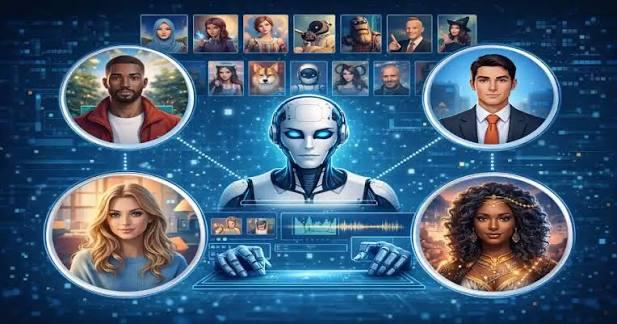
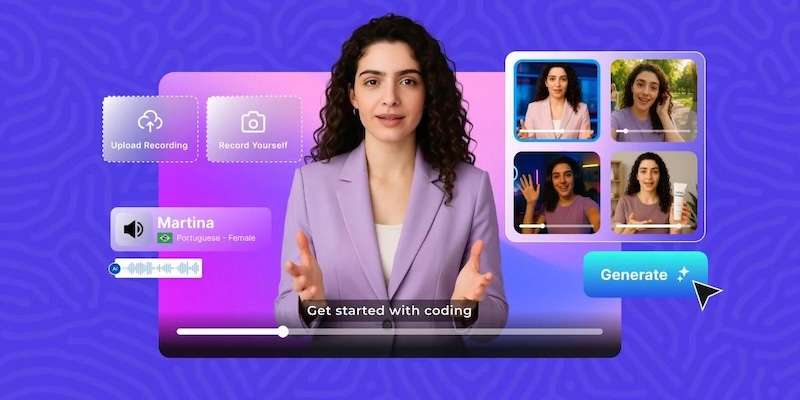
Whether you’re producing training videos, marketing content, or social media clips, AI avatars have changed what’s possible with a small team and a tight budget. These AI-powered tools allow users to create realistic digital presenters, generate talking-head videos, and convert written scripts into engaging visual content within minutes. Unlike traditional video production, they eliminate the need for expensive cameras, professional actors, and complicated editing workflows. Many platforms also offer customizable avatars, natural-sounding AI voices, and multilingual support to reach a wider audience. In this guide, we’ll explore five of the best AI avatar video generators available in 2026 for beginners and professionals.
Part 1: Top 4 AI Avatar Video Makers to Create Stunning Digital Humans
Finding the best AI avatar video generator can be a daunting process as there are hundreds of options available in 2026. Each platform offers different features, customization options, voice capabilities, and video generation tools, making it difficult to decide which one is worth trying. To make your search easier, we’ve tested and shortlisted five of the best AI avatar video generators below:
1. HitPaw Edimakor
If you are looking for the best AI avatar video generator in 2026, then HitPaw Edimakor is the best option. It is an all-in-one AI video editor that also offers AI avatar video creation capabilities. With the help of this tool, users can create high-quality AI avatar videos without expensive cameras, professional recording equipment, or advanced video editing skills. It allows users to generate engaging videos featuring digital presenters, making it suitable for social media content, marketing campaigns, educational tutorials, and business presentations. One of the standout features of this tool is that it offers 1000+ realistic AI avatars, giving users plenty of options to find a digital presenter that matches their content styles.
Key Features of HitPaw Edimakor
- AI Avatar Videos: HitPaw Edimakor enables users to create high-quality AI avatar videos without expensive cameras, editing skills, or hiring professional actors. Simply enter the prompt, choose an AI avatar, and click the “Generate” button.
- 1000+ AI Avatars: One of the standout features of this tool is that it offers a huge library of AI avatars, each from different roles and industries. It includes avatars of doctors, news reporters, professionals, teachers, students, and more.
- Custom AI Avatars: If you’re not satisfied with the built-in library, then you can use the custom AI avatar feature to create personalized digital presenters. It allows you to turn your own image into an AI avatar and use it in videos.
- High-Quality AI Voices: HitPaw Edimakor offers 400+ AI voices in 130+ languages, including English, Chinese, Russian, Turkish, and Spanish. These voices feature different tones, accents, and speaking styles, allowing users to choose the most suitable voice.
- Advanced Customization: The main purpose of HitPaw Edimakor is video editing, and it offers a wide range of editing tools, such as trimming, cropping, splitting, adding transitions, applying filters, and inserting text overlays.


Step-by-Step Guide:
HitPaw Edimakor offers an easy-to-use interface, allowing users to create AI avatar videos without editing experience. Here is how to do it:
Step 1: Select AI Model
Launch HitPaw Edimakor on your PC and select the “AI Avatar” feature from the main interface. Select an AI model that best fits your requirements.

Step 2: Choose an Avatar
Once you’ve selected an AI model, navigate to the avatar library and choose the desired AI avatar. Users can also create custom avatars by uploading their own images.
Step 3: Create Avatar Voice
The next step is to generate the voice. Enter your script into the text box and choose a suitable AI voice from the available library. The program offers 400+ AI voices in 130+ languages.
Step 4: Generate Avatar Video
Once you have done all the settings, click the “Generate” button. HitPaw Edimakor will automatically sync the avatar’s lip movements with the generated voice and create a video.
2. Kling AI
The next best AI avatar video generator on our list is Kling AI. Its Avatar 2.0 feature turns a character image and recorded or text-to-speech audio into a talking-avatar video with directed expressions, gestures, body movement, and simple camera behavior. It uses advanced AI technology to make the digital character appear more lifelike by synchronizing its lip movements with the provided audio. This makes it a useful option for creating realistic talking-head videos, virtual presenters, promotional content, and social media clips.
Pros
- Supports longer talking-avatar output than short clip generators.
- Generates realistic facial expressions and natural-looking gestures.
- Offers greater control over avatar expressions and performance
- Intuitive interface, best for non-tech users.
Cons
- Requires a paid subscription to unlock advanced features.
- Some AI Avatars look AI-generated.
3. Vidnoz AI
Vidnoz AI is primarily a browser-based avatar video production platform. Its core experience is built around selecting an AI presenter, entering a script, choosing a voice, arranging scenes, and generating a finished video. The platform also includes a wider set of tools, including text-to-video, photo avatars, video translation, image generation, video enhancement, and more. One of the biggest advantages of Vidnoz AI is its extensive collection of realistic AI avatars, making it easier for users to find a digital presenter that suits their content requirements.
Pros
- Offers a large library of realistic AI avatars for different content needs.
- Text-to-video creation for quick content production.
- Advanced customization options and tools.
- Offers a free version with 30+ free credits.
Cons
- Free plan includes limited video generation credits.
- The interface can be confusing for first-time users.
4. Synthesia
Synthesia is the go-to platform for corporate and enterprise use. It’s built for training videos, onboarding, and internal communications, with a straightforward script-based editor that doesn’t require any video editing experience. The tool offers 230 avatars and supports multiple languages, making it easier for businesses to create professional video content for global audiences. Users can simply choose an AI presenter, enter their script, select a suitable voice, and generate a polished video within minutes.
Pros
- Supports 140+ languages, including English, Spanish, Turkish, and more.
- 230+ realistic AI avatars such as teachers, students, and professionals.
- Custom voice and avatar creator for enterprises.
- Affordable entry-level plan.
Cons
- Requires a stable and active internet connection
- Text-to-video feature is still in the testing phase.
Part 2: Which is The Best AI Avatar Video Generator?
To help you find the best AI avatar video generator, below we’ve provided a feature comparison table highlighting the key features, capabilities, and advantages of each platform.
| Tools | Key Features | AI Avatars | Best For |
|---|---|---|---|
| HitPaw Edimakor | AI Video Editing, 1000+ AI Avatars, AI Voices, and more. | 1000+ AI Avatars | Beginners and Content Creators |
| Kling AI | Lip-sync, Facial Expressions, and Body Movements. | 100+ AI Avatars | Realistic AI Avatar Videos |
| Vidnoz AI | Text-to-Video, Image-to-Video, and more. | 1900+ AI Avatars | Marketing Videos |
| Synthesia | AI Presenters, Script-to-Video, and Multilingual Support. | 230+ AI Avatars | Training and Presentation |
Final Thoughts
This guide has provided you with the top 4 best AI avatar video generators available in 2026. If you’re looking for a reliable option for AI avatar video creation, we recommend using HitPaw Edimakor. It is one of the best AI video editing tools with advanced AI capabilities, including AI avatar video creation.
Leave a Comment
Create your review for HitPaw articles