Hiring an actor for your video can be expensive, especially when you need to create content regularly or make frequent changes to your scripts. AI avatars provide a more affordable and flexible alternative by allowing users to create digital presenters without hiring actors or recording themselves repeatedly. With the right AI avatar generator, you can customize the avatar’s appearance, voice, language, and expressions to match your content. You can use these avatars for marketing videos, tutorials, online courses, social media posts, and business presentations. In this guide, we will explain how to create your own AI avatar step by step, even if you are a complete beginner.
Part 1: What is an AI Avatar?

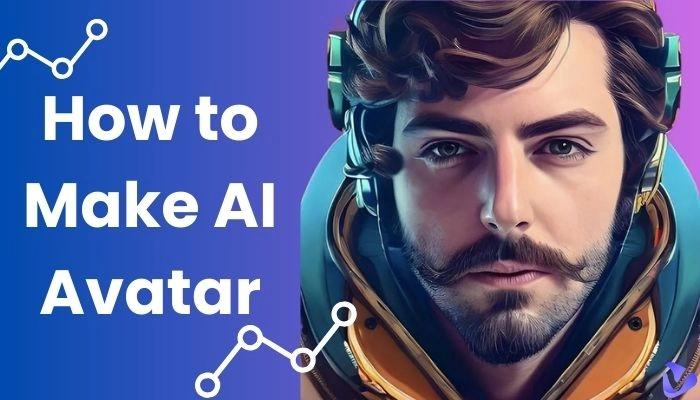
AI avatars are digitally created representations of individuals that use artificial intelligence to bring them to life. Unlike static images or simple animations, these avatars mimic human behaviors and expressions, making them appear more lifelike. Depending on the AI avatar tool, users can create avatars from photos, videos, or text prompts and customize their appearance, voice, and clothing.
AI avatars can also be used to create videos without requiring users to appear on camera themselves. By providing a script, users can make an avatar speak naturally and deliver information in a human-like manner. Some advanced tools can synchronize lip movement with generated speech and support different languages and voices.
Part 2: Benefits of Creating a Custom AI Avatar
How to create your AI avatar? Before learning the step-by-step process, it is important to understand the benefits of creating a custom AI avatar. Here are the top benefits of creating a custom AI avatar:
- Cost-efficient: The traditional process of creating videos can be very costly, as expenses for equipment, actors, and editing tend to quickly add up. A custom AI avatar can help reduce these expenses by allowing users to create videos without hiring actors.
- Faster Content Creation: As we all know, traditional video creation methods can take up to days to complete. However, with a custom AI avatar and video generator, users can create multiple videos within a few minutes.
- Multilingual Capabilities: Many AI avatar tools support multiple languages, allowing users to create content for audiences from different regions. A custom AI avatar can deliver the same message in multiple languages, such as English, Chinese, and Turkish.
- Enhances Personalization: When you hire a regular actor to star in your training content, you can’t change the way they look or sound. With a custom AI avatar, users have greater control over the avatar’s appearance, voice, clothing, and expressions.
Part 3: Top Use Cases of Personalized AI Avatars
Custom AI avatars can be used for multiple purposes, from creating social media videos to producing professional training and marketing content. Some of the most common use cases include:
- Personalized Video Messaging: Create video tailored to specific audiences, customer segments, or stages of the funnel, using the same core script with small adjustments.
- Social Media Content: AI avatars can also be used to produce engaging videos for platforms such as YouTube, Instagram, TikTok, and Facebook.
- Online Courses and Training: Teachers, trainers, and businesses can use AI avatars to create lessons, tutorials, employee training, and educational content.
- Marketing and Advertising: With AI custom avatars, small businesses can create various types of videos, such as promotional videos, product demos, and ads.
- Presentations: An AI avatar can act as a virtual presenter for business presentations, announcements, and informational videos.
Part 4: What You Need to Create Your Own AI Avatar
To create your own AI avatar, you need a few things. Below, we have mentioned a few basic things you need before learning how to create your AI avatar for free:
- AI Avatar Generator: The first thing that you need to create your own avatar is an AI avatar generator. With the help of this tool, you can create an engaging avatar with a simple text prompt or by uploading static images.
- Reference Image: If you want to create a personalized avatar based on your appearance, you may need a clear, high-quality photo. This reference image will help you get accurate results.
- AI Avatar Prompt: AI avatar text prompts are one of the most essential parts of creating custom avatars. The prompt includes details about your AI avatar, such as appearance, age, hairstyle, clothing, facial features, body type, pose, and more.
Part 5: How to Create Your AI Avatar for Free in 2026
Creating an AI avatar is simpler than you think. Thanks to AI tools like HitPaw Edimakor, users can create engaging AI avatars with a simple text prompt or by uploading static images. It also provides access to over 1000+ AI avatars representing different cultures and presentation styles. Users can select a built-in AI avatar and customize it according to their requirements. It includes avatars of doctors, nurses, teachers, students, customer supporters, news reporters, hosts, and more. The program is designed to make avatar creation accessible to beginners without requiring advanced video editing or animation skills.
Key Features of HitPaw Edimakor
- AI Avatar Creation: With HitPaw Edimakor, users can generate their own AI avatar with a simple text prompt or by uploading static images — no professional help or editing experience is required.
- 1000+ AI Avatars: The best part of this tool is that it includes 1000+ realistic AI avatars, each from different industries and roles, such as doctors, nurses, teachers, students, hosts, news reporters, customer support, and more.
- Multiple Languages: Users can create AI avatars in 30+ languages, allowing users to create content for a worldwide audience. It includes languages such as English, Chinese, Turkish, Russian, Italian, French, Spanish, German, and more.
- Various AI Models: HitPaw Edimakor offers four top AI models for you to choose from, such as OmniHuman 1.5, DupAvatar, Wan 2.7, and Heygen. Each model comes with advanced AI avatar creation capabilities.
- Intuitive Interface: The program offers an easy-to-use interface, which is ideal for non-tech and beginner users. Its simple layout makes it easier to find the required tools and features.


Step-by-Step Guide:
Follow the instructions below to learn how to create a custom AI avatar with HitPaw Edimakor in 2026:
Step 1: Choose AI Avatar Tool
Download, install, and launch HitPaw Edimakor on your PC. Select the “Create Project” option from the left panel and then choose the “AI Avatar.”
Step 2: Select an AI Model
Select an AI model that best fits your requirements. HitPaw Edimakor offers four top models to choose from, such as OmniHuman 1.5, Wan2.7, and more.
Step 3: Create an AI Avatar
Click on the “Import” option and upload a reference image of the avatar to create an accurate result. Enter the personality description of the avatar in the prompt box.
Step 4: Generate Avatar Voice
Upload an audio sample or record your voice to create a custom avatar voice. Now, your AI avatar is fully ready and now it can be feature in any AI video.
Final Thoughts
A custom AI avatar is an ideal choice if you want to create videos without spending additional cost on hiring actors. AI avatars allow users to create engaging and professional-looking videos without being in front of the camera for every recording. With an AI avatar generator such as HitPaw Edimakor, how to create your own AI avatar is simple and intuitive.
Leave a Comment
Create your review for HitPaw articles