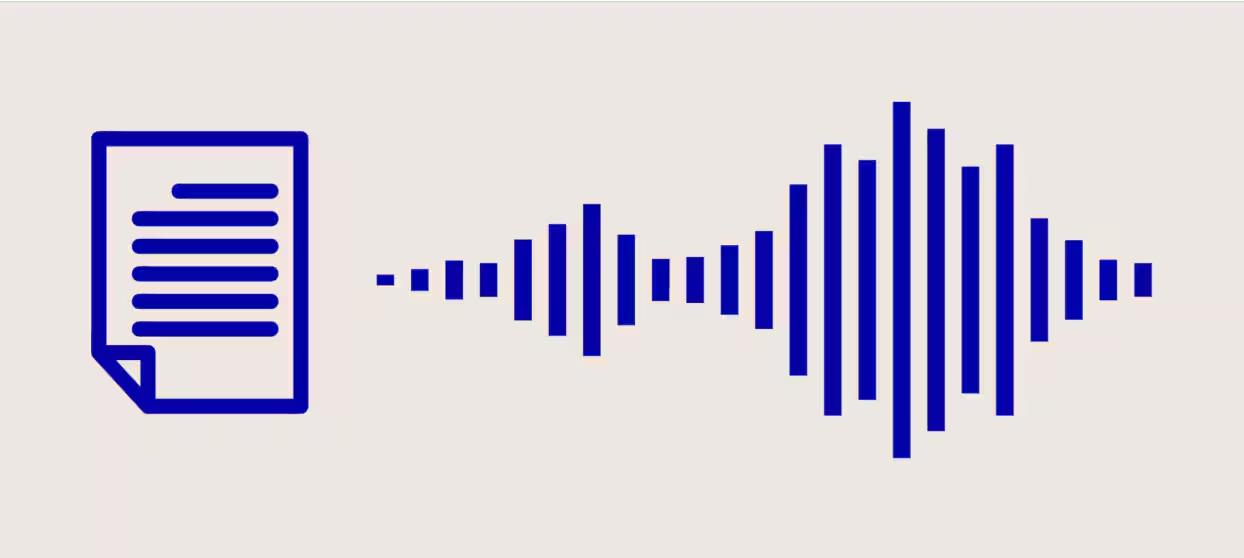
Text-to-speech has moved fast in recent years, making it easier than ever to convert written content into clear, natural-sounding speech. In 2026, modern AI-powered tools can generate realistic voices with natural pronunciation, expressive tones, and smooth delivery. Whether you want to create voiceovers for videos, produce podcasts, listen to documents, or make educational content more accessible, the right software can save time and effort. However, not every tool offers the same voice quality, features, or device compatibility. This guide explores the best text-to-speech software in 2026 to help you find the right solution for your needs.
Part 1: Top 5 Text-to-Speech Software for Windows, macOS, Android, and iOS
Looking for the best free text-to-speech software in 2026? Look no further! After hours of research, we’ve managed to find the top TTS tools that will help you create high-quality voiceover with a simple text prompt.
1. HitPaw Edimakor (Windows, macOS)
Windows and macOS are filled with multiple text-to-speech platforms, which makes it hard to find a reliable tool. HitPaw Edimakor stands out as an AI-powered video editor that also offers text-to-speech capabilities for creating clear, natural-sounding voiceovers. The program includes 500+ AI voices, allowing users to choose different voice styles to suit their content and target audience. Another amazing feature of this tool is that it offers an easy-to-use interface, which is ideal for non-tech and beginner users. Users can simply enter the script and generate voiceovers without needing a microphone, recording equipment, or professional audio-editing skills. Whether you’re a YouTuber, educator, marketer, or beginner content creator, HitPaw Edimakor offers a convenient way to transform written text into spoken audio.
Key Features of HitPaw Edimakor
- Text-to-Speech: HitPaw Edimakor is the best software for text-to-speech that enables users to create high-quality voiceover with a simple text prompt — no expensive equipment or professional help required.
- 500+ AI Voices: One of the standout features of this tool is that it offers a wide range of AI voices, each with different tones, speaking styles, and characteristics to suit various content needs.
- Advanced Customization: The program enables users to customize their voiceover workflow to better suit their content requirements. Users can select different AI voices and adjust available speech settings to achieve the desired narration style.
- Compatibility: The best part of this tool is that it works seamlessly with multiple devices, including Windows and macOS. Plus, it supports all Windows versions such as Vista, XP, 7, 8, 8.1, 10, and 11.
- Intuitive Interface: HitPaw Edimakor offers an easy-to-use interface, which makes it easier for beginners to create high-quality voiceovers without prior audio-editing experience.


Step-by-Step Guide:
With HitPaw Edimakor, users can create high-quality and engaging voiceovers with a simple text prompt. Here is how to do it:
Step 1: Select Text-to-Speech
Download, install, and launch HitPaw Edimakor on your PC. Click on the “Create Project” option and select the “Text-to-Speech” feature from the main interface.

Step 2: Convert Text-to-Speech
HitPaw Edimakor will open the TTS tool. Copy and paste your text or script into the prompt box. You can also upload a text document.
Step 3: Choose Desired AI Voice
On the right panel, you will find multiple voice options to choose from. Browse the available AI voices and select the one that best matches your content style and target audience.
Step 4: Generate and Download
Once all the requirements are complete, click on the “Generate” button. Within seconds, your HitPaw Edimakor will convert your text into high-quality speech.
2. FakeYou (Online)
FakeYou is one of the best free software for text-to-speech available online. This web-based tool lets you turn written text into speech using a large library of community-created voices. It currently offers more than 3,500 voices, covering a wide range of character styles, personalities, languages, and creative options. One of FakeYou’s main advantages is its browser-based workflow, which allows users to generate speech without installing a dedicated desktop application.
Pros
- Works entirely online, meaning no software downloading or installation required.
- Supports 3500+ realistic AI voices, including celebrities, politicians, and singers.
- Free-to-use, allowing users to create TTS without spending a single penny.
- Includes other AI voice features, such as voice conversion and voice cloning.
Cons
- Voice quality can vary significantly between models.
- Some voices may produce unnatural pronunciation or inconsistent results.
3. ElevenLabs (Windows, macOS)
When it comes to the best speech-to-text software for Mac or text-to-speech, you’ll always find ElevenLabs on the list. It is one of the most popular TTS or STT tools available in 2026. The platform is known for its natural-sounding AI voices, expressive delivery, and ability to produce audio that feels more conversational than traditional robotic narration. ElevenLabs offers a wide range of voice options for different content needs, including video narration, audiobooks, podcasts, presentations, and social media content.
Pros
- ElevenLabs voices are available in multiple languages, including English.
- Audio can be saved and shared in various formats, such as MP3 or WAV.
- The design of ElevenLabs text-to-speech is simple and clear.
- Enables users to convert text to speech within seconds.
Cons
- Free version of ElevenLabs offers limited features and capabilities.
- Requires a stable and active internet connection.
4. Speechify (Android)
Speechify is a premium, cross-platform service that has established itself as a major player in the text-to-speech market. The program offers an Android version, allowing users to create high-quality speeches from their smartphone. One of Speechify’s main advantages is its natural-sounding AI voices, which make extended listening sessions more engaging. Another amazing feature of this tool is that it offers advanced customization features, allowing users to add voice effects, filters, and more.
Pros
- Works seamlessly with all Android versions, including the latest one.
- Powerful document scanning and import features.
- Massive selection of high-quality, natural-sounding AI voices.
- Best text-to-speech software free in 2026.
Cons
- Android version has reported bugs and glitches within the app.
- Limited free version.
5. Apple Books (iOS)
Apple added Speak Screen to iOS a year ago, and in the latest iOS version, they improved the read-aloud experience significantly with a dedicated Read Aloud mode inside Apple Books. These features make it a convenient option for iPhone and iPad users who want a simple text-to-speech experience without installing a separate application. One of Apple Books’ main advantages is its seamless integration with the Apple ecosystem.
Pros
- Supports all Apple devices, including iPhone, iPad, Apple Watch, and more.
- Uses Apple’s neural TTS — the same engine that powers Siri voices.
- Users can read aloud Apple Books content within seconds.
- Offers amazing features, such as Speed Control, Multiple Languages, and Auto-Scroll.
Cons
- Mainly designed for Apple Books content.
- No Android version available.
Final Thoughts
In 2026, finding the best text-to-speech software can be difficult. To make it easy for you, we've mentioned the top 5 TTS tools for Windows, macOS, Android, and iOS. Each tool offers amazing capabilities and features. Among them, HitPaw Edimakor is the best option. It provides advanced TTS capabilities and 500+ AI voice options.
Leave a Comment
Create your review for HitPaw articles