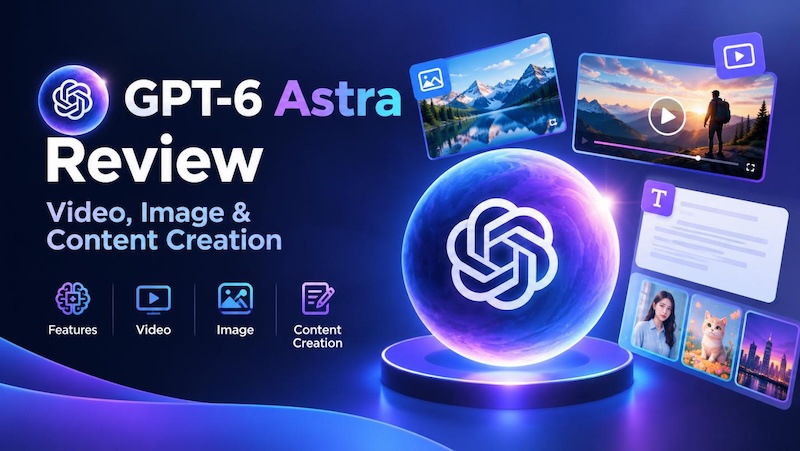
AI is moving beyond simple chatbots and standalone generators. GPT-6 Astra represents a new generation of AI designed to reason through complex tasks, use computers and browsers, work with external tools, and complete multi-step workflows with less human intervention.
But can GPT-6 Astra actually create images and videos? The answer is more nuanced than simply saying yes or no. Rather than functioning like a traditional text-to-image or text-to-video generator, GPT-6 Astra is better understood as an AI agent that can plan, coordinate, create, edit, evaluate, and refine content across different tools.
In this guide, we'll explore what GPT-6 Astra is, its key features, how it can support image and video creation, its role in content production, and its major advantages and limitations.
Part 1. What Is GPT-6 Astra?

GPT-6 Astra at a Glance
GPT-6 Astra is an advanced AI model built to handle complex, multi-step tasks rather than simply generate responses to individual prompts. Its capabilities combine advanced reasoning with computer use, web browsing, visual understanding, and tool interaction, allowing it to work through tasks much more like an AI agent than a conventional chatbot.
For creative work, this distinction is important. GPT-6 Astra can understand a creative brief, break it into smaller tasks, generate ideas and prompts, interact with creative software or online tools, inspect the results, and make adjustments based on what it sees.
This makes it particularly useful for workflows that involve multiple stages and applications. Instead of asking an AI to produce one isolated asset, users can potentially give Astra a broader goal and let it coordinate the steps needed to complete it.
What Makes GPT-6 Astra Different?
The biggest difference is task execution. Traditional AI tools often focus on a single capability: generating an image, creating a video clip, writing text, or editing an existing asset. GPT-6 Astra is designed to connect these capabilities into a larger workflow.
Its computer-use abilities allow it to interact with interfaces, while its visual understanding helps it interpret websites, applications, images, and other visual outputs. Combined with its reasoning capabilities, this enables it to plan a sequence of actions, execute them, check the results, and adjust its approach when necessary.
For content creators, this means GPT-6 Astra can act more like a creative workflow agent than a standalone generator. It can help move a project from an initial idea to prompts, assets, editing, review, and refinement—often by working with specialized creative tools along the way.
That distinction also explains why GPT-6 Astra's role in image and video creation is different from dedicated AI generators, which we'll explore in the following sections.
Part 2. GPT-6 Astra Key Features
GPT-6 Astra stands out because it combines advanced reasoning with the ability to interact with digital environments and external tools. Instead of focusing on a single type of output, it can understand a goal, break it into steps, execute those steps, and evaluate the results.
Advanced Reasoning
GPT-6 Astra is designed to handle complex tasks that require planning and multiple decisions. It can turn a broad creative brief into a structured workflow, determine what needs to be done first, and adjust its approach as the project develops. This makes it useful for projects that go beyond simple prompt-and-response interactions.
Computer Use
One of Astra's key capabilities is its ability to interact with computers and software interfaces. It can navigate websites, work with applications, fill out forms, and perform actions within digital environments. For creative workflows, this means it can potentially work across design, editing, and other production tools rather than being limited to a chat window.
Visual Understanding
Astra can interpret visual information from websites, applications, images, and other interfaces. This allows it to inspect creative outputs and understand whether they match the intended result. For example, it can analyze a generated visual, identify problems with composition or layout, and use that feedback to guide the next step.
Tool Use
GPT-6 Astra can work with external tools instead of relying entirely on its built-in capabilities. This is particularly important for image and video creation, where specialized generators, editing software, voice tools, and other applications may be needed to produce the final content.
Iterative Workflows
Rather than completing a task in one attempt, Astra can follow an iterative process: plan → create → inspect → refine. This ability is especially valuable for creative production, where the first result often needs adjustments. By combining reasoning, computer use, visual understanding, and tool interaction, GPT-6 Astra can help connect multiple stages of a creative project into a more streamlined workflow.
Part 3. Can GPT-6 Astra Create Images?
Yes, but GPT-6 Astra is not a dedicated image-generation model. Its strength lies in helping users plan, execute, evaluate, and refine image-creation workflows, often by working with specialized image-generation or design tools.
For example, Astra can start with a simple creative brief and turn it into detailed image concepts and prompts. It can define the subject, composition, lighting, camera angle, visual style, colors, environment, and other details needed to achieve a specific look. It can also help maintain consistency across multiple images by establishing reusable character, style, and composition guidelines.
More importantly, Astra can interact with external creative tools. Instead of stopping after writing a prompt, it can potentially use an image-generation or design application, inspect the resulting image, identify issues, and refine the workflow. This makes it useful for projects where creating the first image is only one part of the process.
A typical image-creation workflow with GPT-6 Astra can look like this:
Idea → Creative Brief → Prompt → Generate → Review → Refine
This approach is particularly useful for marketing visuals, social media content, product graphics, concept art, and other projects that require multiple rounds of creative direction.
However, there is an important distinction: Astra's ability to create images depends on the tools it can access. A specialized image model may still be responsible for the actual pixel-level image generation, while Astra acts as the reasoning and workflow layer that guides the process.
Part 4. Can GPT-6 Astra Create Videos?
GPT-6 Astra can support video creation, but it is more accurate to describe it as an AI video-production agent rather than a standalone text-to-video generator.
Instead of simply entering a prompt and receiving a finished video, Astra can help coordinate multiple stages of production. It can develop a concept, write a script, break the story into scenes, plan individual shots, generate prompts for visual assets, and organize the steps required to turn those assets into a finished video.
Its computer-use and tool-interaction capabilities also make it possible to work with external video-production tools. Depending on the workflow, these tools can handle tasks such as image or video generation, voiceovers, animation, compositing, and editing. Astra can then help inspect the results and determine what needs to be changed.
A typical video workflow could look like this:
Idea → Script → Storyboard → Shot Planning → Asset Creation → Editing → Review → Export
For example, imagine creating a 30-second social media ad for an AI video editor. Astra could first develop the concept and script, divide it into several shots, create detailed prompts for each visual, organize the generated assets, help assemble the sequence in an editing environment, and review the final result for consistency and pacing.
This workflow is one of Astra's biggest advantages for video production. Traditional AI video generators generally focus on producing individual clips, while Astra can help connect planning, generation, editing, and quality control into one larger process.
That said, Astra does not necessarily replace specialized video-generation or editing software. Tools designed specifically for text-to-video, image-to-video, voice generation, or professional editing may still perform the actual media generation and processing. Astra's role is to coordinate these capabilities and help move the project from an idea toward a finished video.

Part 5. GPT-6 Astra for Content Creation
GPT-6 Astra can be particularly useful for content creation because a single project often involves more than writing or generating one asset. A typical campaign may require research, creative planning, long-form content, images, videos, social posts, and several rounds of revision. Astra's ability to reason through multi-step tasks and work with external tools can help connect these stages into one workflow.
For example, starting with a product brief, GPT-6 Astra could help develop a campaign concept, outline a blog post, write a video script, create prompts for visual assets, and adapt the main message into short-form social content or ad copy. Rather than treating each format as a separate task, it can help maintain a consistent message and creative direction across the project.
A simple workflow might look like this:
One Idea → Blog Content → Video Script → Visual Assets → Short-Form Videos → Social Posts → Ad Creatives
This is where GPT-6 Astra's biggest value may lie for creators and marketing teams. While specialized AI tools can generate individual pieces of content, Astra can act as a coordinating layer that helps plan, organize, review, and refine the entire content-production process.
Part 6. GPT-6 Astra Review: Pros and Cons
GPT-6 Astra is a powerful option for users who need AI to handle complex workflows, especially when a task involves multiple tools, decisions, and stages. Its greatest strength is not simply generating better text or media, but helping move a project from an initial goal toward a completed result.
 Pros
Pros
- Strong reasoning and planning: It can break complex requests into manageable steps and make decisions throughout a workflow.
- Multi-step task execution: Astra is designed to handle longer processes instead of focusing on a single prompt and response.
- Computer and tool use: It can potentially interact with websites, applications, and external creative tools.
- Useful for creative workflows: It can connect ideation, prompting, generation, editing, and review.
- Iterative refinement: It can inspect results and help identify what should be improved in the next round.
- Flexible content production: It can support text, images, videos, and other content formats within the same project.
 Cons
Cons
- Not a dedicated image generator: Specialized image models are still needed for many actual image-generation tasks.
- Not a standalone video generator: Video generation and rendering may depend on external tools.
- Tool-dependent workflows: Its capabilities can vary depending on which applications and services it can access.
- Resource-intensive for complex tasks: Long, multi-step workflows may require more time and computing resources than simple AI interactions.
- Reliability and safety concerns: Autonomous actions require careful supervision, particularly when Astra is given access to browsers, software, or important workflows.
Overall, GPT-6 Astra is most valuable when the goal is to automate or coordinate a process—not simply generate one image, video, or paragraph.
Bonus Tip: Use Edimakor AI for Direct Video and Image Creation
If you want to move from AI planning to actual video and image generation, Edimakor AI offers a more direct creative workflow. Unlike an AI agent that coordinates multiple tools, Edimakor AI brings video and image generation models together in one browser-based platform, so you can create content without downloading or installing software.
Create NowKey Features of Edimakor AI
- Access Popular AI Models in One Place – Generate videos and images with popular models such as Veo, Kling, Seedance, Hailuo, PixVerse, GPT Image, Nano Banana, and Seedream, without switching between different platforms.
- Create Videos and Images Online – Edimakor AI runs directly in your browser, so you can generate content without downloading or installing desktop software.
- Text-to-Video & Image-to-Video – Turn text prompts or static images into dynamic videos, with options for reference images, motion control, and different AI video models.
- Text-to-Image & Image-to-Image – Generate new visuals from text prompts or transform existing images with AI, making it easier to create artwork, marketing visuals, social media graphics, and other creative assets.
- All-in-One AI Creative Tools – Beyond basic generation, Edimakor AI brings AI video effects, image effects, transitions, and other creative tools into one platform, making it easier to move from an idea to finished visual content.
For creators who want direct video and image generation without managing multiple AI platforms, Edimakor AI can serve as the hands-on production layer alongside GPT-6 Astra's planning and workflow capabilities.
Final Verdict
GPT-6 Astra is best viewed as an AI creative workflow director, rather than a standalone image or video generator. Its strengths lie in reasoning, planning, tool use, and coordinating multi-step creative tasks. It can support everything from image ideation and prompting to video scripting, asset creation, editing, and refinement. However, specialized AI tools are still valuable for producing the final media. If you want to turn ideas directly into videos and images, Edimakor AI offers an online creative platform with popular AI models and tools for text-to-video, image-to-video, text-to-image, and image-to-image creation—without requiring software downloads.


Leave a Comment
Create your review for HitPaw articles