Durga Puja is one of India’s most celebrated festivals. It takes place in September or October, with grand celebrations in Kolkata and West Bengal. This cultural festival celebrates Goddess Durga’s victory over evil. It is a time of vibrant colors, intricate jewelry, and grand celebrations. Today, AI lets you transform your photos into divine Durga portraits or generate entire festive scenes from scratch with simple text descriptions. In this guide, you’ll explore 20+ creative Durga Puja AI prompts to generate and edit images in 2026.
20+ Popular Durga Puja AI Prompts You Can Try
AI has made it easier to create unique digital artwork for festivals. These prompts can help you capture traditional Bengali details, festive colors, intricate jewelry, and a warm divine glow.
You can use these Gemini Durga Puja AI photo prompts or adapt them for other AI image generation and editing tools. Whether you want a realistic photograph, a cinematic scene, or a creative illustration, the prompts below can help you get started.
Part 1: Create Durga Puja Images with AI Prompts
Generate stunning, original artwork from scratch using these Durga Puja AI prompts. These are designed for text to image generators to capture the essence of the Goddess and the festive atmosphere.
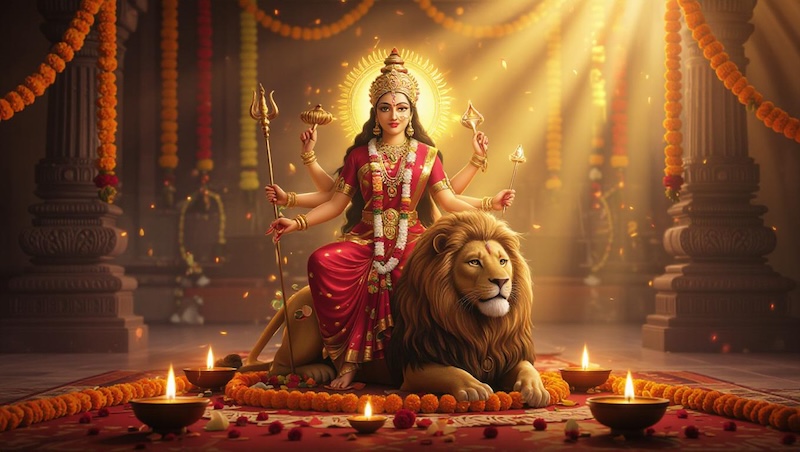
Generate a hyper-realistic Durga portrait featuring Goddess Durga in a traditional red bordered white Bengali saree. The Goddess should have large, expressive eyes, a golden “mukut” crown, and intricate jewelry, set against a soft autumn sky background with “Kas” flowers.

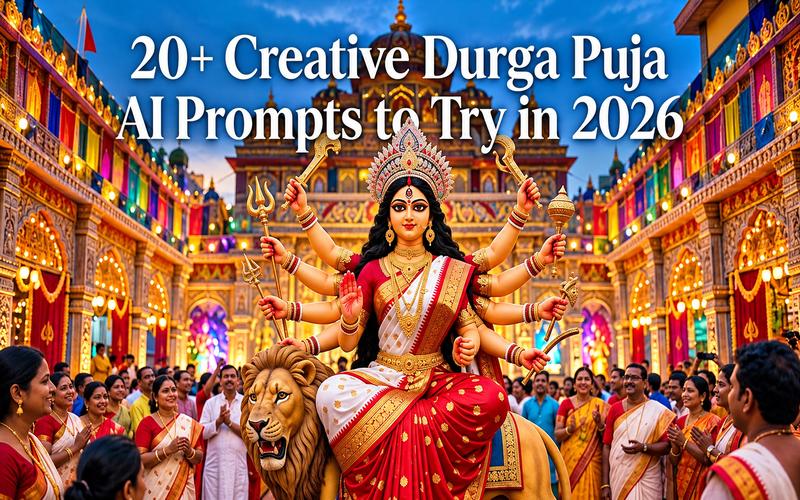
Create a breathtaking cinematic view of a modern Durga Puja pandal in Kolkata at night. The image should feature glowing neon lights, intricate structural decorations, and a majestic clay idol of the Goddess surrounded by a crowd of devotees in blurred motion.
Design a cute 3D animated version of Goddess Durga inspired by modern film styles. The Goddess should have a gentle smile, vibrant colors, and soft studio lighting, making it perfect for festive stickers or child friendly seasonal social media greetings.
Use this prompt to generate a beautiful watercolor painting of a family performing the “Dhunuchi” dance in front of the Durga idol. Use vibrant reds and yellows, with soft brushstrokes that capture the joyous, energetic spirit of the festival.
Focus on the craftsmanship of traditional clay models. Generate a close up of the Goddess’s face being painted by an artist in Kumartuli, showing fine textures of wet clay, delicate brushwork on the third eye, and authentic artisan workshop surroundings.
Imagine a futuristic Durga Puja in a cyberpunk setting. The Goddess appears as a divine holographic projection above a high tech city, with vibrant neon lights, digital mandalas, and glowing sacred symbols blending traditional spirituality with futuristic aesthetics.
Create an image of a miniature Durga Puja set crafted from wood and paper. The scene should look like a handcrafted toy set with tiny figurines of Durga, Lakshmi, Saraswati, Kartik, and Ganesh, presented on a polished wooden table with warm lighting.
Visualize a grand temple facade featuring intricate projection mapping of Goddess Durga’s story. The image should show a night when the temple’s architecture is illuminated by stunning light effects, narrating the victory over Mahishasura through digital art.
Capture the serenity of a traditional “Bonedi Bari” (heritage home) puja in a rural Bengali village. The scene should feature an open courtyard, marigold decorations, and the Goddess seated under a “Chandratapa” canopy with sunlight filtering through ancient pillars.
Generate an abstract artistic representation of Goddess Durga’s power. Use swirls of red, gold, and white to signify divine energy, with the subtle silhouette of the Goddess and her ten weapons emerging from the vibrant colors to create a spiritual, modern art piece.
Part 2: Durga Puja AI Photo Editing Prompts
Transform your existing photos into festive masterpieces with these Durga Puja AI photo editing prompts. These work best with image to image tools that can modify outfits, backgrounds, and lighting.
“Dress the person in this photo in a traditional Bengali red and white silk saree, styled with an elegant and authentic Bengali drape. Add gold necklaces, a large ‘bindi’ on the forehead, and ‘alta’ on the hands, ensuring the facial features remain realistic while adopting a festive look.”
“Replace the background of this portrait with a grand, beautifully illuminated Durga Puja pandal in Kolkata. Ensure the lighting on the subject matches the vibrant festive lights of the background, creating a seamless and realistic integration into the celebration.”
“Give the subject a radiant golden aura and a softly glowing third eye for a divine, devotional effect. Enhance the background with subtle shadows of ten arms holding traditional weapons, giving the person a powerful and blessed appearance inspired by the Goddess.”
“Apply warm, festive lighting to this photo and add soft bokeh effects shaped like diyas and lotus flowers in the background. Create a cozy, glowing atmosphere that captures the joy and celebration of Durga Puja.”
“Add a group of traditional Dhak players performing in the background of this photo. The drummers should be blurred slightly to maintain focus on the subject, while the overall image captures the rhythmic essence of the Puja festivities.”
“Edit the man’s outfit to a sophisticated white and gold embroidered traditional kurta. Add a festive scarf around the neck and adjust the background to show a decorated home interior with marigold garlands for a complete Pujo vibe.”
“Place the subject in a beautiful field of white Kas flowers beneath a clear blue autumn sky. This natural setting is iconic for the arrival of Durga Puja and provides a serene, high quality festive backdrop.”
“Apply a vintage 1970s film filter to this image. Add slight grain, warm tones, and a soft focus effect to mimic an old family photograph taken during a traditional neighborhood Durga Puja celebration from decades ago.”
“Enhance this group photo by dressing everyone in elegant, traditional festive clothing.” Ensure each person’s outfit is unique sarees for women and kurtas for men, while placing them in front of a majestic Durga idol for a perfect memory.”
“Add an elegant ‘Shubho Sharodiya’ (Happy Durga Puja) greeting using beautiful Bengali or English lettering. Include AI generated stickers of lotus flowers and diyas around the corners of the frame to finish the festive card design.”
“Transform the subject’s portrait by adding a traditional Bengali mukut-style crown and a graceful red bindi. The AI should preserve the subject’s recognizable identity and facial structure while adding majestic devotional styling and refined cultural fashion elements.”
“Edit the uploaded photo to dress the subject in an elegant traditional red saree with a thick golden border. Ensure the fabric folds and the drape look like a professional cultural photoshoot. The styling should remain believable and human.”
Best Tool for Creating Durga Puja AI Photos
When it comes to generating high-quality Durga Puja AI photos, Edimakor AI stands out as a premier online platform. It lets users bring any festive idea to life with advanced AI video and image generators, without needing professional design skills. Whether you are creating a simple greeting or a complex artistic portrait, Edimakor offers the tools to succeed. It also supports multiple AI image models, making it easier to create personalized Durga Puja visuals.
Why Use Edimakor for Your Durga Puja AI Photos
Edimakor AI provides many features that make it the best for festive image creation and editing:
- Text-to-Image Generation: Turn Durga Puja ideas into detailed festive images.
- AI Photo Editing: Edit outfits, backgrounds, lighting, and other photo elements.
- Multiple AI Image Models: Choose GPT Image 2.5, Nano Banana, and more.
- Flexible Image Sizes: Select resolutions and aspect ratios for different platforms.
- Various Image Styles: Create realistic, cinematic, anime, 3D, or artistic visuals.
- High-Quality Results: Generate detailed images with realistic textures and lighting.
How to Create a Durga Puja AI Photo With Prompts
Creating a divine image is simple when you use the right platform. Follow these steps based on the standard AI workflow:
Step 1: Open the Text to Image tool
Go to the “Text to Image” tool in Edimakor AI. Choose an AI model that fits the style you want. You can select models such as GPT Image 2.5 Flare, GPT Image 2.5, or Nano Banana 2.5.
Create from Text
Step 2: Enter your Durga Puja AI prompt
Type your chosen prompt into the input box. For example, “Create a cute 3D cartoon style image of Goddess Durga inspired by modern movies.” The Goddess should have a gentle smile, vibrant colors, and soft studio lighting. You can also adjust the resolution, aspect ratio, and number of images you want to create.
Step 3: Generate your image
Click “Generate” to create your Durga Puja AI photo. Check the results and choose the image you like. You can then download it or make additional edits using the available editing tools.
How to Transform Your Photo for Durga Puja
If you want to use your own likeness, use the AI photo editing features to transform your portrait into a festive one.
Step 1: Upload your photo
Select the “Image to Image” tool and upload a clear photo of yourself or a family member. Choose an AI model, such as GPT Image 2.5 Flare, for the edit.
Create from Photo
Step 2: Enter your photo editing prompt
Describe the changes you want to make. For example, “Change my clothes to a traditional red silk saree and add a beautifully decorated Durga Puja pandal in the background.” You can also adjust the resolution and aspect ratio to suit your needs.
Step 3: Generate the result
Click “Generate” and let the AI create the edited photo. Review the result and make any additional changes if needed. Once you are happy with the image, you can download your festive Durga Puja photo.
FAQs About Durga Puja AI Prompts
A1: Yes. You can adapt them for ChatGPT image generation, Google Gemini, Edimakor AI, and other tools that support image creation or editing. Results vary by model, settings, and reference photo.
A2: Yes. Mention the saree, colors, fabric, jewelry, and realism you want. Also ask the tool to preserve your facial identity and natural proportions.
A3: Yes, but generated lettering can contain errors. Ask for space and add the final greeting later in an editor for cleaner text.
A4: Check the AI platform’s current terms and your subscription rules. You also need appropriate rights for uploaded photos, logos, people, and other reference material before commercial use.
Conclusion
Durga Puja is a time of unity, devotion, and celebration. In 2026, AI has provided us with a new medium to share this joy and express our cultural identity. You can create stunning, respectful, high-quality visuals that capture the essence of the festival using these Durga Puja AI prompts. Whether you are creating a digital Durga portrait or editing family photos, the tools are now at your fingertips. Try Edimakor AI today and start creating your festive masterpieces.


Leave a Comment
Create your review for HitPaw articles