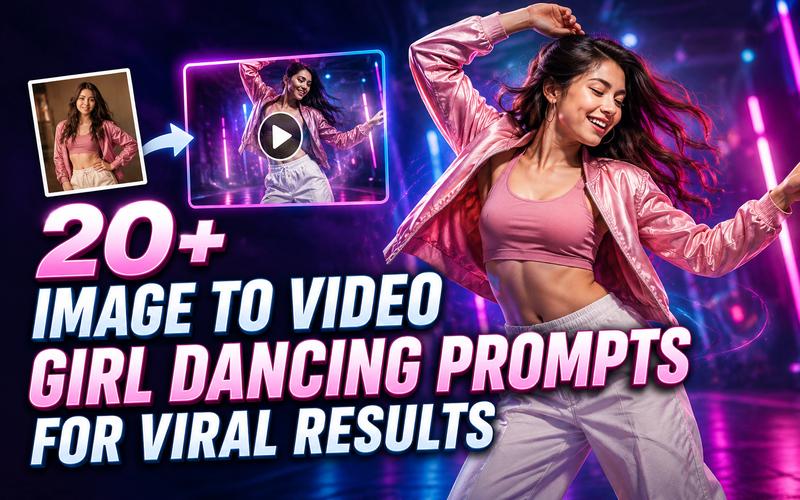
Creating a viral video no longer requires a professional studio or months of dance training. With the rise of AI, you can now use image-to-video girl-dancing prompts to create a high-energy dance performance. Whether you want a K-pop routine or a ballet performance, the right words make all the difference. This article explores how to write these prompts and provides over 20+ examples to help you achieve stunning, professional results.
What Are Image to Video Girl Dancing Prompts?
Image to video girl dancing prompts are specific text instructions provided to an AI model to animate a static image. Unlike standard prompts, these instructions focus on body mechanics, rhythm, and camera movement to ensure a seamless transition from a still pose to a fluid dance sequence. The best prompts do more than name a dance. They tell the AI exactly how to move the limbs, maintain facial consistency, and interact with the background while preserving the original character's identity.
How to Write Effective Girl Dancing Prompts for Image to Video
Simply typing "girl dancing" into an AI generator often leads to disappointing results. Vague prompts often lead to technical issues, such as unnatural body movements, distorted hands and feet, or flickering backgrounds. In some cases, the AI may struggle to maintain consistent facial features or outfit stability throughout the clip. To achieve high quality, viral videos, your prompts must be precise and structured.
The Reusable Prompt Formula
Use this formula to get consistent results: [Subject Detail] + [Dance Style/Action] + [Camera Movement] + [Environment/Lighting] + [Technical Quality Tags]
Explaining the Components
- Subject Details: Describe the girl’s outfit, hair, and appearance (e.g., "girl in a red silk dress," "dancer with blonde braids").
- Dance Style: Specify the genre (e.g., "Hip hop," "Ballet," "Shuffle").
- Specific Motion Description: Use verbs that imply direction (e.g., "spinning clockwise," "rhythmic swaying," "high energy jumping").
- Environment/Lighting: Set the scene to stabilize the background (e.g., "neon lit studio," "sunset beach").
- Technical Quality Tags: Add keywords like "fluid motion," "4k," "stable background," and "no flickering."
20+ Best Image to Video Girl Dancing Prompts
Use these prompts as starting points. Replace the setting, colors, or dance style to match your source image. Each prompt is designed for an adult dancer and includes guidance on motion, camera, atmosphere, and consistency.
1. K-pop and polished pop styles
These prompts are ideal for creating energetic, polished dance videos with clean choreography and a music video feel. Use them for bright stages, colorful studios, or trendy social media content.
Animate the adult dancer into a sharp K-pop routine with clean arm hits, synchronized steps, and a confident smile. Use a slow camera push toward a glowing concert stage with pink and blue lights. Keep the face, hairstyle, outfit, hands, feet, and background stable.

Turn the still image into a polished music video dance featuring crisp footwork, controlled hip movement, and a final pose facing the camera. Use a gentle orbit and dramatic rim lighting on a dark set. Maintain consistent facial features, body proportions, wardrobe, and floor shadows.
Create a cheerful pop dance with two side steps, a gentle spin, shoulder movements, and a playful hand gesture. Track the dancer smoothly across a colorful studio while soft lights pulse with the beat. Preserve identity, clothing, anatomy, and facial expression without flicker.
Animate a short, energetic social media dance challenge with repeatable hand choreography and light footwork. Keep the camera vertical, centered, and slightly handheld but stable, with a bright pastel background. Make every limb natural and keep the original face and outfit unchanged.
2. Street, hip-hop, and urban energy
These prompts focus on bold movements, rhythmic footwork, and confident urban dance styles. They work well with city streets, industrial spaces, and modern streetwear looks.
Animate the adult dancer performing a relaxed hip-hop groove with rhythmic knees, shoulder rolls, and precise hand waves. Use a low angle camera that slowly tracks backward through an urban alley with warm neon signs. Keep the face, clothing, hands, feet, and architecture consistent.
Create a controlled popping dance with clear pauses, small chest isolations, robotic arm angles, and a strong finishing pose. Use a locked medium shot in an industrial studio with cool overhead lights. Preserve the source identity and outfit; avoid melted fingers, stretched joints, and background movement.
Turn the image into a confident freestyle performance with bouncy footwork, a brief turn, expressive arm movement, and natural recovery between moves. Circle the dancer slowly inside a brick walled dance cypher. Keep motion fluid, anatomy realistic, facial details stable, and spectators softly out of focus.
Animate a stylish dancer taking three rhythmic steps, adding a smooth body wave, then pointing toward the camera. Use a vertical tracking shot on a sunlit city sidewalk with subtle lens flare. Keep the street, sneakers, jacket, hairstyle, face, and body proportions steady.
3. Elegant, contemporary, and ballet inspired movement
Choose these prompts for graceful choreography with smooth movements, controlled turns, and elegant poses. They are well suited to cinematic studios, theaters, and peaceful outdoor settings.
Animate a gentle contemporary dance with slow arm extensions, a controlled turn, and a soft forward step. Move the camera in a calm semicircle through a spacious white studio filled with natural window light. Preserve the dancer’s face, costume, hands, feet, and graceful proportions.
Create an elegant ballet inspired sequence with a lifted arm, careful tendu footwork, a small pirouette, and a balanced ending. Use a slow dolly-in on a quiet theater stage with warm spotlights. Keep anatomy realistic and maintain stable facial features, costume details, shadows, and scenery.
Animate the adult dancer swaying gracefully, turning once, and lifting both arms as the fabric follows natural momentum. Use a wide shot beside a calm lake at golden hour. Keep the dress pattern, face, hair, limbs, horizon, and lighting consistent throughout the clip.
Turn the still image into an expressive modern dance using slow weight shifts, curved arms, and one deliberate floor level gesture. Use a fixed camera in a minimalist gallery with soft directional light. Avoid sudden speed changes, distorted fingers, face morphing, costume changes, and background flicker.
4. Festive, cultural, and themed choreography
These prompts add a fun and expressive feel to dancing videos through festive settings, seasonal themes, and creative choreography. They are great for celebrations, holidays, and colorful environments.
Animate the adult dancer performing joyful side steps, graceful wrist circles, and a small celebratory turn. Use a bright outdoor festival setting with colorful fabric and soft daylight. Respect the clothing design, preserve the face and body proportions, and keep decorations stable.
Create a lively 1970s-inspired dance with hip sways, finger points, quick side steps, and a confident final pose. Use a slow zoom inside a mirrored disco room with rotating colored lights. Keep the outfit, facial identity, hands, feet, reflections, and background geometry consistent.
Turn the image into a relaxed beach dance with gentle shoulder movement, two playful steps, and a small spin. Use a smooth lateral camera move beside turquoise water during sunset. Preserve the dancer’s face, hairstyle, clothing, anatomy, sand texture, and ocean horizon.
Animate a warm, playful dance with clapping, alternating steps, and a cheerful wave toward the camera. Place the dancer in a softly lit winter room with tasteful decorations and falling snow outside. Keep the face, hands, outfit, decorations, and lighting stable without visual glitches.
5. Cinematic, fantasy, and animated looks
These prompts are designed for visually striking dance videos with imaginative worlds, dramatic lighting, and creative effects. Try them when you want your image-to-video result to feel cinematic, magical, or animated.
Animate the adult dancer with precise futuristic footwork, sharp arm poses, and a slow controlled turn. Use a centered camera that pushes through a neon cyberpunk street with purple reflections. Preserve facial identity, clothing shape, limb structure, wet pavement, signs, and background perspective.
Create a magical dance with flowing arms, light steps, and one gentle spin beneath glowing forest particles. Use a slow orbit and soft moonlight filtering through trees. Keep the dancer’s face, costume, hands, feet, hair, trees, and particle movement coherent and natural.
Animate the adult character with energetic anime inspired poses, quick but readable steps, and a dramatic finishing gesture. Use a smooth forward camera move in a vibrant illustrated city. Retain the original character design, facial features, clothing colors, limb count, and background composition.
Turn the photo into a confident rooftop dance with measured steps, a half-turn, and arms opening toward the skyline. Use a steady crane-like camera move at blue hour with cinematic backlight. Keep the person, outfit, skyline, hands, feet, and light direction consistent.
Create a graceful slow motion dance with floating arm movements, a gentle pivot, and a peaceful smile. Use a close to medium camera to move through a softly glowing dreamscape. Preserve identity, anatomy, clothing texture, facial features, and the background’s color transitions.
Create a graceful slow motion dance with floating arm movements, a gentle pivot, and a peaceful smile. Use a close to medium camera to move through a softly glowing dreamscape. Preserve identity, anatomy, clothing texture, facial features, and the background’s color transitions.
How to Create a Girl Dancing Video without Prompting
Edimakor AI is a versatile AI video editor that integrates multiple leading AI models, including Google Veo 3, Sora 2, and Kling, into a single platform. It is designed to streamline the creative process, allowing both beginners and professionals to turn simple ideas into dynamic videos with high resolution output. Whether you are looking for ready to use dance templates or advanced motion control, Edimakor offers the features you need to achieve viral results.
Key Features of Edimakor AI for Girl Dance Videos
- Multiple AI Models: Access top tier models like Sora 2 and Kling to ensure realistic body physics and fluid motion.
- Multiple Generation Methods: Use text to video or image to video workflows depending on your source material.
- Ready-to-Use Dance Templates: Choose from a variety of AI dance templates in Video Effects, including K-pop, hip-hop, and APT-style options, and create engaging dance clips without writing complex prompts.
- High-Resolution Output: Choose from 360p, 540p, 720p, or 1080p in the dance workspace, depending on your project and available credits.
How to Create a Girl Dancing Video with Edimakor AI
Follow these steps to animate your images:
Step 1: Open the AI Dance Tool
Access Edimakor AI and Select “Video Effect,” then choose “AI Dance” to access multiple dance video templates.
Create Dance Video
Step 2: Choose a Dance Template and Upload Your Image
Select a dance template you like, such as Stage Born Glow, and click “Create Video.”
Upload the “image” you want to animate. Edimakor AI supports JPG, JPEG, PNG, and WEBP image formats. Then, select your preferred “resolution” for the generated video.
Step 3: Generate Your Dancing Video
After uploading your image and selecting the template and resolution, check your settings. Click “Generate” to create the dancing video. Wait for the AI to finish processing, then preview the result and save your completed video.
Tips for Making AI Girl Dancing Videos Look More Natural
Follow these tips to make your AI girl dancing videos look smoother, more realistic, and natural.
- Use High Contrast Images: A clear separation between the dancer and the background helps the AI track movement more accurately.
- Simplify the Background: Busy backgrounds often lead to flickering; use solid colors or simple landscapes.
- Match Motion Strength: In your prompts, use "slow motion" for ballet and "high energy" for hip-hop to match the expected physics.
- Focus on the Face: If the AI distorts the face, use a prompt that emphasizes "stable facial features" or "clear expressions."
- Iterate with Seeds: If a result is almost perfect, try running the same prompt again with a slight variation in the "motion bucket" settings if available.
FAQs About AI Girl Dancing Videos
A1: A clear, full body, forward-facing image usually works best because the AI can see the major joints and clothing outline. Avoid cropped bodies, hidden limbs, large props, and busy backgrounds.
A2: Fast movement, low-resolution images, hidden limbs, and complicated poses can make body structure harder to interpret. Start with a simple pose, use a clear image, and request controlled motion.
A3: Not always. Edimakor’s dedicated AI Dance Generator provides ready-to-use templates, so you can upload an image and generate a dance effect without writing a detailed prompt.
Conclusion
Transforming a static image into a viral dance sensation is no longer a task reserved for professional animators. By using the right image to video girl dancing prompts you can command the AI to create fluid, realistic, and engaging content that stands out. Try Edimakor AI today and start creating your first viral dance video!


Leave a Comment
Create your review for HitPaw articles