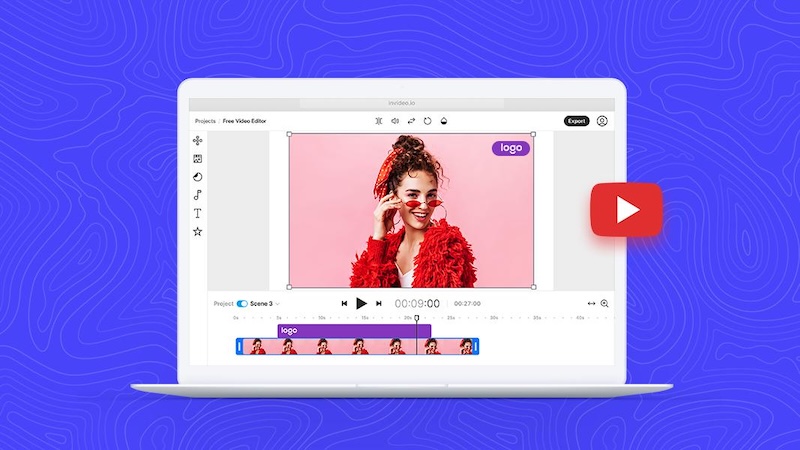
Being one of the most popular social media platforms worldwide, YouTube is often the first choice for a beginner clip-maker. Whether you want to share educational content, entertainment, product reviews, tutorials, or personal experiences, creating videos for YouTube can help you reach a global audience. However, making engaging and high-quality videos for YouTube is not that simple. In this guide, we’ll provide step-by-step instructions on how make a video for YouTube in 2026. Ensure you read this guide till the end.
Part 1: What is YouTube?

YouTube is a website designed for sharing videos. Millions of users around the world have created accounts on the site that allow them to upload videos that anyone can watch. From educational tutorials and product reviews to entertainment, gaming, vlogs, and live streams, YouTube offers content for almost every interest.
With billions of video views taking place on the platform, YouTube has become an important destination for both viewers and creators. It allows creators to build their own channels, publish content regularly, interact with their audiences, and grow a loyal community over time. Users can subscribe to their favorite channels, leave comments, and like or share videos.
Part 2: How to Make the Best Video for YouTube in 2026
How can I make videos for YouTube? A mammoth 3.7 million videos are uploaded on YouTube every day. If you’re looking to upload your first video and join this awesome global community, you’ve come to the right place. Follow the step-by-step instructions below to learn how to make a nice video for YouTube:
Step 1: Plan Your YouTube Video
The first step in learning how to make best videos for YouTube is to plan your content properly. Before you start recording, you should have a clear idea of what your video will be about and who you want to reach. Good planning can help you stay organized, save editing time, and create content that keeps viewers interested.
Step 2: Write a Script or Video Outline
Once you have planned your YouTube video, the next step is to create a script or outline. A well-structured script helps you organize your ideas and ensures that you cover all the important points without making the video unnecessarily long. Start your video with an engaging introduction that quickly tells viewers what they can expect to learn or see. Then, organize the main content into clear sections and maintain a logical flow.
Step 3: Filming Your YouTube Video
If you’ve properly planned your video, then filming it should be a breeze. Just remember, you don’t need expensive equipment or a professional studio to create a high-quality YouTube video. A smartphone with a good camera can be enough to get started. Audio quality is equally important. Use a microphone if you have one, and record in a quiet environment to minimize background noise.
Step 4: Editing Your Content
Video editing is one of the most essential steps in how to make great videos for YouTube. It’s time to take your raw footage and transform it into YouTube magic. You can use a range of software to do this. Free options like HitPaw Edimakor are available in 2026. This AI tool offers an intuitive interface that makes it easier for beginners to edit their videos without needing advanced technical skills.
Step 5: Preview and Upload
Once you’ve finished editing your YouTube video, the next step is to preview the entire project before uploading it. Previewing the video before uploading is another important step in how to make videos for YouTube. This helps you identify and fix mistakes that may have been overlooked during editing. If you’re satisfied with the final result, export it in a suitable format and resolution. Next, sign in to your YouTube account and upload the video.
Part 3: How to Edit YouTube Videos Like a Pro
Video editing is one of the most important parts of creating high-quality YouTube content. To edit YouTube videos like a professional, we recommend using HitPaw Edimakor. It is one of the best AI video editors that enables users to edit, enhance, and polish their footage without requiring advanced editing skills. With its intuitive interface, you can easily trim unwanted clips, split footage, add transitions, adjust audio, and improve the overall flow of your videos. One of the standout features of HitPaw Edimakor is that it offers a wide range of AI tools that can help you achieve multiple tasks within seconds. It includes tools like Text-to-Video, Image-to-Video, Online Video Editor, AI Video Enhancer, and more.
Key Features of HitPaw Edimakor
- AI Video Editing: HitPaw Edimakor offers one of the most advanced AI Video Editors that enables users to create professional-looking videos for YouTube in seconds — all without requiring editing experience.
- Powerful Video Editing Tools: To make videos for YouTube, you require professional tools, and HitPaw Edimakor has it all. You can easily trim, cut, split, merge, crop, rotate, and resize clips.
- Text-to-Video: One of the amazing parts of HitPaw Edimakor is that it enables users to create engaging videos for their YouTube channels with a simple text prompt. Simply enter the prompt, choose the AI model, and hit the “Generate” button.
- Multiple Export Options: Once your project is complete, you can export your finished video in a suitable format, such as MP4, AVI, and MOV, making it ideal for creating content for streaming platforms like YouTube, Dailymotion, and more.
- Intuitive Interface: HitPaw Edimakor offers an easy-to-use interface, which is ideal for non-tech and beginner users. Its clean and straightforward interface makes it easy to find essential editing tools without spending hours learning complicated features.


How to Make YouTube Videos for Free With HitPaw Edimakor?
If you want to make professional YouTube videos, HitPaw Edimakor will help you achieve that within seconds. With its AI editing features, you can easily enhance your raw footage. Here is how to do it:
Step 1: Launch HitPaw Edimakor
Go to the HitPaw Edimakor official site and download the latest version of the program on your PC. Choose the “Create Project” option from the left panel and click on “New Project.”
Step 2: Upload YouTube Video
Next, click on the “Import” option and upload the video footage you want to edit. Once your files are imported, simply drag and drop the video onto the timeline to start editing.
Step 3: Edit Your YouTube Video
Once your footage is on the timeline, it’s time to start editing your YouTube video. Begin by removing unwanted clips. In addition, use transitions, background music, subtitles, filters, animation, and visual effects to improve the overall presentation.
Step 4: Preview and Download
After the editing is complete, click on the “Export” button to get the final result. Preview the video, and if satisfied, click on the “Export” button again to download the video.
Final Thoughts
In this how to make videos for YouTube guide, we’ve covered everything you need to know to create engaging and professional-looking content in 2026. You don’t need expensive equipment or advanced editing experience to get started. With a good content idea, proper planning, and the right video editing software, you can create videos that keep viewers engaged. Tools like HitPaw Edimakor can simplify the editing process with an intuitive interface and AI-powered features.
Leave a Comment
Create your review for HitPaw articles