Instagram is one of the most popular social media platforms with over 2 billion active users worldwide. Adding music to your Instagram content is an effective way to make your posts, Stories, and Reels more engaging and appealing to your audience. Whether you want to share your favorite song, add background music to a video, or create a Reel using a trending track, Instagram offers several options to help you do so. In this guide, you’ll learn how to add music to Instagram posts, Stories, and Reels in 2026. Ensure to read this guide till the end.
Part 1: Reasons to Add Music to Instagram Posts, Stories, and Reels
How do I add music to my Instagram post in 2026? Before learning how to add music to Instagram videos, it is essential to understand why people prefer adding songs to their content. Here are some key reasons to add music to your Instagram content:
- Increase Audience Engagement: As we all know, music adds a unique vibe to your posts, Stories, and Reels, making them more entertaining and appealing to viewers. The right soundtrack can capture attention and increase engagement.
- Set the Mood: The right song helps communicate feelings such as happiness, excitement, nostalgia, or inspiration. By adding suitable background music, you can create a specific atmosphere that matches your visuals and message.
- Make Content More Memorable: A suitable song can make your posts, Stories, and Reels more distinctive. When music matches your visuals, it can help create a memorable experience for your audience.
Part 2: How to Add Music on Instagram Post
Adding music to your Instagram posts is easy, and it can make your photos or videos more fun and engaging. Here is how do you add music to Instagram post in 2026:
-
Launch Instagram on your Android and iOS device. Go to your profile and select the “+” icon available at the top right corner. Choose the “Post” option and select the image from your gallery. Then tap “Next.”

-
Edit your photo or video by applying filters or making other adjustments if needed. Once editing is complete, select the “Audio” option. This will open the Instagram Music library.
-
Select your preferred song and choose the portion you want to include in your post. Tap “Done” to add music to your Instagram post. Next, write your caption and add hashtags, and tap on the “Share” button to publish your post.
How to put music on Instagram post? By following the above steps, you can easily add music to your Instagram posts.
Part 3: Steps to Add Music on Instagram Stories
Just like Instagram posts, adding music to Stories is a simple process that helps make your content more engaging and expressive. Follow these steps to learn how to upload music on Instagram Stories:
-
Navigate to your Instagram profile and select the “+” button. Choose “Story” and select the photo or video you want to use from your camera roll.
-
Customize your story and click on the “Music” icon available on the right panel. If you cannot find it, tap the “Stickers” icon and select the “Music” sticker.
-
Browse the music library and select the song you want to add to your Story. Select the portion you want to add. Finally, click on the “Done” button to add music.
Part 4: How to Add Music on Instagram Reels
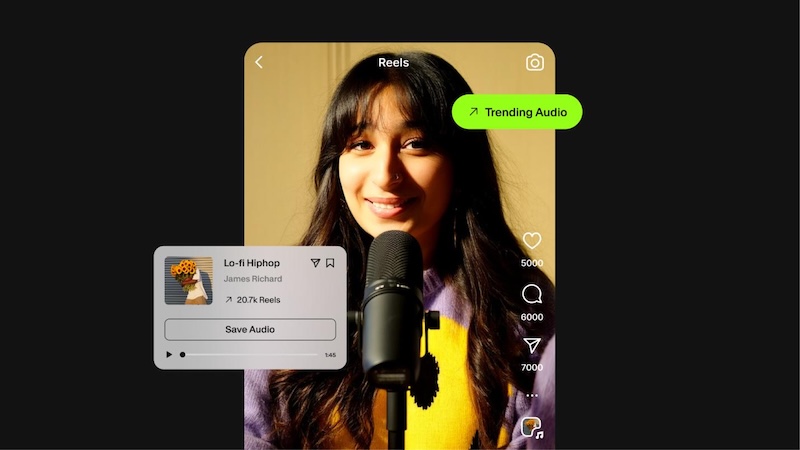
Instagram Reels consistently deliver double the engagement rates compared to other post types, and adding music can make them even more entertaining and appealing to viewers. Whether you want to create a dance video, share a memorable moment, or promote your brand, the right soundtrack can help you make your video more engaging. Here is how to post music on Instagram Reels:
-
Launch Instagram on your device and go to your profile. Tap on the “+” icon and select the “Reels” option.
-
Select your video from the gallery or record one. Tap the “Audio” option and select the music. Use the slider to select your preferred section of the track, then tap “Done.”
-
Hit the “Next” button. Add a caption and hashtag to your video, and select the “Publish” button to post the Reel with music on Instagram.
Part 5: Trending Sounds on Instagram in 2026
Once you’ve learned how to add music to an Instagram post, the next step is to find the right music that will take your posts, Reels, and Stories to the next level. Here are the top 10 music tracks trending in 2026:
- What You Waiting For?
- Windows in Brazil (Sped Up)
- Original audio by Traavloo
- Goo Goo Muck
- STROM II
- Patient Zero
- My October
- Last Train to London
- My Own Universe
- Upside Down
Bonus Tip: How to Upload Music on Instagram Post Using HitPaw Edimakor
How to add your own music to Instagram Post? Instagram offers an easy way to upload music to posts, Stories, and Reels. However, it doesn’t allow users to add custom music. That is where HitPaw Edimakor comes in. It is an all-in-one AI Video Editor that enables users to add a custom track to their videos without any editing experience. The program also offers multiple tools to edit and enhance your Instagram posts, such as trimming and cutting clips, adjusting audio levels, adding text and transitions, applying visual effects, and more. The best part of this tool is that it offers an easy-to-use interface, which is ideal for non-tech and beginner users.
Key Features of HitPaw Edimkaor
- Add Music to Videos: With the help of this tool, users can easily add custom music to their videos without editing experience or professional help.
- AI Video Editing Tools: The program offers a wide range of editing tools to enhance Instagram videos, such as trimming, cropping, splitting, adding transitions, and more.
- Text-to-Video: HitPaw Edimakor offers a text-to-video feature that enables users to create high-quality videos with a simple text prompt.
- Compatibility: The program works seamlessly with multiple devices, including Windows, macOS, and more.
- Intuitive Interface: This tool offers an easy-to-use interface, which is ideal for non-tech and beginner users.


How to Add Music on Instagram Post Using HitPaw Edimakor
Follow the instructions below to learn how to put your own music on Instagram posts, Reels, and Stories using HitPaw Edimakor:
Step 1: Upload Instagram Video
Launch HitPaw Edimakor on your PC and click on the “New Project” option. Select the “Import” button and upload the Instagram Video.
Step 2: Add Background Music
Click on the “Audio” option to open the AI Music Generator. Select the AI model and enter your music AI prompt. Choose the music style and click on the “Generate” button.
Step 3: Preview and Download
Within seconds, HitPaw Edimakor will create your custom track and apply it to your video. Click on the “Export” button to download the Instagram video with background music.
Final Thoughts
If you want to make your Instagram post more engaging, adding music to it is an ideal choice. The right soundtrack can help you set the mood, express emotions, and make your photos, Stories, and Reels more appealing to your audience. This guide provides you with step-by-step instructions on how to add music to Instagram posts. Plus, we have also introduced HitPaw Edimakor, which helps users upload custom music tracks to videos without professional help.
Leave a Comment
Create your review for HitPaw articles