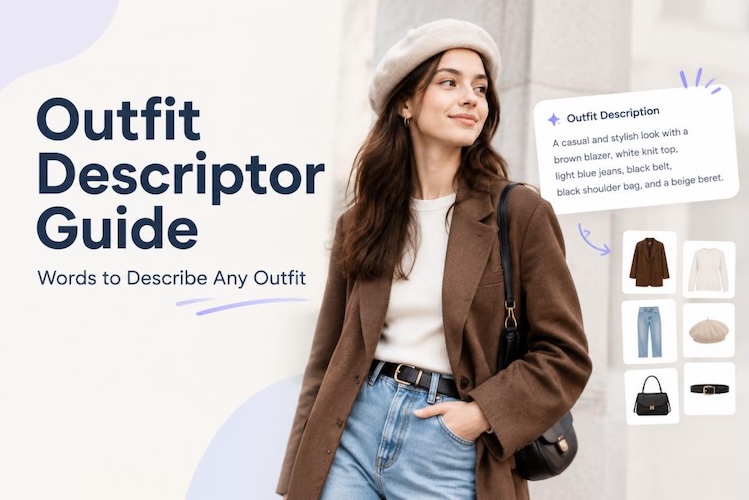
Try describing an outfit to someone can be surprisingly difficult. You might end up saying, “It’s kind of like a jacket, but a little different.” An outfit descriptor fixes this. It's a word or phrase that spells out what an outfit looks like. And with AI image tools everywhere now, this skill isn't just useful; it's necessary.
Vague prompt in, vague image out. Sharp descriptor in, and the AI actually delivers what you pictured. Here's how to build one, five examples to steal, and a faster way to skip the manual work entirely.
Outfit Descriptor Formula for Detailed Clothing Descriptions
Most outfit descriptions fail at the same step. They name the garment and stop there. But describing an outfit isn't guesswork. There's a pattern to it. Once you know the pattern, you can describe literally any outfit in under a minute.
1 Identify the Main Pieces
Start simple. What is the person wearing? A dress? A blazer? Jeans and a tee? Name each piece before you do anything else. This gives your description, and the AI, something solid to build on.
2 Describe Color and Fit
Next, color. Is it black, red, pastel pink, plaid? Then fit. Loose, tight, oversized, tailored? These two details shape how the outfit looks. A "loose beige linen shirt" feels different from a "tight red satin top.
3 Add Fabric and Texture
Fabric signals tone before anything else does. Cotton reads casual. Silk reads formal. Leather reads edgy. Add texture too: smooth, rough, shiny, matte. Many skip this detail, but it makes an outfit description feel real.
4 Mention Key Details
Now zoom in. Buttons, zippers, lace trim, stitching, prints, patches. These small touches separate "a black jacket" from "a black leather jacket with silver zippers and a frayed collar." AI tools especially love this level of detail. It's what turns a flat image into something specific.
5 Define the Overall Style
Name the style. Casual, formal, streetwear, fantasy, gothic. It works as a filter, setting the mood for the overall style.
Here’s the complete outfit descriptor formula you can try:
[Main piece] + [color] + [fit] + [fabric/texture] + [key details] + [overall style]Example: A black leather jacket, slim fit, smooth texture, silver zippers, streetwear style.
5 Best Outfit Description Examples for Different Styles
Here's the formula in action across five different styles.
| Style | Outfit Descriptor | Preview | Copy |
|---|---|---|---|
|
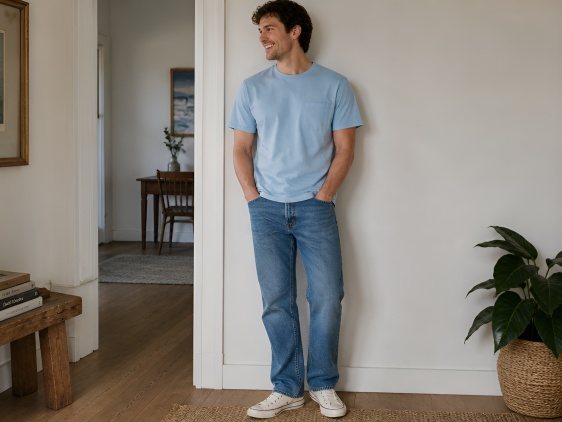
Casual Outfit |
A sky-blue tee, soft and relaxed, with a small chest pocket and classic straight-leg denim pants. Nothing fancy, just an outfit that's easy to live in. Informal and comfortable. |
|
|
|
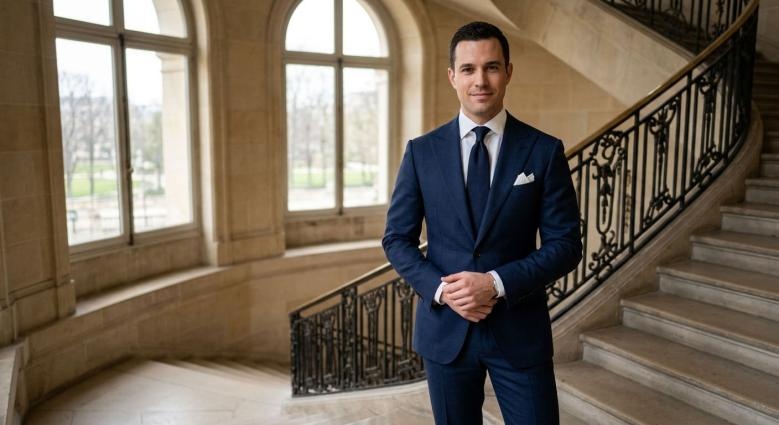
Formal Outfit |
A navy wool suit, slim through the shoulders and cut close. Sharp lapels, a pocket square. Classic formal style. |
|
|
|
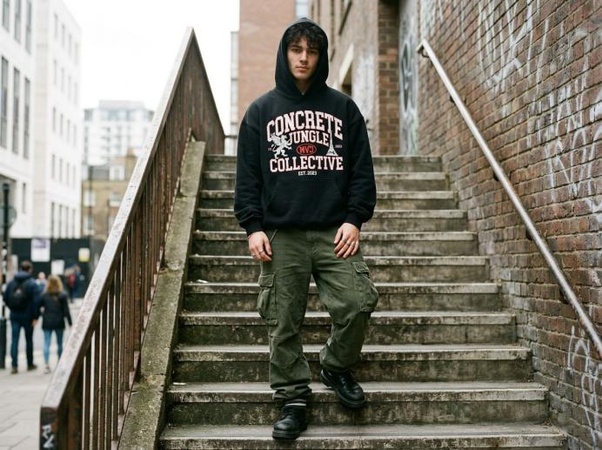
Streetwear Outfit |
An oversized black hoodie in thick cotton that feels heavy when you pick it up. Bold graphics across the chest. Paired with cargo pants for that loose, lived-in streetwear look. |
|
|
|
Fantasy Outfit |
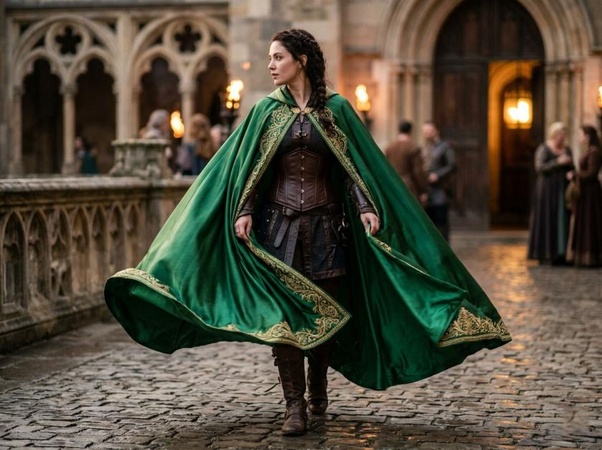
An emerald cloak that moves when you walk, loose and silky, with gold embroidery tracing the edges like it was stitched by hand. Worn over a leather corset underneath, the whole thing reads like someone dressed for a fantasy evening. |
|
|
|
Gothic Outfit |
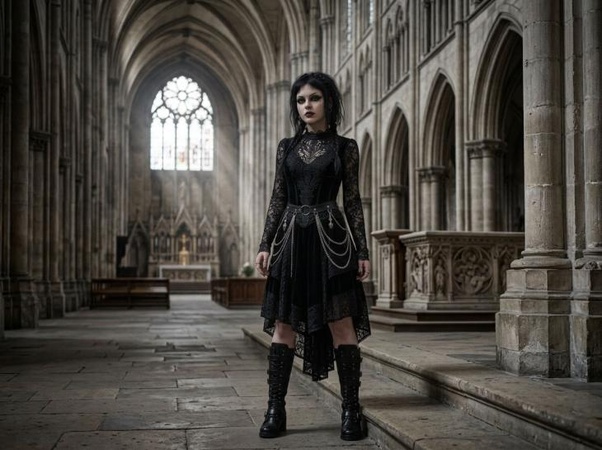
A black lace dress with a velvet texture, with a bodice cut tight to the body. Silver chains hang at the waist. Tall boots underneath. Dark, gothic trend. |
|
Notice something? Each clothes description follows the same plan. Swap the pieces, colors, the style word, and you've got a new outfit descriptor ready to go.
Get Outfit Descriptions Simpler With an AI Outfit Describer
Writing outfit descriptors by hand takes time. And if you're describing words about clothes from a photo, it takes even more effort. That's where HitPaw Edimakor comes in. Its image-to-prompt generator takes any photo and turns it into a full text description, including the outfit.
And it doesn't stop at description. Feed that output into Edimakor's AI image generator , and you can recreate the outfit exactly, or riff on it to design something new.


Here's how to actually use it.
Step 1: Open AI Image
Head into Edimakor and open the AI Image tool from the main menu.

Step 2: Select Image to Prompt
Choose "Image to Prompt." This feature reads a photo and converts it into text or a description.
Step 3: Upload Your Image and Generate the Description
Drop the photo of the outfit you want to describe. The AI scans it and builds an outfit descriptor, including pieces, colors, fabric, and style.
Bonus: Try Virtual Try-On
Curious how an outfit looks on a real body? Edimakor's virtual try-on feature previews outfits on different body types. Handy for brands and creators who need a realistic check before production.
FAQs
A1: It is a single word or several words describing the type of outfit the person is wearing, along with the color, cut, fabric type, and style of clothing.
A2: Tailored, oversized, flowing, structured, casual, edgy, soft, sleek, bold. These cover fit, texture, and overall vibe in just one word each.
A3: Run the formula: main piece, color, fit, fabric, key details, overall style. Hit every step, and you'll never end up with a vague description again.
A4: Yes, and honestly, you should. AI image tools depend on clear input. An outfit descriptor is the difference between a vague result and one that matches what you had in mind.
A5: Yes. Edimakor's image-to-prompt clothing description generator scans a photo and automatically builds a full outfit descriptor. No manual writing, no guesswork.
Conclusion
Outfit descriptors help you turn a simple idea into a clear picture. By following the five-step formula- pieces, color and fit, fabric and texture, and style- you can describe the outfit in great detail. For an even faster option, Edimakor 's AI Image tool can write the description for you and help you generate new outfit ideas in minutes. Try Edimakor today and see how easy outfit descriptions can be.
Leave a Comment
Create your review for HitPaw articles