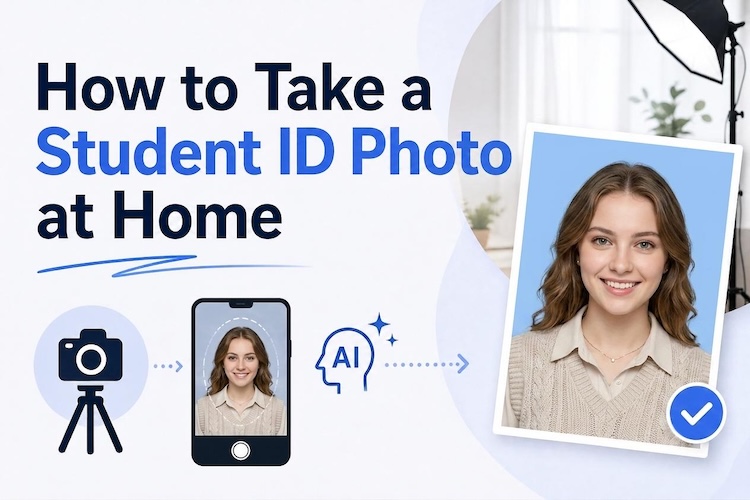
If you want to create eye-catching student photos, you’re in the right place. Creating student photos doesn’t always require a professional photographer or expensive equipment. With AI image generators, you can turn simple ideas into stunning academic portraits, classroom scenes, graduation pictures, and creative student photos within seconds. In this guide, we’ll mention the top student photo prompts that you can use to generate realistic and creative images. Whether you’re looking for professional school portraits, college campus photos, or memorable graduation shots, these prompts can help you bring your ideas to life.
Part 1: Top 12 Student Photo Prompts for Stunning School and College Photos
Want the best student lifestyle prompts? In this section, we’ll mention the top 12 student photo prompts that you can use to create stunning and realistic school and college images.
1 Modern Campus Portrait

“Transform the uploaded student photo into a polished college campus portrait. Keep the student’s facial identity, natural skin texture, hairstyle, and recognizable features consistent with the original image. Place the student walking through a modern university courtyard surrounded by contemporary academic buildings, trees, and students in the background. Add a smart casual outfit, soft morning sunlight, realistic shadows, shallow depth of field, and professional DSLR photography. Create a natural, confident expression with crisp facial details and a premium editorial photography aesthetic.”
2 Classroom Study Session
“Convert the uploaded student image into a realistic classroom study scene while preserving the student’s original facial identity and distinctive features. Show the student sitting at a wooden desk with an open notebook, textbooks, and a laptop, attentively studying during a quiet class session. Add a bright modern classroom with large windows, subtle background students, warm natural daylight, realistic textures, and cinematic depth of field. Maintain accurate proportions, natural skin tones, authentic expressions, and professional photography quality for a believable academic lifestyle portrait.”
3 Graduation Day Portrait
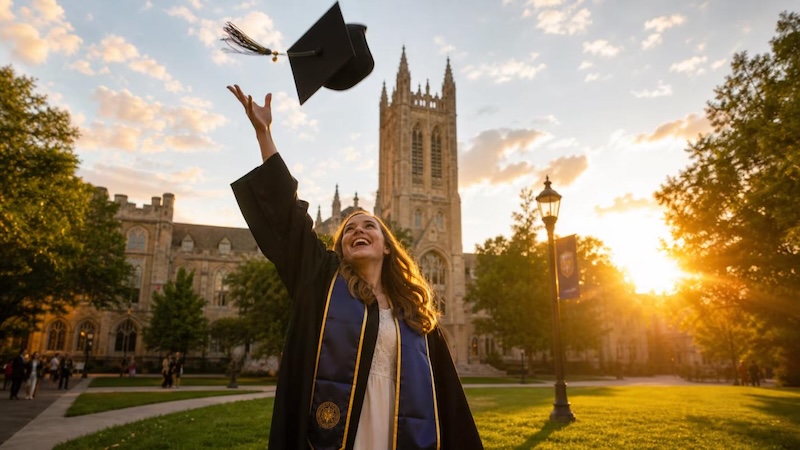
“Transform the uploaded student photo into an elegant graduation portrait while maintaining the person’s original face, hairstyle, facial structure, and natural appearance. Dress the student in a sophisticated black graduation gown with a traditional academic cap and subtle decorative details. Place them outside a prestigious university building with soft golden-hour lighting, blurred greenery, and gentle background bokeh. Capture a proud but natural expression, realistic fabric textures, balanced composition, detailed skin, cinematic lighting, and high-end professional portrait photography with an inspiring graduation atmosphere.”
4 Library Academic Look
“Turn the uploaded student photo into a sophisticated university library portrait while keeping the original facial identity and key physical characteristics unchanged. Place the student between tall bookshelves filled with academic books, holding an open textbook while looking naturally toward the camera. Add a stylish but appropriate college outfit, warm indoor lighting, subtle window highlights, realistic shadows, and a shallow depth of field. Create an intelligent, focused atmosphere with detailed facial features, authentic skin texture, natural posture, cinematic composition, and premium editorial photography quality.”
5 University Sports Lifestyle
“Convert the uploaded student image into an energetic college sports portrait without changing the student’s recognizable facial features or identity. Place the student on a university basketball court wearing a modern varsity-style jacket and athletic clothing. Show a campus gymnasium and subtle sports equipment in the background, with dramatic overhead lighting and realistic environmental details. Capture a confident expression and relaxed athletic pose. Use cinematic photography, sharp facial details, natural skin texture, realistic shadows, dynamic composition, and a vibrant but believable college lifestyle aesthetic.”
6 Coffee Shop Study Session
“Transform the uploaded student image into a cozy study session inside a stylish campus coffee shop. Keep the student’s recognizable facial features, natural skin texture, hairstyle, and overall identity unchanged. Place them at a wooden table with a laptop, notebook, textbooks, and a coffee cup while they work naturally. Add warm pendant lights, large windows, indoor plants, and softly blurred students in the background. Use cinematic lighting, realistic shadows, shallow depth of field, natural colors, and high-end lifestyle photography for a relaxed college atmosphere.”
7 Computer Science Lab
“Turn the uploaded student photo into a modern computer science laboratory scene without changing the student’s recognizable facial identity or natural features. Place the student at a sleek workstation with multiple monitors displaying subtle programming interfaces and data visualizations. Add other students working in the softly blurred background, modern desks, and cool contemporary architecture. Dress the student in smart casual university clothing. Use realistic monitor lighting, natural skin texture, cinematic depth of field, balanced exposure, crisp details, and professional technology lifestyle photography.”
8 Student Presentation
“Convert the uploaded student photograph into a realistic classroom presentation scene while preserving the person’s original facial identity, hairstyle, skin texture, and facial proportions. Show the student standing confidently beside a large presentation screen, explaining an academic topic to classmates. Add a modern classroom, projector, desks, notebooks, and several softly blurred students listening in the background. Use bright indoor lighting, realistic shadows, natural gestures, authentic expressions, cinematic depth of field, and professional photography for a believable academic presentation atmosphere.”
9 Medical Student Portrait
“Transform the uploaded student image into a realistic medical school portrait while maintaining the original facial identity and distinctive physical features. Dress the student in a clean white medical coat with a subtle identification badge and place them inside a modern university hospital or medical training facility. Add realistic medical equipment and softly blurred corridors in the background. Capture a professional but approachable expression with natural posture. Use bright clinical lighting, realistic skin texture, detailed fabric, balanced composition, shallow depth of field, and high-quality professional portrait photography.”
10 Graduation Celebration
“Convert the uploaded student photo into a joyful university graduation celebration while maintaining the original facial identity and recognizable features. Show the student wearing a graduation gown and cap while holding a diploma and smiling naturally toward the camera. Place them outdoors with university architecture, decorated pathways, balloons, and softly blurred friends celebrating in the background. Use bright golden-hour sunlight, realistic shadows, natural skin texture, detailed clothing, subtle lens flare, cinematic depth of field, and professional event photography to create a memorable and authentic graduation moment.”
11 Dorm Room Study
“Convert the uploaded image into a cozy college dorm-room study scene while keeping the student’s recognizable face, hairstyle, skin texture, and natural appearance unchanged. Place the student sitting at a compact desk surrounded by textbooks, notebooks, a laptop, and small academic decorations. Add a neatly arranged bed, bookshelf, desk lamp, and personal items in the background. Use warm evening lighting, realistic shadows, natural colors, and cinematic depth of field. Create an authentic student lifestyle photograph with a relaxed expression and believable indoor details.”
12 Debate Competiton
“Transform the uploaded student photograph into a university debate competition scene while maintaining the original facial features and identity. Show the student confidently standing behind a podium in a modern auditorium, speaking into a microphone while holding presentation notes. Add a softly blurred audience, stage lighting, banners, and another podium in the background. Capture an expressive but natural facial expression and confident posture. Use realistic indoor lighting, detailed textures, cinematic composition, shallow depth of field, and professional event photography for an impressive academic competition atmosphere.”
Part 2: How to Turn Student Photo Prompts into Engaging Visuals
Having the right student academic portrait prompt doesn’t always guarantee engaging visuals. Choosing the right AI tool is equally important for turning your ideas into high-quality images. That is where Edimakor AI comes in. It is one of the best AI Video Editor that also support image creation capabilities. With Edimakor AI, you can enter detailed student photo prompts to generate creative and realistic visuals based on your ideas. Once the AI image is generated, users can use it to customize the image according to their requirements — no editing experience or professional help required. The best part of Edimakor AI is that it offers an intuitive and simple interface, which is ideal for non-tech and beginner users.
Create NowKey Features of Edimakor AI
- Image-to-Image: Edimakor AI enables users to transform existing images into new and creative visuals. Simply, enter the text prompts, upload the reference image, and click on the “Generate” button.
- Customization Options: The program provides advanced customization options, enabling users to adjust various elements of their images according to their specific requirements.
- Format Supported: Edimakor AI enables users to import and export images in multiple formats, including JPG, PNG, JPEG, WEBP, and more, making it ideal for social media platforms, such as Instagram and TikTok.
- Multiple AI Models: One of the standout features of Edimakor AI is that it supports a wide range of AI models, such as Stable Diffusion, Midjourney, Flux, Nano Banana, Nano Banana Pro, and Imagen 4.
- Intuitive Interface: The best part of Edimakor AI is that it offers an easy-to-use interface, which is best for non-tech and beginner users. This makes Edimakor AI an ideal option for students and content creators.
Step-by-Step Guide:
With Edimakor AI, users can create engaging images with simple student photo prompts. Here is how to do it:
Step 1: Navigate to Edimakor AI's official site and log in with your account. Select the “Image-to-Image” option from the left panel and choose the desired AI model, such as Nano Banana, Nano Banana Pro, Stable Diffusion, and Midjourney.
Step 2: Enter the student photo prompt into the prompt box. Next, choose the image settings, such as aspect ratio, resolution, and output number.
Step 3: Click on the “Generate” button to begin the image creation process. Within seconds, your image will be ready. Go to the “My Creation” section and download the desired image.
Final Thoughts
In 2026, creating stunning student photos no longer requires expensive photography equipment or professional editing skills. With the right AI student photo prompts, you can easily create creative academic portraits, classroom scenes, and more. If you want the best results, we recommend using Edimakor AI. It offers advanced AI models and editing tools to get the best AI results.


Leave a Comment
Create your review for HitPaw articles