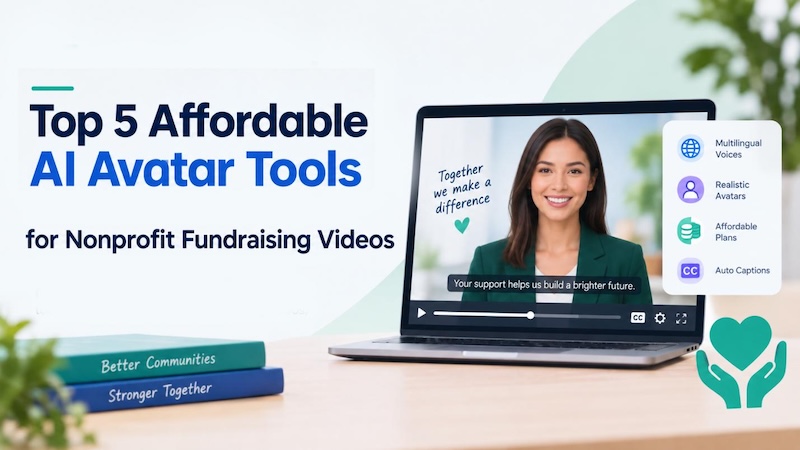
Most nonprofits don't have a video budget. They definitely don't have a production team. But donors still connect with a face and a voice more than they connect with another paragraph of text.
Affordable ai avatar platforms for non-profits close that gap — a two-person comms team can turn a rough script into a finished, on-brand video in under an hour. No camera, actor, or studio booking required.
Five options are worth testing this year, starting with the one built for tight budgets and multilingual outreach in the first place.
What Nonprofits Should Look for in an AI Avatar Platform
Not every AI avatar generator was built with a nonprofit's reality in mind — thin staff, a tight budget, and a message that has to land with donors who don't all speak the same language. A few things actually matter here.
- Affordable Price: A real free tier or a low monthly plan beats a "contact sales" page every time. Most nonprofit budgets can't absorb $150 a month for one campaign video.
- Multilingual Support: If donors or the community you serve don't all speak English, the platform needs built-in translation or multilingual voiceover — not a separate app bolted on afterward.
- Fast and Easy Editing: Comms staff usually aren't trained editors, so a drag-and-drop, template-first workflow beats a deep feature set nobody has time to learn.
- Accessibility: Captions, adjustable text size, and screen-reader-friendly exports matter too — they're what make sure the video actually reaches donors and volunteers with hearing or visual impairments.
Top 5 AI Avatar Tools for Nonprofit Fundraising Videos
This rundown of top AI avatar tools for nonprofit fundraising videos mixes dedicated avatar generators with broader all-in-one editors — some of the more practical picks in AI for nonprofits right now. First up is the most nonprofit-friendly of the bunch.
1. HitPaw Edimakor
HitPaw Edimakor tops this best ai avatar generator list for one simple reason: it pairs a genuinely free tier with multilingual avatars and natural-sounding voiceovers, wrapped in an editor a one-person comms team can actually run without training.
Best fit for nonprofits that need flexibility, a tight budget, and more than one language — often all three at once.
Key Features
- AI Avatar Templates : Dozens of ready-made presenter templates mean a fundraising appeal can go from blank page to finished draft without any design background.
- Natural Text to Speech : Type out a script and the voice engine reads it back in a tone that doesn't sound robotic, so there's no re-recording narration five times to get it right.
- Multilingual Video Support (with Accessible Captions): Voiceovers and burned-in captions generate automatically in dozens of languages, so one script turns into outreach material for every community served.
- Beginner-Friendly Workflow: The timeline and templates are built for first-timers, not video pros — which matters when the whole production team is one grant writer with a laptop.


Here’s the 4 steps to make fundraising videos using HitPaw Edimakor.
Step 1: Open HitPaw Edimakor and start a new project.

Step 2: Quick start with a template. You can pick a fundraising or appeal-style layout. You can also customize your own AI Avatar template.
Step 3: Select an AI voice across various languages and ages, then paste your script for natural speech generation.
Step 4: Describe your changes(if needed), enable captions and click generate. The you can get your nonprofit fundraising videos with subtitles quickly.
2. Synthesia
Synthesia has been around longer than most names on this list, and it shows. It's a solid pick among ai tools for nonprofits that need polished, presenter-style training or appeal videos in more than one language.
Key features:
- A sizeable library of stock AI avatars, plus dubbing and translation into dozens of languages.
- Templates built for corporate and explainer videos, which work reasonably well for nonprofit messaging too.
- Built-in screen recording, plus an AI script assistant that can draft a first pass from a short prompt.
- Interactive, branching video for organizations that want to walk donors through a longer journey rather than one clip.
Pricing: There's a free tier for testing things out. Paid plans start in the high teens a month, closer to $14/month if billed annually, and the higher tiers add more monthly video minutes plus room for collaborators.
3. HeyGen
HeyGen has grown fast, and it's known for realistic talking avatars and a quick turnaround — good for short donor thank-you clips or social appeals that need to go out today, not next week.
Key features:
- The free plan covers a handful of watermarked videos each month, enough to test the waters.
- Custom avatars can be built from your own footage.
- Export resolution climbs to 4K on the higher tiers.
- A credit system covers premium avatar styles and voice cloning.
Pricing: The free plan works fine for testing. Creator starts around $29/month, and Pro and Business run higher for teams that need 4K exports and a bigger monthly credit pool.
4. Veed
Veed is less an avatar specialist and more an all-in-one editor — which actually works in its favor for nonprofits that also need subtitles, trimming, and social re-formatting handled in the same place.
Key features:
- AI avatars plus auto-subtitles in well over 100 languages.
- Auto-resize and quick-cut tools turn one video into several social formats without much extra work.
- A brand kit keeps fonts, colors, and logos consistent across every video that goes out.
- It's fully browser-based, so there's nothing to install on shared or older computers.
Pricing: Free plan available, watermark included. Paid tiers run roughly $12 to $39 a month depending on the feature set and billing cycle.
5. Canva
Canva's probably already open on someone's desktop for flyers and social graphics, and now the same familiar editor handles AI avatars and video too.
Key features:
- Talking-avatar and text-to-video tools sit right inside the editor most staff already know.
- A huge template library covers social posts, email graphics, and video without switching tools.
- The Magic Studio AI suite handles quick background removal and touch-ups.
- Brand kits and shared team folders keep campaign assets from scattering across five people's laptops.
Pricing: The free plan alone is generous, and eligible 501(c)(3) organizations can apply for Canva's nonprofit program, which unlocks premium features for a whole team at no cost — worth doing before anyone pays for Pro.
Common AI Avatar Use Cases for Nonprofit Fundraising Video
Really, knowing how to use ai avatars for nonprofit videos just comes down to matching the tool to the moment. Here are some non-profit fundraising video types worth trying.
- Donor appeal videos: A short, direct ask delivered by a friendly avatar tends to outperform another plain-text email, especially when it's personalized to a campaign or a matching-gift deadline.
- Impact story videos: A written case study turns into a narrated walkthrough of where the money actually goes, no filmed interview needed.
- Volunteer recruitment: A quick, avatar-led explainer on what a shift actually looks like clears up most of the "what do I even do" hesitation before it starts.
- Event and campaign promotion: Multilingual avatar clips work well for save-the-dates, event reminders, and that last-week push before a campaign closes.
FAQs
A1: For most small nonprofits, HitPaw Edimakor is the easiest place to start — a free tier, multilingual voiceovers, and a template-based editor that doesn't assume any video experience.
A2: When the message is sincere and no one is using the avatar to conceal the identity of the person running the campaign, donors like avatar appeals.
A3: Pretty much, yes — that's the whole point. One staff member can write a script, drop it into a template, and have a finished video out the same afternoon.
A4: Yes. HitPaw Edimakor and Synthesia can both generate voiceovers and captions in dozens of languages from a single script, which helps a lot for nonprofits serving multilingual communities.
Conclusion
No camera crew, no marketing budget like most nonprofits don't have. From the basic free options to multilingual voiceovers to template editors, there is something for you. For organisations with a desire to reach out to a multilingual audience but low tolerance for a steep learning curve, HitPaw Edimakor is the standout. Try it on the next fundraising call and see just how quickly a completed video can be put together!
Leave a Comment
Create your review for HitPaw articles