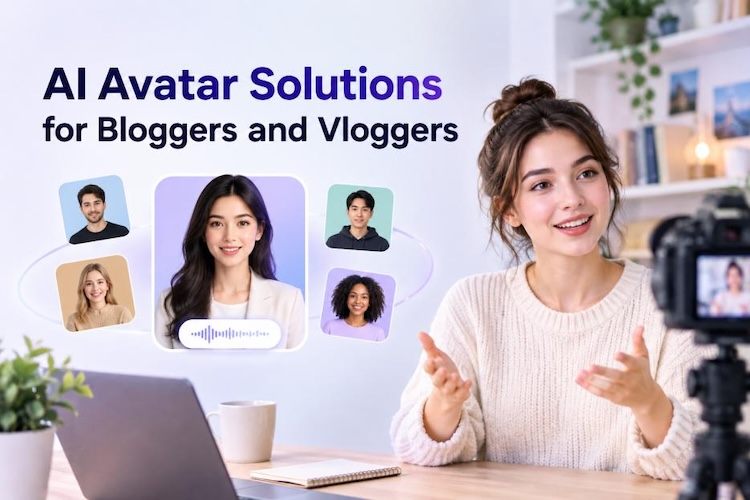
Making video content takes time. You need a camera, good lighting, and hours of editing. Not every blogger has the time or budget for that. AI avatar tools offer a simpler way to create videos without filming yourself.
Here we compare five affordable AI avatar solutions for bloggers and vloggers, so you can pick the best fit for your content. We'll also point you to one simple editor that handles the avatar and the editing in one place, so you're not bouncing between five apps just to finish a video.

Why Bloggers and Vloggers Need AI Avatar Tools
Filming yourself every day can get tiring fast. Setting up lights, redoing takes because something looks off, and spending hours editing afterward can make one video feel like a big task.
AI avatars remove much of that hassle, giving creators a simpler way to produce regular content. Here's what you get:
- No filming or editing required: Skip the camera setup and editing software. Just type a script and get a video.
- Support faceless content: Some people just don't want to be on camera. Stay private while building an audience. Avatars solve this problem.
- Explore different creative styles: Switch between realistic, cartoon, or stylized avatars depending on your niche.
- Burnout prevention: Filming daily content is exhausting. Avatars let you produce more without wearing yourself out.
Top 5 Affordable AI Avatar Tools for Bloggers and Vloggers
You don't need a camera crew for every video. We compare five affordable AI avatar tools for bloggers and vloggers who want to create eye-catching content.
1. HitPaw Edimakor
If you don't want to switch between an avatar app and a separate editor, HitPaw Edimakor lets you handle both in one place. You can create the avatar and edit the final video without moving between different tools.
Best for creators who want creative avatar generation and editing control in one place. HitPaw Edimakor combines a creative AI avatar generator with a video editor, making it the best AI avatar tools for content creators.
Features:
- Customize AI Avatars: Adjust the appearance, the outfit, and how it expresses itself until it feels like you, not a generic stock character.
- Creative Visual Styles: Choose from realistic humans, cartoons, or animal avatars for playful content.
- Personal Brand Consistency: Save your avatar setup as a template, so every video looks the same.
- Script to Video Generation: Got a blog post already written? Paste it in, and it turns into a video script for you.
- Built-In Editing Tools: Trim, caption, fix the audio- no need to export somewhere else to finish it up.


2. D-ID
D-ID is known for turning a single photo into a talking avatar. It's a solid pick if you want the cheapest entry point among AI avatar software with fast video export.
Strengths:
- Very low starting price compared to other tools
- Creates talking avatars from just one image
- Supports real-time conversational agents
- Good for quick, simple talking-photo videos
Limitations:
- Cheaper plans add a watermark to your videos
- Commercial usage rights require a pricier tier
- Editing after generation is limited
3. HeyGen
HeyGen is a popular name when people search for the best AI avatar generator. It focuses on realistic talking-head videos and voice dubbing.
Strengths:
- Natural-looking avatars with smooth lip sync
- Easy to learn, even for beginners
- Strong translation and dubbing features
- Wide library of stock avatars
Limitations:
- Paid plans cost more than budget tools like D-ID
- Credits expire monthly with no rollover.
- Changing an avatar's voice often means recreating the whole video.
4. Colossyan
Colossyan is built more for training and educational videos, but vloggers making tutorials or explainer content can use it too.
Strengths:
- Large avatar library with different roles and outfits.
- Supports interactive elements like quizzes.
- Multiple voice clone options.
- Clean interface that's easy to navigate
Limitations:
- Lower video-minute caps on entry plans.
- Pricing rises quickly if you need more minutes.
- Less suited for casual social content.
5. Elai.io
Elai.io stands out for its large avatar library and selfie-style avatar creation, useful for creators who want a more personal touch.
Strengths:
- Over 80 avatars to choose from.
- Voice cloning from just a few minutes of audio.
- Translation support in 75+ languages.
- 4K video output on higher plans.
Limitations:
- Higher cost per video minute than some competitors.
- Entry-level plan offers limited minutes.
- Better suited to training content than casual vlogging.
How to Choose AI Avatar Tools Based on Your Content
Different content needs different features. Use this table as a quick guide.
| Content Need | Features to Prioritize | Suitable Tool Type |
|---|---|---|
| Faceless daily vlogs | Fast export, simple editing | All-in-one tools with editing built in |
| Talking-photo shorts | Single-image avatar creation | Budget-friendly, photo-to-video tools |
| Brand-consistent content | Templates, saved avatar profiles | Tools with template saving |
| Educational or tutorial videos | Interactive elements, avatar variety | Training-focused platforms |
| Multilingual content | Translation, dubbing support | Tools with strong language support |
How to Create Unique AI Avatar Videos with HitPaw Edimakor
Here's a simple guide to get you started using one of the best AI avatar tools for influencer content.
Step 1: Launch the tool and select the AI avatar generator video option.
Step 2: Select a person, cartoon character, or animal, depending on your content style. Pick an option that matches your niche, audience, and overall video theme.
Step 3: Create your avatar's image. Then bind the sound to your avatar to match your script. Adjust the appearance and voice to make the video feel more personal.
Step 4: Click Generate and export your finished avatar video. Now, you have a ready-to-post avatar video that you can further edit, caption, and share on your preferred platform.
FAQs
A1: D-ID has the lowest starting price, while HitPaw Edimakor may offer better overall value for bloggers who also need built-in video editing tools.
A2: Yes. AI avatars are useful for faceless content, allowing vloggers to create engaging videos without appearing on camera while still using animated presenters, voices, and visuals.
A3: Yes, provided the chosen plan includes commercial usage rights. Check the licensing terms before publishing sponsored content, especially when using free or budget-friendly plans.
A4: Either option works. Your own voice can make content feel more personal, while AI voices save recording time and make multilingual content easier to produce.
A5: It depends on your needs. Talking photos are quick and simple, while AI avatars usually provide more customization, movement, presentation options, and creative control.
Conclusion
The best AI avatar generators make video content easier for bloggers and vloggers. They save time, protect your privacy, and open up new creative styles. Among the five tools compared, HitPaw Edimakor stands out for combining avatar creation with full editing control in one place. If you're ready to make your first AI avatar video, try Edimakor AI Avatar Generator today and see how simple it can be.
Leave a Comment
Create your review for HitPaw articles