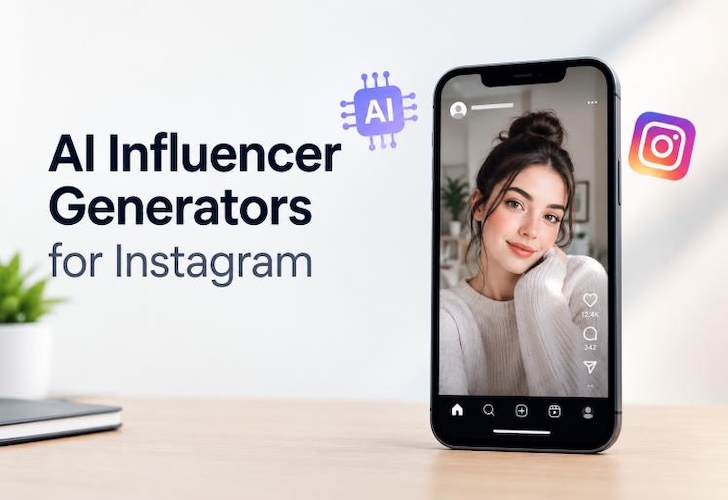
Instagram is now home to virtual models who post, pose and talk on the app, and some of them have big followings. There are many that have an AI content creator do the work and never hire a photographer. A free ai influencer generator for instagram can create a face, a voice and even a complete feed based on a text prompt. Here are 5 tools to try out and the benefits of each free plan.
How to Choose an AI Instagram Influencer Generator?
Almost any tool can create one good photograph. Less can maintain the believability of a character over 30 posts. Look for these four things.
1 Check Avatar Consistency
All posts from the same AI influencers must have the same face, skin tone and hairstyle. There will be a noticeable difference in how a character looks from week to week for followers. Choose a tool that saves your persona or that takes a reference image.
2 Assess Content Versatility
A feed requires more than headshots! Search for images, video clips, and looks or poses, so your AI instagram model doesn't do the same thing.
3 Evaluate Voice & Lip-Sync
Talking characters on reels are more popular than still posts. Try to see if the tool provides a voice and synchronizes mouth movement with words. The worst way to make a virtual persona look fake is to have bad lip-sync.
4 Ensure Instagram Compatibility
There are many AI Instagram influencers who fail to reach people due to incorrect formats. Look for 9:16 Reels and Stories, 4:5 feed posts, and no watermark on exports all over the face.
5 Best AI Instagram Influencer Generators in 2026
1. HitPaw Edimakor

The only integrated tool here that does it all is Edimakor Influencer Generator , which allows you to create persona, equip it with the sound and make it a video. It is designed to meet the needs of creators who do not wish to produce just a single image.
Key features:
- AI Influencer Generator: Build a persona from a text description or reference photo, and pick the look, outfit, age, style and mood. It can also serve as an ai model girl maker.
- AI Video Generator: Create short, smooth videos sized for Reels and Stories, which can be posted each week by one character.
- AI Lip Sync: Match mouth movement to a script or recording, and make the character appear to be speaking. The voice is set once and will play the same voice for all videos.
- Multi Language Support: Get your persona to speak multiple languages from a single setup which will help you communicate with users in various countries. No need to hire voice actors.
- Instagram Compatibility: Export vertical & square ratios, edit captions, cuts and music in the same editor before posting. No app-to-app file transfer.
 Edimakor's uniqueness:
- One workflow: Persona, voice, video, and editing are all in one app and no less than one of the other four tools covers a single piece.
- No VIP subscription requirement: You can test an image design without having to pay for the VIP subscription.
- Easy to use: Say the character, choose a style, click generate. No design skills required.


Here’s how to create an AI influencer with Edimakor:
Step 1: Open AI Influencer Maker
Open the AI Influencer Maker from the main menu by launching the app called Edimakor. The setup screen for personas is immediately displayed.
Step 2: Generate Your AI Persona
Character to describe or upload a reference photo. Select the style (realistic, fashion or casual) and the voice. Click generate, then look at the results, and regenerate until the face matches your brand. Without this step, the AI Instagram Model Generator is of no use to you, and you need to have input control. The voice is set also, so the look and the sound go hand-in-hand here.
Step 3: Animate & Further Edit
Add your script, lip sync, and then make your persona into a video with Heygen or Omnihuman models. After that, cut, caption and add music and export to Instagram. Since editing is done in the same app, there will be no export/import of files.
Pricing Plans: There is no need to subscribe to VIP. You can create image designs with a free trial. Some AI tools are paid with AI Credits.
2. Leonardo AI
Leonardo AI is an image generator that is known for its detailed and stylized images. It's perfect for artists who want to control the appearance of a character.
Key features:
- Character reference tools preserve a face's similarity in pictures.
- Several image models are available to choose from and you can tweak lighting and style.
- Convert stills to short motion clips.
- It's just for images, voice and lip-sync require other software.
Pricing Plans: The free plan gives 150 fast tokens per day, and unused tokens aren't carried over. The free accounts have basic quality presets only and each image created by you will be viewable to the community.
3. Canva
Canva is an AI-powered design tool. It's best suited for those who already have a character and are looking for completed posts.
Key features:
- Thousands of templates, text overlays, carousel formats and a content planner for schedule.
- The background or props are handled well by the AI image tool.
- Face consistency: Not as strong as dedicated tools.
Pricing Plans: The free tier is permanent, offering 5GB storage and templates. The advanced AI has a pool of 20 uses per month, and the free plan does not have an export with transparent background or a background remover.
4. HeyGen
HeyGen is one of the notable platforms for creating AI videos. You provide the script and it creates a video to present as a presenter.
Key features:
- Realistic avatars, good lip-sync, voice cloning and video translation.
- It works best for explainer video-style Reels but doesn't work well with lifestyle/fashion type content because the avatars are predominantly in a talking-heads format.
Pricing Plans: Free plan offer 3 video credits/month and videos are limited to 1 minute. Exports have a prominent watermark and rendering takes place in the slower standard queue.
5. Picsart
If you're primarily a mobile editor, Picsart has AI-powered image and avatar tools that will come in handy.
Key features:
- Automated Image Generation, Background Removal, Style Filters and Basic Video Editing.
- Make output of stories and feed posts, but it's not easy to ensure consistency for a character in many posts.
Pricing Plans: Free means editing and using basic filters and public templates. Picsart does not specify a set or guaranteed number of AI credits; the number of credits you have is dynamic, designed to compel you to upgrade to a paid account.
Quick Comparison of the 5 AI Influencer Generators
The top Instagram AI influencers generation tools address different aspects of the issue. Edimakor works on persona, voice and video. The rest do one piece well so you would normally need two or three people to complete one Reel.
| Tool | Best For | Main Output | Key Strength | Free-Plan Points |
|---|---|---|---|---|
| HitPaw Edimakor | The complete process of AI-driven influencers. | A set of images and speaking videos. | One place to perform lip sync, edit and sync to your persona! | Use image designs free without a need to becoming a VIP. |
| Leonardo AI | Detailed character art | Images, short motion clips. | Style control | 150 fast tokens per day; default settings; public pictures. |
| Canva | All posts and carousels are completed. | Designs and templates | Instagram layouts, scheduling | 5GB of storage; 20 AI uses per month. |
| HeyGen | Talking-head videos | Avatar videos | Lip-sync, translation | 3 credits per month, 1 minute is allowed, with watermark. |
| Picsart | Quick mobile edits | Images and simple video. | Easy phone editing | Basic Editing; variable AI trial balance |
FAQs
A1: Yes. Edimakor gives you a chance to use its image designs without having to be a VIP. The other four tools also offer free versions but with restricted credits, video length or video exports.
A2: Yes. All tools in here are browser or app based. Type in a description, select a style and generate. No technical skills are required when using an ai influencer instagram workflow.
A3: They can. Like human creators, virtual creators make money from brand deals and affiliate links, and the promotion of products. Profit will rely on the dimensions of the audience, how frequently you post and how stable you're.
A4: Develop your character, write a bit of dialogue, record your voice and sync it to the script. Doing all of this is possible in Edimakor – then trim and add the caption before posting.
Conclusion
A model who has an AI face can only create a stream of content if she remains consistent in her face and is posting it regularly. That is what each of the following AI tools does: Leonardo AI, Canva, HeyGen and Picsart. Edimakor's AI Influencer Generator works on the persona, voice and the video, and you can begin your use of it for free. You can now try HitPaw Edimakor today and you can create the first AI influencer.
Leave a Comment
Create your review for HitPaw articles