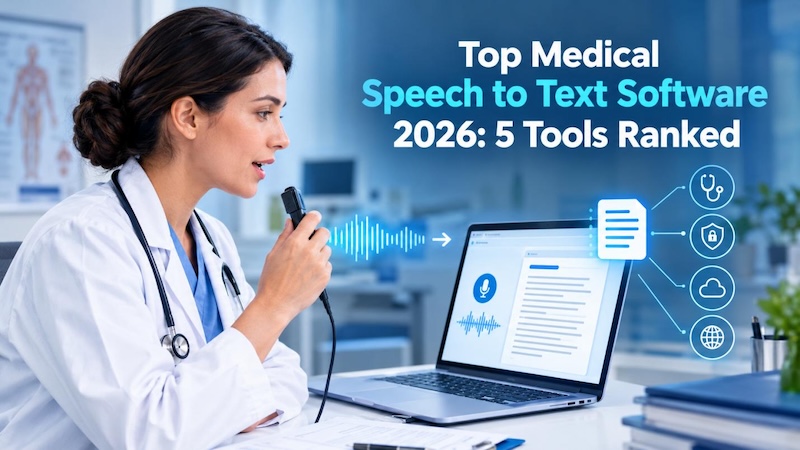
Producing a professional medical video once required cameras, presenters, voice artists, and hours of editing. Today, an AI medical video maker can turn a reviewed script into a polished video much faster.
In this guide, we will show you how to create professional medical videos without complex editing. You will explore leading AI healthcare video generators and learn how to make a medical video with AI easily.
Why Use an AI Medical Video Maker?
An AI video generator for healthcare combines scripts, avatars, narration, illustrations, captions, and background media without requiring a full production team.
- Save time on repetitive video production: Update a script, change a voice, or produce another version without arranging a new recording session.
- Make content clear and understandable: Visual examples, short scenes, narration, and subtitles can simplify complex health topics for non-specialist audiences.
- Reach more patients across platforms: Create different formats and language versions for websites, waiting-room displays, YouTube, and social media.
AI output still needs professional review. Research into biomedical video generation shows that current systems can struggle with precise anatomy and medically accurate details. Therefore, a qualified healthcare professional should verify every claim and visual before publication.
Top 5 AI Medical Video Generators for Healthcare Professionals
1 HitPaw Edimakor
HitPaw Edimakor is an all-in-one medical video creator that combines script generation, text-to-video, AI avatars, voiceovers, subtitles, image generation, and timeline editing in one desktop application.
Key Features
- Realistic AI Avatar: Create presenter-led videos from text, audio, or a selected avatar image.
- AI Image and Video Generator: Produce supporting medical illustrations, animations, and topic-based B-roll.
- Built-in Editing Tools: Trim scenes, replace media, add text, adjust audio, and control transitions.
- Auto-Subtitle: Generate synchronized captions and translate them into more than 130 supported languages.


Typical use cases: Patient education, public-health explainers, healthcare marketing, medical social content, staff orientation, and basic training videos.
2 Synthesia
Synthesia is a popular AI video platform focused on creating presenter-style videos from text. It uses AI avatars and multilingual voice technology to convert scripts into professional videos. Healthcare organizations often use it for training, onboarding, patient education, and internal communication.
Pros
- Large library of AI presenters.
- Supports many languages and voices.
- Converts scripts into professional videos.
- Useful templates for training content.
Cons
- Advanced features require higher plans.
- Avatar videos may feel less personal.
Typical Use Cases
Staff training, compliance videos, patient information, and internal communication.
3 HeyGen
HeyGen is an AI video creation platform that helps users create realistic avatar videos from text, images, or audio. It focuses on natural AI presenters, voice generation, and multilingual communication, making it useful for healthcare marketing, patient education, and informational videos.
Pros
- Realistic AI avatars and voices.
- Supports multilingual video creation.
- Easy script-to-video workflow.
- Good for marketing and education content.
Cons
- Free usage has limitations.
- AI visuals may need quality review.
Typical Use Cases
Patient instructions, healthcare promotions, doctor videos, and awareness campaigns.
4 VIDEOAI.ME
VIDEOAI.ME is an AI video generator focused on creating avatar-based videos quickly. It allows users to choose AI presenters, add scripts, and generate videos in multiple languages. It works well for healthcare creators who need short educational videos, social media content, and simple presenter-led explanations.
Pros
- Large selection of AI avatars.
- Creates videos in multiple languages.
- Supports custom avatar creation.
- Fast short-form video generation.
Cons
- Better for presenter videos than detailed medical visuals.
- Complex medical content needs extra review.
Typical Use Cases
Health tips, social media videos, wellness content, and short medical explainers.
5 Leadde
Leadde is an AI video creation platform that converts documents, presentations, and text content into videos with AI presenters and narration. It is designed for organizations that need scalable training and educational content, making it useful for healthcare teams creating internal learning materials and patient guides.
Pros
- Converts documents into videos.
- Supports AI presenters and narration.
- Offers multilingual content creation.
- Useful for training videos.
Cons
- Less focused on advanced video editing.
- Generated content may need customization.
Typical Use Cases
Medical training, presentations, patient guides, and healthcare learning content.
How to Create a Medical Explainer Video with HitPaw Edimakor
HitPaw Edimakor works as a good AI medical explainer video maker. It can help you move from an initial idea to a complete video without switching between several applications.
Step 1: Download and Open Edimakor
Download and launch HitPaw Edimakor. Open the workspace and access AI tools like AI Copywriting, Script to Video, AI Avatar, and editing features to start creating your healthcare video.
Step 2: Create a Medical Video Script with AI Copywriting
Open AI Copywriting and enter your topic, audience, and preferred video length. Generate a simple medical script, then review and adjust the content to ensure accuracy and easy understanding.

Step 3: Convert Script into Video
Go to AI Video Generator > Script to Video. Paste your approved script, select your video style, and let Edimakor automatically create scenes, visuals, and a complete video draft.
Step 4: Add AI Voiceover and Subtitles
Choose an AI voice that matches your audience and add narration to your video. Use the auto-subtitle feature to generate accurate captions and improve accessibility for viewers.
Step 5: Enhance Video with AI Editing Tools
Use the Advanced Edit workspace to improve your video. Add medical visuals, adjust transitions, edit audio, insert branding elements, and use AI image or video tools to create supporting content.
Step 6: Create AI Thumbnail and Export
Generate an attractive thumbnail that clearly represents your medical topic. Review the final video, check captions and visuals, then export it in the required format for websites, YouTube, or social media.
FAQs
A1: Yes. AI tools can convert clinician-approved instructions into narrated videos with visuals and captions. However, a healthcare professional should verify every claim before patients view the content.
A2: Yes. Platforms such as Edimakor can generate synchronized subtitles, customize their appearance, and translate them into other languages. Always proofread medical terms and medication names.
A3: Yes, especially for training, onboarding, health awareness, and general education. Organizations should still follow their privacy, security, clinical review, accessibility, and branding requirements.
A4: Edimakor is a strong healthcare video maker for marketing because it combines scripting, avatars, visuals, subtitles, voiceovers, and detailed editing in one workspace.
Conclusion
The best AI medical video maker depends on your workflow. HitPaw Edimakor offers a broader mix of AI generation and hands-on editing. It helps healthcare professionals create scripts, visuals, narration, captions, and finished videos within one application. Try Edimakor with a medical topic and build your first clear, professional healthcare video in minutes.
Leave a Comment
Create your review for HitPaw articles