Creating video lessons for remote learning can take hours when teachers need to record themselves, edit footage, and repeat the process for every update. AI avatar services offer a faster alternative by turning scripts into presenter-led videos without requiring a camera setup. Educators can create lessons with AI avatars, voiceovers, lip-sync, subtitles, and multilingual support. In this guide, we compare five AI avatar services and explain their key features, strengths, limitations, and best use cases for e-learning, online courses, and training.
Part 1: What Are AI Avatar Services and Why Use Them for E-Learning?
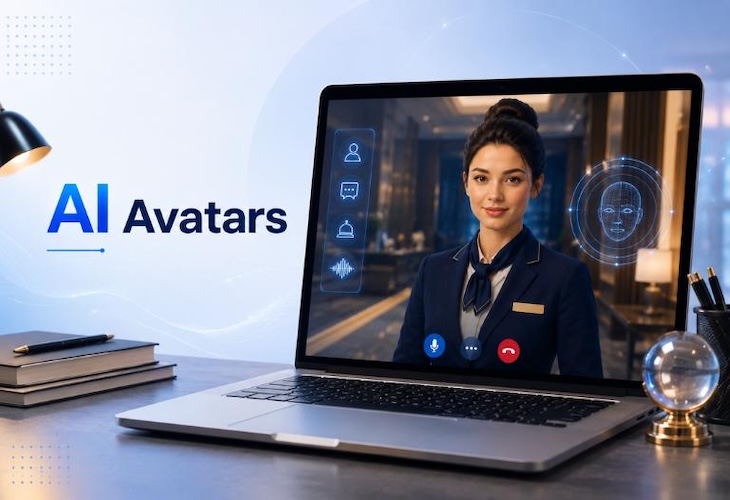
AI avatar services turn written scripts into presenter-led videos using digital avatars, AI voices, and lip-sync. Instead of recording every lesson, educators can create videos for online classes, tutorials, employee training, course introductions, and student instructions.
These tools can also help educators:
- Create consistent lessons: Use the same avatar, voice, and presentation style across a course.
- Update content quickly: Edit the script and generate a new version without recording again.
- Add visual presenters: Place avatars alongside slides, screen recordings, images, and other learning materials.
- Support multiple languages: Create translated versions with AI voices and synchronized lip-sync.
- Produce more training content: Turn scripts and course materials into videos without repeating the recording process.
These benefits make AI avatars useful for schools, universities, tutors, course creators, and corporate training teams that need to produce learning videos regularly.
Part 2: 5 Best AI Avatar Services for Remote Learning
With the right AI avatar service, creating lessons remotely is easier and more engaging for students. These 5 tools provide various options in avatars, voices, editing, languages and e-learning for educators to choose the one that suits their teaching needs.
1 HitPaw Edimakor AI Avatar — Editor’s Choice
HitPaw Edimakor AI Avatar is a strong choice for educators who want to create lessons with digital presenters without recording themselves. It combines AI avatar features with video editing tools, so teachers can create and edit educational videos in the same workflow. Edimakor supports AI avatars, text-to-speech, voice cloning, custom avatars, and AI lip-sync. Its official materials also show support for educational videos and multilingual voice creation. The video editing side makes Edimakor especially useful for educators who need more than a talking avatar. You can add text, images, subtitles, audio, screen content, and other video elements while preparing the final lesson.


 Pros
Pros
- AI avatars with lip-sync and presenter-style delivery
- Text-to-speech and voice cloning options
- Multiple AI voice choices
- Supports multilingual voice creation
- Includes video editing features
- Useful for educational and training videos
 Cons
Cons
- Some AI features require credits or a paid plan
- New users may need time to explore the editing tools
- Advanced editing options may feel unnecessary for very short lessons
Best for: Teachers, tutors, course creators, and trainers who want an AI avatar plus video editing tools in one workflow.
Steps to Use HitPaw Edimakor AI Avatar
Step 1: Open HitPaw Edimakor and select the AI Avatar tool to start creating your presenter-style video.

Step 2: Choose your preferred method for adding a voice to your AI avatar video.
Step 3: Select an available voice, or use the Voice Clone feature to create a personalized AI voice for your video.
Step 4: Choose an AI avatar that matches your content, or customize the avatar according to your video requirements.
Step 5: Generate your AI avatar video and let Edimakor synchronize the avatar’s lip movements with the selected voice.
2 Colossyan — Best for Interactive E-Learning
Colossyan stands out for educators and training teams that need interactive learning content rather than simple talking-avatar videos. The service supports AI avatars, quizzes, branching scenarios, interactive videos, multilingual content, and SCORM exports. SCORM allows organizations to deliver and track learning content through compatible learning management systems. Colossyan also supports more than 300 AI avatars and can create content from documents, presentations, and scripts. These features make it a strong option for universities, corporate training teams, and organizations that want learners to interact with lessons.
Pros
- Strong focus on e-learning and training
- Supports quizzes and branching scenarios
- Offers SCORM exports for LMS use
- Supports 100+ languages
- Provides many AI avatars and voices
- Supports course creation and collaboration
Cons
- Advanced learning features can require a paid plan
- More complex than a basic avatar video tool
- Some features may be unnecessary for simple lessons
Best for: Schools, universities, businesses, and training teams that need interactive courses and LMS support.
3 DeepBrain AI — Best for Realistic AI Presenters
DeepBrain AI is a good option for educators who care about realistic digital presenters. Its AI Studios service can create videos from written scripts and allows users to choose from AI-generated and other avatar options. DeepBrain AI currently lists more than 2,000 AI-generated avatars and more than 125 pre-made avatars. It also supports multilingual video creation and AI voice features. The service also offers custom avatars. Educators can create a digital version of themselves and use it for future lessons without recording each new video.
Pros
- Realistic AI presenters
- Large avatar selection
- Multilingual voice support
- Custom avatar options
- Useful for training and educational presentations
- Supports voice cloning
Cons
- Some advanced features require higher plans
- New users may need time to learn the available tools
- It focuses more on video creation than interactive course features
Best for: Educators and organizations that want realistic presenters for professional-looking lessons.
4 Hour One — Best for Presenter-Style Lessons
Hour One focuses on AI presenters and video creation for professional communication and training. Its presenter-based approach can work well for instructors and organizations that want a consistent person-like presentation style across many lessons. Educators can use this type of workflow for course modules, training videos, announcements, onboarding content, and internal learning materials. Templates can also help teams maintain a consistent look across a series of educational videos. This can make repeated content production easier for organizations that follow the same course structure.
Pros
- Professional AI presenter videos
- Useful templates for repeated content
- Good fit for training and educational presentations
- Helps maintain a consistent visual style
- Suitable for organizations creating multiple lessons
Cons
- Less focused on interactive learning than Colossyan
- Some features require paid access
- Template-based workflows may limit highly customized lessons
Best for: Training teams and educators who prefer presenter-style lessons with a consistent format.
5 D-ID — Best for Talking-Avatar Learning Content
D-ID provides a simple way to create talking-avatar videos from images, text, or audio. Its technology can turn a photo into a speaking digital presenter, which makes it useful for short educational explanations and presentations. D-ID also supports multilingual content and can create talking avatars without requiring advanced video production skills. Its PowerPoint add-in can add virtual presenters to presentations, which may help educators who already build lessons in PowerPoint.
Pros
- Can turn images into talking presenters
- Useful for short educational videos
- Supports text and audio input
- Supports many languages
- Easy option for individual educators
Cons
- Less focused on complete e-learning courses
- Free usage has limitations
- Fewer course-building features than dedicated e-learning tools
Best for: Solo educators, tutors, and small teams that need short talking-avatar videos.
Part 3: Comparison Table: Best AI Avatar Services for Remote Learning
| Tool | Best For | Avatars & Voices | Key Features | E-Learning |
|---|---|---|---|---|
| HitPaw Edimakor | Overall | AI avatars, TTS, voice cloning | Lip-sync, video editing | ★★★★★ |
| Colossyan | Interactive Learning | 300+ avatars, 100+ languages | Quizzes, branching, SCORM | ★★★★★ |
| DeepBrain AI | Realistic Presenters | 2,000+ AI avatars | Voice cloning, custom avatars | ★★★★☆ |
| Hour One | Training Videos | AI presenters, multilingual | Templates, consistent videos | ★★★★☆ |
| D-ID | Talking Avatars | Talking avatars, multilingual | Image-to-avatar, PowerPoint | ★★★★☆ |
Part 4: How to Choose the Best AI Avatar Service for E-Learning
Choosing the right service depends on the type of lessons you create and the features your learners need.
Check Avatar Quality
Look for natural facial movement, clear speech, and accurate lip-sync. A realistic presenter can make educational videos feel more natural.
Check Language Support
If you teach international students, review the available languages, voices, accents, and translation features. DeepBrain AI, for example, supports more than 110 languages for video creation and voice features.
Look for Accessibility Features
Check whether the tool supports subtitles, captions, readable text, and suitable voice controls. These features can help learners follow lessons more easily.
Compare Editing Tools
Some educators only need an avatar and voice. Others need a complete editor for slides, images, screen recordings, subtitles, and background music. Choose a tool that matches your normal workflow.
Check LMS Support
Schools and businesses may need to connect video lessons with a learning management system. Colossyan supports SCORM exports for compatible LMS platforms, which can make it a better option for structured training programs.
Review Licensing
Always check the service's current license terms before using AI-generated videos for paid courses, commercial training, or school-wide projects.
Part 5: FAQs about AI Avatar Service for Remote Learning
A1: HitPaw Edimakor AI Avatar is a strong overall choice for educators who want AI presenters, voice tools, lip-sync, and video editing in one workflow. Colossyan may suit organizations that need quizzes, branching scenarios, and SCORM support.
A2: Yes. AI avatar services let you choose a digital presenter and provide a script. The avatar then delivers the lesson without requiring you to appear on camera.
A3: Yes. Teachers can use them for lectures, tutorials, course introductions, student instructions, and educational announcements. Organizations should still review privacy, licensing, accessibility, and school policies before using them.
A4: Yes. Many modern AI avatar services support multilingual voices and translation. Colossyan supports more than 100 languages, while DeepBrain AI supports more than 110 languages in its current voice system.
A5: Some services offer free trials or limited free use, but the exact limits can change. Check the current plan before choosing a service for regular course production.
Conclusion
AI avatar services make it easier for educators to create engaging video lessons without recording themselves for every topic. They can support AI presenters, voiceovers, lip-sync, subtitles, multilingual content, and video editing. Colossyan is a strong choice for interactive e-learning, while DeepBrain AI suits realistic presenters. Hour One works well for presenter-style training, and D-ID is useful for simple talking-avatar videos. For an overall balance of AI avatars, voice tools, lip-sync, and editing, HitPaw Edimakor AI Avatar is our top choice for remote learning in 2026.
Leave a Comment
Create your review for HitPaw articles