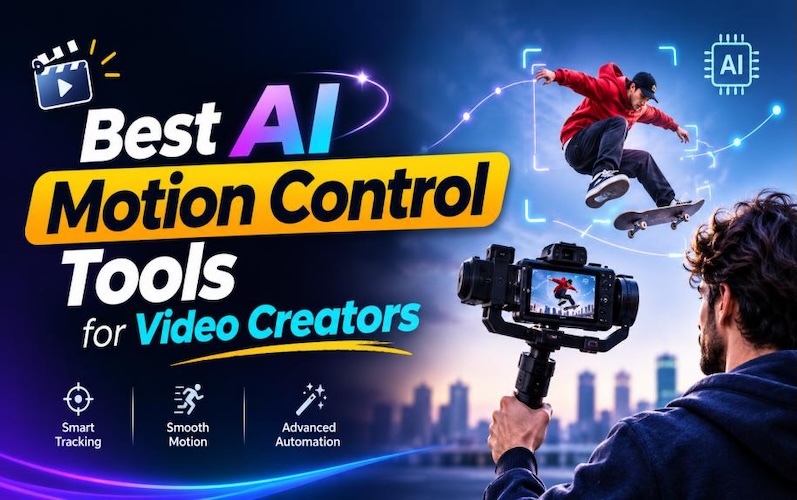
Ever type in "girl dancing" into the video generator and have a different video come up each time? This is where AI in motion control comes into play. You place a picture and a brief video of the action you wish to duplicate on the tool and your character replicates it. Here are 5 motion control AI FREE video generators to try in 2026, with their costs and drawbacks.
What is Motion Control in Video Generators?
AI motion control consists of duplicating motion in a video onto a still frame of your character. The tool monitors the poses, gestures and facial expressions and recreates them on your character. Some of the tools copy the camera moves as well.
The key to the big win is control. Prompt-only video is a lottery and money is spent on each spin. Thanks to the AI motion control video generator, fewer credits might be wasted on a single usable take. Have a solid motion reference video ready, and you can apply it to any number of characters.
5 Best Motion Control AI Tools To Try in 2026
Here are some of the top AI tools and software in the motion control industry to explore in 2026.
1. HitPaw Edimakor

HitPaw Edimakor is a Windows and Mac video editor. The Motion Control is included in the AI Swap tools. Add a character image, add a reference clip, and select a mode. That's about it. All this is done in one editor, so that you can edit the result by trimming and capping while you're still in the editor, without having to export to another application.
Key Features
- Simple Workflow: Open AI Swap, select Motion, upload two files, and click on Generate. No prompting to write and no settings to sift through.
- Accurate Following: The character follows the reference accurately. The dance steps are on the beat and so are the hand gestures and facial expressions.
- Multiple Subjects: Pro mode can have several reference materials, making it easier to handle scenes with multiple people.
- More Editing Options: No need to leave Edimakor to cut clips, add subtitles or music to them and export for social media.


Ideal for: Beginners and short-form creators that prefer to create and edit in a single location. The price of the service begins at $0.2 per second.
Kling
It's no surprise that Kling is coming from Kuaishou — the company behind a massive short-video app. It is an animation that maps the movement across the x-axis when fed one person's clip (up to 30 seconds) and a character image. Daily free credits allow you to create a motion control AI video without spending any money.
Pros:
- Body motion looks natural
- Supports up to 30 seconds of clips
- Comes with a library of ready-made motion clips
- Paid plans start around $7 a month
Cons:
- The reference has to be one unbroken shot of one person
- Credits get used even when a result is unusable
Ideal for: If you're looking for a smooth, realistic movement and don't really care about the price, then this is for you.
Higgsfield
Higgsfield packages a few video models into one account and favors short-form and ad material. There are 50-plus camera moves to apply, and it moves your character with a reference clip.
Pros:
- 50+ camera movements
- Multiple models on one plan
- With commercial use, it is possible to take advantage of paid plans.
- Good for dance and action shots
Cons:
- No free generation credits are available.
- Credits are not carried over and reset each month
There have been a couple of changes in pricing this year.
Ideal for: Marketers seeking moves and models in a single package.
Runway
Runway dubs its version Act-Two. Record a performance and post an image or video of a character, and the system responds with a duplicate of the character, with both facial expressions and hand gestures.
Pros:
- Strong facial performance
- Uses stylized characters and non-human characters
- Companion to Runway's other video tools
- $12 monthly paid on a yearly basis.
Cons:
- The free plan doesn't provide this feature.
- Works best for upper-body rather than full-body choreography.
Ideal for: Filmmakers and animators who are interested in acting detail.
Luma
Luma works differently. Ray3 Modify allows you to upload real footage, and Luma retains the performance and replaces the character, setting or style. Clips can be up to 20 seconds long at a resolution of 1080p.
Pros:
- Does not make props, poses, gestures and timing from your shots
- Character reference will help maintain identity consistency
- Camera motion transfer
- Free tier available with daily credit limits
Cons:
- Created for editing existing footage, thus avoiding the image-plus-clip method used by the others.
- Prices for paid plans begin at $30 a month.
Ideal for: Groups who already shoot footage and desire to re-style it.
What Can You Create Using AI Motion Control?
1 Social Media Entertainment Videos
This is where everyone begins. Just clip a friend doing the latest TikTok dance, pair it with a picture of a cartoon fox or your brand mascot, and the character does the dance! Avoid self-recording and skip the studio. Create AI dance videos and more short-form content for TikTok, Reels or Shorts.
2 AI Fitness and Workout Videos
Record a good demo squat on your cell phone and attach it to an illustrated coach and you have your own no-reshoot coach! One of the owners of a gym might have the same teacher for an entire 30-day period.
3 Character Animation and Storytelling
Create character movements using pencil and paper, and tell a story with animation. Should you draw characters, you can now be able to replay their scenes! Wink, gesture, and/or smile at the camera. You pick up his timing and his expressions and dialogue scenes aren't so stiff.
4 Product and Brand Promotion
Bring brand mascots and virtual influencers to life by transferring real human gestures onto your characters. Maintain a consistent visual identity across multi-platform campaigns. You can launch engaging product promos faster.
FAQs
A1: It is an AI video generation method that extracts character movements and poses from a reference video, then applies that exact motion to animate any character image or avatar.
A2: Most free AI motion control video generator tiers restrict you to limited daily or monthly credits, lower resolution, shorter clip durations, and watermarks. Some platforms even lock motion transfer behind paid plans, making free versions better suited for quick tests than client deliverables.
A3: The two terms are interchangeably used. Typically when someone talks about motion transfer, they are referring to the transfer of motion from one subject to another. Motion control is more involved, as facial expressions, camera work, and modes are all involved. There are a lot of tools which have both these names for the same button.
A4: Kling is good. A highly professional yet beginner-friendly and the best free motion control ai video generator option is HitPaw Edimakor. There are two modes and easy steps; the result can be edited within the app.
Conclusion
Motion control places you at the helm when it comes to the movements of characters. Kling suit for tight budgets, Higgsfield suit to add with heavy camera moves, Runway suit for acting detail and Luma suit for restyling real footage. For those who are new to this, HitPaw Edimakor is the ideal motion control AI video generator to begin with! Steps are short and editing is built-in. Pick one dance clip and one image and have a try!
Leave a Comment
Create your review for HitPaw articles