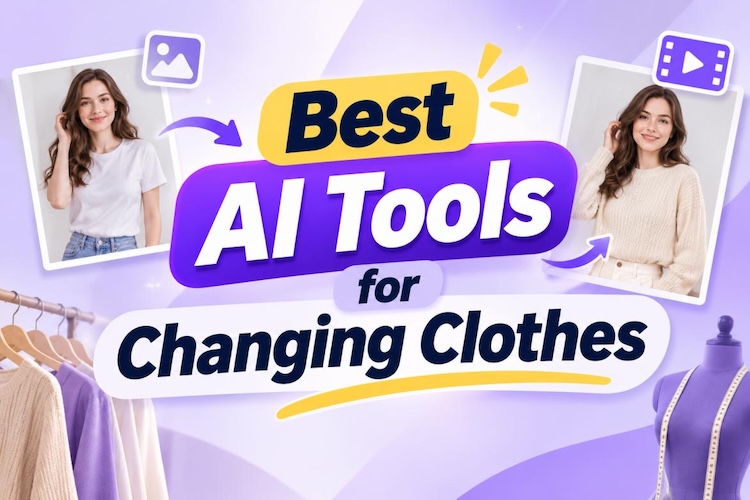
Changing outfits in photos and videos once required detailed manual editing. AI tools now make this process much faster. You can try new styles, create fashion visuals, or update existing video footage. However, not every tool supports both formats. This guide compares six AI clothing changers to help you choose the right one.
What Is an AI Clothes Changer?
An AI clothes changer uses artificial intelligence to replace clothing while preserving other parts of an image or video. Depending on the tool, you can describe a new outfit, upload a clothing reference, or select a preset style.
1 AI Clothes Changer for Images
Image-based tools replace outfits in portraits and product photos. They are useful for virtual try-ons, fashion concepts, social media posts, and e-commerce visuals. Most work with a person's photo and a clothing reference or text prompt. The AI then adjusts the garment to match the subject's pose and lighting.
2 AI Clothes Changer for Videos
Video-based tools modify clothing across moving frames. They must account for body movement, changing angles, lighting, and fabric behavior. This makes video editing more demanding than changing one still image. These tools are useful for fashion promotions, creator content, and advertising variations.
Top 6 AI Clothes Changers to Swap Outfits You Must Try
The following tools offer different approaches to outfit replacement. Some focus on virtual try-ons, while others can modify existing video footage. The comparison includes all six tools from the supplied list.
1. HitPaw Edimakor


HitPaw Edimakor combines image-based virtual try-ons with video clothing swaps . It can change a subject's outfit while aiming to preserve their recognizable appearance.
Supported Formats: Images and videos
Main Strength: Separate workflows for photo and video outfit changes
Best For: Creators, marketers, and fashion content production
Here's how to change clothes in videos with Edimakor:
Step 1: Open Edimakor and navigate to AI Swap. Here you can open Edimakor AI Clothes Changer .
Step 2: Select Clothes Swap, then upload the original video. If the source footage contains multiple people, please enable character detection and choose the character first.
Step 3: Upload the clothing reference image. Click Generate to create the outfit-swapped video. Review the result for clothing details, movement, and identity consistency.
For still images, open AI Image and select Outfit Transfer. Upload the photo you want to edit, and import the reference clothing image. Then click Generate.
Alternatively, you can try Virtual Try-On under AI Ads for better control.
These workflows make Edimakor a flexible AI outfit changer. You can create still fashion visuals or work with existing video footage without relying on separate tools.
2. Kling AI
Kling AI offers virtual try-on technology for placing clothing onto model images. Its Virtual Try-On 3.0 supports different clothing reference types, including flat-lay, mannequin, and on-model images. You can upload a model image and clothing reference to generate a new look.
Kling also provides video creation and editing capabilities, but its virtual try-on feature should not be confused with a dedicated video clothes changer. It is a strong option when your main goal is realistic outfit visualization.
Supported Formats: Images for virtual try-on
Main Strength: Clothing references and model consistency controls
Best For: Fashion previews and virtual fitting concepts
3. Fotor
Fotor provides an accessible online clothes changer AI for editing photos. You can upload an outfit reference, describe the desired clothing, or choose a preset style. Upload a portrait, select or describe the new outfit, and generate the result. Fotor aims to preserve facial features, hairstyle, and body shape while adapting fabric details.
It is useful for trying casual wear, formal clothing, and different fashion styles. However, it does not offer the same dedicated video clothing workflow as Edimakor or Pika.
Supported Formats: Images
Main Strength: Multiple outfit replacement methods
Best For: Beginners and quick photo edits
4. Krea
Krea offers an AI clothes changer for virtual try-ons and broader image editing. Its creative tools also include video workflows for changing visual elements in existing footage. For photos, use the AI Clothes Changer to upload a selfie and explore different outfits. Krea also offers video-oriented tools and templates, including outfit replacement concepts.
However, these workflows are not identical to a dedicated clothing-only swap. Check the selected model and editing controls before starting a project.
Supported Formats: Images and video editing workflows
Main Strength: Flexible AI editing and creative control
Best For: Designers and creators experimenting with fashion visuals
5. Pika
Pika's Swap Anything feature can replace outfits, characters, locations, and props in existing video clips. You can guide the change with reference images and written instructions. Upload a video, specify the outfit you want to replace, and provide a clothing reference when needed. Generate the result and compare it with the original footage.
Pika aims to retain the clip's timing, motion, and narrative while changing selected visual elements. It is useful for creators who want to modify existing footage instead of filming again.
Supported Formats: Videos and images
Main Strength: Changing wardrobe while retaining the original performance
Best For: Short fashion clips and creative video variations
6. bitStudio
bitStudio provides a dedicated online AI clothing swap tool. It lets you upload a person's image and a separate outfit reference. Upload the person's photo and the desired outfit image. Add optional instructions to guide the transformation, select a quality setting, and generate the result.
bitStudio also advertises free generation without requiring an initial login. It is a straightforward choice for testing clothing combinations in still photos.
Supported Formats: Images
Main Strength: Direct clothing-reference uploads and custom instructions
Best For: Quick outfit experiments and fashion product visuals
Quick Verdict: Which AI Clothes Changer Should You Choose?
Your ideal tool depends on the type of content you create. Consider the format, editing flexibility, and level of control you need.
| If you are... | Recommended Tool | Why |
|---|---|---|
| Editing photos and videos | Edimakor AI Clothes Changer | Separate workflows for both formats |
| Creating virtual fashion previews | Kling AI | Dedicated virtual try-on technology |
| A beginner editing portraits | Fotor | Simple prompts, presets, and references |
| Exploring creative image edits | Krea | Flexible image and video workflows |
| Changing outfits in existing clips | Pika | Video wardrobe replacement with references |
| Testing outfit combinations | bitStudio | Direct person and outfit uploads |
For an all-around solution, Edimakor is a strong starting point. Its image and video workflows cover two common outfit-editing needs. You can create virtual try-on images for product promotion and change clothing in existing video footage.
If you only need a still image, Fotor, Kling, or bitStudio may be sufficient. For video-based wardrobe changes, compare Edimakor and Pika first. Always test a short sample before processing a full campaign.
FAQs
A1: Fotor and bitStudio offer ways to try photo outfit changes with free access or credits. Availability and usage limits can change, so check their current plans.
A2: Many tools aim to preserve facial identity, but results are not guaranteed. Use clear photos and inspect the face after generation.
A3: Some tools support commercial content, but usage rights depend on their terms and subscription plans. Check licensing rules and obtain permission for the people and clothing images you use.
A4: Yes. Video tools can replace clothing across frames. However, fast movement, occlusion, and camera changes may cause visual inconsistencies. Review the complete clip before publishing.
Conclusion
The best AI clothes changer depends on whether you need photo edits, video swaps, or both. Fotor, Kling, Krea, Pika, and bitStudio offer different approaches. HitPaw Edimakor stands out with dedicated workflows for images and videos. Try Edimakor to create outfit variations, virtual try-ons, and engaging fashion content with AI.
Leave a Comment
Create your review for HitPaw articles