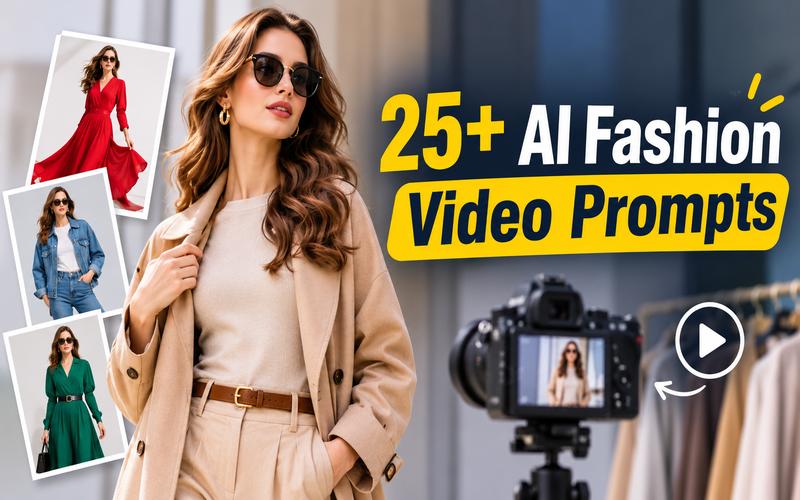
Fashion videos help brands show how clothes look, fit, and move. However, filming every outfit can take time and money. AI tools offer another way to create engaging fashion content from existing photos. With well written prompts, you can turn a still image into a model walking video, a runway clip, or a short clothing advertisement. The key is to describe the movement clearly and keep the original outfit unchanged. This guide shares 25+ practical AI fashion video prompts you can copy, customize, and use for different fashion projects.
What Makes a Good AI Fashion Video Prompt?
A good fashion prompt gives AI clear instructions about the scene and movement. It should explain what the model wears, how the model moves, and how the camera follows the action. You should also describe lighting, background, and video style.
Effective prompts combine creative and technical directions. They tell AI what to change and which details to preserve. This helps maintain the original clothing design, colors, patterns, and model appearance.
Use this prompt formula:
Model movement + Camera movement + Fabric behavior + Preservation instruction + Style line
"The model walks naturally toward the camera (Model Movement); the camera tracks backward smoothly (Camera Movement); the fabric moves only in response to the walk (Fabric Behavior); preserve the exact garment and model identity (Preservation Instruction); clean ecommerce studio lighting (Style Line)."
This structure keeps the video focused and reduces unwanted changes.
25+ Best AI Fashion Video Prompts to Copy and Use
These prompts cover different clothing styles, campaign goals, and video concepts. You can copy them directly or adjust the model, outfit, and setting to match your brand.
Use a suitable reference image to get more accurate results.
Fabric and Finish
These shots help viewers understand texture, shine, softness, weight, and construction. Keep camera movement slow enough for the material to remain readable.
Animate the supplied model image beside a bright window. Let the lower linen fabric lift slightly in a soft breeze while the shoulders and collar stay steady. Keep the weave, color, buttons, and hem unchanged. Use a gentle medium push-in. Finish as the shirt settles. Style: airy, natural, premium summer campaign.

Show the referenced satin dress in a stable studio pose. Let one existing fold shift enough for a soft highlight to travel across the surface. Preserve the neckline, seam placement, hem, and color. Keep the camera almost still. End on the most reflective section. Style: polished eveningwear editorial with quiet luxury lighting.
Use a side-view image of the denim garment. Animate one small change in stance while keeping the pocket stitching, wash, belt loops, and seam fixed. Move the camera slowly from the thigh toward the pocket. Do not reveal unseen clothing. Finish with the construction detail centered. Style: authentic workwear campaign with crisp daylight.
Animate the reference padded jacket with a subtle breath in the model’s torso. Keep the quilting lines, zipper, collar, and pocket shapes unchanged. Slowly push toward the chest panel under soft side light. Avoid face movement and avoid creating extra stitching. Finish with the texture clearly visible. Style: modern outerwear lookbook, clean and tactile.
Complete Outfit Silhouettes
A full look clip should explain proportion, fit, and drape. Choose a full body source image whenever the viewer needs to see shoes, trouser length, or a dress silhouette.
Animate the complete outfit against a plain studio background. Let the model shift weight gently from one leg to the other without moving the feet or hands. Keep the complete look in frame. Preserve the jacket length, waistband, footwear, and accessories. Use a locked camera. Style: calm catalog motion with neutral commercial lighting.
Use the approved profile image of the coat. Animate a small forward step that allows the lower fabric to fall naturally around the legs. Keep the collar, front fastening, sleeves, and shoulder line stable. Track alongside the model for a short distance. End with the full profile readable. Style: refined city outerwear campaign, soft overcast daylight.
Animate the model standing in the photographed doorway. Add a slight three quarter turn so the skirt moves without changing its length or shape. Keep both shoes visible and keep the camera frontal. Preserve the face, neckline, waist, and accessories. End with clear separation from the doorway. Style: elegant occasionwear story with warm architectural light.
Show the full reference outfit with wide leg trousers. Animate a restrained knee level weight shift, then let the fabric settle naturally. Keep the waistband, pleats, trouser length, and shoes fixed. Hold a full body composition with no crop. Finish when both legs are individually readable. Style: contemporary tailoring campaign with confident, minimal movement.
Styling and Wardrobe Pairings
These prompts show how one item works with layers and accessories. The goal is to demonstrate a pairing without allowing secondary objects to overpower the garment.
Animate the model wearing an open jacket over a shirt. Let the lapel move slightly as the model takes a quiet breath. Keep the shirt, jewelry, buttons, and jacket edges unchanged. Push gently toward the upper body. Finish with both layers clearly separated. Style: sharp everyday tailoring with editorial studio contrast.
Use the reference look with the scarf already arranged over the coat. Animate only the loose scarf ends in a mild breeze. Keep the knot, shoulders, collar, and fastenings stable. Hold a medium frame so the layers remain visible. End when the scarf rests on the same side. Style: cool weather lifestyle campaign with soft street light.
Animate the model holding the campaign bag beside the outfit. Add a small natural stance change while keeping the fingers and handle fixed. Frame the bag and garment together without enlarging either object. Preserve the bag shape, outfit proportions, and face. End in a calm three quarter pose. Style: practical luxury accessory story for social commerce.
Use the lower body reference showing the sneaker and garment hem. Animate one foot making a slight pivot while the shoe design, sock, sole, and hem stay stable. Keep the camera low and fixed. Let only the fabric respond to the small movement. Finish with shoe and hem together. Style: clean streetwear styling detail for vertical video.
Everyday Campaign Scenes
Lifestyle scenes help viewers imagine where they could wear the clothes. Keep background activity simple so the outfit remains the main subject.
Show the referenced model waiting safely behind the platform edge in the campaign coat. Animate a small glance toward a train outside the main frame. Keep the stance stable and the garment visible from shoulder to hem. Use a softly blurred transit background. End on the coat outline. Style: realistic weekday outerwear campaign with cinematic restraint.
Animate the model sitting comfortably at a café table. Let the model slowly turn their head toward the window while keeping their body relaxed. Keep cups, hands, sleeves, and accessories still. Hold a three quarter medium view. Preserve the seated fit and visible layers. Style: relaxed weekend fashion story with warm natural light.
Animate the model in tailored clothing in a clean office corridor. Let the model take one measured step while the jacket shoulders and trouser shape remain stable. Track backward slightly at eye level. Avoid changing the corridor or adding people. End before the camera angle shifts. Style: polished workwear campaign with bright, understated architecture.
Show the casual reference look on a quiet market walkway. Animate one relaxed step with small arm movement while the bag handle stays fixed. Use a steady side view and soft daylight. Keep the full outfit visible between the stalls. Finish when the garment returns to its original drape. Style: approachable lifestyle content with natural color.
Weather and Occasion
Weather and event prompts add context, but they should not create visual effects that hide the product. Describe restrained conditions and protect the garment’s key details.
Animate the approved raincoat beneath a light outdoor drizzle. Keep the zipper, hood, pockets, sleeve shape, and hem stable while small droplets appear on the outer surface. Hold the model mostly still in a full body frame. Use a softly blurred wet street. End with the raincoat clear. Style: functional premium outerwear advertisement.
Show the reference summer outfit on a terrace in diffused daylight. Let a mild breeze move loose fabric while the model remains close to the photographed pose. Keep the colors, length, neckline, and footwear unchanged. Use a wide composition with air around the silhouette. Finish as the fabric settles. Style: bright resort campaign with understated motion.
Animate the referenced evening dress with a small three quarter torso adjustment. Let a soft highlight travel across the fabric while the hem stays inside the frame. Keep the face, jewelry, neckline, and accessories stable. Use a slow push-in. End in a composed pose. Style: sophisticated eventwear campaign with deep, elegant contrast.
Animate the model wearing the original activewear outfit. Let the model bend the knees slightly and return without jumping or twisting. Preserve panel lines, waistband, logo placement, and body proportions. Use a full body side view. Finish with both feet grounded. Style: energetic but controlled sportswear launch with crisp studio lighting.
Garment Only Shots
Product only clips are useful for ecommerce pages, catalogs, and detail ads. Ask the model to move the camera or product slightly, not to invent missing elements.
Animate the supplied shirt photograph on a plain hanger. Let the lower hem move gently while the hanger, collar, buttons, and shoulder line remain fixed. Use soft side lighting and a clean, neutral background. Preserve the photographed front construction. End with the shirt hanging straight. Style: minimal product page video with a premium retail finish.
Use the approved photograph of folded knit garments. Move the camera slowly across the stack without changing the number of pieces, colors, or fold order. Let soft light reveal the surface texture. Keep the background still and uncluttered. Finish with the front garment edge in focus. Style: tactile knitwear ecommerce content with calm pacing.
Animate the flat lay jacket with a slow overhead push toward the main fastening. Keep the sleeves, pockets, zipper, buttons, and background props fixed. Preserve the garment proportions and original placement. Leave room beside the jacket for edited product text. Finish on the construction detail. Style: clean technical fashion presentation for online retail.
Campaign Edits and Closing Frames
The final group is designed for editing. These shots leave room for a collection name, price, logo, or call to action without covering the garment.
Use a close reference of the garment’s defining seam, fastening, or printed element. Slowly move the camera until the detail is centered in the frame. Keep the pattern, material, and lighting stable. Hold the final composition for several frames. Style: precise campaign cutaway designed to match a wider outfit shot.
Animate one approved color variant against a plain background. Keep the model still while a soft light reveals the fabric and preserves the true shade. Do not mix the variant with another color. End in a centered full look pose. Style: clean, comparison ready fashion creative for a collection launch.
Use the strongest full look campaign reference. Slowly move the camera back to reveal the complete look. Preserve every visible garment layer, accessory, and color. Leave the background open for a logo and call to action. Finish with a clean outline. Style: confident collection finale with polished commercial lighting.
How to Use AI Fashion Video Prompts With HitPaw Edimakor
HitPaw Edimakor is an AI video editor that helps turn fashion photos into engaging video content. Its image to video feature can animate a still image using written instructions. You can choose an AI video model and adjust generation settings. It also offers editing tools for adding music, text, transitions, and effects. This makes it useful for clothing brands, online stores, and social media creators.
Key Features of HitPaw Edimakor
- Turn fashion photos into engaging animated videos.
- Generate stylish clothing videos from simple text prompts.
- Choose AI models like Google VEO 3 , Kling AI and more for different video styles.
- Control camera movements for professional fashion shots.
- Animate models with natural and smooth movements.
- Apply filters to enhance clothing colors and textures.
- Add stylish transitions between different fashion scenes.
- Export polished videos for social media campaigns.
How to Create a Fashion Video
Follow these steps to turn your fashion image into a video.
Step 1: Prepare Your Fashion Image and Choose an AI Video Model
Open Edimakor and select 'Image to Video' from the Toolbox. Choose an available 'AI video' model based on your desired video style and quality. Upload your fashion or clothing reference image.


Step 2: Enter Your AI Fashion Model Video Prompt
Enter your selected prompt in the text box. Describe the model's movement, camera direction, and fabric behavior. Add instructions to preserve the original clothing design and appearance.
Next, select your preferred video duration and resolution. You can also enable ‘Generate Audio’ to add AI generated sound. Click 'Generate' to create the video.
Step 3: Edit and Export Your Fashion Video
Preview your generated video in the ‘My Creations’ section. If the result looks good, add it to the editing timeline. Add text, background music, transitions, or visual effects to improve the final result.
You can also trim unwanted sections and adjust the video format. Once satisfied, click ‘Export’ and choose your preferred output settings.
FAQs About AI Fashion Video Ideas
A1: Describe the model's movement, camera direction, and fabric behavior. Include instructions to preserve the original garment design, colors, and proportions. Keep the style direction short and clear.
A2: Yes. AI image to video tools can animate still fashion photos. You can create model walks, fabric movements, and product showcases using a suitable reference image.
A3: Vertical fashion walks, outfit transitions, fabric close ups, and lifestyle scenes work well for Instagram. Use a 9:16 format for Reels and keep the clothing clearly visible.
A4: Use a clear reference photo and include specific preservation instructions. Mention the original color, neckline, sleeves, fabric, stitching, and garment length. Avoid complicated movements that can distort clothing details.
A5: Yes. You can generate fashion clips from images and edit them with text, music, transitions, and effects. These tools can help prepare promotional videos for clothing brands and online stores.
Conclusion
Strong AI fashion video prompts do more than make clothing move. They show why the item deserves attention. Start with a clean reference, choose one useful action, and protect the garment’s real details. Then use HitPaw Edimakor to edit, caption, brand, and export the final campaign. Try HitPaw Edimakor today and turn your next fashion image into a polished video that is ready to share.
Leave a Comment
Create your review for HitPaw articles