Creating videos for different products and markets takes time. You may need various presenters, different languages, or different versions of the same video. Filming each version separately can increase your costs.
AI character swap makes this process more efficient. You can take an existing video and swap the performer with another character.
What Is AI Character Swap?
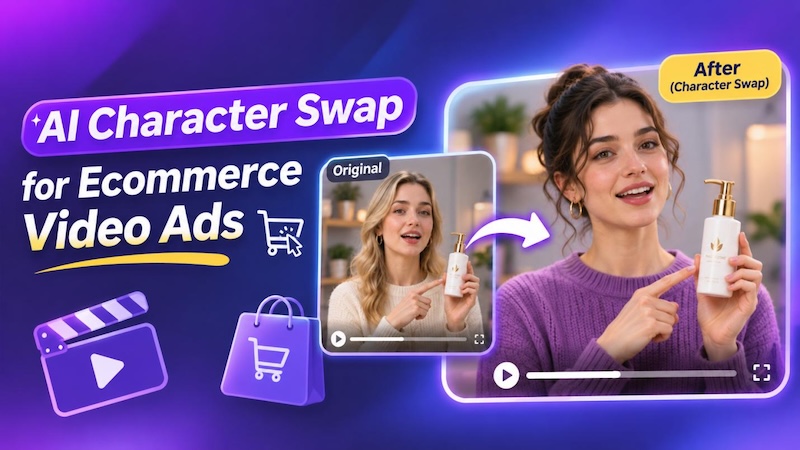
AI character swap is a technology that replaces a character in the video with another one using AI. You provide the original video and a reference image of the desired character. Then AI creates a new version of the video featuring the chosen character.
The system uses an existing video rather than making up a completely new scene. It tries to preserve the background, body movements, and all the other details of the original video.
Why Ecommerce Brands Should Use AI Character Swap
Ecommerce brands require new video ads for various products and audiences. The AI character swap for ecommerce makes it possible. Here are some of the advantages of using this technology.
- Reduce Reshooting Costs: You can take an existing video and make a new video with a new presenter. There is no need to hire new models and to film a video advertisement once again.
- Speed Up Production: Creating several versions of an ad takes less time. You can try different presenters without planning a new filming session for each one.
- Expand Into New Markets: You can make an advertisement with the presenter that will be more suitable for the target audience. You can add proper voices and languages for the video to fit the market.
- Protect Creator and Founder Privacy: Some brands do not want to use the same person in all campaigns. You can use a new character in the video and not ask the presenter to record the video.
This list explains why the AI character swap is useful for brands making video ads regularly.
How Character Swap Works for Ecommerce
You can use AI character replacement in different ways when creating ecommerce video ads. It helps you make new versions of existing videos and test different ideas.
1 Localize Ads for Global Markets
An ad that works in one country may need some changes before you use it in another. The presentation of the product, language used, and style might not suit the new audience.
With the help of AI character swapping, you can reuse your product video and change the presenter. In addition to that, you can provide voiceover and captions in the required language.
This means a clothing company can create different variations of the same product for different countries. The ad will have a presenter who suits the local audience.
2 Run Rapid A/B Creative Testing
A/B testing helps determine which ad is more effective. You can design two videos with different presenters but having the same product.
For example, one ad can have a young presenter while the second one can use an older presenter. These two videos will be the same except for the presenter and performance of both ads can be evaluated.
This provides an opportunity to try out new ideas without shooting two videos.
3 Scale UGC Product Videos
User-generated content (UGC) videos show people using or talking about products. Many ecommerce brands use them because they give customers a better idea of how a product works.
However, creating many UGC videos takes time. You need presenters, product samples, and recording sessions.
An AI video ad maker can help you create more versions from existing footage. You can keep the original product demonstration and replace the presenter for another campaign.
Make sure you have permission to use the original video and reference images.
4 Refresh Winning Ad Creatives
Some video ads continue to perform well, but viewers may get tired of seeing the same presenter. You can use AI character replacement to give an existing ad a fresh look.
Keep the product, message, and scene the same. Replace the presenter and create another version for your campaign.
This gives you a new creative option without recording the entire ad again.
How to Do AI Character Swap for Video Ads
If you want to replace a character in a video, you need a tool that can handle the replacement and let you edit the final result.
HitPaw Edimakor offers an AI Swap feature for this process. You can upload a video, add reference images, and select the people you want to replace.
Edimakor also includes editing tools that help you prepare the final video ad.
Key Features
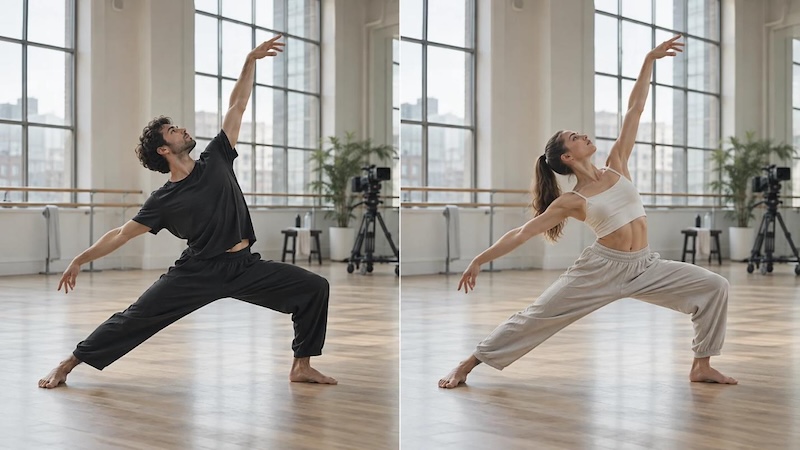
- AI Character Swap : Change a character in your video by introducing a new one. The technology is designed to retain the original background, body movements, and lip movements of the source video.
- Multilingual Voice and Languages: Edimakor provides various voices and languages to choose from. They can be used to prepare audio tracks for campaigns that target specific audiences.
- All-In-One Commercial Video Creator : You can keep editing your commercial video after changing the character. You can cut out clips, add captions, include product images, and change video size to 9:16 or 16:9.


Here is how to replace a character in a video using Edimakor.
Step 1: Download and Open Edimakor
First, download and install HitPaw Edimakor on your computer. Open the software and choose the AI Ads feature. Keep your original video and replacement character images ready before you start.

Step 2: Choose AI Swap
Open AI Swap and select Character Swap . This will take you to the workspace where you can upload your video and choose the person you want to replace. You can also change the outfits or motions.
Step 3: Upload Your Video and Reference Images
Import the video you want to edit. Then upload the reference images of the new characters.
Edimakor supports multiple-character recognition. This is useful when your video includes more than one person. You can select specific characters to better control the generated results.
Step 4: Generate the Character Replacement
Once your video and reference images are ready, start the generation process. Edimakor will process the video and create a new version with the selected characters. When the result is ready, preview the video. Check the faces, movements, and overall appearance to make sure everything looks right.
Step 5: Continue Editing Your Ad
Besides replacing the character, you can continue generating more video in Edimakor. With the newly launched ecommerce templates, small businesses can create more polished video ads fast, saving both time and filming costs.
Pro Tips for Realistic Character Swap Results
The quality of your video and reference images can affect the final result. Keep these points in mind before starting.
Choose Clear Reference Photos
Use clear images where the person's face is easy to see. Avoid blurry photos, heavy shadows, or pictures with objects covering the face.
Match Lighting and Camera Framing
Try to use a reference image with lighting and camera angles close to the original video. This helps the new character fit better into the scene.
Avoid Complex Product Interactions
Videos with fast hand movements or small products can be harder to process. Check the hands and product details after generation to make sure they look correct.
FAQs
A1: This depends on the software license and the copyright of your video and reference images. Check the current Edimakor terms before using the generated results for any paid ads. Always make sure you have permission to use other people's images and videos.
A2: The results depend on the original video, reference image, lighting, and movements. Proper footage and appropriate reference images can improve the results. Always review the video before publishing it.
A3: In some cases, slight changes may occur. When the presenter handles or interacts with a small product, the hands or product labels may appear slightly different. Use Edimakor to create more variations in minutes. Review the product details before using the ad.
Conclusion
AI character swapping technology helps make the process of making new e-commerce videos much simpler since there is no need to shoot all the versions from scratch.
You can experiment with various presenters, get ready to launch advertisements in new markets, and refresh old campaigns. HitPaw Edimakor combines character swapping and video editing capabilities into one tool. Try Edimakor right now!
Leave a Comment
Create your review for HitPaw articles