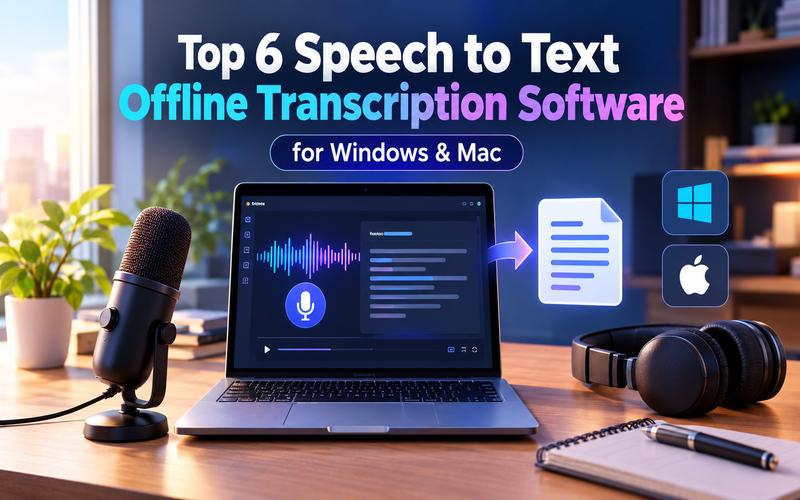
Offline transcription converts spoken audio into text locally on your device, bypassing cloud processing. This ensures maximum privacy for sensitive data and functions perfectly without internet access. As privacy concerns grow in 2026, professionals choose to offline transcribe recordings to keep information secure. This article explores the best offline transcription software for Windows and Mac, balancing local performance and AI accuracy.
Why Choose Offline Transcription Software?
Choosing offline speech-to-text software offers many advantages over cloud-based alternatives. First and foremost is data privacy. For legal, medical, or corporate professionals, sending audio data to external servers can violate confidentiality agreements. With speech-to-text software offline, your audio data never leaves your computer, eliminating the risk of interception or storage by third parties.
Additionally, offline tools provide unparalleled reliability. You can continue working in remote locations, on airplanes, or during internet outages. Local processing also reduces latency, as the transcription engine uses your device's CPU or GPU to deliver near instant results. This makes offline voice to text a faster and more secure interface for modern work. Finally, offline tools often involve a one time purchase or lower long-term costs than recurring subscription fees.
How We Picked the Best Offline Transcription Software
We evaluated dozens of applications based on their local processing capabilities to identify the best offline speech-to-text software. We prioritized tools that offer high accuracy using modern AI models.
Our selection process involved testing each software for ease of use, language support, and integration with other desktop applications. We specifically looked for software that balances performance with hardware requirements to ensure a smooth experience for both Windows and Mac users.
Ranking Criteria for Offline Speech-to-Text Tools
We evaluated these factors to rank the top offline speech-to-text tools:
- Accuracy : The precision of the transcription across various accents and technical terminology.
- Speed: The time taken to process audio and display text in real time.
- Language Support: The number of supported languages and dialects.
- Privacy: The presence of a dedicated "local only" mode that blocks network requests
- Versatility: The ability to work across different applications, such as Slack, Gmail, and word processors
- Pricing: The value provided across free and premium tiers.
Top Voice to Text Software Tools for 2026
Finding the right offline speech-to-text software for Windows or Mac can significantly boost your productivity. The following tools represent the gold standard in dictation and transcription for the current year.
| Software | Offline Support | Platform | Languages Supported | Speed | Pricing |
|---|---|---|---|---|---|
| HitPaw Edimakor | No | Windows & Mac | 130+ | Fast | Start at $9.99/month(Include more AI features) |
| Willow Voice | Yes | Windows, Mac, iOS | 100+ | 200ms Latency | Start at $15/month |
| Spokenly | Yes | Win, Mac, Linux, iOS | 100+ | Ultra Fast | Start at $9.99/month |
| Handy | Yes | Win, Mac, Linux | Whisper based | Fast | Free (Open Source) |
| Superwhisper | Yes | Windows, Mac, iOS | 100+ | Insanely Fast | Start at $8.49/month (Translate to English) |
| Dragon Professional | Yes | Windows 11/10 | Multi language | 3x Faster than Typing | Perpetual License |
1 HitPaw Edimakor

Offline transcription tools are useful for privacy and situations without internet access, but they may have lower accuracy and limited language support. If you need more than basic transcription, HitPaw Edimakor is a stronger option. Its AI-powered speech-to-text tool converts audio and video into text while giving you full control over subtitles and video editing. It's the best option for creators who want transcription and video editing in one place.
 What the tool offers:
- Supports audio and video across 130+ languages.
- Automatically generates subtitles from audio and video.
- Provides 150+ subtitle effects and animations.
- Supports bilingual subtitles for multilingual video content.
- Lets users edit, delete, and merge subtitles.
- Exports subtitles in TXT, SRT, ASS, and VTT.
- Integrates transcription directly into video editing.
- Supports YouTube, tutorials, interviews, and marketing.
 Limitations:
- Requires an internet connection for its AI powered features.
- Uses a credits based system for certain AI functions.
Best for: Users who need to convert audio and video to text with flexible subtitle editing and export options.
2 Willow Voice
Willow Voice is a professional AI dictation tool that prioritizes both speed and security. It is built to let you speak naturally while the software handles the transcription in real-time. With SOC 2 Type II and HIPAA compliance, it is a top tier offline transcription software for highly regulated industries.
What the tool offers:
- Frontier models deliver up to 3x accuracy.
- Supports more than 100 languages for dictation.
- Smart formatting automatically removes unnecessary filler words.
- Includes an auto learning dictionary for terminology.
- Works system wide across apps supporting text input.
- Supports fast and accurate voice transcription.
- Trusted by over 100,000 professionals worldwide.
Limitations:
- Basic tier uses a weaker speech to text model (Frontier Mini).
- Limited personalization in the free version.
- Full smart memory features require a Pro subscription.
Best for: Professionals who need to dictate emails and documents directly into apps like Slack or Notion without cloud exposure.
3 Spokenly
Spokenly is a privacy first application that uses local Whisper and Parakeet models. It acts as an offline speech to text software that performs all processing on your device. It is known for its responsive interface and its ability to handle technical jargon across multiple platforms.
What the tool offers:
- Offers unlimited local models completely free.
- Supports over 100 languages with automatic detection.
- Includes searchable history for previous dictations.
- Offers real time transcription as you speak.
- Provides a Local Only mode for privacy.
- Blocks network requests during Local Only mode.
- Supports personal API keys for cloud transcription.
Limitations:
- Transcription quality depends on the strength of the chosen local model.
- Cloud based AI cleanup requires a Pro subscription.
- Advanced syncing between devices is a paid feature.
Best for: Developers and Linux users who need a robust, private, and customizable transcription environment.
4 Handy
Handy is a free, open source speech to text application built around simple voice dictation. Users press a shortcut, speak, and receive text directly in their active application. It processes speech locally and supports Windows, macOS, and Linux. It is a lightweight solution that runs locally on your own computer without sending any audio to the cloud.
What the tool offers:
- Uses simple push to talk voice dictation controls.
- Types spoken words into active text fields.
- Runs speech recognition entirely on your machine.
- Uses Whisper and Parakeet local models.
- Offers GPU acceleration when available.
- Removes silence using voice activity detection.
- Provides customizable keyboard shortcuts for dictation.
- Is free and open source for users.
Limitations:
- Simple feature set compared to specialized professional tools.
- User interface is basic and lacks advanced formatting options.
- Requires manual setup for some Linux distributions
Best for: Privacy advocates and open source enthusiasts who want a lightweight, free tool for simple dictation tasks.
5 Superwhisper
Superwhisper is an AI native dictation tool that brings OpenAI’s Whisper models to your local machine. It is one of the fastest ways to offline transcribe your voice into polished text across any application. It is highly praised for its speed and its "insanely fast" performance on modern hardware.
What the tool offers:
- Supports over 100 languages for accurate transcription.
- Provides custom prompt control for better results.
- Pro supports personal AI API key integration.
- Transcribes prerecorded audio and video files.
- Works across iPhone and other supported devices.
- Provides local and cloud AI model options.
- Works across Mac, Windows, and iOS devices.
Limitations:
- Offline models perform best on Apple Silicon Macs. Intel Macs may require cloud models.
- The free tier has a limit on the number of words processed with Pro features.
- Pro features like audio file transcription require a license.
Best for: Mac users with M-series chips who prioritize speed and need to dictate long form content.
6 Dragon Professional
Dragon Professional by Nuance (now part of Microsoft) has long been the gold standard for offline voice to text. Dragon Professional v16 is optimized for Windows 11 and remains a preferred choice for professionals who need deep customization and specialized vocabularies.
What the tool offers:
- Delivers speech recognition up to 3 times faster.
- Provides highly accurate voice to text transcription results.
- Requires no voice profile training before use.
- Captures detailed terminology for specialized industries.
- Supports legal, financial, and law enforcement workflows.
- Offers robust on premise installation for enhanced security.
- Works across Mac, Windows, and iOS devices.
Limitations:
- Limited language support than Whisper based tools (~15 languages).
- Lacks GPU acceleration, relying heavily on CPU performance.
- Expensive upfront cost with a complex licensing model.
Best for: Legal, medical, and government professionals who require deep integration, specialized terms, and strict compliance.
How to Transcribe Speech to Text with HitPaw Edimakor
Using HitPaw Edimakor to convert your speech into text is a straightforward process that yields professional results.
Step 1: Add Video Files
Download and launch HitPaw Edimakor. Start a new project and drag your video or audio files directly onto the timeline.


Step 2: Convert Speech to Text
Select your file on the timeline and click the 'Speech to Text' button. The AI analyzes the audio and generates subtitles automatically. Then edit, merge, or delete segments as needed.
Step 3: Export the Final Video File
Once you are satisfied with the transcription and styling, click 'Export.' Choose your preferred format (e.g., MP4 or just the SRT text file) and save your work.
FAQs About Speech to Text Software Offline
A1: Offline speech to text software is software that converts spoken language into text using local processing power instead of cloud servers. Privacy is the primary benefit, but it requires a powerful machine for AI models.
A2: Yes. Using tools like Willow Voice or Superwhisper, you can convert voice to text without an internet connection after the initial model download.
A3: For offline speech-to-text, Dragon Professional is a strong choice for Windows users, while Superwhisper is well suited to Mac users. If offline transcription isn't a requirement, HitPaw Edimakor is a practical option for transcribing audio or video to text, with additional tools for subtitle generation and video editing.
A4: Yes. Because audio never travels to a cloud server, there is no risk of recordings being stored or accessed by third parties.
A5: Speed depends on hardware. Modern PCs can process speech in under 200ms, while older machines take several minutes for long files.
Conclusion
Offline transcription software provides the ultimate balance of privacy, speed, and reliability. These tools ensure your voice is captured accurately without compromising security, whether you choose the open-source simplicity of Handy or the professional power of Dragon. HitPaw Edimakor remains the premier choice for creators needing a versatile AI toolset for transcription and editing. Ready to start? Download HitPaw Edimakor today and see the AI difference!
Leave a Comment
Create your review for HitPaw articles