Synthesia made AI avatar video accessible to everyone. However, after producing several talking-head explainers, users may begin to notice limitations in customization, avatar realism, and creative flexibility. Fortunately, several AI-powered platforms offer similar features, along with unique tools for creating engaging and professional videos. Whether users need realistic digital presenters, multilingual voiceovers, personalized avatars, or quick video production, the right alternative can make the process easier. This article explores five Synthesia alternatives for professional AI avatar creation in 2026. Make sure to read this guide till the end.
Part 1: What is Synthesia?

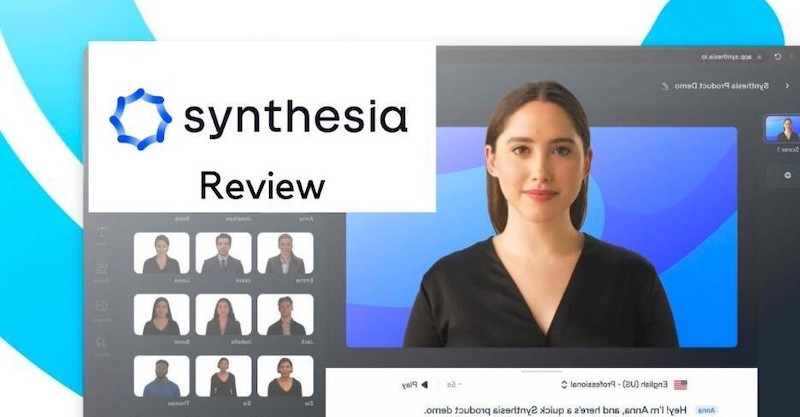
Synthesia is an advanced form of an artificial intelligence platform that converts text into a real-looking video with virtual characters. This technology uses improved deep learning networks to develop natural-sounding avatars by reading the specific text type. Instead of filming a real presenter, users write a script, choose an avatar and voice, and generate a video where the avatar delivers the content. The platform is widely used for creating training materials, educational videos, product demonstrations, marketing content, and corporate presentations. It also supports multiple languages, making it easier for businesses to create videos for audiences around the world. One of Synthesia’s main advantages is its user-friendly interface, which allows beginners to produce professional-looking videos without advanced editing skills or professional help.
Part 2: Top 5 AI Avatar Tools to Use Instead of Synthesia in 2026
Looking for the best Synthesia alternative? Look no further! Below, we’ve mentioned five AI avatar tools that make it easier to create professional videos without recording real presenters or investing in expensive equipment.
1 HitPaw Edimakor
When it comes to the best alternatives to Synthesia, HitPaw Edimakor is always at the top of the list. It is an advanced AI video editor that combines AI-powered video creation tools with traditional editing features, making it suitable for beginners, content creators, and professionals. Users can create engaging videos with AI avatars, voiceovers, subtitles, and other creative elements without requiring advanced editing skills. One of its key advantages is its AI Avatar feature, which allows users to create presenter-style videos for tutorials, marketing campaigns, educational content, and social media. Plus, the program offers 1000+ pre-designed AI avatars, which can be customized according to their requirement.


Key Features of HitPaw Edimakor
- Realistic AI Avatars: HitPaw Edimakor offers 1000+ AI avatars, each with unique features and characteristics. It includes avatars of doctors, nurses, customer support representatives, hosts, and other professional presenters.
- AI Video Generator: The program also includes AI-powered video generation tools that help users turn text prompts, images, and ideas into engaging video content — no editing skills or professional help required.
- Advanced Customization: One standout feature is its advanced video editing tools, which let users customize their AI avatar videos to meet specific needs.
- Compatibility: This tool works seamlessly with multiple devices, including Windows and macOS. It supports Windows XP, 7, 8, 8.1, 10, and 11, as well as macOS.
- Intuitive Interface: HitPaw Edimakor offers an easy-to-use interface, which is ideal for non-tech and beginner users. Users can import media, add scripts, customize video elements, and make adjustments through a straightforward workflow.
Step-by-Step Guide:
Follow the instructions below to learn how to create engaging AI avatar videos with HitPaw Edimakor:
Step 1: Navigate to the HitPaw Edimakor official site and download the latest version of the program on your PC. Select the “Create Project” option from the left panel and choose the “AI Avatar” option.
Step 2: Next, enter the script for the AI avatar. Make sure the text is clear, engaging, and relevant to your target audience. You can also import audio or record voice for your AI avatar.
Step 3: If you don’t have a voice for your AI avatar, use the built-in AI voices. Simply click on “Avatar Voices” and select the desired voice effect. The program offers hundreds of options in different languages and accents.
Step 4: Scroll down and select the AI avatar for your video. Choose a virtual presenter that matches your content type, target audience, and preferred presentation style. Users can also customize AI avatars according to their needs.
Step 5: Once your AI avatar is ready, use HitPaw Edimakor Video Creation tools to create lip-sync videos that match the avatar’s movements with the provided script or audio.
2 HeyGen
The next Synthesia free alternative on our list is HeyGen. It is an AI-powered video creation platform that enables users to produce professional videos featuring realistic virtual presenters. One of the standout features of this tool is that it includes 300+ realistic AI avatars, representing different appearances, styles, and professional roles. Users can choose a suitable presenter for their content, whether they are creating educational tutorials, product demonstrations, business presentations, or social media videos.
Key Features
- Includes 300+ AI avatars, 300+ AI voices, and 300+ templates for various use cases, including product marketing, health care, and more.
- HeyGen’s voice cloning feature uses artificial intelligence to create a lifelike copy of a natural human voice.
- TalkingPhoto feature enables you to animate any photo and give it a natural human voice in over 100 languages and accents.
Pros
- Mobile app on iOS and Android.
- Unlimited 1080p video downloads.
- Free plan includes full studio access.
Cons
- Free tier includes a watermark on videos.
- Requires a stable and active internet connection.
3 Vidnoz AI
Vidnoz AI is a Synthesia-like software that allows users to create professional videos featuring AI-generated avatars without requiring cameras, a studio, or advanced editing skills. The program offers 1900+ realistic AI avatars, which can be used to create various types of videos, such as tutorials, product demos, explainer videos, and more. The program also offers 2000+ AI voices, all powered by ElevenLabs, Google, and Microsoft. Vidnoz AI also provides a free plan with limited usage, making it accessible to users who want to test AI avatar video creation before purchasing a subscription.
Key Features
- Offers 1900+ AI avatars, 2000+ natural-sounding voices, and 2800 video templates for various types of videos, including product demos and tutorials.
- The program includes advanced video editing features, allowing users to customize AI avatar videos according to their requirements.
- It is a web-based tool, meaning no software downloading or installation is required. Works seamlessly with Windows, macOS, Android, and iOS.
Pros
- Excellent for quick and scalable video production.
- No editing experience needed.
- Supports multiple tones and languages.
Cons
- Limited editing flexibility.
- Outdated interface compared to others.
4 Elai.io
Elai is best viewed as an AI presenter and structured video-production system, not a general cinematic video generator. It enables users to create professional videos from text using digital presenters, making it suitable for businesses, educators, and content creators who need informative and presentation-style content. One of Elai’s key advantages is its ability to transform scripts and existing content into videos featuring AI presenters.
Key Features
- The program offers multilingual voiceovers, customizable video templates, and interactive video options.
- This Synthesia AI alternative allows users to create professional presenter-style videos for employee training, product demonstration, and more.
- Elai.io simplifies the video production process by allowing users to convert scripts into presenter-led videos.
Pros
- Web-based tool, no software downloading required.
- Offers advanced editing features.
- Drag-and-drop editor and AI scripting.
Cons
- Free version includes limited features.
- A stable internet connection is required.
5 D-ID
The final app like Synthesia, on our list is D-ID. It specializes in conversational AI avatars. You can generate a talking-head video from a single photo, which makes it accessible for quick content creation. The platform uses AI technology to animate facial expressions and synchronize lip movement with generated speech, helping turn static images into engaging video presentations. The program also includes an AI voice cloning feature, allowing users to create voiceovers using sample and voice recordings. Another amazing feature of this tool is that it offers an easy-to-use interface, which is ideal for non-tech and beginner users.
Key Features
- D-ID allows users to transform a still photo into a talking-head video with animated facial movements and synchronized speech.
- The program includes 140+ languages, allowing users to create content for a worldwide audience. Available languages are English, Chinese, Turkish, and more.
- Interactive avatar experiences that can support conversational applications, depending on the product and plan.
Pros
- Offers a free version with limited access.
- SCORM export, quizzes, and a streaming API.
- Ideal for content creators, marketers, and more.
Cons
- Small stock library with about 80 ready-made avatars.
- Paid subscription is expensive compared to others.
Final Thoughts
Synthesia AI is an amazing tool for AI avatar video creation, but there are better options available. In this guide, we’ve mentioned the top 5 Synthesia AI alternatives, including HitPaw Edimakor, HeyGen, Vidnoz AI, Elai.io, and D-ID. Each platform offers unique features for creating professional videos with virtual presenters, AI-generated voices, and customizable options. If you’re looking for an all-in-one solution, we recommend using HitPaw Edimakor. It is one of the best AI video editors with advanced avatar generation and video creation.
Leave a Comment
Create your review for HitPaw articles