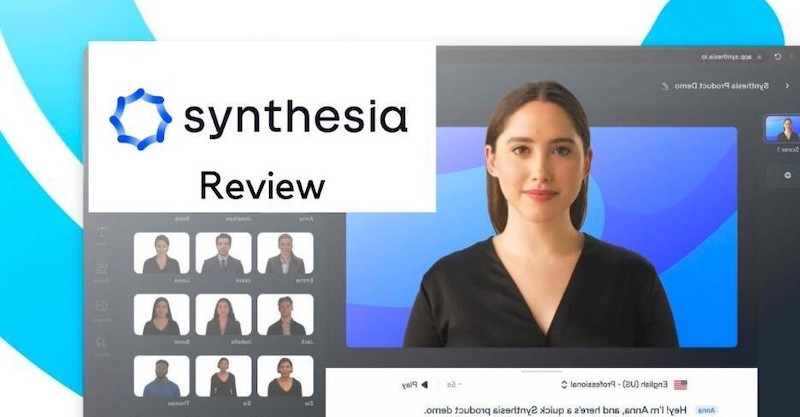
In 2026, AI avatar generators have made video creation faster and more accessible, and Synthesia is one of the leading platforms in this space. The program lets anyone create stunning videos with realistic avatars, voiceovers, and dynamic visuals — no camera, mic, or editing skill required. But is Synthesia AI Avatar Generator worth it?
In this detailed review, we’ll provide everything you need to know about this program, including its key features, benefits, limitations, and the best alternative available in 2026. After reading this guide, you will have a clear understanding of Synthesia AI.
Part 1: What is Synthesia AI Avatar Generator?

Synthesia AI Avatar is a video creation platform designed to replace traditional camera-and-studio workflow with AI-generated videos. It allows users to create professional-looking videos by simply adding a script, selecting an AI avatar, and choosing a suitable voice. One of the standout features of this tool is its AI avatar generator, allowing users to create a digital twin that looks and sounds like you. Plus, the program offers 240+ built-in AI avatars, giving users a wide range of options for different video styles and audiences. It includes realistic avatars of doctors, nurses, teachers, students, hosts, customer support, and more. Synthesia also provides AI voices, customizable video templates, multiple languages, and editing tools to help users create engaging content without advanced video production skills.
Part 2: Features That Make Synthesia AI Avatar Generator Worth It
Synthesia AI avatar maker offers amazing features and capabilities, making it one of the best AI avatar generators available in 2026. Below, we’ve mentioned the top features of this program:
- 240+ AI Avatars: Synthesia AI Avatar Generator offers 240+ AI avatars, each with a unique style. It includes realistic avatars of doctors, nurses, students, professionals, teachers, hosts, news reporters, and more. Users can choose an avatar that matches their video’s topic, tone, and target audience.
- Digital Twins: With the help of this tool, users can generate digital twins in over 40+ languages. This feature allows creators and businesses to develop personalized AI presenters that can deliver content in different languages while maintaining a consistent appearance and voice.
- Realistic Facial Features: AI avatars available on this tool feature realistic facial expressions, natural movements, and lifelike lip-syncing, making the generated presenters look more engaging and professional.
- Text-to-Video: Synthesia AI enables users to create high-quality videos with a simple text prompt — no editing experience or professional help required. Users can use built-in avatars in their videos and turn written scripts into engaging presentations within minutes.
- Use Cases: The program can be used for a wide range of professional and creative purposes. Businesses, educators, marketers, and content creators can use an AI avatar to produce engaging videos without hiring actors or setting up a studio.
Part 3: Pros and Cons of Synthesia AI Avatar Generator
Just like other AI avatar generators, Synthesia also comes with several benefits and limitations. Here are the top pros and cons of the Synthesia AI avatar video generator:
 Pros
Pros
- Synthesia AI Avatar Generator offers 240+ AI avatars, including doctors, nurses, teachers, students, hosts, news reporters, and more.
- Supports 140 languages, allowing users to create content for a worldwide audience. Languages available on this tool are English, Chinese, Turkish, Spanish, German, and more.
- Imports an existing PowerPoint deck and converts each slide into a narrated, avatar-led video scene, allowing users to transform traditional presentations into engaging video content.
- Synthesia offers various visual effects and backgrounds that allow you to create visually stunning videos to captivate your audience and convey your message effectively.
- Web-based tool, meaning no heavy software downloading or installation is required. Plus, it works seamlessly with multiple devices, such as Android, iOS, Windows, and macOS.
 Cons
Cons
- Synthesia AI avatar makers offer a free version, but it comes with limitations, and exporting videos or images comes with watermarks.
- No real-time voice control — everything is script-based. Users need to prepare or enter their scripts before generating the video.
- Requires a stable and active internet connection to create AI avatars. No offline version of this tool available.
Part 4: Synthesia Pricing Plan: How Much Does It Cost?
Synthesia AI Avatar Generator offers several plans designed to meet the needs of different users, from individuals and small teams to larger organizations.
1. Basic
- Price: $0.00
- Features: Basic is the free version of the program that offers limited features and capabilities. It enables users to create 10 minutes of video per month and includes 25 AI-generated video assets.
2. Starter
- Price: $18.00 Per Month
- Features: This plan is designed specifically for individuals. Starter plan includes amazing features, such as 125+ AI avatars, custom on-brand avatars, AI dubbing, AI video assistant, high-resolution downloads, and more.
3. Creator
- Price: $64.00 Per Month
- Features: This plan is designed for creators and professionals who need more advanced video creation capabilities. It includes features such as 180+ AI avatars, custom AI avatars, AI dubbing, voice cloning, interactive video tools, high-resolution video downloads, and much more.
4. Enterprise
- Price: Contact Support
- Features: The most advanced and expensive plan of Synthesia AI Avatar. It includes all the features available in the Creator Plan. Additional features such as unlimited video minutes, 1-Click Translation into 80+ languages, 240+ AI avatars, and Live Team Collaboration.
Part 5: Best Alternative to Synthesia AI Avatar Generator in 2026
Synthesia AI Avatar is an impressive tool for creating professional AI-powered videos, but it isn’t the only option available in 2026. HitPaw Edimakor stands out as a strong alternative. It is one of the best video editing tool, which also include AI avatar creation capabilities. With this tool, you can easily design your custom AI avatar with a simple text prompt. In addition, HitPaw Edimakor includes built-in avatar options, each with a unique style and characteristics. The best part of this tool is that it offers an intuitive interface, which is ideal for non-tech and beginner users.
Key Features of HitPaw Edimakor
- Custom AI Avatar: HitPaw Edimakor enables users to design personal AI avatars with simple text prompts — no editing experience or professional help required.
- Pre-Designed Avatars: The program includes a huge library of AI avatars, which users can choose based on their video’s theme and audience.
- Customization Options: Users can customize pre-designed AI avatars according to their requirements. You can alter their skin color, hairstyle, eye colors, and more.
- Voice Cloning: With the help of this tool, users can create a replica of their own voice and use it in AI videos.
- Intuitive Interface: The program offers an easy-to-use interface, which is ideal for beginner content creators.


Step-by-Step Guide:
Here is how to create a custom AI avatar using HitPaw Edimakor
Step 1: Select AI Avatar Tool
Launch HitPaw Edimakor on your PC and select the “Create Project” and “AI Avatar” options from the main interface.
Step 2: Generate The Voice
First, we’ll create the voice of the avatar. Enter the dialogue of the avatar in the prompt box and choose your desired voice effect.
Step 3: Customize or Select an Avatar
HitPaw Edimakor offers a library of avatars suitable for various scenarios. Select the avatar from the list, and if not satisfied with the pre-designed avatars, you can also customize them.
Final Thoughts
In this Synthesia AI Avatar Generator review, we have provided everything about this program, including its key features, benefits, limitations, pricing, and the best alternative. HitPaw Edimakor is the best alternative to Synthesia AI available in 2026.
Leave a Comment
Create your review for HitPaw articles