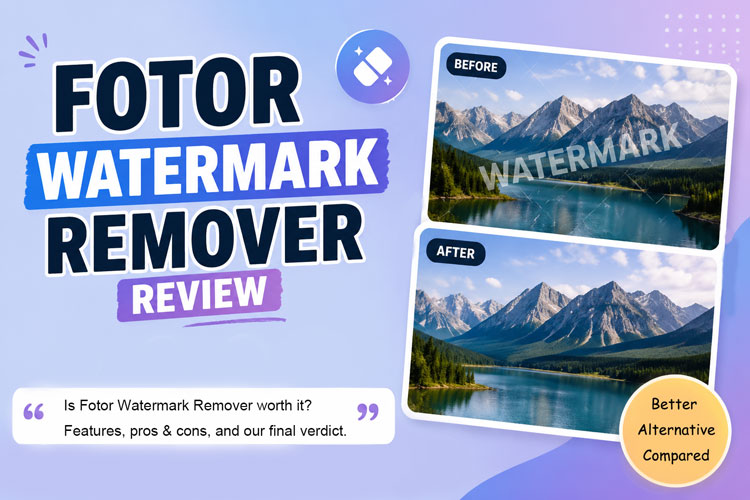
A clean photo or video can lose its impact the moment a distracting watermark appears on the screen. That is why Fotor has become one of the most searched watermark remover tools in 2026. It promises quick, AI-powered results without complicated editing, but does it really deliver clean and reliable output?
In this guide, we will explain Fotor’s main features, supported formats, real user feedback, pros and cons, and the best Fotor watermark remover alternative for images and videos.
What Is Fotor Watermark Remover?
Fotor is a browser-based AI photo and video editing platform. Its watermark tools are said to erase text, logos, date stamps, graphics, and other visible watermarks.
| Media type | Supported input formats | Upload limits | Export information |
|---|---|---|---|
| Image | JPG, PNG, WebP, BMP, TIFF | SVG Unsupported | High-resolution image export |
| Video | MP4, MOV, WebM, M4V | Up to 4K, 60s, 60 FPS, 1 GB | MP4 export |
| Batch images | Common image formats | Up to 50 images | Multiple processed images |
Fotor also provides a separate batch tool for removing watermarks from multiple photos.
Fotor Watermark Remover at a Glance
Next, let’s take an in-depth look at the pros and cons of Fotor Watermark Remover, as well as users’ genuine reviews of it.
1 Where Fotor Shines and Where It Falls Short
Fotor’s Pros
- It works through a web browser, so users can begin without installing desktop software.
- Automatic detection makes basic image cleanup easy for beginners.
- A manual brush offers more control over complex watermark areas.
- It supports image, video, and batch image processing.
- It connects with Fotor’s wider collection of photo and AI tools.
Fotor’s Cons
- Advanced removal and other AI functions may consume credits.
- Detailed backgrounds can still produce soft patches or reconstruction artifacts.
- Video upload duration and file limits may restrict longer projects.
- Subscription and credit rules can be confusing for some customers.
2 What Real Users Say About Fotor Watermark Remover
Many users on the Trustpilot like Fotor because it is easy to use, works quickly, and handles simple watermark removal without requiring advanced editing skills.
Others report uneven results on detailed backgrounds, along with frustration over credit limits, automatic renewals, refund issues, and slow customer support.
Overall, Fotor works well for basic edits, but these concerns have led some users to search for a more reliable alternative to Fotor Watermark Remover.
Best Fotor Watermark Remover Alternative for Images and Videos
HitPaw Edimakor is an AI-powered desktop editor for Windows and macOS. Unlike a basic online eraser, it combines watermark removal with photo enhancement and video enhancement. This makes it useful for creators who need a complete watermark remover for images and videos, rather than a single-purpose browser tool.
Main Advantages of HitPaw Edimakor:
- Watermark Removal: Remove logos, text, dates, stickers, people, and other unwanted visual elements from photos and videos. Batch support is available for both media types.
- Photo Editing: Remove or replace backgrounds, enhance photos, apply filters, adjust appearance, and prepare the cleaned result for social media or marketing.
- AI Asset Generation: The AI Image Generator and AI Video Generator can create original supporting visuals from text or reference media. This helps creators produce watermark-free visual assets from the beginning instead of cleaning every file later.


Follow the steps below to remove watermarks with Edimakor in minutes:
Step 1: Download and launch HitPaw Edimakor. From the home screen, open Toolbox and select Watermark Remover.

Step 2: Upload the image or video containing the unwanted mark. You can add several files when using batch processing. Enable the watermark-removal option and allow Edimakor to process the selected media.
Step 3: Open the Result section and inspect the processed file closely. You can also move the cleaned media into Edimakor’s editor to enhance, refine or prepare the correct aspect ratio for TikTok, YouTube, and Instagram.
Final Verdict: Fotor Watermark Remover vs. HitPaw Edimakor
Fotor and Edimakor can both remove unwanted marks, but they suit different workflows.
| Feature | Fotor | HitPaw Edimakor |
|---|---|---|
| Image watermark removal | Yes, automatic and manual options | Yes, dedicated photo workflow |
| Video watermark removal | Yes, an online tool with upload limits | Yes, desktop video workflow |
| Batch processing | Batch image removal | Up to 20 photos or 10 videos |
| AI Image Generator | Available | Available and linked to the editing workflow |
| AI Video Generator | Available | Available with timeline editing |
| Billing transparency | Plans and credit rules are published, but Trustpilot feedback reports confusion | Pricing and AI-credit terms are published; a step-by-step cancellation guide is available |
FAQs
A1: Fotor provides limited free access, but some advanced watermark-removal and AI operations require credits. Its Basic plan includes limited free credits, while paid plans unlock additional tools, higher-quality exports, and more usage.
A2: Yes. Fotor offers a video object and watermark removal tool. Its interface supports MP4, MOV, WebM, and M4V uploads, while the completed video is downloaded in MP4 format.
A3: Fotor markets its video removal tools for social media marks, including TikTok-style watermarks. However, moving marks and detailed backgrounds may be harder to clean than fixed-corner logos. Only edit videos you own or are authorized to reuse.
A4: HitPaw Edimakor is the premier Fotor Watermark Remover alternative. Its advanced AI removes watermarks and intelligently restores hidden elements, delivering lossless results alongside powerful enhancement tools.
Conclusion
The Fotor watermark remover is convenient for quick browser-based edits. However, credit limits, restricted video processing, and mixed billing feedback may concern frequent users. HitPaw Edimakor offers better results with batch removal, editing tools, enhancement features, and AI generation. Try Edimakor on a sample file to see whether its integrated workflow delivers the cleaner, faster results your projects require.
Leave a Comment
Create your review for HitPaw articles