Meta AI automatically adds watermarks to images and videos generated through its AI tools. These marks help identify AI-generated content, but they can sometimes interfere with presentations. If you’re looking for a way to remove Meta AI watermarks from your images or videos while preserving visual quality, choosing the right tool is essential.
This guide explains what Meta AI watermarks are, why they exist, and how to remove visible watermarks using an AI-powered solution.
What Is the Meta AI Watermark?
A Meta AI-generated image watermark is an identifier added to AI-generated content to indicate that it was created with Meta’s artificial intelligence technologies. There are two primary types:
- Visible Watermark : It appears directly on the image or video, usually as text, a logo, or a small label. It’s easy to see and is intended to help viewers recognize that the content was generated using AI.
- Invisible Watermark (Video Seal) : Meta also uses invisible watermarking technologies, sometimes referred to as Video Seal, which embed identifying information into AI-generated media without affecting its appearance. These hidden identifiers are designed for content verification and authenticity rather than visual branding. This guide focuses on removing visible watermarks from Meta AI-generated images and videos.
Why Does Meta AI Add Watermarks?
Meta includes watermarks on AI-generated content for several important reasons.
AI Content Transparency
Visible watermarks help viewers distinguish AI-generated media from traditional photographs or videos. This improves transparency and reduces the risk of misleading audiences about how the content was created.
Platform Compliance
Many online platforms and emerging AI policies encourage or require clear identification of synthetic media. Watermarks help Meta align its AI-generated content with evolving industry standards and responsible AI practices.
Brand Identification
Watermarks also indicate that the content originated from Meta AI services. This allows users and platforms to identify the source of AI-generated images or videos while reinforcing Meta’s branding.
Although these watermarks serve useful purposes, there are situations where users may need a cleaner version of their own AI-generated content.
How to Remove Meta AI Watermarks with AI
The easiest way to perform Meta AI watermark removal is by using an AI-powered editing tool.
HitPaw Edimakor includes a built-in AI watermark remover that detects and removes visible watermarks from both images and videos.
Key Features of HitPaw Edimakor Watermark Remover
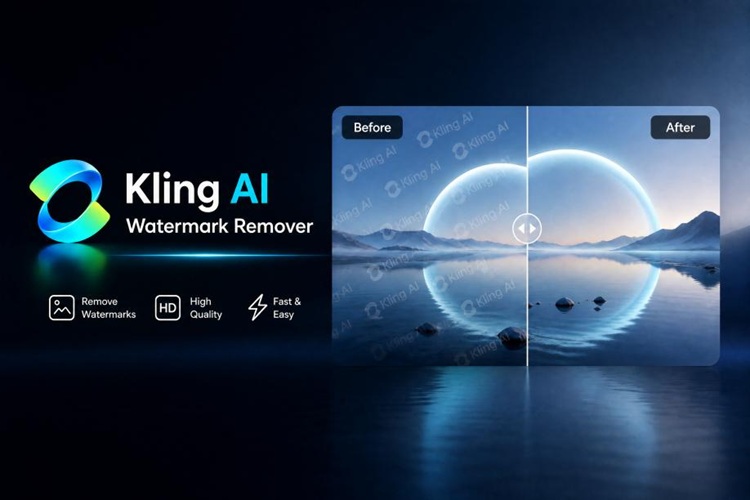
- Rather than simply blurring or cropping the marked area, Edimakor intelligently reconstructs the surrounding background, helping preserve the original appearance of the media.
- As it supports both image and video watermark removal, creators can clean AI-generated content without switching between multiple editing applications.


Step-by-Step Guide to Erase Meta AI Watermark with Edimakor
Step 1: Launch HitPaw Edimakor and navigate to the “Toolbox” section. From there, select “ AI Watermark Remover ” to access the dedicated watermark removal workspace.

Step 2: Import the Meta AI-generated image or video containing the visible watermark. Edimakor supports a wide range of common image and video formats, allowing you to work with content from different AI generation platforms. It also allows for batch processing of media files.
Step 3: Use the selection tool to highlight the visible watermark. Click “Remove” to let Edimakor process the selected area. Once the watermark has been removed, preview the result to ensure the reconstructed background looks natural.
Compared with traditional editing methods, this workflow is significantly faster and helps preserve image quality without excessive blurring or cropping.
Bonus: Create Watermark-Free AI Images and Videos with Edimakor
Instead of removing watermarks after generation, you can avoid the extra editing step by creating original AI content directly in HitPaw Edimakor.
Try It OnlineEdimakor’s AI Image Generator creates high-quality images without adding visible watermarks, making it ideal for marketing materials, social media graphics, concept art, and creative projects that require clean visuals from the beginning.
The platform also includes an AI Video Generator that produces watermark-free videos ready for editing or publishing. Combined with Edimakor’s built-in editing tools, creators can generate, enhance, and export professional content without relying on multiple applications.
Common Challenges in Removing Meta AI Watermarks
Removing watermarks isn’t always as simple as clicking a single button. Here are some common issues users encounter and how AI-powered tools can help solve them.
1 Watermark Still Visible After Removal
Sometimes a faint outline or shadow remains after the first removal attempt, especially if the watermark overlaps detailed textures or complex backgrounds.
Solution: Carefully reselect the watermark area and allow the AI to process it again. Selecting only the watermark instead of a large surrounding area often produces cleaner, more accurate results.
2 Background Looks Unnatural After Removal
Removing watermarks from detailed scenes can occasionally create visible inconsistencies if the reconstruction isn’t accurate.
Solution: AI-powered reconstruction tools like Edimakor analyze nearby pixels to rebuild the background naturally instead of simply blurring or cropping the affected area. This helps maintain visual consistency while preserving image quality.
3 Invisible Watermark Cannot Be Removed
Some users expect visible editing tools to remove Meta’s invisible watermarking technologies, such as Video Seal.
Solution: Traditional editing software and visible watermark removers are designed only for overlays that can be seen. Invisible watermarking is embedded into the media itself and serves authentication purposes, making it fundamentally different from visible logos or text.
FAQs
A1: If a visible watermark has already been added to a downloaded Meta AI video, you can remove it using an AI watermark removal tool such as HitPaw Edimakor. The software reconstructs the selected area rather than simply cropping the frame, helping preserve the video’s original composition.
A2: Whether watermark removal is appropriate depends on how the content will be used and the applicable terms of service or copyright rules.
A3: Traditional methods like cropping or heavy blurring can reduce visual quality. AI-powered reconstruction tools are designed to preserve more of the original image or video by rebuilding the selected area instead of removing part of the frame.
A4: Several online tools offer basic watermark removal, but many have file size limits, slower processing, or reduced output quality. Desktop software such as HitPaw Edimakor provides more consistent results, supports both images and videos, and includes additional AI editing features within the same application.
Conclusion
Meta AI watermarks help identify AI-generated content, but creators may need cleaner visuals for editing or personal use. HitPaw Edimakor makes it easy to remove watermarks from images and videos while preserving quality, or create watermark-free AI content directly with its all-in-one AI editing tools.
Leave a Comment
Create your review for HitPaw articles