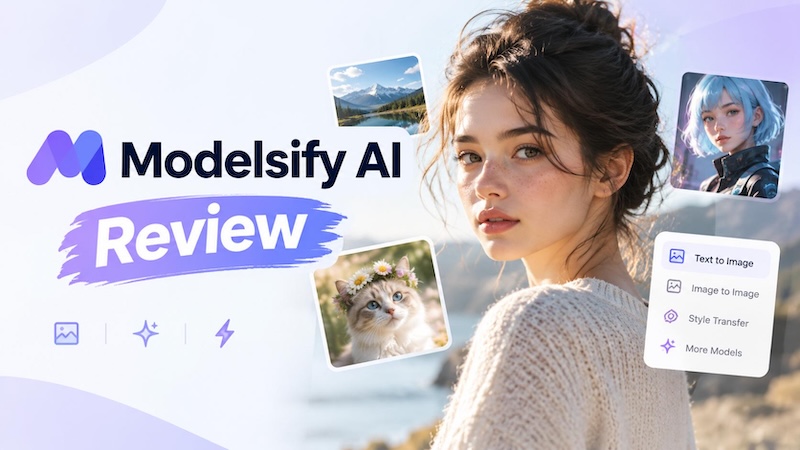
Modelsify AI is an AI content creation platform focused on realistic AI models, image generation, image transformation, and short video creation. The platform gives creators a way to create AI model images and turn still visuals into short videos. This can help social media creators, marketers, and people working on virtual characters produce visual content without traditional photography or video shoots. In this Modelsify AI review, we will look at its main features, AI image generation, image-to-video tools, video quality, pricing, pros and cons, and possible use cases. We will also discuss whether Modelsify fits different types of creators and when another AI video tool may be more useful.
Part 1. What Is Modelsify AI?
Modelsify AI is an AI content creation platform that focuses on creating realistic AI models and visual content. Instead of working only as a basic AI image generator, Modelsify combines AI model creation, image generation, image transformation, and video generation in one workflow. Users can create AI-generated people and then use those visuals for different types of content. For example, a creator may create a model image, change its appearance or setting, and then turn the image into a short video. This approach can help creators who regularly need model-based visual content. Social media creators can use AI models for posts and short videos. Marketers can create visual concepts for campaigns. Virtual influencer creators can also use AI-generated characters for their content.

Part 2. Modelsify AI Features
Modelsify AI focuses on AI-generated human models, images, and short videos. Its main features include AI model generation, AI image generation, image transformation, and image-to-video generation.
1 AI Model Generation
One of the main features of Modelsify is its ability to generate realistic AI models for visual content. Users can create AI-generated human models and place them in different visual scenarios for creative and social media content. Modelsify focuses on producing photorealistic results, allowing users to create model-based visuals without a traditional photoshoot.
2 AI Image Generation
Modelsify also allows users to generate AI images featuring realistic human models in different scenes and visual styles. This can be useful for creating lifestyle visuals, social media content, and other creative images without photographing a real person. Users can describe the desired visual through prompts and generate AI-based images from their ideas.
3 Image Transformation
Modelsify includes an AI image transformation feature that allows users to modify existing images rather than creating every visual from scratch. Users can upload an image and apply AI-powered transformations to create a different version of the original visual. This makes the platform useful for creators who want to experiment with existing images and explore new visual possibilities.
4 Image-to-Video Generation
Modelsify can also turn static images into short AI-generated videos. Users can start with an existing or AI-generated model image and use AI video generation to add movement and create short dynamic clips. The platform currently showcases short HD video generations designed to bring static AI models to life.
Part 3. Modelsify AI Video Generator: How Does It Work?
The Modelsify AI video generator focuses on turning still images into short AI-generated videos. According to the product information provided for this review, the platform promotes 5-second HD video generation. The basic process is simple.
- Users can begin with an AI-generated model image or another suitable image.
- The creator provides instructions about how the image should move or how the video should look.
- Modelsify processes the image and creates a short video clip.
- Users can check the generated movement and decide whether the clip works for their project.
This type of image-to-video workflow can help creators make Instagram content, short social videos, AI influencer clips, model showcases, and creative experiments. However, Modelsify should not be treated as a traditional video editor. Its main purpose is AI content generation. Users who need a timeline, detailed cuts, transitions, captions, audio editing, and other editing functions may need a separate video editing application.
Part 4. Modelsify AI Review: Image and Video Quality
Image and video quality are important when choosing an AI generator. Modelsify focuses on realistic AI models, so creators should pay attention to facial details, skin appearance, clothing, lighting, poses, and overall image consistency. The result can depend heavily on the prompt and the starting image. A clear prompt that explains the subject, environment, lighting, pose, and visual requirements can produce more useful results than a short and unclear instruction. For video generation, users should also check whether the movement looks natural and whether the generated clip follows the intended direction.
Here are the main areas users should consider:
| Category | What to Check |
|---|---|
| Image Realism | Facial details, skin, lighting, and clothing |
| Prompt Adherence | How closely the result follows the instructions |
| Model Consistency | Whether the same model remains recognizable |
| Motion Quality | Whether movement looks natural |
| Video Quality | Sharpness and overall visual quality |
| Generation Speed | How long the system takes to create content |
| Ease of Use | How simple the workflow is for new users |
If you have not tested the Modelsify AI generator yourself, it is better to judge these areas using actual generated samples rather than making broad claims about quality.
Part 5. Modelsify AI Pricing
Modelsify AI pricing can vary over time, so users should check the official pricing page before purchasing a plan. The current plan information provided for this review lists four options:
| Plan | Price | Video Generation Credits |
|---|---|---|
| Professional | $26/month | 1,500 |
| Launch | $50/month | 3,500 |
| Growth | $150/month | 12,000 |
| Enterprise | $600/month | 50,000 |
The listed information states that video-generation credits expire after six months. The Professional plan may suit creators who generate content regularly but do not need a large monthly volume. The Launch plan provides more credits for creators with higher usage. Growth and Enterprise plans target users with much larger content-generation needs. Modelsify may also offer a free entry point depending on the current website and account options. Since plans and offers can change, check the official Modelsify website immediately before subscribing.
Part 6. Modelsify AI Pros and Cons
The following points summarize the main advantages and limitations based on the platform's stated features and workflow.
Pros
- Focuses on realistic AI models
- Supports image and video generation
- Includes image-to-video generation
- Supports image transformation
- Offers several pricing levels
Cons
- Higher plans can cost more
- Video generation focuses on short clips
- Video credits have an expiration period
- It is not a traditional timeline video editor
- Value depends on how much content you generate
The main benefit is the combination of AI model creation and visual content generation. The main limitation for some users may be the short-video focus and the credit-based pricing system.
Part 7. Who Should Use Modelsify AI?
Modelsify AI can suit creators who want to build visual content around AI-generated models.
- AI Content Creators: Creators can use AI models to produce images and short videos for different online platforms.
- Social Media Creators: Short image-to-video clips can help creators produce visual posts and other short-form content.
- Virtual Influencer Creators: People building an AI-based character can use model generation and image creation to develop a consistent visual identity.
- Marketers: Marketers can test different model images and visual ideas without arranging a traditional photoshoot for every concept.
- Creators Who Want Image-to-Video: Modelsify can be useful for users who already have still images and want to turn them into short moving clips.
Modelsify may be less suitable for professional video editors who need a complete timeline editor. It may also be unnecessary for users who only need simple AI image generation. Users who create a very large number of videos should also compare the credit cost with their expected monthly usage.
Part 8. Modelsify AI Alternative - Edimakor AI
Modelsify AI is not the only option for creating AI-powered visual content. The best alternative depends on the type of content you want to produce. Edimakor AI is an online AI image and video generation platform that brings multiple generative AI models and creative tools into one browser-based workspace. Unlike Modelsify AI, Edimakor AI focuses specifically on AIGC image and video creation, allowing users to generate visuals from text or images and explore different AI models without switching between multiple platforms or installing software. It supports a range of image and video generation models, making it suitable for creators who want to experiment with different generation styles and capabilities in one place.
Create NowKey Features
- AI Video Generation: Generate videos from text prompts or images using different AI video generation models.
- AI Image Generation: Create images from text prompts and explore different models, styles, and creative possibilities.
- Multiple AI Models: Access a variety of image and video generation models from a single online platform.
- AI Effects: Apply AI-powered creative effects to images and videos for different visual styles and content needs.
- Browser-Based Platform: Generate AI images and videos directly online without downloading or installing additional software.
Conclusion
Modelsify AI focuses on realistic AI model creation, image generation, image transformation, and short video generation. Its image-to-video feature can help creators turn static model images into short visual clips for social media and other creative projects. The value of the platform depends on how often you create AI images and videos and how many credits you need. Users who need AI model-based content may find its workflow relevant, while creators who also need detailed editing and full video production can consider a broader tool such as Edimakor AI.


Leave a Comment
Create your review for HitPaw articles