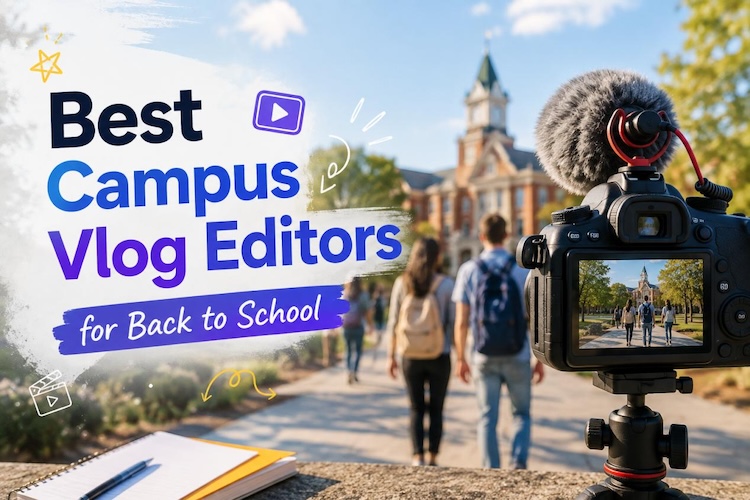
With the new semester just around the corner, many students are eager to share their back-to-school journey through campus vlogs on social media. To create engaging campus vlogs quickly, a capable vlog editing software is essential.
In this guide, we'll tell you what to look for in a vlog editor and introduce the best 5 campus vlog editors for 2026. Read on to find the right fit for you.
How to Choose a Campus Vlog Editor?
First, let's look at what makes a video editing software ideal for students and campus vlogging.
- Beginner-Friendly Editing: Most students are not professional creators. A clear interface with ready-made templates makes it much easier to get started.
- Captions and Audio Tools: Campus vlog many are talking vlogs. Built-in subtitle and audio tools can make up for a normal recording device, especially your cell phone.
- Fast and Creative AI Features: In 2026, AI-powered effects offer more visual appeal than standard templates. At the same time, they can help students finish a campus vlog faster.
- Flexible Export Options: Students are likely to publish campus vlogs on multiple platforms. Therefore, a good editor should support various aspect ratios and export formats.
5 Best Campus Vlog Editors You Should Try in 2026
1 HitPaw Edimakor
HitPaw Edimakor is a strong choice for students who want to speed up campus vlog editing with AI. Its intuitive drag-and-drop interface lets beginners create polished videos easily, no experience needed.
Key features of HitPaw Edimakor
- Easy editor for fast creation: Beginner-friendly timeline editing and ready-to-use templates help students finish projects quickly.
- Creative AI Tools: Integrated with leading models such as Seedance 2.5, Wan 3.0, and MiniMax M3, Edimakor offers a variety of AI tools to add effects to your videos.
- AI Enhancer Tools: Imperfect footage is not a problem. Edimakor's AI image and video enhancer fixes visual quality issues, while the noise reduction tool cleans up audio. With the auto subtitle generator, your video will be easier to follow.
- Cross-Platform Export: Multiple aspect ratios and export options for different social platforms. The built-in AI thumbnail generator also simplifies your workflow.


Best for: Students who want to create campus vlogs quickly and explore various AI models for creative video effects
2 CapCut
CapCut connects natively to TikTok, offering trending effects and sounds. It also have the mobile app, allowing students to edit and publish from their phones.
Pros
- Abundant trending templates updated daily with global hits.
- Direct TikTok export with optimized resolution and hashtags.
- AI voice changer and beat-sync for music-driven clips.
- Clean mobile interface perfect for on-the-go editing.
Cons
- Some useful features require a paid subscription
- Advanced editing tools can be difficult to use for beginners
Best for: TikTok-focused students who want to finish creation and publishing with a mobile device.
3 Canva
Canva merges video editing with polished graphic design. Its intuitive interface pairs with massive stock media and text animations. Students can create a back-to-school video easily.
Pros
- It is available in the browser and does not require installation.
- Drag and drop editing requires little technical experience
- Built-in stock photos, graphics, and font libraries.
- Smooth integration with social media scheduling tools.
Cons
- Lacks advanced video editing and precise trimming tools.
- Export quality caps on the basic plan.
Best for: Students who want simple vlogs with polished graphics, text, and visual branding.
4 Clipchamp:
Built into the Microsoft ecosystem, Clipchamp is ideal for Windows users. Its browser based workflow suits quick projects. Students can trim clips, add music, and export videos without complex editing software.
Pros
- Simple timeline suitable for quick edits.
- Built-in screen and webcam recording features.
- Works conveniently with Microsoft accounts and devices.
Cons
- Some export options depend on your subscription plan
- Fewer creative effects than dedicated editing apps.
Best for: Students already using Microsoft tools who need quick video editing for everyday campus content.
5 iMovie:
iMovie offers a simple way to turn campus footage into polished videos on Apple devices. Its clean interface makes editing approachable for beginners. Built in templates, music, and effects help students create engaging vlogs quickly.
Pros
- Clean interface makes video editing easy for beginners
- Magic Movie automatically creates videos from selected clips
- Built in soundtracks and effects add polish
- Works smoothly across iPhone, iPad, and Mac
Cons
- Limited advanced tools for complex video projects
- Only available within the Apple ecosystem
Best for: Apple users who want a simple, beginner friendly editor for creating polished campus vlogs.
Each editor brings unique strengths to the table. Pick the one that matches your platform, skill level, and creative vision best.
How to Make a Campus Vlog with Edimakor (Easy Step Guide)
Follow these simple steps to turn your campus clips into a polished vlog with Edimakor.
Step 1: Upload and Enhance Your Clips
Import your clips into Edimakor. Fix dark or shaky footage with the AI video enhancer first. Clean material makes the rest of your edit smoother.

Step 2: Arrange Clips Into a Story
Place your clips on the timeline and trim unwanted parts. You can use smart editing tools to speed up your editing. Then arrange them into a natural flow: Hook → Campus Moments → Daily Activities → Highlight → Ending.
Step 3: Add Music, Text, and Effects
Give your vlog more personality with music, text, and transitions. You can also explore Edimakor’s AI video tools to generate effects or visuals instantly. These details make your vlog more engaging.
Step 4: Export and Share Your Vlog
When everything looks good, export your finished vlog directly to social media. Choose 16:9 for YouTube or 9:16 for TikTok and Instagram. Then add an eye-catching thumbnail with Edimakor AI thumbnail generator.
FAQs:
A1: The best campus vlog editor depends on your needs. CapCut suits TikTok creators, while Edimakor offers AI tools and flexible editing for different vlog styles.
A2: You can include your campus tour, dorm life, classes, dining hall meals, and social moments. Show authentic daily experiences that give viewers a real feel for student life.
A3: Absolutely. Beginner-friendly editors like Edimakor offer simple interfaces, templates, and easy editing tools that help new creators get started quickly. Beginners can create professional-looking videos easily by using Edimakor.
A4: Yes. Many editors like Edimakor and Clipchamp run smoothly on standard laptops. Some even work in browsers without any installation required.
Conclusion:
Ready to edit your first campus vlog? Start by recording moments around campus, then import your clips into Edimakor. With the right editor, you can turn raw footage into a solid video faster than you think.
Leave a Comment
Create your review for HitPaw articles