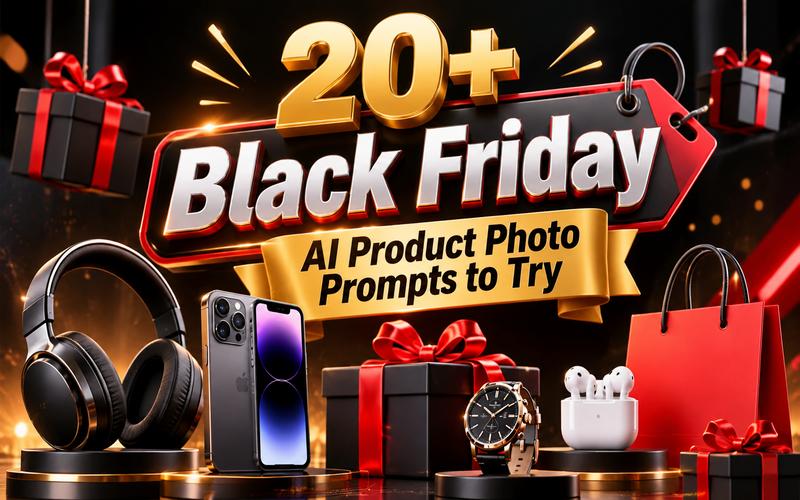
Black Friday is a great time to attract shoppers with eye-catching product images and exciting sale designs. A well designed visual can make a product stand out and encourage customers to explore an offer. AI image generators make this process faster and easier. You can create professional looking visuals without advanced design skills or expensive photography equipment. This guide shares 20+ Black Friday product photo prompts for products, banners, posters, and social media. Each prompt is ready to copy and customize for your next campaign.
What Makes a Great Black Friday Product Photo?
A great product photo makes shoppers notice the product and understand the offer quickly. It should have clear lighting, sharp details, and an attractive background. The product must remain the main focus.
Here are some important elements to consider:
- Strong contrast: Use dark backgrounds with red, gold, or white accents.
- Clear product focus: Keep the product large and easy to recognize.
- Sale atmosphere: Add gift boxes, shopping bags, ribbons, or discount symbols.
- Professional lighting: Use studio lighting, soft shadows, and realistic reflections.
- Space for text: Leave enough empty space for prices and promotional messages.
- Consistent branding: Match the visuals with your brand colors and style.
20+ Black Friday AI Product Photo Prompts and Examples
The right visual style depends on the product and where the image will appear. Some designs work well for online stores, while others suit social media or advertising campaigns.
Here are 20+ Black Friday image ideas including ready to use English prompts. Copy any prompt and adjust its details to match your product and brand.
1. Black Friday Product Photography Prompts
Product photography gives shoppers a closer look at sale items. These ideas use professional lighting, attractive backgrounds, and simple compositions to make products stand out.
“A premium luxury watch displayed on an elegant black marble pedestal. The scene is lit by golden side spotlighting, creating long shadows and sharp metallic reflections. In the background, soft golden dust particles float in the air to add a magical holiday touch. This professional black friday product photo captures elegance and prestige for a premium sale.”

“A minimalist arrangement of three white skincare bottles on a matte black surface. The background is a simple dark gray gradient with subtle geometric shadows cast across the scene. A single red silk ribbon weaves between the bottles to provide a pop of color and holiday flair. The lighting is soft and diffused, emphasizing the clean lines and high quality of the products.”
“A sleek black gaming headset resting on a futuristic metallic stand. The background features dark industrial textures with vibrant red neon lights glowing behind the product. Dynamic smoke effects surround the base to create a sense of energy and high performance. This image is perfect for an electronics black friday image that targets the tech-savvy gaming community.”
“A stylish leather handbag positioned in the center of the frame on a dark velvet cloth. Golden and silver metallic confetti is captured mid-air, frozen as it falls around the bag. The lighting is bright and celebratory, highlighting the texture of the leather and the shine of the hardware. This vibrant composition is ideal for fashion retailers looking to create a festive shopping mood.”
2. Black Friday Banner Design Prompts
These wide concepts can inspire website headers, email banners, paid ads, and landing-page hero sections. They are also useful black friday banner examples when you need room for a headline and button.
“A wide horizontal banner featuring a collection of high-tech gadgets like tablets and earbuds. The background is a dark blue and black abstract digital grid with glowing light streaks. Bold “BLACK FRIDAY” text is integrated into the 3D space, surrounded by floating percentage signs. This black friday banner design conveys a modern, and high tech shopping experience.”
“An elegant banner design showcasing various makeup products arranged artistically on a dark reflective surface. The background is a soft black silk curtain with gentle folds and a subtle sheen. Golden light rays filter through the scene, illuminating the products and creating a sophisticated atmosphere. This layout provides plenty of space for promotional text and brand logos.”
“A clean and professional banner featuring a modern kitchen setup with high-end appliances. The color scheme is dominated by charcoal gray and brushed steel, with bright red “Sale” tags attached to the items. Soft overhead lighting creates a warm and inviting home environment while maintaining a professional commercial look.”
“A dynamic banner showing a pair of running shoes in an action pose as if mid-stride. The background is a dark asphalt texture with blurred city lights in the distance to suggest speed. Striking yellow and white lines cut through the frame to lead the eye toward the discount information. This high energy design is perfect for sportswear brands looking to motivate shoppers.”
3. Black Friday Poster Design Prompts
Posters need a strong central idea that stays recognizable from a distance. These black friday poster design prompts work for storefronts, event announcements, print materials, and portrait social posts.
“A vertical poster design where the words “BLACK FRIDAY” take up the majority of the frame in bold, 3D metallic gold lettering. The background is a deep matte black with subtle spotlighting on the text. Small geometric shapes and thin red and white lines are scattered around to add visual interest. This black friday poster design is clean, impactful, and easily readable from a distance.”
“A stylish poster showing a person wearing a modern coat. The image is composed of high contrast black and white sections with a single bright red geometric overlay. Artistic paint splatters and brush strokes add a sense of high fashion and urban edge. This unique design is perfect for boutique clothing stores wanting to stand out from traditional ads.”
“A futuristic poster design that transitions from a dark Black Friday theme to a bright Cyber Monday aesthetic. One side of the poster features deep blacks and gold, while the other side uses electric blue and neon purple. A central product like a laptop sits at the intersection of these two styles. This versatile layout helps bridge the gap between the two major shopping days.”
“A poster designed to look like a high end retail window display during the holidays. It features a mannequin dressed in luxury apparel, surrounded by oversized black and gold gift boxes. A decorative “SALE” sign hangs in the foreground with a realistic glass reflection effect. This traditional yet polished design creates a familiar and enticing shopping scene for passersby.”
4. Creative Black Friday Sale Image Prompts
A memorable black friday poster design or sale image can use a visual metaphor instead of another standard product lineup. These concepts are useful for ads, landing pages, blog headers, and campaign teasers.
“A creative image of a black gift box bursting open to reveal glowing golden light and various floating products. Smartphones, watches, and jewelry pieces fly out of the box in a dynamic, circular composition. The background is a dark void that makes the golden light and products pop with intense brightness. This surreal black friday prompt generates a sense of wonder and excitement.”
“A creative product shot featuring two versions of a smartphone, one encased in ice and the other surrounded by flames. The dark background emphasizes the contrasting blue and orange glows from the elemental effects. This metaphor represents the “coolest deals” and “hottest prices” of the season. It is a visually striking way to highlight specific product features or sale themes.”
“An abstract creative image where giant 3D numbers representing discounts like “70%” and “50%” float in a gravity defying space. The numbers are made of polished chrome and reflect the surrounding dark environment. Subtle red laser lines crisscross the scene to add a sense of security and precision.”
“A mysterious and inviting image of a single golden ticket resting on a dark velvet cushion. The ticket has “Black Friday Secret Deal” etched into its surface with elegant typography. A soft spotlight shines directly on the ticket, making it the focal point of the entire composition. This creative approach encourages customer curiosity and engagement with “early access” or “VIP” sales.”
“A creative concept featuring a large hourglass where the sand is replaced by small golden coins. The hourglass is set against a dark, moody background with a ticking clock shadow in the distance. This visual strongly communicates the “limited time” nature of Black Friday deals. It is an effective way to drive urgency and encourage immediate action from potential shoppers.”
5. Black Friday Social Media Design Prompts
Social designs must work quickly on small screens. Choose a clear subject, one strong color contrast, and a simple area for copy. These concepts can be adapted for square posts, portrait feeds, and story style graphics.
“A vertical 9:16 layout designed for social media stories, featuring a central product carousel. Each product is highlighted by a pulsing neon ring in a dark, atmospheric setting. The design includes placeholders for “Swipe Up” buttons and interactive stickers. This social media black friday design is optimized for mobile viewing and high engagement rates.”
“A close-up shot of a pair of hands carefully opening a premium black and gold branded box. The focus is on the anticipation and the quality of the packaging, with the product partially visible inside. The background is a soft focus living room with warm holiday lights. This image helps build excitement for an upcoming sale through a relatable unboxing experience.”
“A bold social media graphic featuring a large digital countdown timer set against a dark carbon fiber texture. Bright red accents and “LIVE NOW” text create immediate urgency. The clean, centered composition makes it perfect for quick scrolling on Facebook or X (formerly Twitter). This design ensures that the most important information is seen instantly.”
“A professional social media layout that combines a high quality product photo with a floating testimonial text box. The product, a pair of premium headphones, is positioned on the left, while the right side features a clean area for the quote. Subtle gold stars indicate a five star rating, building social proof during the busy shopping season. This design balances promotional content with trust building elements.”
How to Create Black Friday Product Photos with AI
Creating professional grade marketing visuals is no longer restricted to those with expensive camera equipment. Edimakor AI is an online AI powered platform, you can transform simple text prompts into high quality images in just a few seconds. This browser based tool is designed to be accessible for both beginners and professionals. It offers a suite of features including text to image and image to image generation that allow for endless creative possibilities.
Why Use Edimakor AI for Black Friday Image Generation
Edimakor AI offers several advantages for marketers looking to scale their holiday content production efficiently:
- Multiple AI Image Models: Choose from multiple AI models to create different visual styles, from realistic product photography to creative 3D promotional designs.
- Turn Product Photos into Sale Visuals: Upload an existing product image and use Image to Image to create new backgrounds, lighting effects, and Black Friday-inspired scenes.
- Customize Your Image Style: Adjust prompts, aspect ratios, and image settings to create visuals that match your brand and promotional campaigns.
- Create Images Online in Minutes: Generate Black Friday images directly in your browser without installing additional design software. Create and download visuals whenever you need them.
 HitPaw Edimakor
If you also want to create product videos, social media ads, or eye-catching sale clips, HitPaw Edimakor offers more creative options. This AI video editing software supports AI image and video generation, video editing, effects, subtitles, and more, helping you turn your Black Friday ideas into complete visual content.
Follow these steps to create your promotional images with Edimakor AI.
Step 1: Choose Image Generation Method
Choose Text to Image to create a Black Friday product image from a text prompt, or upload an existing product photo as a reference and generate a new design.
Create Now
Step 2: Enter Your Image Prompt
Choose any ‘prompt’ from this guide and paste it into the text box. Edit the product details, background, colors, and lighting to match your brand. Select an aspect ratio and output quality for your design.
Step 3: Generate and Save Your Image
Click the ‘Generate’ button and wait for the image to appear. Review the result and download it to your device. You can then add it to your online store, website, ads, or social media campaigns, subject to the applicable usage rights.
FAQs About Black Friday AI Prompts
A1: Start with the product name and describe how it should appear. Include the background, lighting, colors, camera style, and composition. You can also mention where the image will be used, such as an online store or social media advertisement.
A2: Yes. AI image generators can create visual concepts for promotional banners and posters. You can describe the layout, colors, products, and overall theme. For accurate headlines, prices, and discount codes, add the text separately in an editing tool.
A3: Black, red, gold, and white are popular choices. Black creates a premium look, while red attracts attention. Gold adds a luxury feel, and white helps keep the layout clean and readable.
A4: The size depends on the platform. Square 1080 × 1080 images work well for Instagram feed posts, while 1080 × 1920 is suitable for Stories and Reels. For website banners, use the dimensions recommended by your store theme.
Conclusion
The right AI prompt can turn a simple product reference into a polished seasonal campaign asset. Try these 20+ black friday product photo ideas, adjust the colors and format for your brand, and test several directions before launch. With Edimakor AI, you can create fresh Black Friday concepts quickly and give shoppers a clearer reason to click, browse, and buy.
Ready to explore a new campaign look? Try Edimakor AI and turn your ideas into promotional visuals.


Leave a Comment
Create your review for HitPaw articles