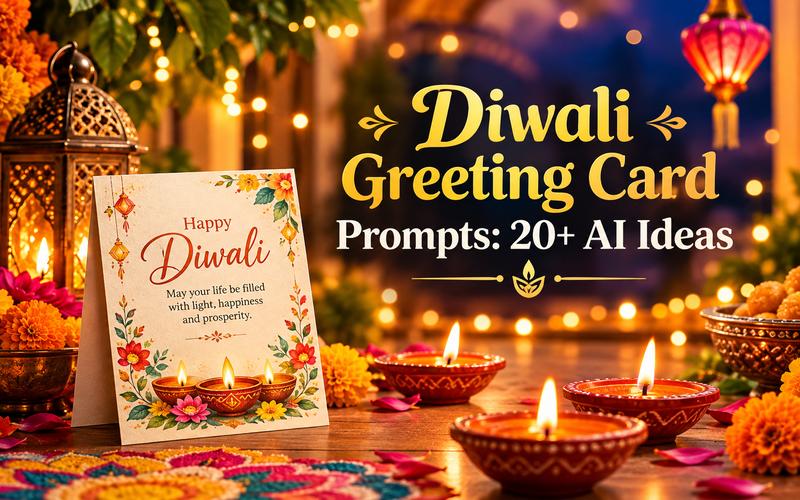
Diwali is more than just a festival of lights; it’s a celebration of happiness, family, and shared moments. For creators, it’s the perfect opportunity to capture beautiful memories and share festive joy through engaging videos. From colorful rangoli designs and home decorations to traditional recipes, family celebrations, and behind-the-scenes preparations, there are countless ways to create memorable Diwali content. In this guide, we’ll share the top 5 Diwali video ideas that will help you create engaging content for YouTube, Instagram, TikTok, and more.
Part 1: About Diwali

Diwali, or Dipawali, is India’s biggest and most important holiday of the year. The festival gets its name from the row (avali) of clay lamps (deepa) that Indians light outside their homes to symbolize the inner light that protects from spiritual darkness. Celebrated by millions of people across India and around the world, Diwali represents the victory of light over darkness and good over evil. The celebrations include decorating homes with colorful rangoli designs, lighting diyas, exchanging gifts, and spending quality time with family and friends.
Part 2: Top 5 Diwali Video Ideas to Try This Year
If you want to create Diwali-theme videos and are looking for fresh ideas, don’t worry — we’ve got you covered. In 2026, there are hundreds of ideas that you can use to make your Diwali content stand out. Below, we have mentioned the top 5 Diwali video ideas:
1 Happy Diwali Wishes Video
If you want to show your friends and family gratitude, creating a personalized Happy Diwali wishes video is an excellent option. You can include heartfelt messages, festive greetings, beautiful diya animations, colorful backgrounds, and traditional music to make your video more special. On the internet, you can find hundreds of Happy Diwali wishes templates that you can personalize by adding the names of the recipient or family.
2 Diwali Video Card for Businesses
Small business owners can create personalized Diwali video cards to share festive greetings with their customers, employees, and business partners. These videos can include company logos, brand colors, heartfelt messages, festive animations, and beautiful visuals of diya and decorative lights. You can also share these video cards through email campaigns, WhatsApp, LinkedIn, and more.
3 Happy Diwali WhatsApp Status
WhatsApp is one of the most used messaging apps worldwide. It allows users to connect with their loved ones through messages, audio and video calls, and status updates. During Diwali, you can use WhatsApp status to share festive greetings, beautiful videos, and memorable moments with your contacts. Create an eye-catching Happy Diwali WhatsApp Status that shows the vibe of Diwali, such as colorful rangoli designs, heartfelt wishes, and more.
4 Diwali Sales Video
Diwali is an excellent opportunity for businesses to attract customers and increase sales through festive promotions. You can create an engaging Diwali sales video to showcase special discounts, limited-time offers, product bundles, and festive deals. Share your Diwali sales videos on Instagram Reels, Facebook, YouTube, and WhatsApp to attract more customers and boost your sales.
5 Diwali Social Media Post
Content creators and influencers can create engaging Diwali social media posts to celebrate the festival and connect with their followers. From colorful festive greetings and beautiful rangoli designs to DIY decoration ideas and behind-the-scenes celebration videos, there are multiple creative options to explore.
Part 3: How to Create Engaging Diwali Videos Using AI
As we all know, creating Diwali videos using traditional methods can be time-consuming and require editing expertise. However, with the help of tools like HitPaw Edimakor, users can create high-quality Diwali videos with a single click. The program uses text-to-video technology to convert your prompt into engaging videos. Plus, it provides a wide range of Diwali video templates that make it easy to create professional-looking content without starting from scratch. Users can customize these templates with festive text, images, music, transitions, and special effects to match their creative vision. One of the standout features of this tool is that it also offers advanced video editing capabilities, allowing users to customize AI video according to their requirements — no editing skills required.
Key Features of HitPaw Edimakor
- AI Video Generator: HitPaw Edimakor enables users to create high-quality and professional-looking Diwali videos with a simple text prompt — no editing experience required. Enter the prompt, choose the AI model, and click on the “Generate” button.
- Wide Range of Templates: The program offers 1000+ AI video templates, allowing users to create various types of Diwali videos, such as Diwali Wishes, Diwali Video Cards, Diwali Sales, Social Media Posts, and more.
- AI Video Editor: This tool offers advanced video editing capabilities, allowing users to create high-quality videos effortlessly. Offers multiple video editing tools, such as trimming, cropping, filters, special effects, background music, transitions, and text overlays.
- Multiple AI Models: HitPaw Edimakor offers multiple AI video models, each with unique capabilities and features. It includes models such as Google Veo, HappyHorse, Seedance, Kling, Runway, MiniMax, Wan 2.7, Mochi 1, and Omni Flash.
- Intuitive Interface: One of the standout features of this tool is that it offers a simple and beginner-friendly interface, allowing non-tech and beginner users to create high-quality Diwali videos without requiring advanced editing skills.


Step-by-Step Guide:
If you want to create high-quality Diwali videos without editing experience, you’re in the right place. Follow the instructions below to learn how to create Diwali videos with HitPaw Edimakor.
Step 1: Select AI Video Generator
Go to the HitPaw Edimakor official site and download the latest version of the program on your PC. Launch it and select the “AI Video Generator” option from the main interface. You can also select “Toolbox” and then choose the AI Video Generator option.
Step 2: Choose Diwali Video Template
AI Video Generator will appear on your screen; click on the “Template” option. 1000+ templates will appear on your screen. Simply find the Diwali template and click on the “Create” button to create a video in the same style.
Step 3: Edit The Video Template
Users can customize the template according to their requirements. Click on the “Upload” button and choose the image you want to add. Scroll down and enter the video prompt in the prompt box.
Step 4: Generate and Download
Finally, click on the “Generate” button to begin the Diwali video creation process. Within seconds, your video will be ready. Preview the results, and if satisfied, choose the “Export” button available at the top right corner to download the video.
Final Thoughts
This Diwali, surprise your friends and family with creative videos that capture the joy, love, and festive spirit of the Festival of Lights. These Diwali video ideas will help you create engaging videos for your loved ones. If you want to create high-quality Diwali videos without editing experience, we recommend using HitPaw Edimakor. The best AI video editor with advanced AI video creation capabilities.
Leave a Comment
Create your review for HitPaw articles