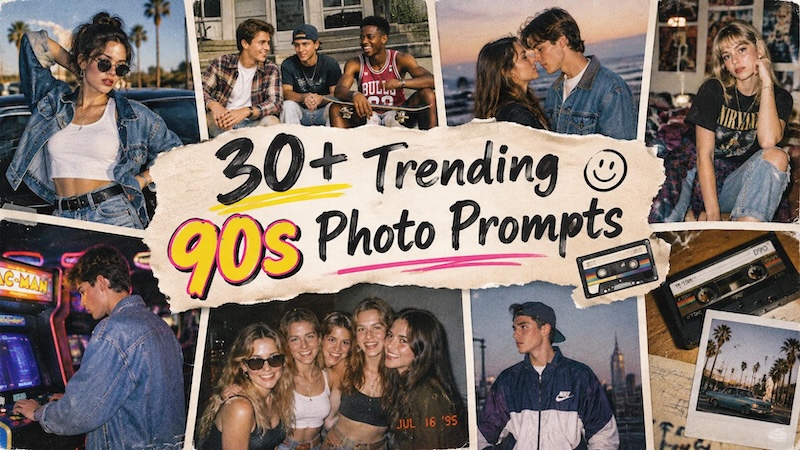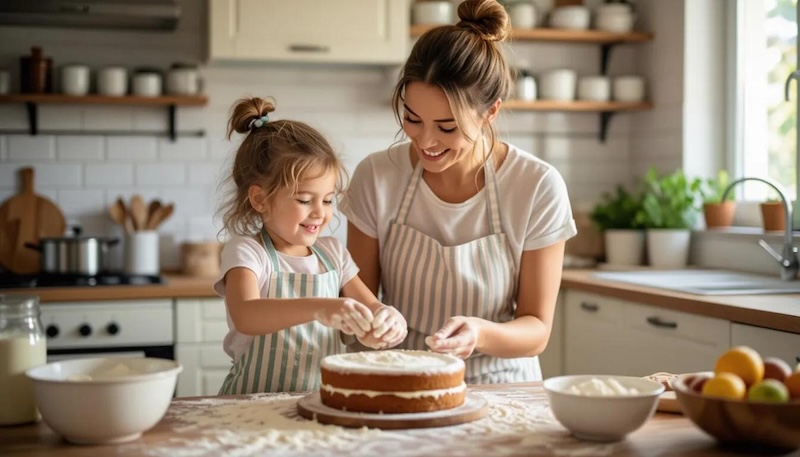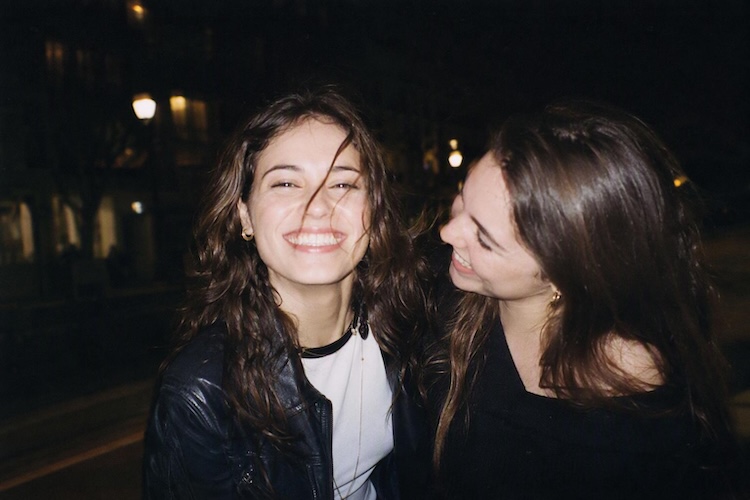
The disposable camera look is having a major comeback in AI image generation. Instead of perfectly polished portraits, creators are embracing grainy film, harsh flash, imperfect framing, and candid moments that feel like real memories.
With the right prompt, you can turn an ordinary photo into a nostalgic disposable-camera snapshot in seconds. Below are 10 AI disposable camera prompts you can copy and try with HitPaw Edimakor AI Image Generator.
Part 1. What Makes a Good Disposable Camera Prompt?
A convincing disposable camera effect is about more than simply adding the words "disposable camera" to a prompt. AI needs enough visual details to understand what makes the photo look like an authentic snapshot.
Here are the key elements to include in your prompt:
1. Direct Flash
Harsh, on-camera flash is one of the most recognizable features of disposable camera photography. Mentioning direct flash can create bright subjects, stronger shadows, and natural-looking falloff in the background.
Useful terms:
- Direct on-camera flash
- Harsh flash
- Flash photography
- Strong frontal flash
- Realistic flash falloff
2. Film Grain
Fine or visible film grain helps move the image away from a clean digital appearance. You can adjust the intensity depending on whether you want a subtle film texture or a more obviously vintage look.
Useful terms:
- 35mm film grain
- Visible film grain
- Fine analog grain
- Realistic film texture
3. Imperfect Focus and Motion Blur
Disposable cameras aren't known for perfect sharpness. Slight softness, accidental camera movement, and subtle motion blur can make AI-generated images feel more spontaneous.
Useful terms:
- Slight motion blur
- Soft focus
- Mild lens softness
- Subtle camera movement
4. Faded or Slightly Uneven Colors
Avoid overly clean and vibrant colors. Faded tones, warm color casts, washed-out highlights, or slightly uneven exposure can help recreate the look of consumer film.
Useful terms:
- Faded colors
- Warm analog tones
- Slightly washed-out highlights
- Uneven exposure
- Vintage color cast
5. Imperfect Composition
A disposable camera photo doesn't always look perfectly composed. A slightly off-center subject, accidental cropping, or someone partially outside the frame can make the result feel more candid.
Useful terms:
- Off-center framing
- Casual composition
- Imperfect framing
- Spontaneous snapshot
- Accidental cropping
6. A Candid Moment
Perhaps the most important part is making the image feel like a memory instead of a professional photoshoot. Describe an unposed expression, spontaneous interaction, or everyday moment.
Instead of simply writing:
A woman standing on the beach.
Try describing:
A candid vacation snapshot of a woman laughing on the beach, captured unexpectedly with a disposable camera.
The second version gives the AI much more information about the mood and photographic style.
7. Quick Formula for a Disposable Camera Prompt
You can also build your own prompts using this simple formula:
Subject + Scene + Flash + Film Texture + Color + Imperfections + Mood
For example:
A candid photo of two friends at a late-night party + direct flash + visible 35mm film grain + faded warm colors + slight motion blur + off-center framing + spontaneous nostalgic mood.
Combining these elements gives you much more control over the final result while keeping the unmistakable disposable-camera aesthetic.
Part 2. 10 AI Disposable Camera Prompts for Different Photo Styles
1 Classic 90s Disposable Camera

Recreate this photo as an authentic 1990s disposable-camera snapshot. Preserve the person's facial features, hairstyle, outfit, and natural proportions. Use harsh direct on-camera flash, visible film grain, slightly faded colors, soft focus, subtle motion blur, and imperfect off-center framing. Add a warm analog color cast and realistic flash falloff in the background. Make it feel like a casual photo developed from a roll of 35mm film, not a polished digital image.
2 Late-Night Party Flash
Turn this photo into a candid late-night party snapshot taken with a disposable camera. Keep the people recognizable and preserve their natural expressions. Use a strong direct flash, deep shadows, slight red-eye, heavy film grain, subtle motion blur, and uneven exposure. Let the background fall into darkness with hints of party lights and blurry figures. The photo should feel spontaneous, messy, and accidentally captured.
3 Disposable Camera Beach Photo
Recreate this image as a nostalgic disposable-camera photo taken at the beach in the late 1990s. Preserve the person's identity and natural appearance. Use bright direct flash mixed with warm afternoon sunlight, faded colors, visible 35mm film grain, slight overexposure, soft focus, and subtle light leaks. Include natural imperfections such as uneven framing and slightly washed-out highlights. Make it feel like an old vacation photo found in a family album.
4 Candid Friends Snapshot
Create an authentic disposable-camera snapshot of a group of friends caught in a spontaneous moment. Preserve each person's recognizable facial features and natural body proportions. Use direct flash, visible film grain, slightly uneven exposure, soft motion blur, and imperfect framing. Let one person be slightly cut off at the edge of the frame. Use warm, faded colors and a casual point-and-shoot look, as if the photo was taken without anyone posing.
5 Romantic Couple Snapshot
Turn this couple photo into a romantic disposable-camera snapshot from the early 2000s. Keep both faces recognizable and natural. Use direct flash, warm consumer film colors, visible grain, slight motion blur, soft focus, and subtle light leaks. Capture an unposed moment with imperfect composition and natural expressions. Avoid a studio look or cinematic lighting; make it feel like a real memory from an old photo album.
6 Mirror Selfie With Disposable Camera Look
Transform this mirror selfie into a realistic disposable-camera photograph. Keep the person's face, hairstyle, outfit, and body proportions recognizable. Add harsh direct flash reflected in the mirror, noticeable film grain, slight lens softness, faded colors, mild overexposure, and subtle dust or scratches. Keep the framing casual and slightly imperfect, with a genuine early-2000s point-and-shoot aesthetic.
7 Night Street Disposable Camera
Recreate this image as a spontaneous night street photograph taken with a disposable camera. Preserve the subject's identity and natural appearance. Use harsh frontal flash, deep background shadows, visible film grain, slight motion blur, soft focus, and warm analog colors. Add subtle reflections from streetlights and imperfect exposure. Keep the composition unplanned and slightly off-center, like a photo taken quickly while walking through the city at night.
8 Road Trip Memory
Create a nostalgic disposable-camera snapshot from a 2000s road trip. Show the scene as an imperfect candid photograph with warm faded colors, visible 35mm film grain, direct flash where appropriate, slight motion blur, and soft focus. Include spontaneous framing, natural sunlight, subtle lens imperfections, and a slightly overexposed sky. Make the image feel like an authentic vacation memory rather than a professionally composed photograph.
9 Bedroom Flash Photo
Turn this photo into an authentic early-2000s bedroom snapshot taken with a disposable camera. Preserve the person's identity, hairstyle, clothing, and natural proportions. Use harsh direct flash, visible film grain, slightly faded colors, soft focus, mild overexposure, and imperfect framing. Include subtle shadows and realistic flash falloff across the room. Make it feel casual, nostalgic, and completely unposed.
10 “Last Photo on the Roll” Aesthetic
Make this image look like the final photograph left on a disposable camera roll. Preserve the subject's recognizable face and natural appearance. Use strong direct flash, heavy but realistic film grain, slight underexposure, soft motion blur, faded colors, and a subtle light leak across one corner. Make the framing imperfect and spontaneous, with small signs of accidental camera movement. The result should feel like a forgotten photograph discovered years later.
Part 3. Create Disposable Camera Photos with HitPaw Edimakor
HitPaw Edimakor AI Reference Image feature lets you combine a reference image with a text prompt to generate a new image. Instead of relying on text alone, you can give the AI an existing image and describe the visual style or changes you want.
For disposable camera images, this makes it easier to preserve important elements from your reference while applying a nostalgic film aesthetic.


Key Features
- Combine Images and Text: Upload a reference image and add a detailed text prompt to guide the generation.
- Preserve Visual Elements: The AI considers the composition and elements of your original reference image when creating a new result.
- Use Multiple Reference Images: Upload up to 10 images to provide more visual information.
- Explore Different AI Models: Choose from available models such as Google Nano Banana, Nano Banana Pro, and Seedream.
- Create Different Visual Styles: Experiment with film photography, disposable camera aesthetics, vintage snapshots, and other creative looks.
How to Use Edimakor AI Reference Image
Step 1: Open AI Reference Image
Open the Reference Image feature in Edimakor. You can choose from available AI models.
Step 2: Upload Your Reference Image
Upload the image you want to use as a visual reference. You can upload up to 10 images, giving the AI more information about the subject, composition, or visual elements you want to recreate.
Step 3: Enter Your Disposable Camera Prompt
Enter a detailed prompt describing the disposable camera style you want. Include details such as direct flash, 35mm film grain, faded colors, soft focus, motion blur, or imperfect framing.
Step 4: Click "Generate" to Create Your Image
Once your reference images, AI model, and prompt are ready, click Generate in the bottom-right corner. Edimakor will process your reference and text description to create a new image with the disposable camera aesthetic.
Conclusion
AI disposable camera prompts make it easier to recreate the nostalgic look of analog photography without an actual disposable camera. By combining direct flash, film grain, faded colors, motion blur, and imperfect composition, you can make AI-generated images feel more spontaneous and authentic.
With HitPaw Edimakor AI Reference Image feature, you can also combine your own reference images with detailed prompts to explore different disposable camera styles. Try the prompts above, adjust the details to match your photo, and create your own collection of nostalgic film-inspired images.
Leave a Comment
Create your review for HitPaw articles